The Amstrad PC1640 Project - Part 3
20th August 2026
In Part 2 we got the PC1640 DD with PC-ECD monitor up and running, installed a bunch of upgrades, did some benchmarking and played some games - Phew, that was a fun couple of days!
In this final Part 3, I wanted to cover some of the other thoughts and ideas spinning since I unboxed this lovely XT compatible.
A CPU Upgrade
I'm ruling out installing a 'turbo' card, such as the Orchid Tiny Turbo that took over completely from the 8086, as that would take away the purity of this PC.
The only reasonable CPU upgrade option while keeping the PC1640 as an XT-compatible is to swap out the Intel 8086 for an NEC V30. This gives anywhere from 10%-30% boost in performance, though closer to 10% in real world usage.
An AMD-branded 8086 (top) and Sony-branded V30 (bottom)
NEC did make the V30 faster than 8 MHz over time - it also came in 10, 12 and 16 MHz versions (though only the 8 and 10 MHz variants came in DIP40 packages that would work as a drop-in replacement here), so in theory we could attempt a slight overclock to 10 MHz. I certainly wouldn't push this system much more than that. Regardless, it will be underclocked to 8 MHz unless I also swap out the crystal oscillators to support the faster CPU.
Unfortunately, the architecture of the Amstrad PC1640 is such that just about everything else (memory, bus, etc) runs synchronously with the CPU clock. Maybe a 9.54 MHz crystal [which wasn't unusual to find in a Turbo XT] would be a possibility.
I did some research and found the video circuitry runs on its own crystal separate to the CPU clock - we won't change that since it would directly affect the video synchronisation from the onboard Paradise PEGA chipset to the monitor, potentially causing the monitor horizontal and vertical sync frequencies to change.
I have an NEC V30 in my Amstrad PPC640 (it's the one in the picture above), which I installed in the PC1640 and re-ran the same benchmarks as before:
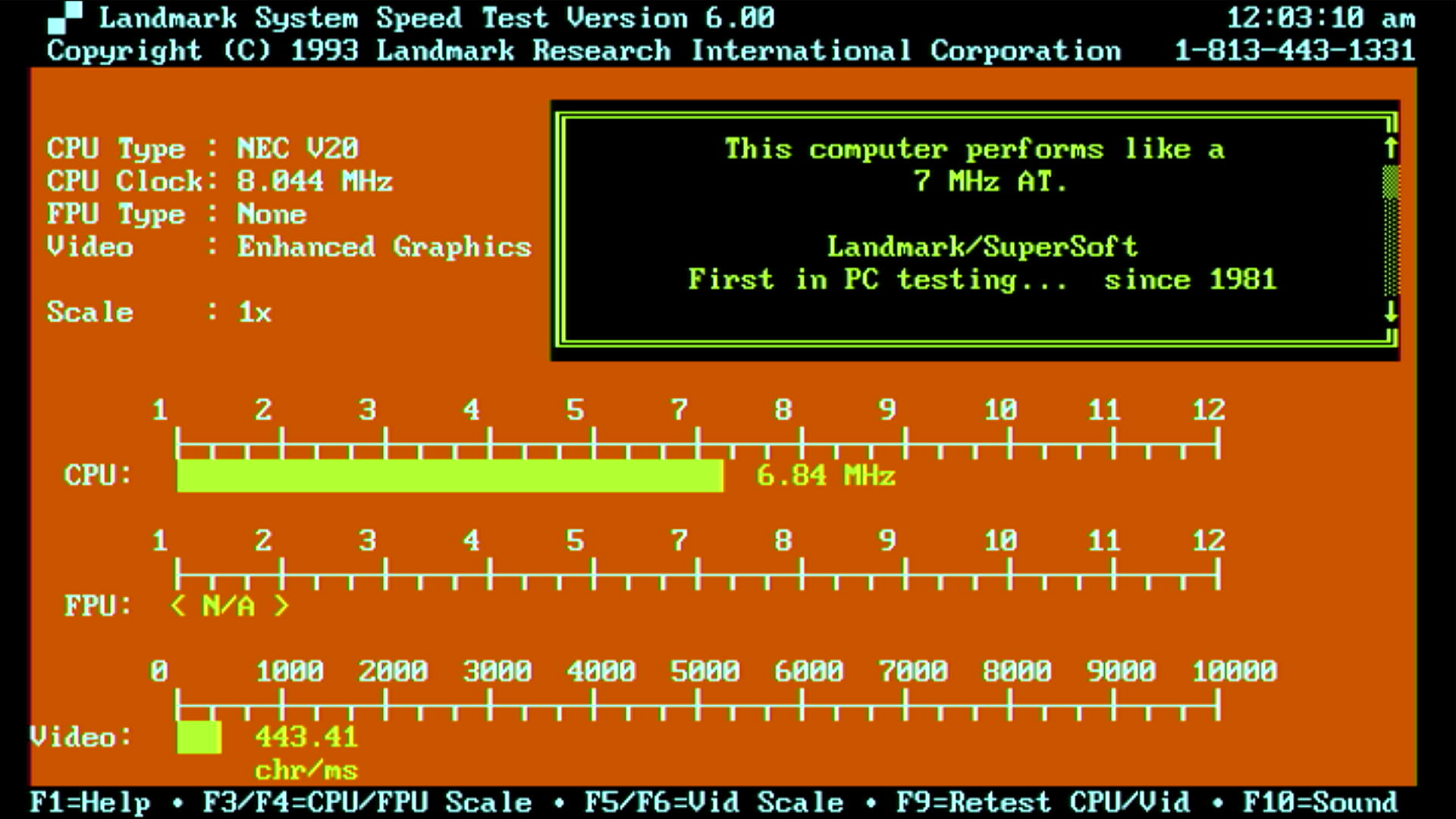
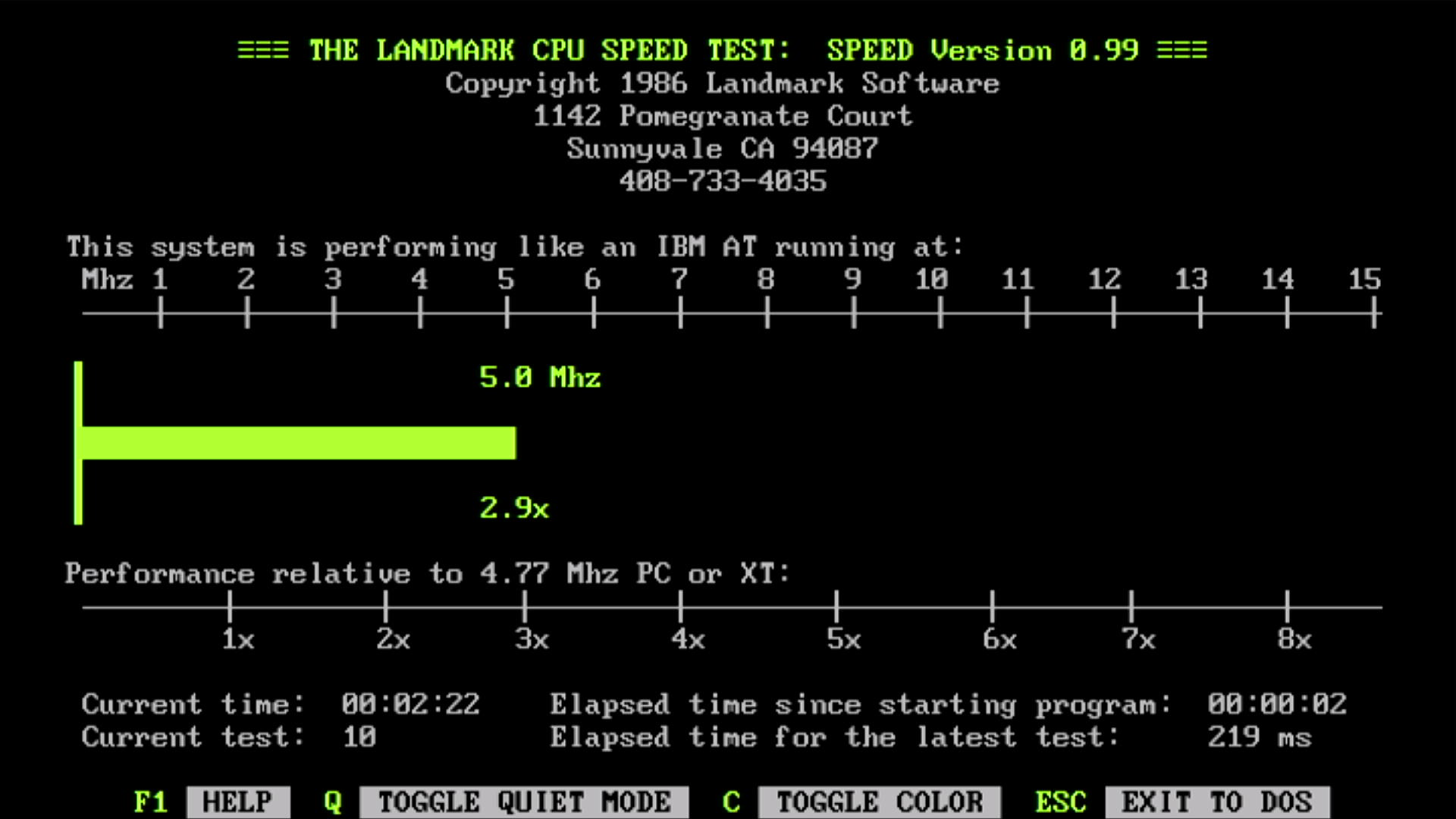
Landmark Speed Test v0.99 (left) and v6.00 (right) running on the V30 CPU
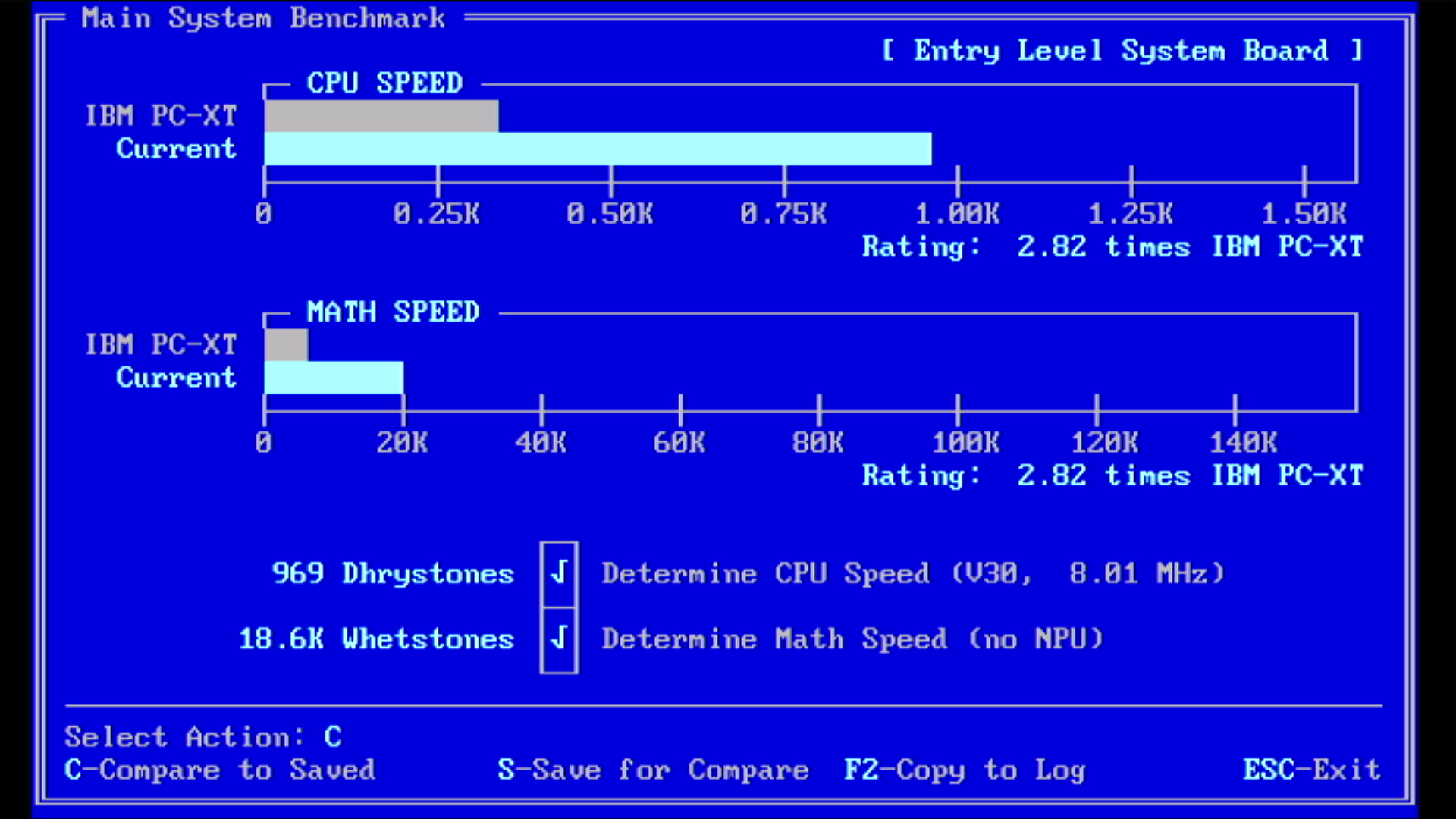
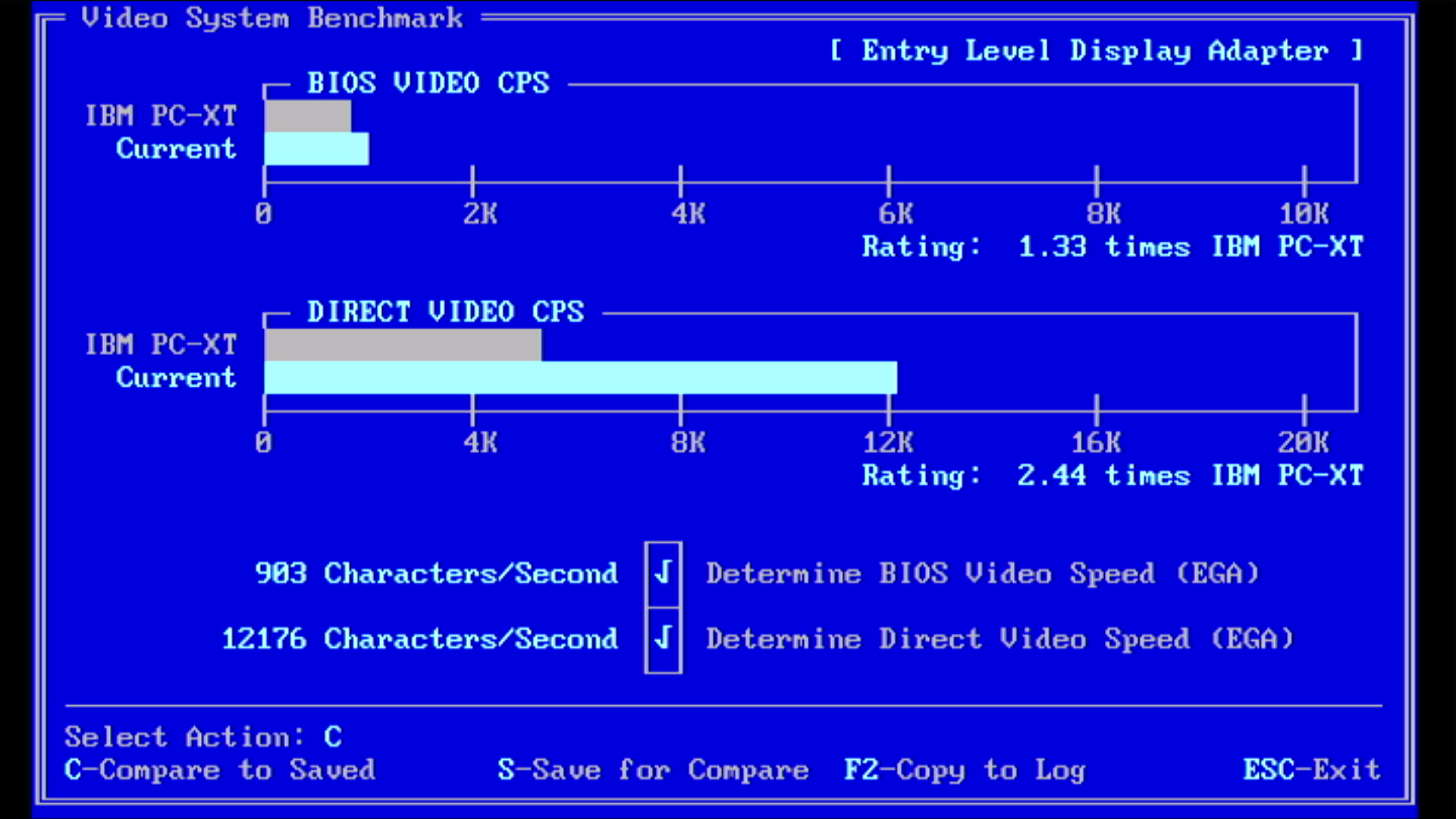
Check-It 3.0 CPU, FPU, and Video running on the V30 CPU
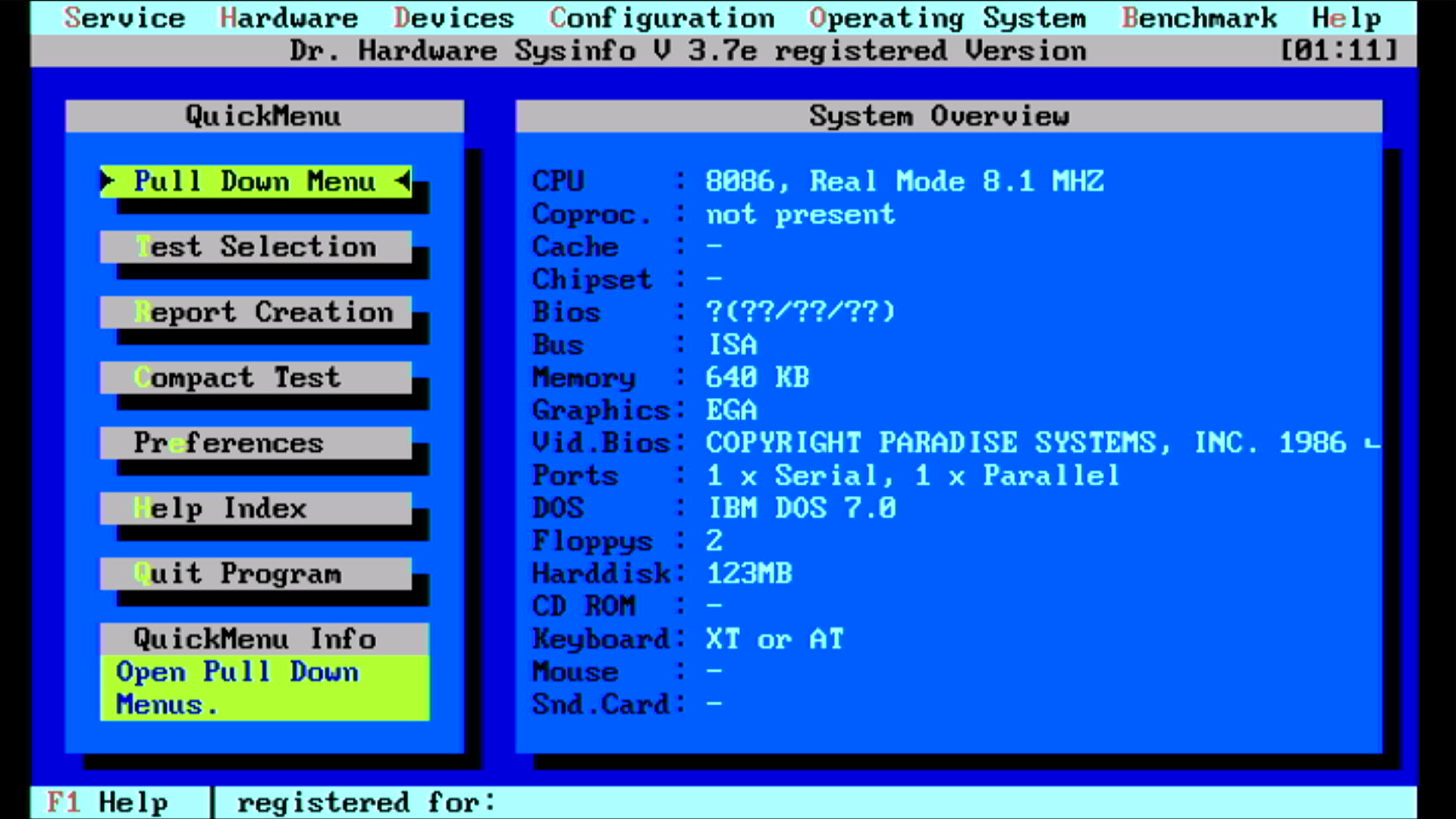
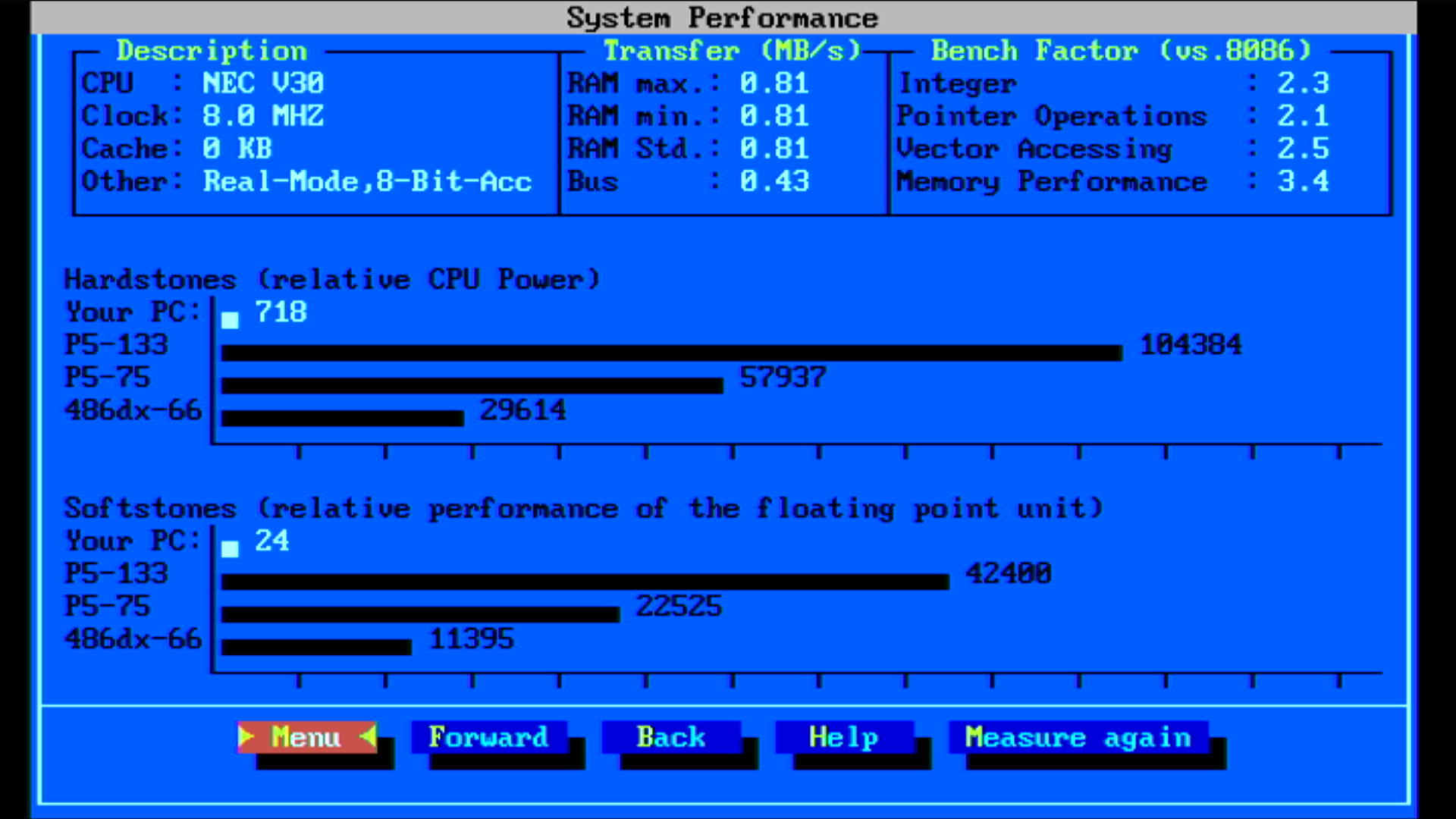
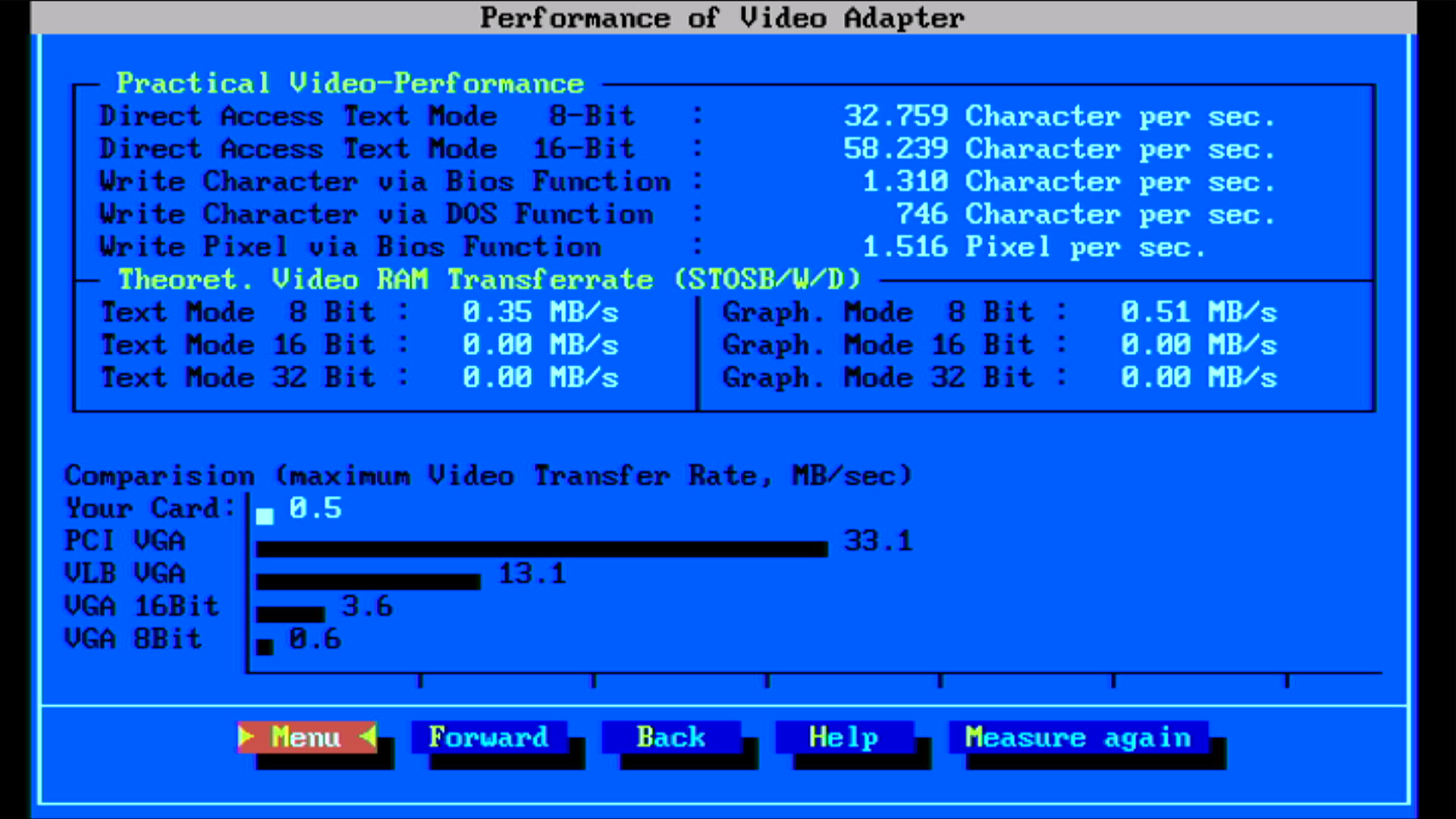
Dr. Hardware with the V30 CPU
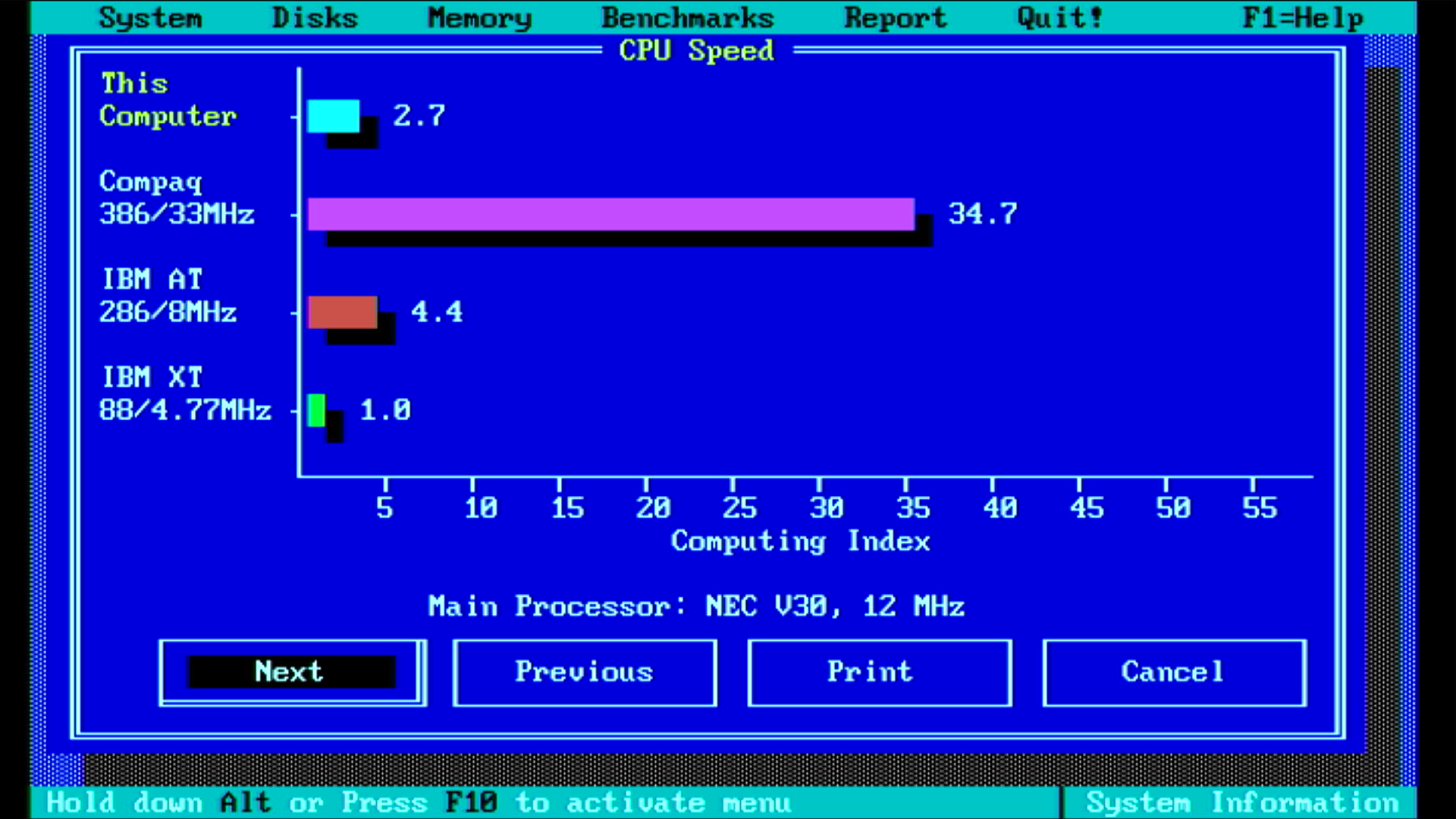
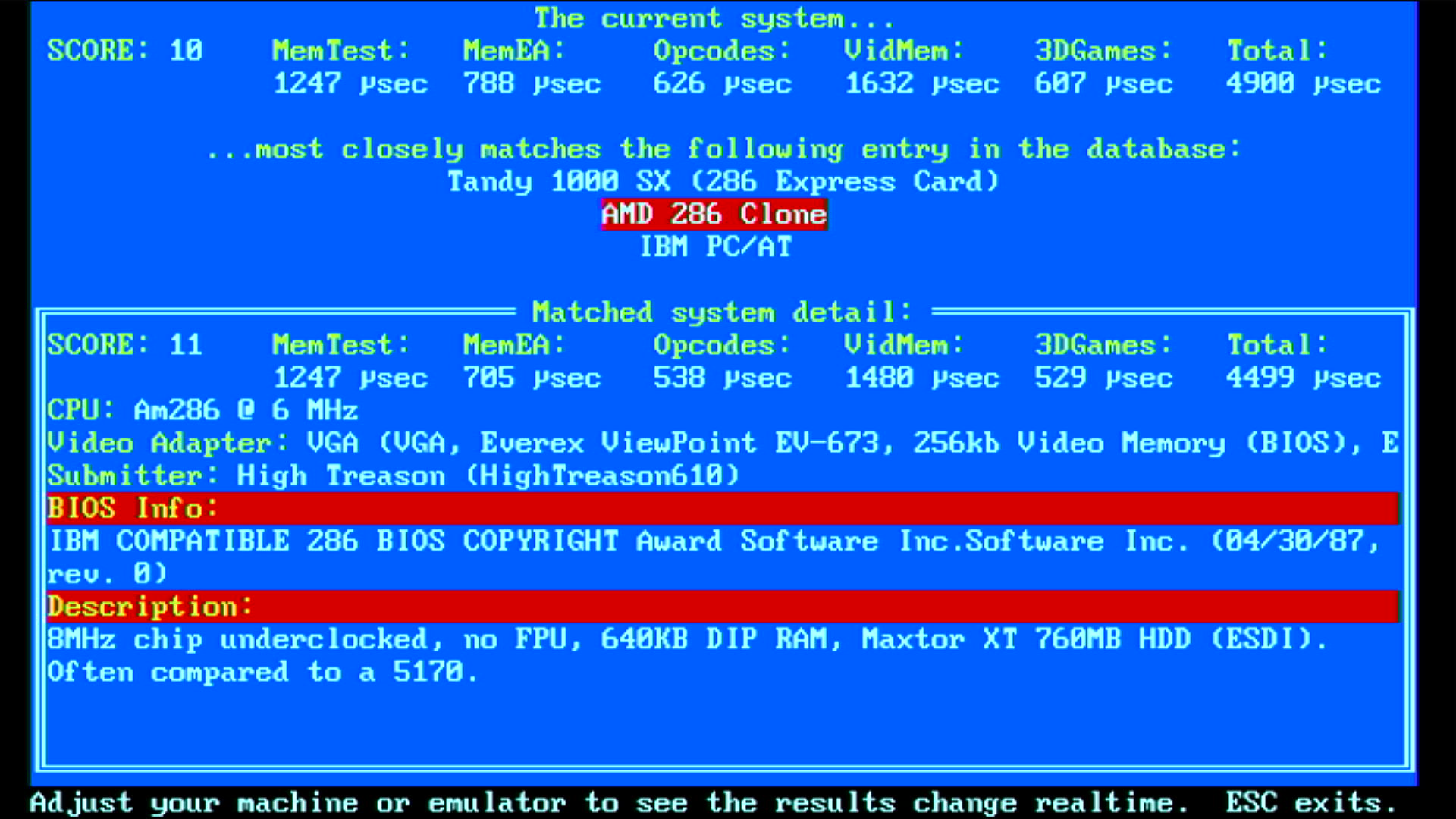
Norton SI 5.5 and TopBench 0.38
So take these comparisons with a pinch of salt ("there are lies, damned lies, and performance benchmarks") - all tests have been synthetic so far, but it's still worth putting them all together:
| Intel 8086 @ 8 MHz | NEC V30 @ 8 MHz | % Improvement | |
|---|---|---|---|
| Landmark Speed Test 0.99 (MHz) | 4.4 | 5.0 | 14% |
| Landmark Speed Test 6.00 (MHz) | 5.11 | 6.84 | 34% |
| Check-It 3.0 CPU Test (Dhrystones) | 767 | 969 | 26% |
| Check-It 3.0 FPU Test (Whetstones) | 15.9K | 18.6K | 17% |
| Check-It 3.0 BIOS Video Test (chars/sec) | 826 | 903 | 9% |
| Check-It 3.0 Direct Video Test (chars/sec) | 10,895 | 12,176 | 12% |
| Dr. Hard 37e Hardstones | 585 | 718 | 23% |
| Dr. Hard 37e Softstones | 19 | 24 | 26% |
| Dr. Hard 37e Video Transfer Rate (MB/s) | 0.5 | 0.5 | 0% |
| Norton SysInfo 5.5 CPU Speed | 2.1 | 2.7 | 29% |
| TopBench 0.38 Total (usec) | 6636 | 4900 | 26% |
So there we are, on average a 21.6% increase in performance with the NEC V30 running at the same clock speed.
Other Performance Options
As you may have read in my 'Getting a 286 to Run Like a 386' article from a few years ago, most later systems run the CPU asynchronously to the rest of the system, allowing us to drive the CPU at a faster frequency while maintaining core timing of memory, other buses and peripherals.
On Turbo XTs, their motherboards still have a 14.31818 MHz crystal used to drive the ISA bus (CLK/2). It's also used to drive the Programmable Interval Timer, or PIT (usually CLK/12). The turbo button switches the clock generator, usually an Intel 8284, to use a secondary crystal. In the Amstrad, we don't have an 8284 - the clock gen is probably built into the custom 40039T gate array. This limits what we can do, and that 24 MHz crystal is it. I want to try replacing it with a slightly faster one, say, 27.000 or even 28.636 MHz, which would result in a theoretical 9.54 MHz when divided by 3. If (and it's a big "if") the gate arrays and memory can handle the additional speed, we may still get errors and hangs on the peripheral side of things, but lots of later XTs ran at precisely this frequency, 9.54 MHz, as their master clock source was a 28.636 MHz crystal oscillator.
The ISA bus on the PC1640 runs at precisely 4 MHz (it's CPUCLK/6). This was a design decision by Amstrad in order to maintain compatibility with expansion cards around at the time, which would run at 4.77 MHz on the IBM 5150, the same as the CPU. Driving the ISA bus at 7-12 MHz wasn't really a thing in 1986. The ISA bus frequency is probably also managed by the 40039T gate array, which forces the CPU frequency of 8 MHz down by half through the insertion of hardware wait states on any bus communications. So the ISA bus actually runs slower on this PC than the original IBM 5150! By swapping out the 24 MHz crystal for something slightly faster this will directly impact the ISA bus too - something to bear in mind.
The other crystal on-board is a 16.25 MHz one which is responsible for directly driving the onboard graphics dot clock (pixel clock).
The onboard RAM is a bit of a concern. It's rated at 150ns and was designed to operate at 8 MHz. If the Intel 8086 were to take just 1 clock cycle to access memory, we would need 125ns as a minimum (1 clock cycle / 8 MHz = 125ns), but because the 8086 (and I think the V30) takes 4 clock cycles to access memory, the RAM need only be 500ns (4 clock cycles / 8 MHz = 500ns). In my experience when pushing the performance envelope on these systems, it's slow RAM that is often the first to cause us problems, but this motherboard has DRAMs from Texas Instruments - a known quality brand. There are other logic chips responsible for DRAM access that will also cause delays, but we're well within tolerance given the clock cycles calculation.
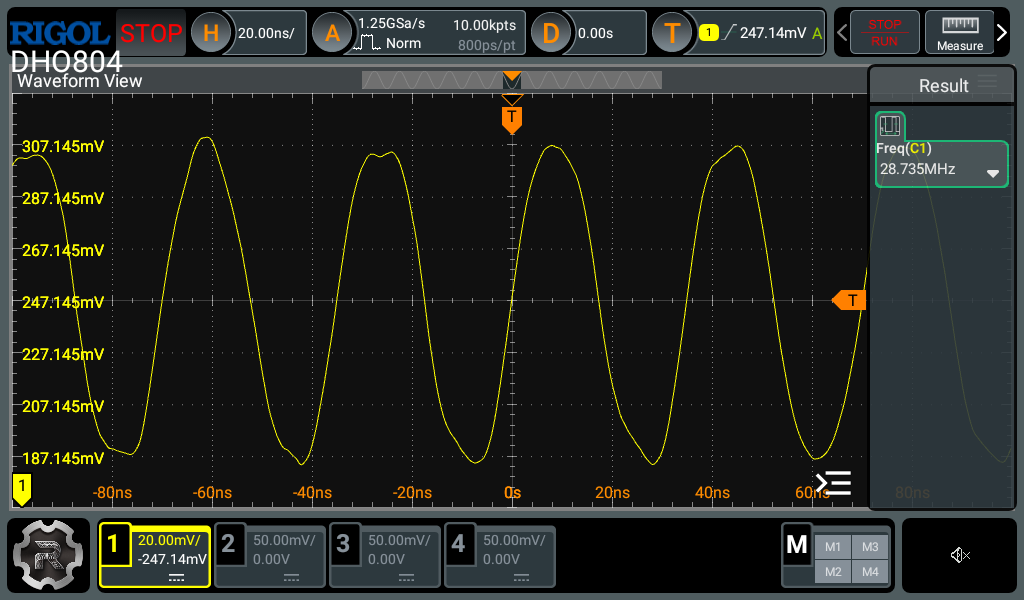
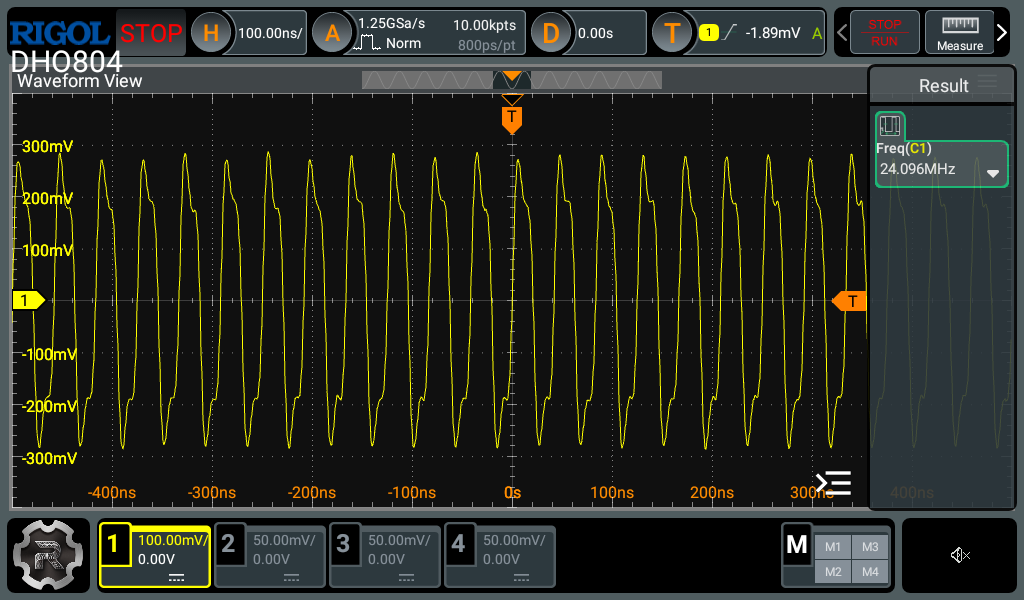
It's time to get out the oscilloscope and probe these crystals to confirm our assumptions....
First off, here's the crystal at X105(?) with the marking '286-100':
Now the one we're really interested in, the main CPU crystal at X104 with marking '240-100':
and at the top of the board in location X101 with marking '1843.2':
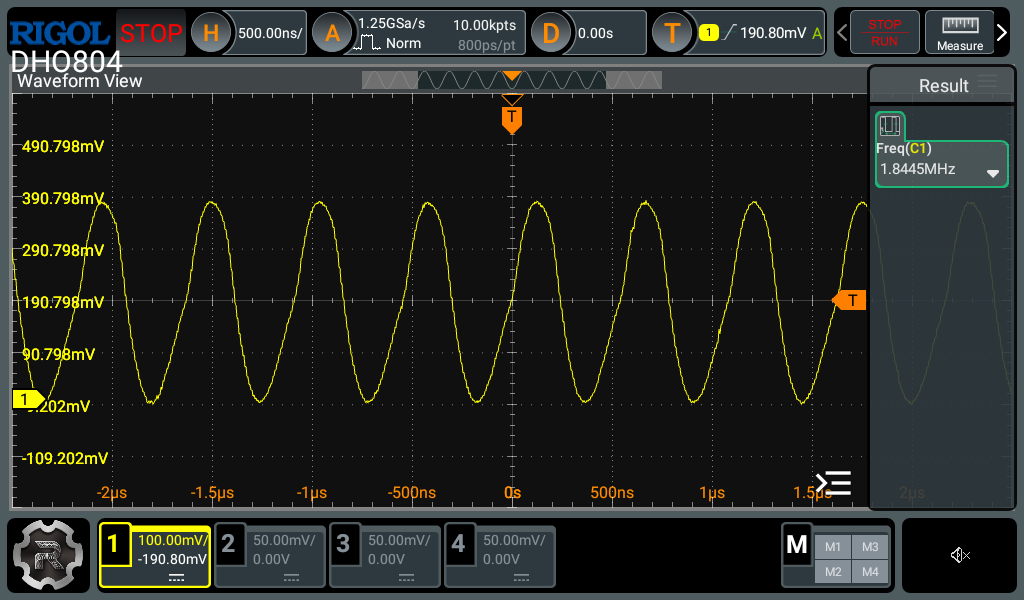
and finally the ISA bus itself, measured at pin B20 on one of the expansion slots:
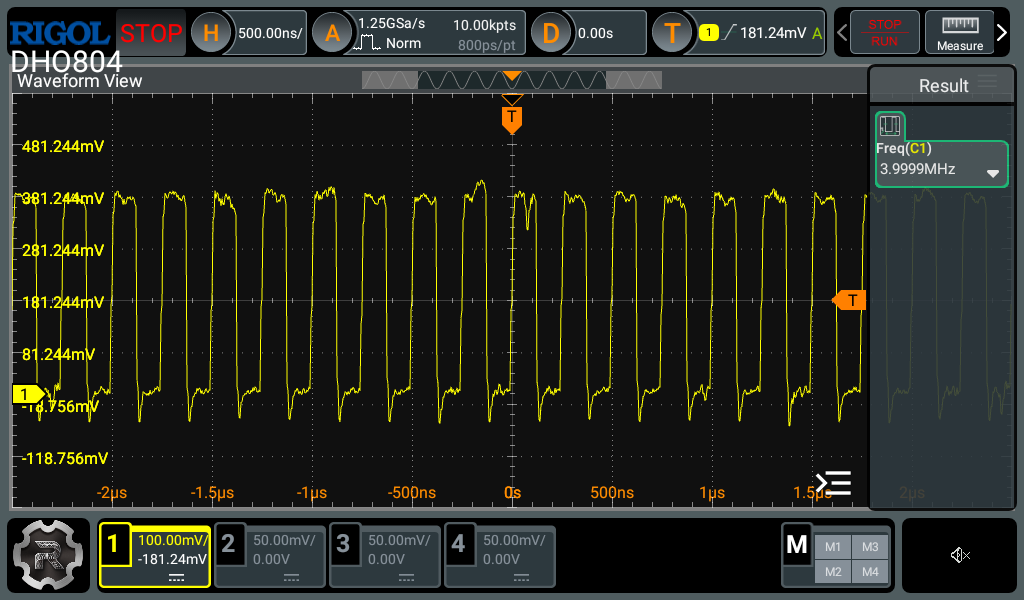
So this confirms the figures we were expecting, and most probably what they're used for.
I don't have any 27.000 or 28.636 MHz crystals, so will order them now and update this page when they arrive!
Using the ECD Monitor on a Different PC
For some reason I thought these Amstrad monitors weren't able to be used on other PCs, believing they needed to detect a load on the system unit power cable and feed that back to the monitor before the high-voltage side would be enabled. This is not the case for this ECD monitor - it works just fine - just be sure your graphics card is outputting the correct vertical sync polarity - the monitor conforms to the EGA standard, expecting separate horizontal and vertical sync signals along with a negative vertical polarity sync to tell the monitor to use EGA high-res (640 x 350) or positive for EGA low-res and CGA compatibility modes (640 x 200 or 320 x 200).
To test this out, I unplugged the System Unit power cable and connected the monitor to my other retro PC fitted with a Cirrus Logic SVGA card that has both analogue and digital outputs.
.jpg)
.jpg)
Ignore the blue VGA cable - that was me testing the PC and SVGA card were functioning as expected with my video capture setup before I connected the Amstrad monitor
You may have noticed the colours are rather washed out. This just needed brightness/contrast adjustments to correct:
.jpg)
.jpg)
.jpg)
That's now looking a lot better!
While we wait for the upgrade crystal oscillators to arrive, I'll end it here. I do hope you enjoyed reading this article - please send me any feedback via the 'Contact Us' link below!
More Power!
The crystal oscillators have arrived, so on with the work!
8.33 MHz
I started with a 25 MHz oscillator, so this will be driving the V30 at 8.33 MHz (CLK/3) and the ISA bus at 4.17 MHz - just a mild overclock to start things off...
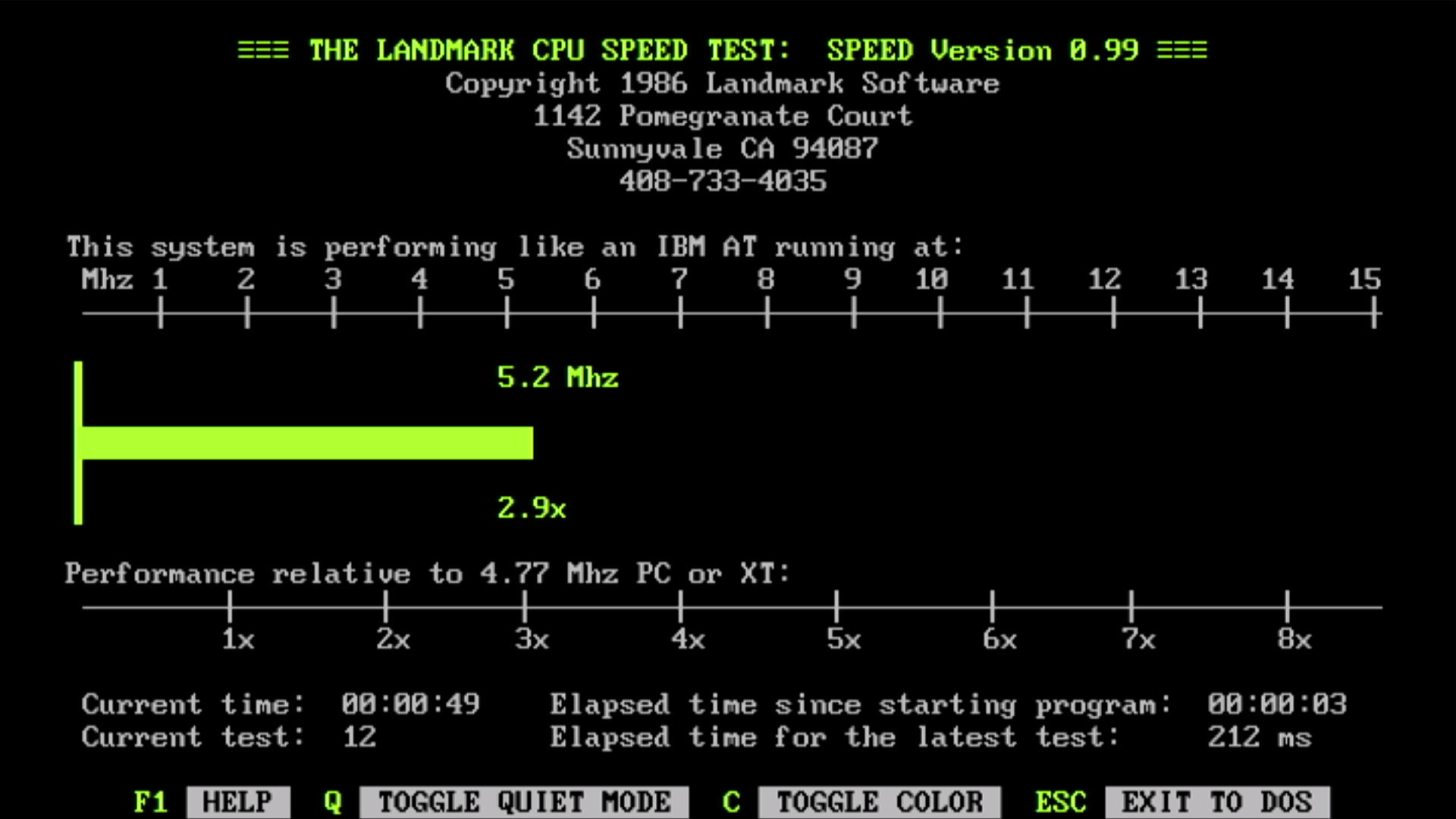
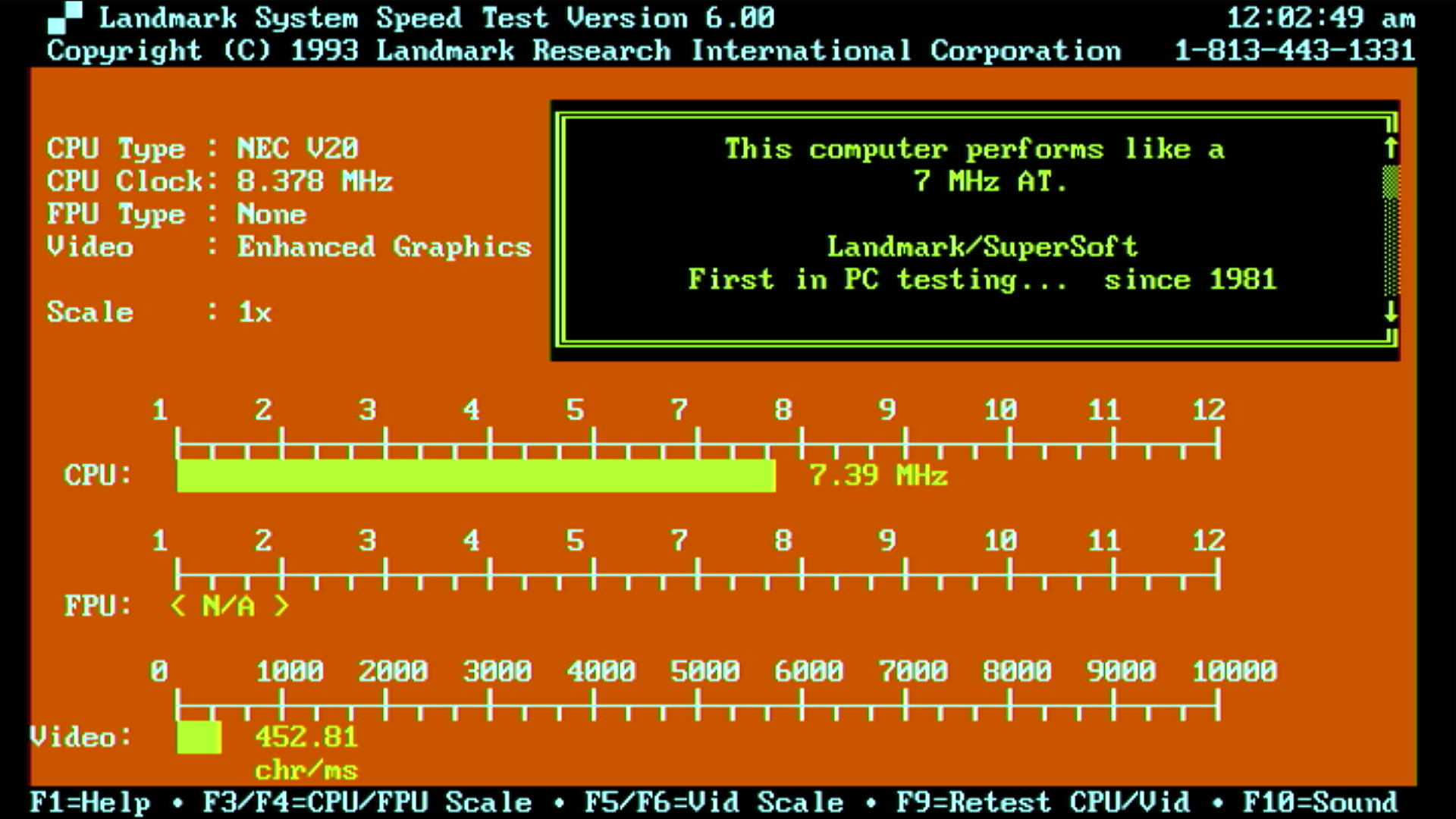
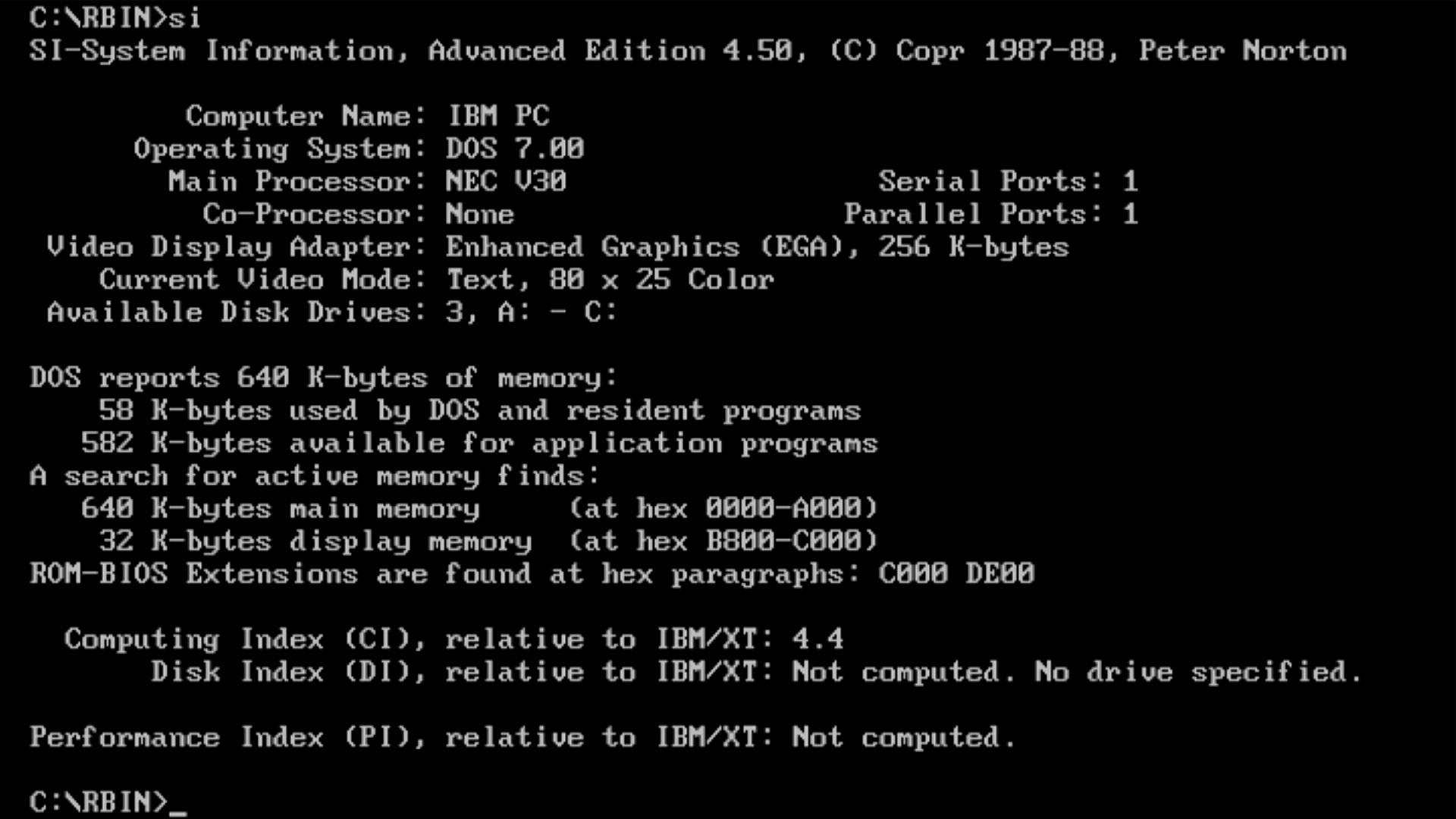
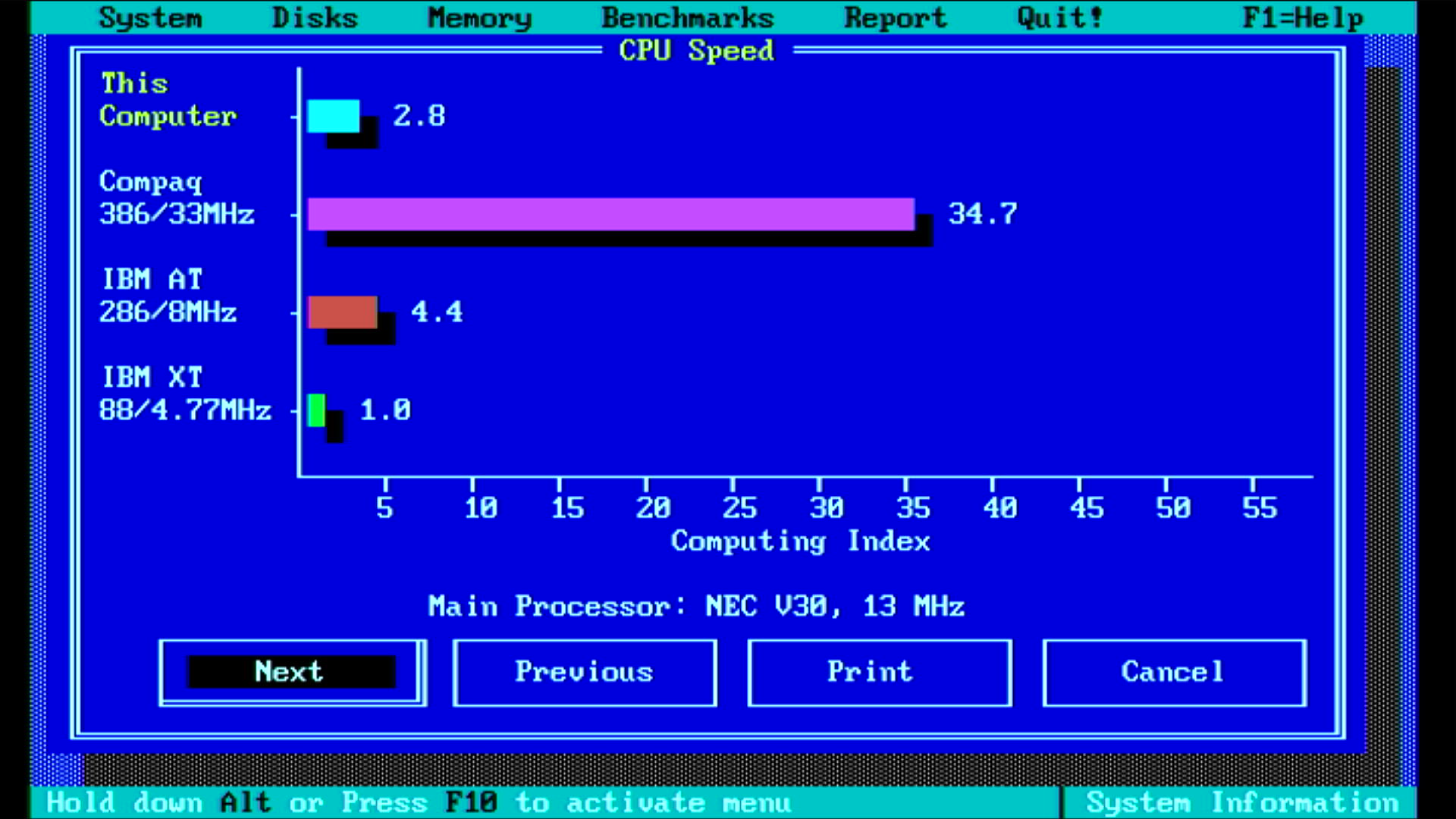
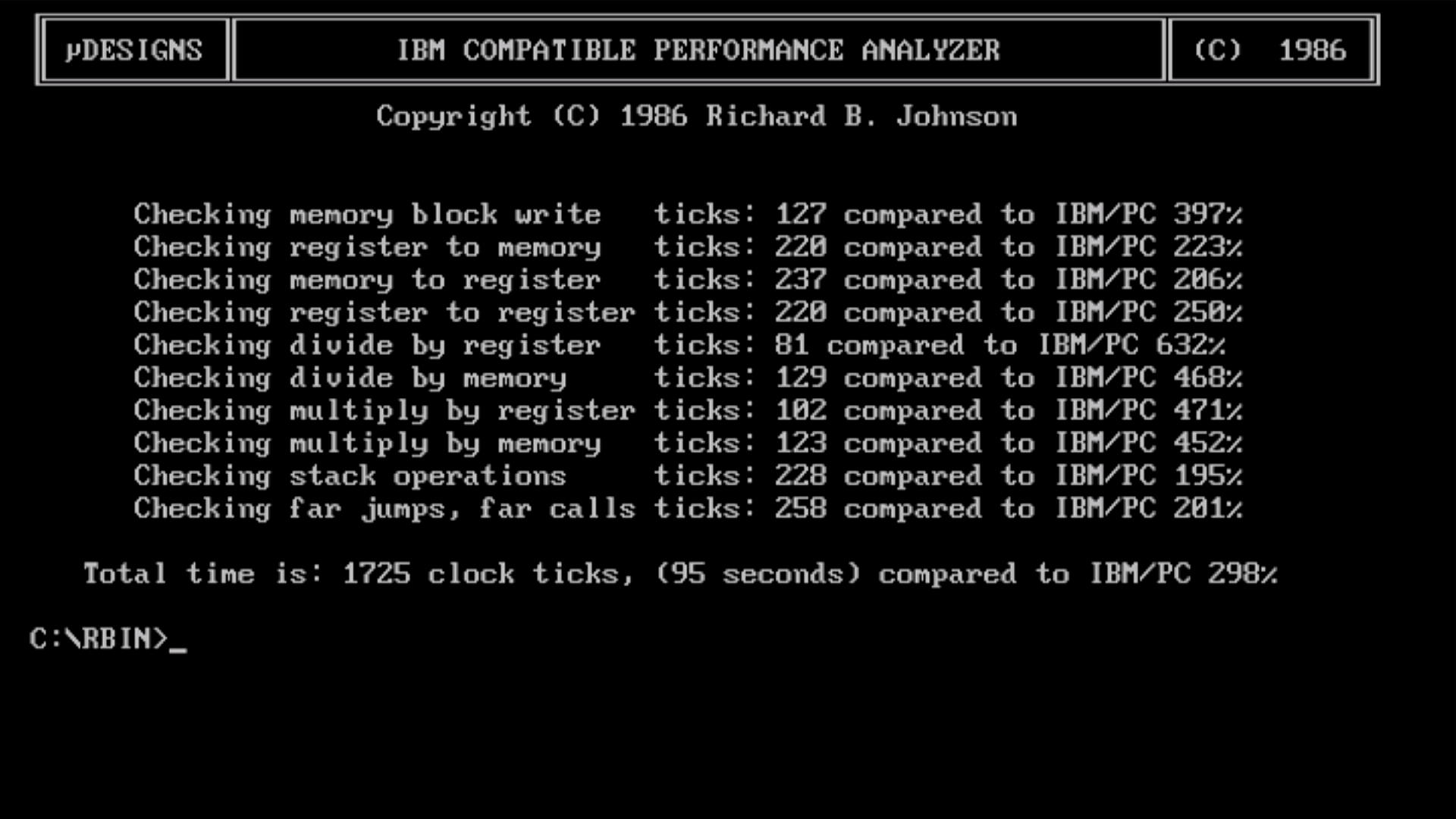
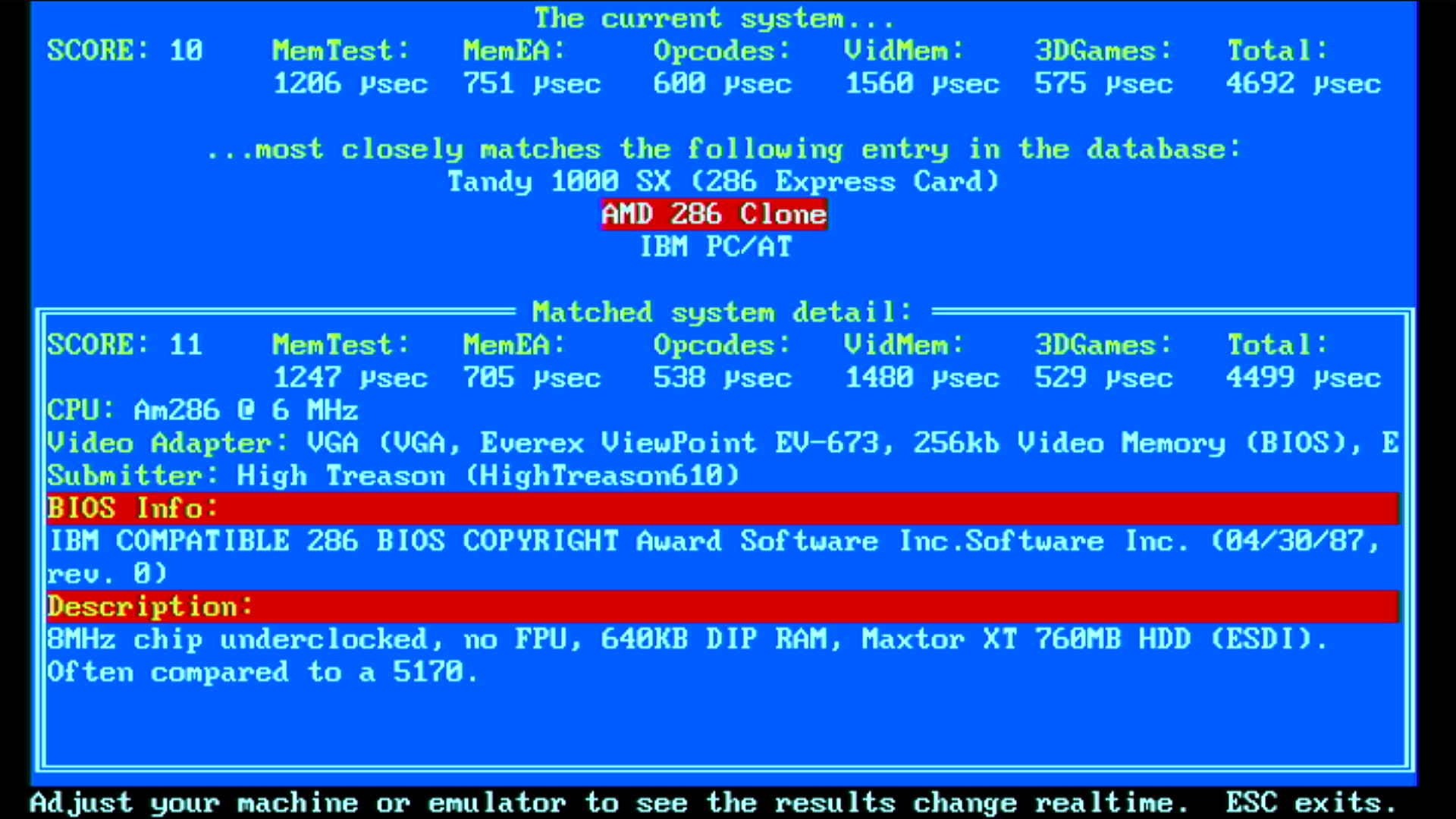
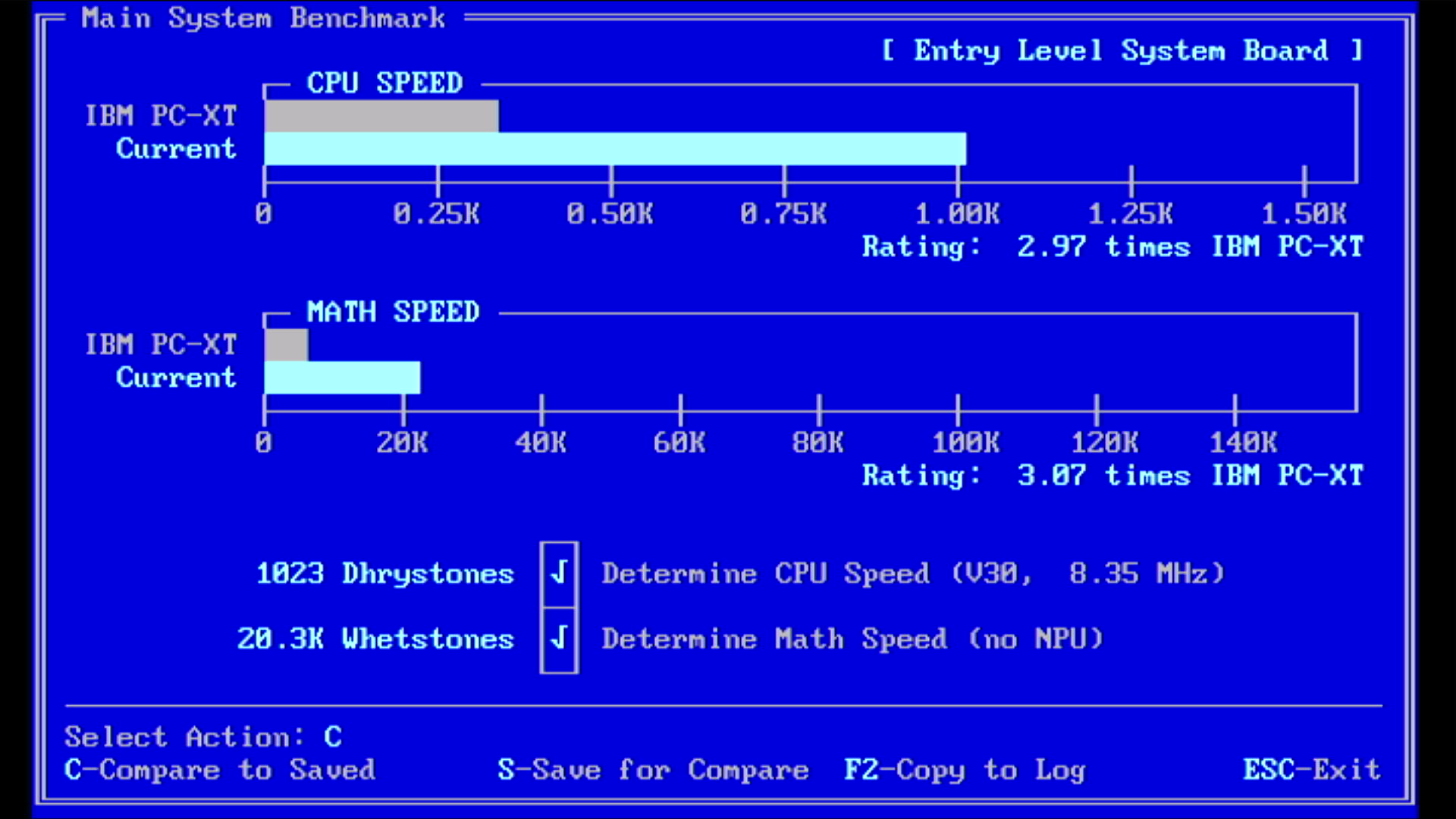
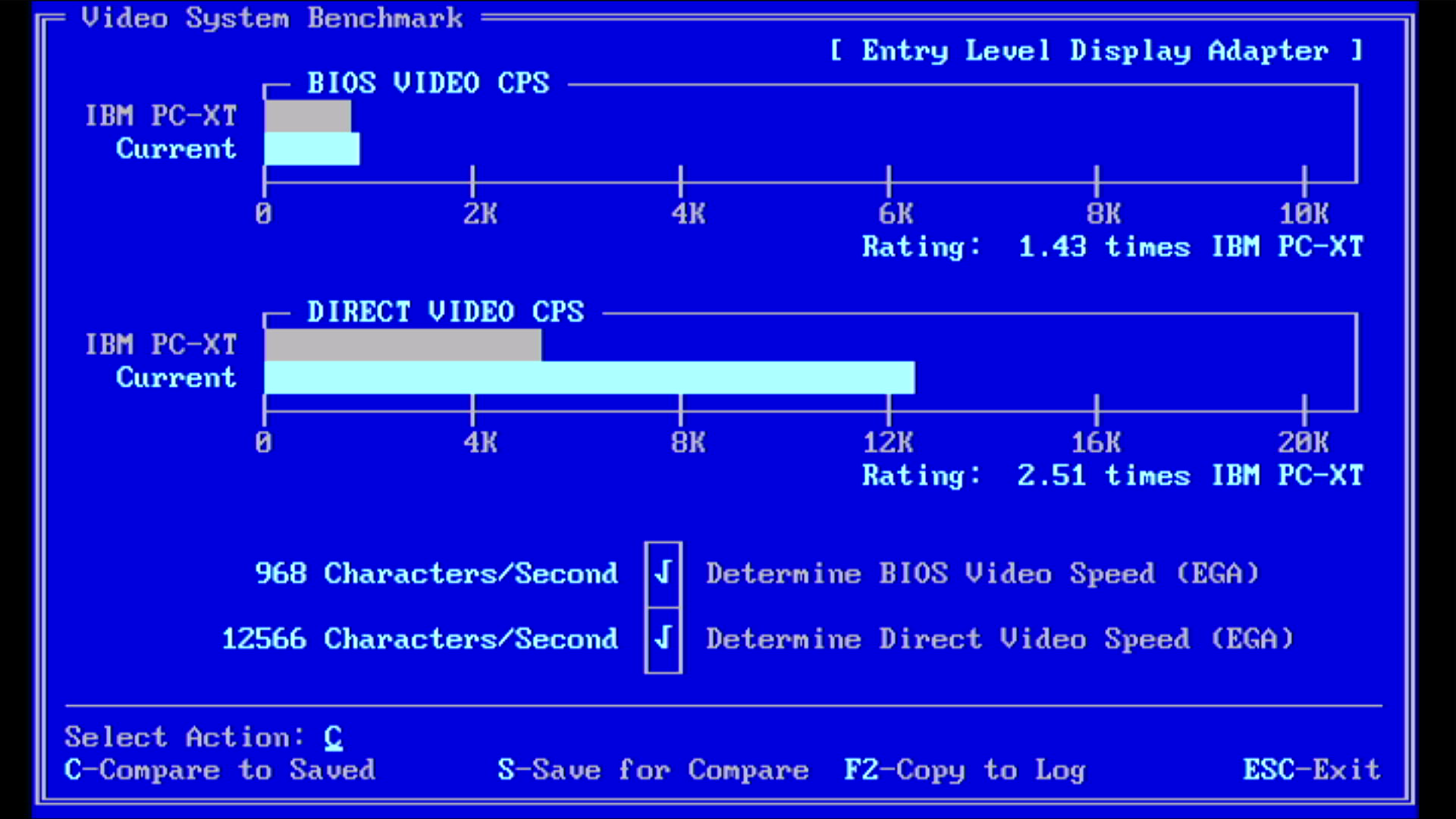
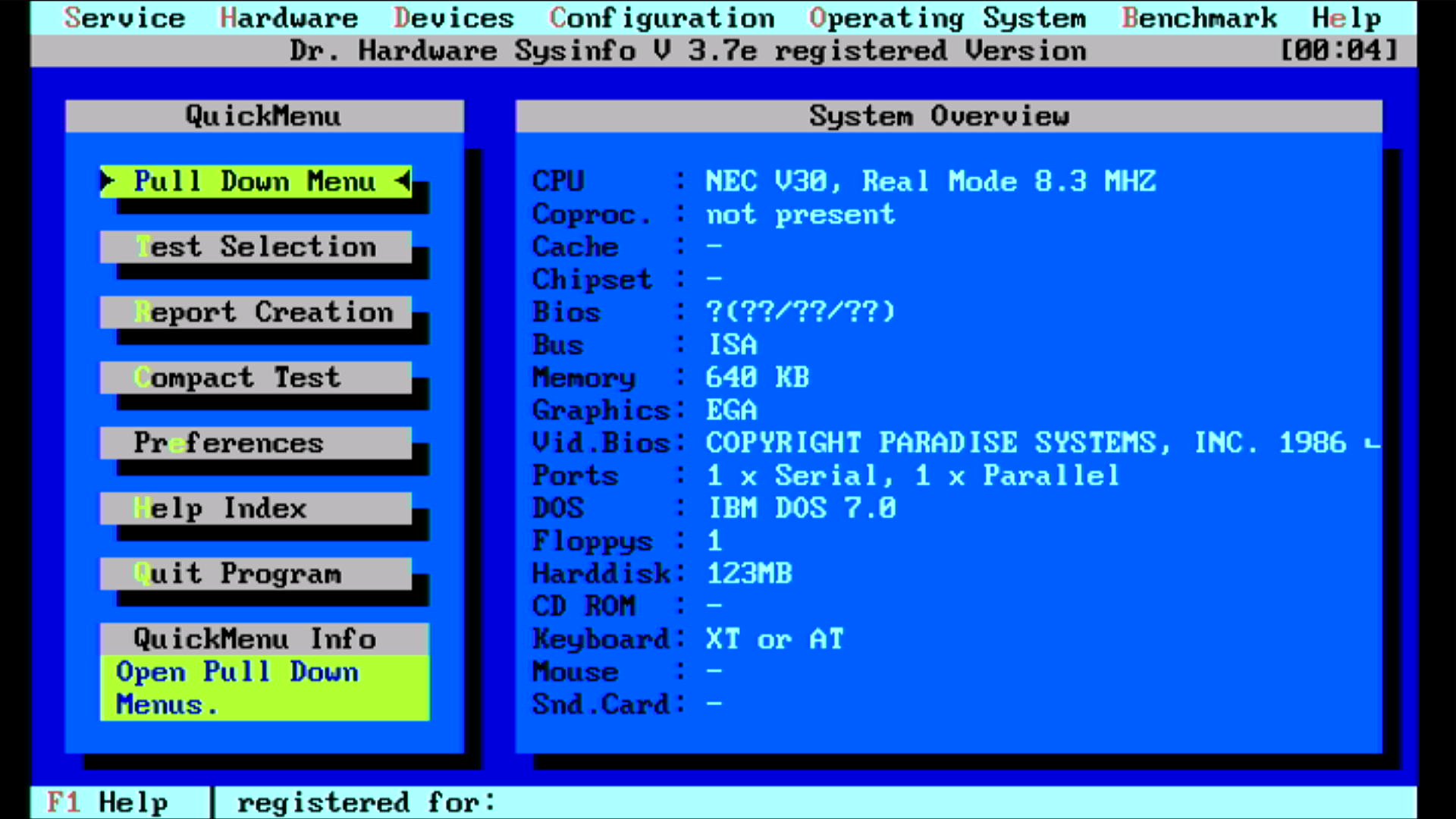
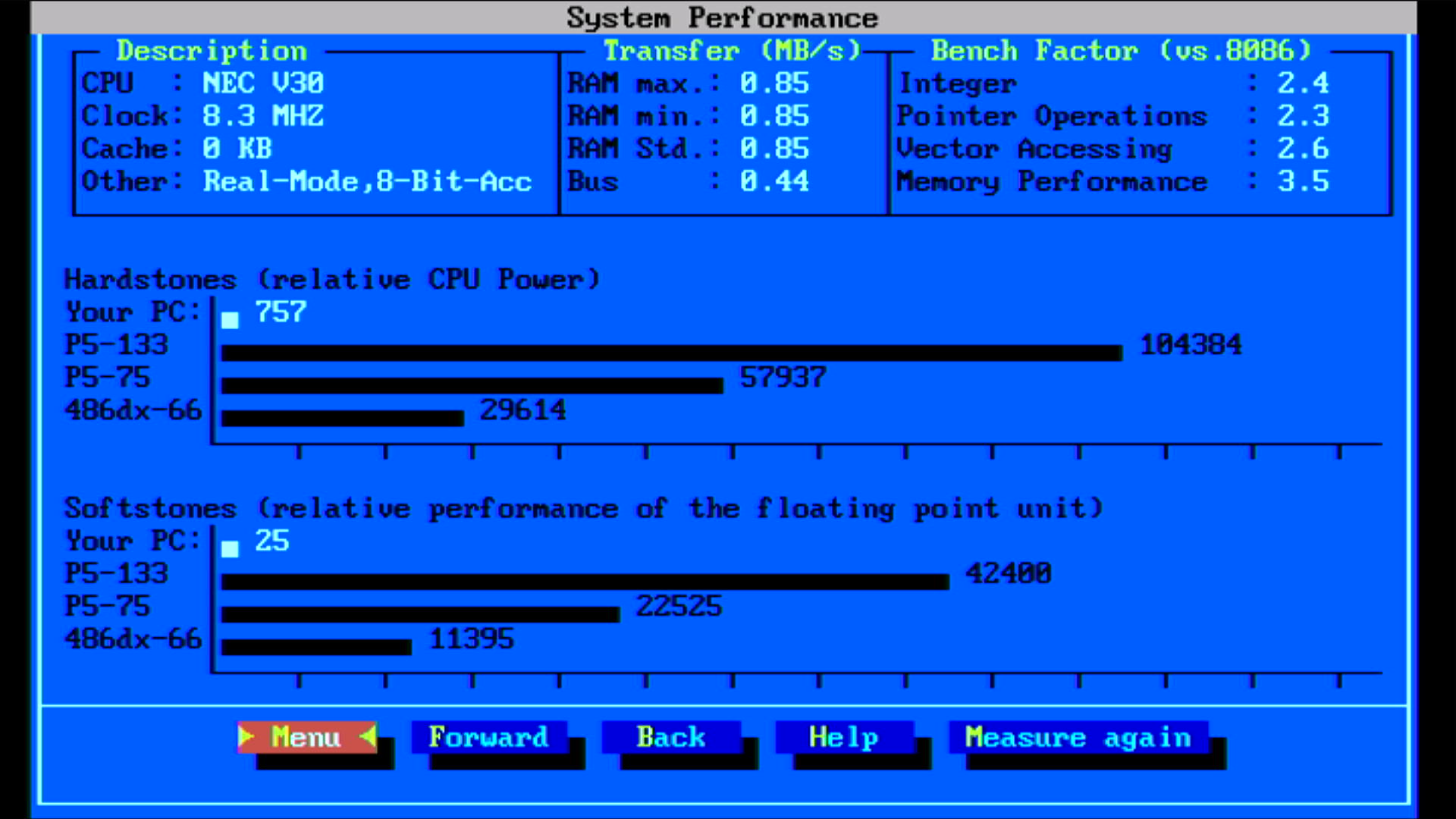
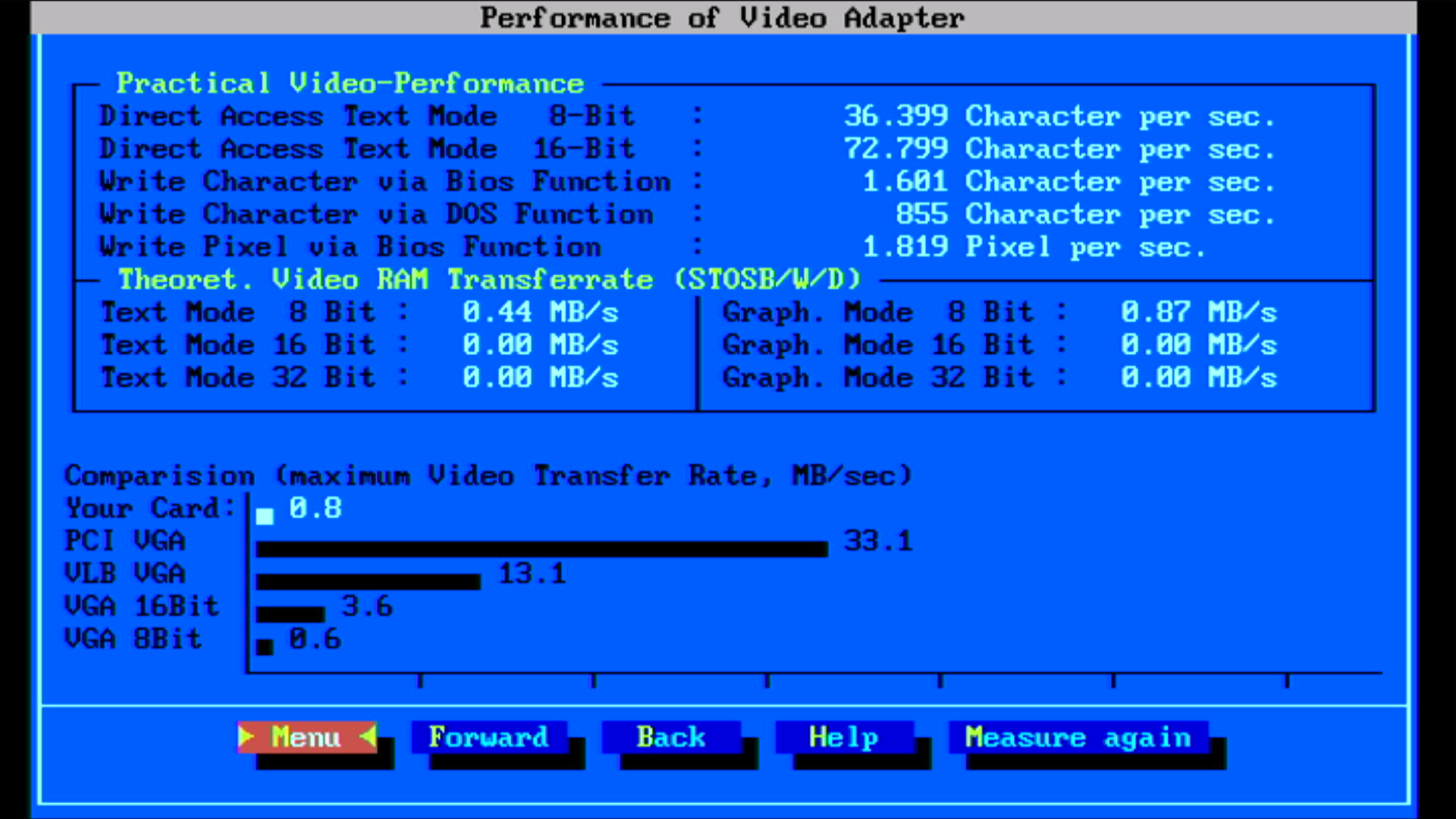
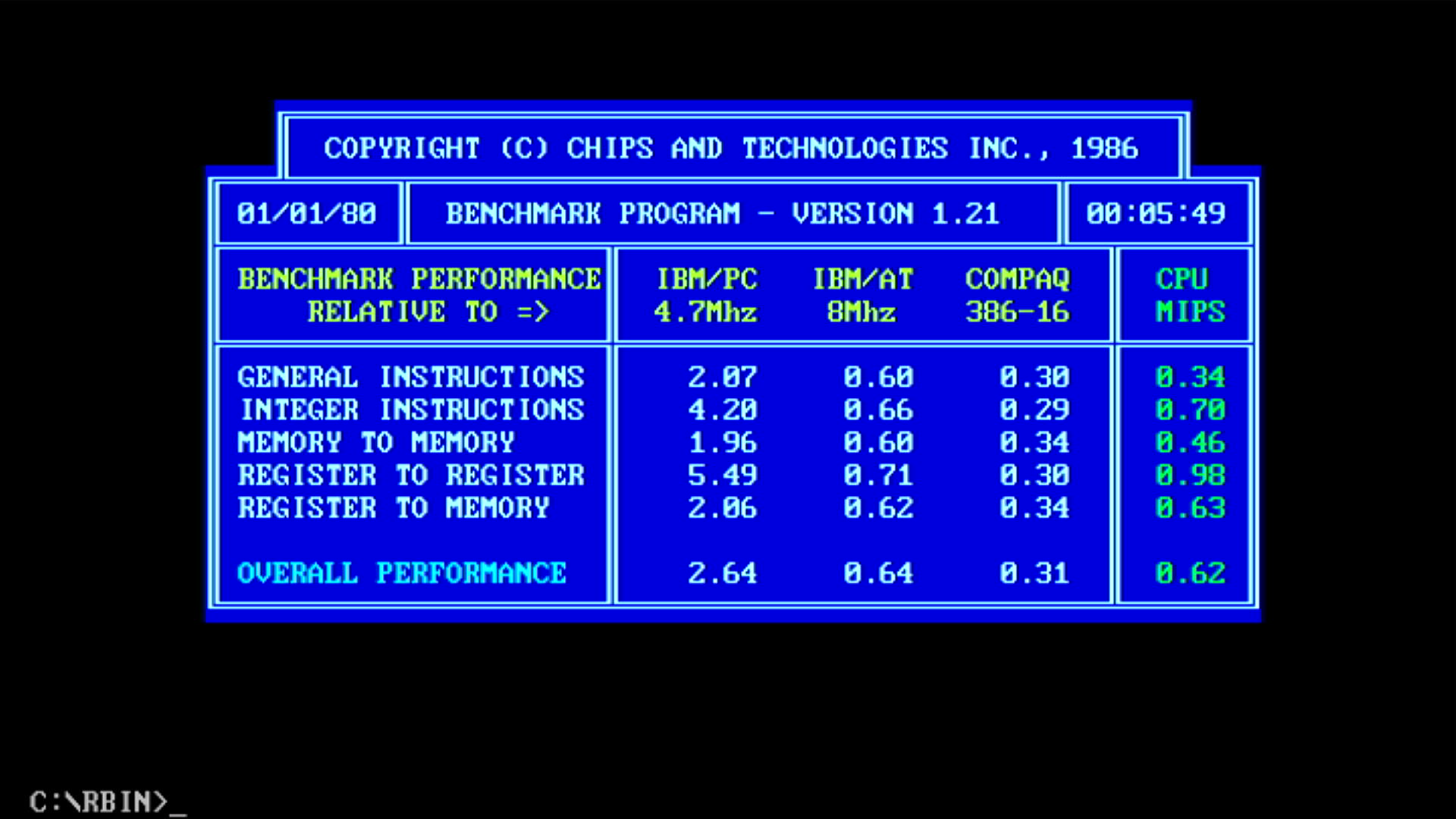
| Intel 8086 @ 8 MHz | NEC V30 @ 8.33 MHz | % Improvement | |
|---|---|---|---|
| Landmark Speed Test 0.99 (MHz) | 4.4 MHz | 5.2 MHz (2.9x) | 18% |
| Landmark Speed Test 6.00 (MHz) | 5.11 MHz | 7.39 MHz | 45% |
| Check-It 3.0 CPU Test (Dhrystones) | 767 | 1023 | 26% |
| Check-It 3.0 FPU Test (Whetstones) | 15.9K | 20.3K | 33% |
| Check-It 3.0 BIOS Video Test (chars/sec) | 826 | 968 | 17% |
| Check-It 3.0 Direct Video Test (chars/sec) | 10,895 | 12,566 | 15% |
| Dr. Hard 37e Hardstones | 585 | 757 | 29% |
| Dr. Hard 37e Softstones | 19 | 25 | 32% |
| Dr. Hard 37e Video Transfer Rate (MB/s) | 0.5 | 0.8 | 60% |
| Norton SysInfo 5.5 CPU Speed | 2.1 | 2.8 | 33% |
| TopBench 0.38 Total (usec) lower=better | 6636 | 4692 | 30% |
| MIPS v1.21 | ? | 0.62 | |
| uSpeed | ? | 298% |
Here are the temperatures: V30 = 43.0 °C, 8237 = 63.4 °C,
8253 = 55.9 °C,
8259 = 45.9 °C.
RAM = 44.6 °C.
EGA ROM = 45.9 °C,
Paradise chipset = 36.3 °C.
Amstrad gate arrays = cool (below 35 °C)
9 MHz
I then switched out the crystal for a 27 MHz one, so this will be driving the V30 at precisely 9.0 MHz (CLK/3) and the ISA bus at 4.5 MHz (confirmed on the Rigol: 4.5045 MHz on pin B21 of the ISA slot):
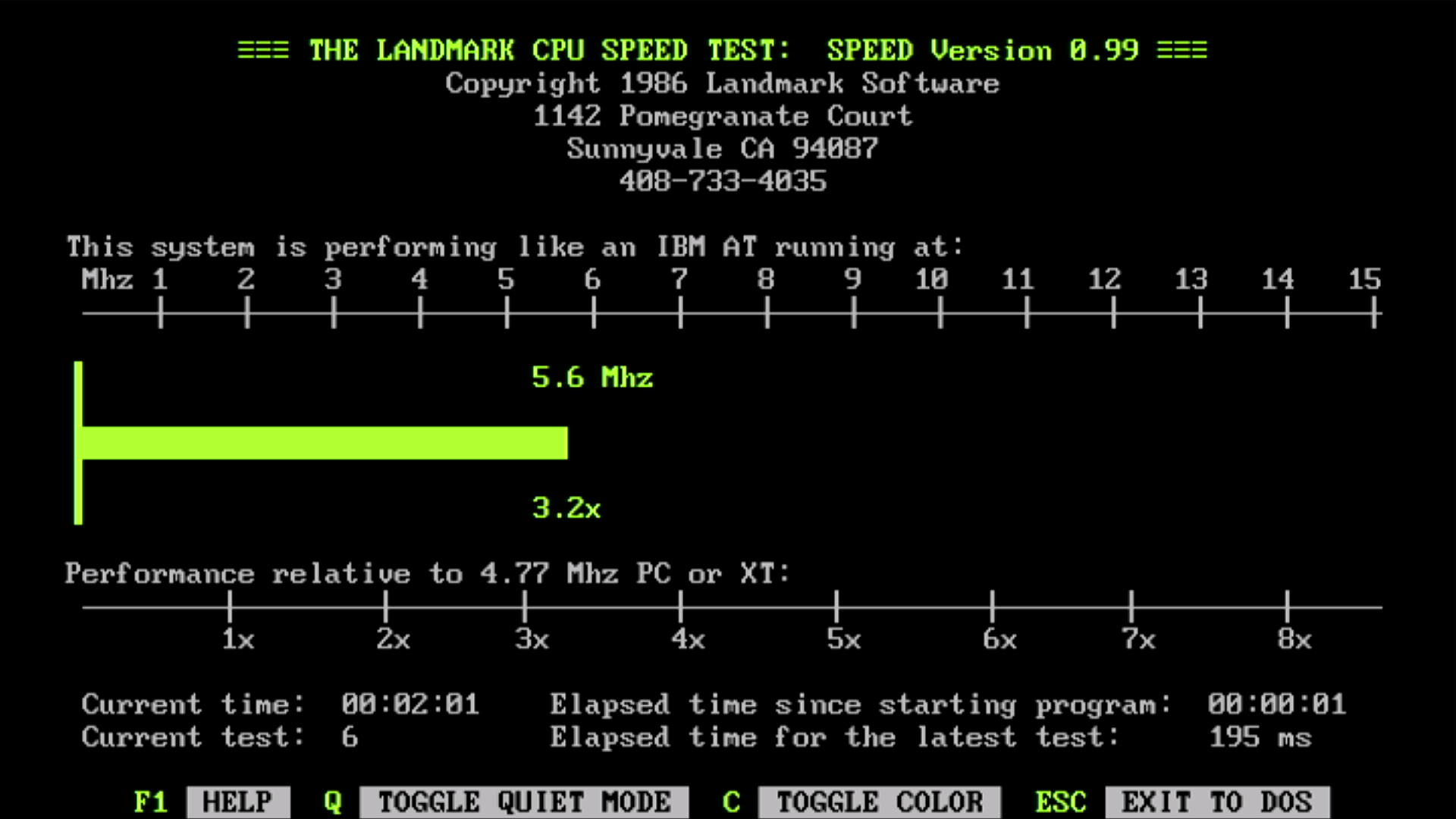
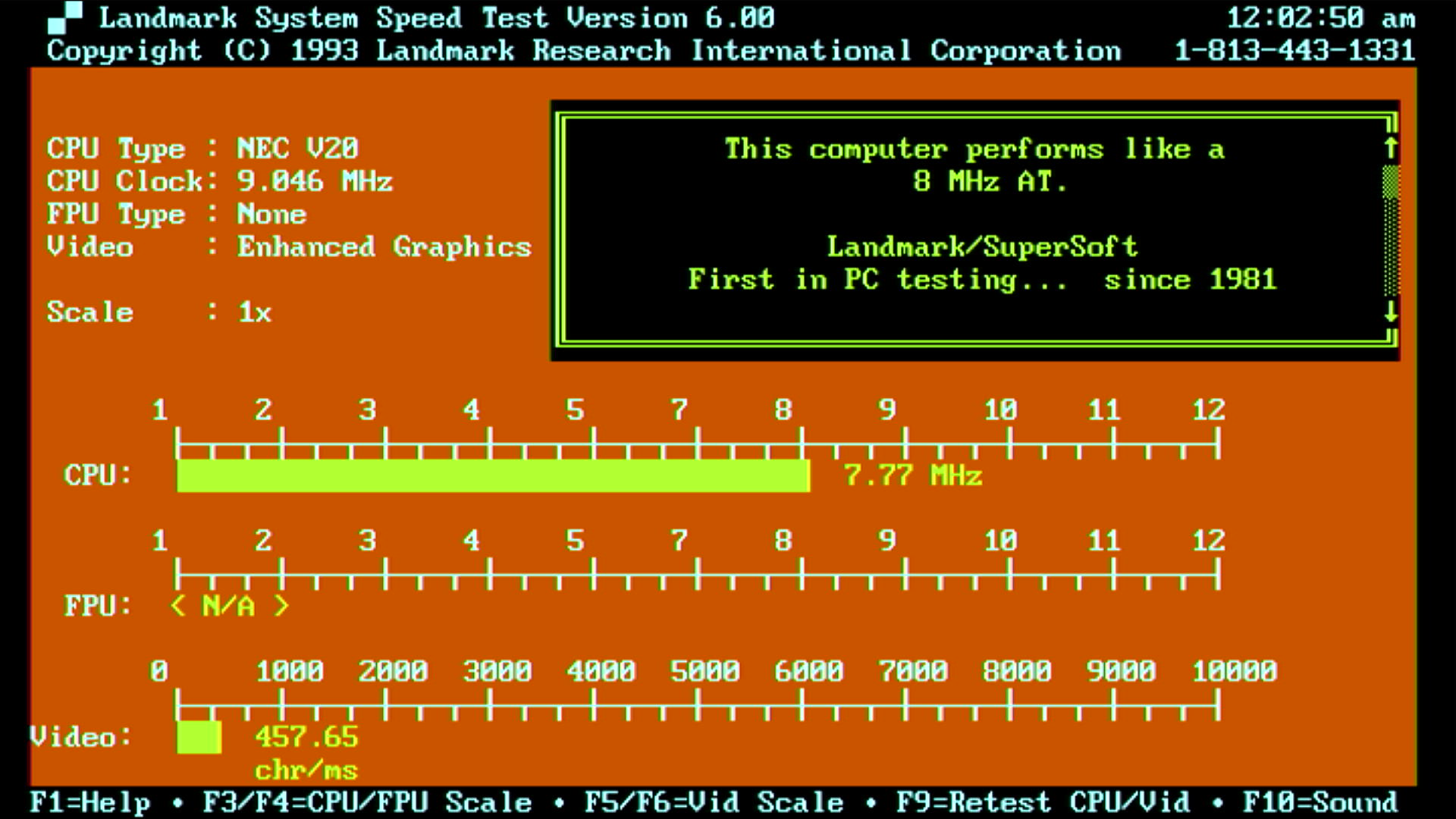
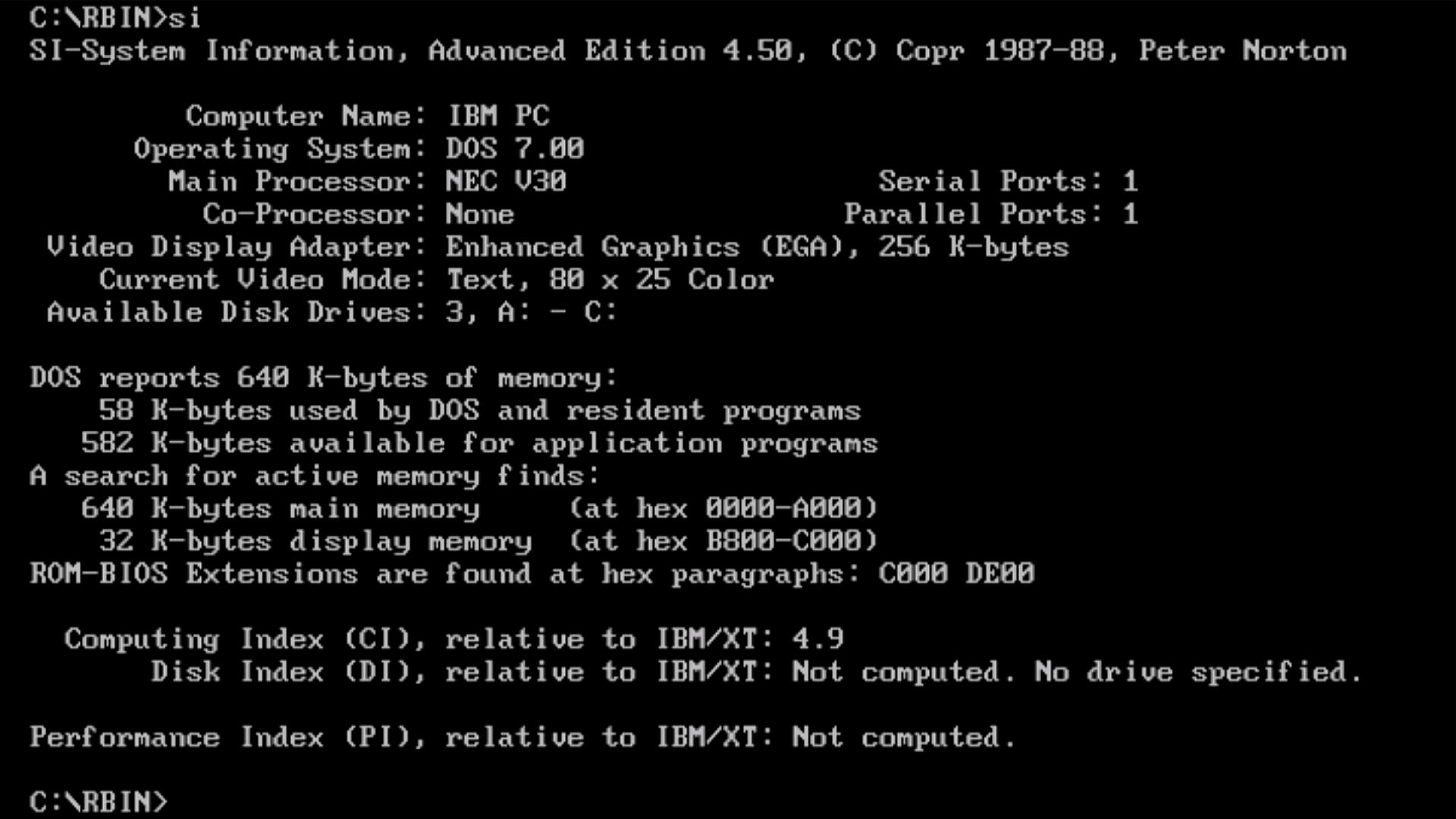
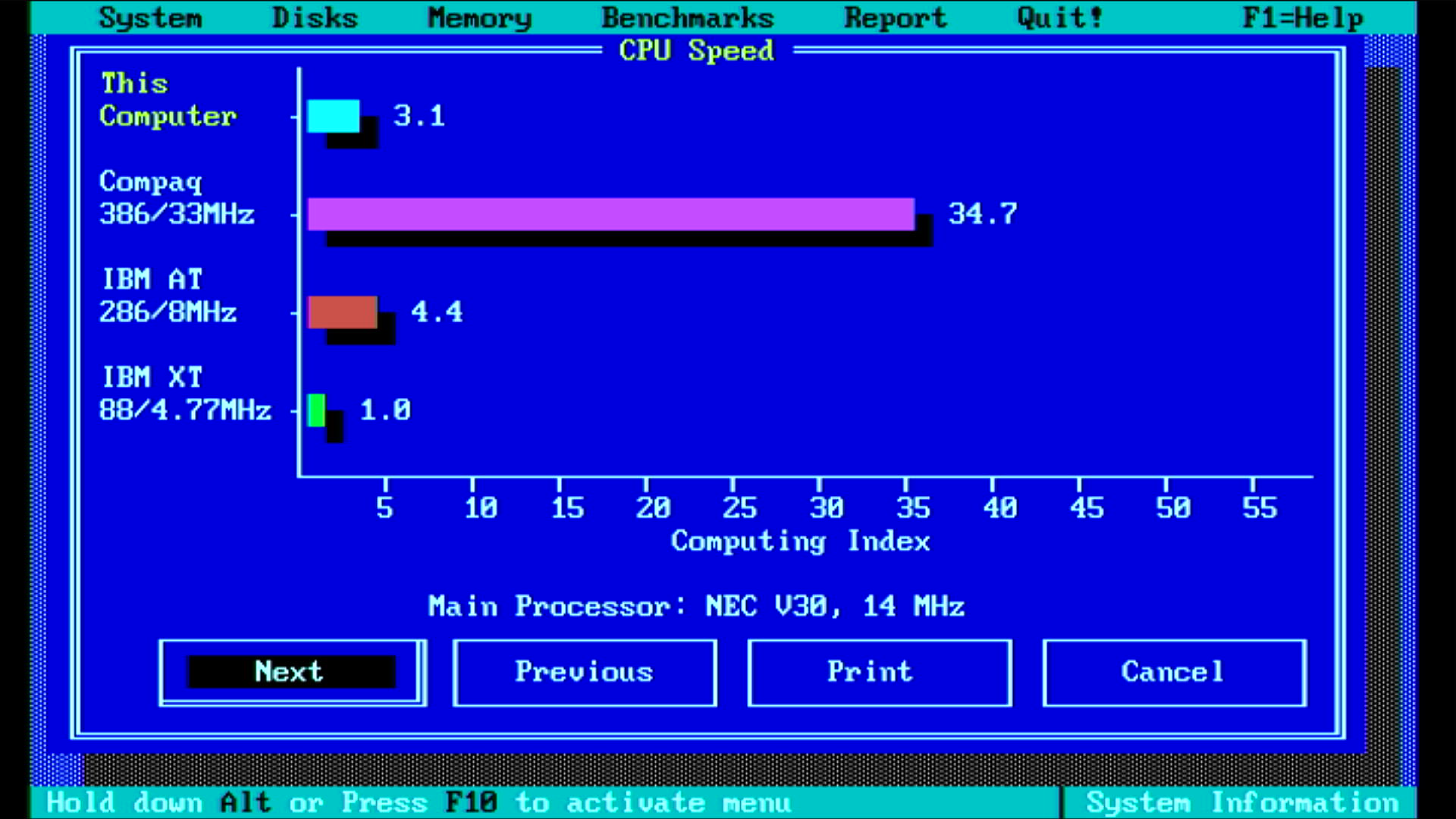
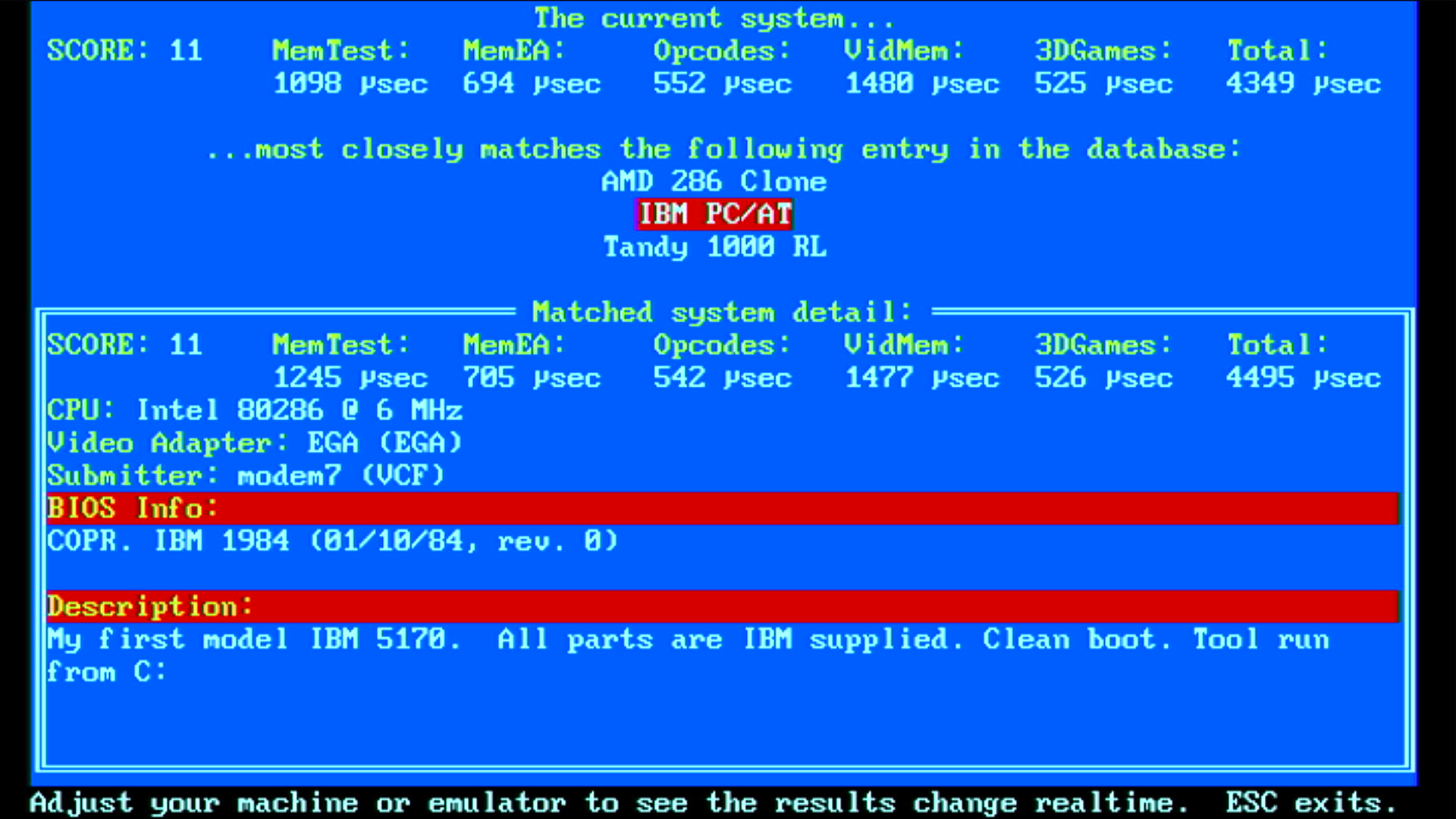
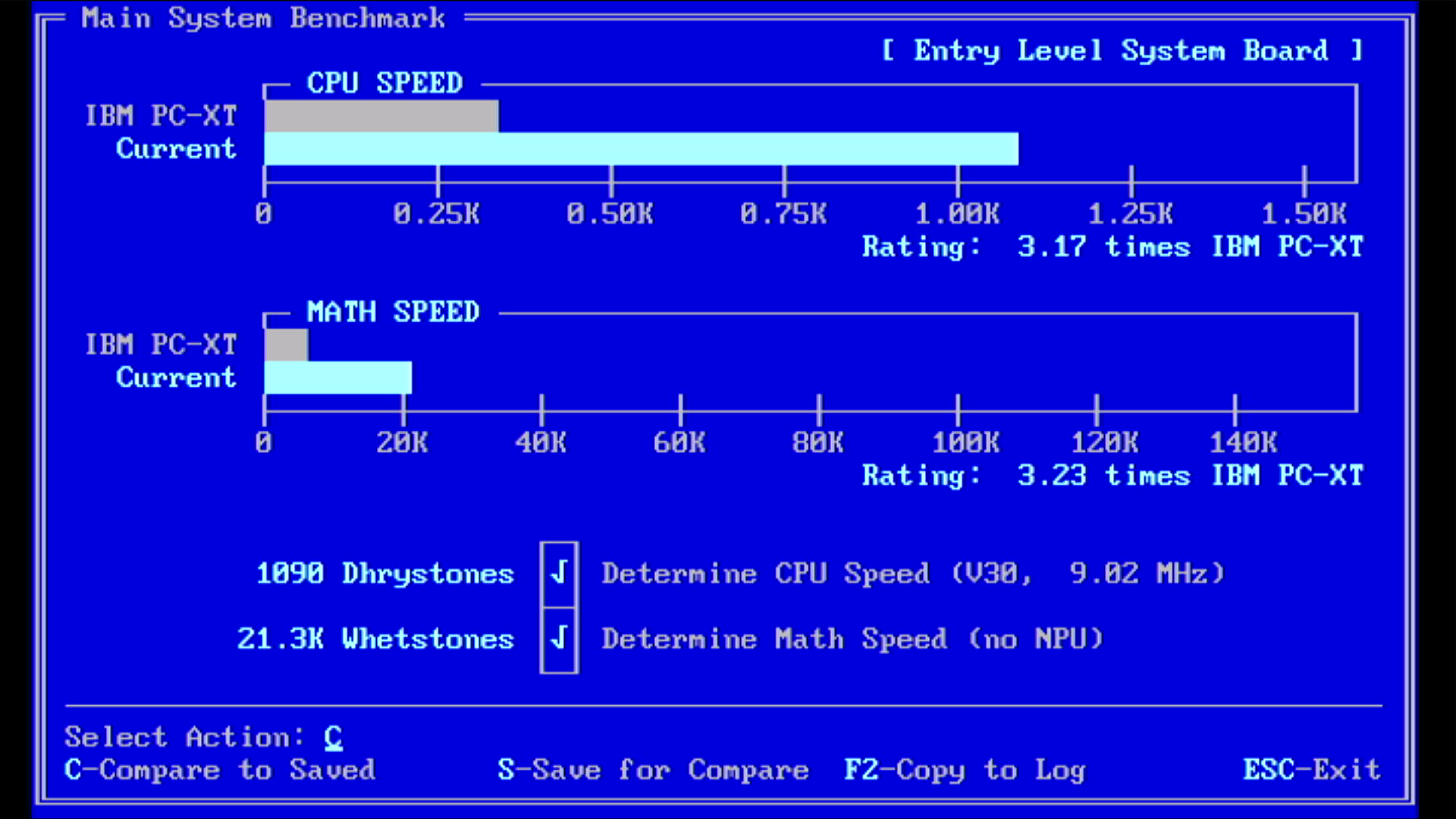
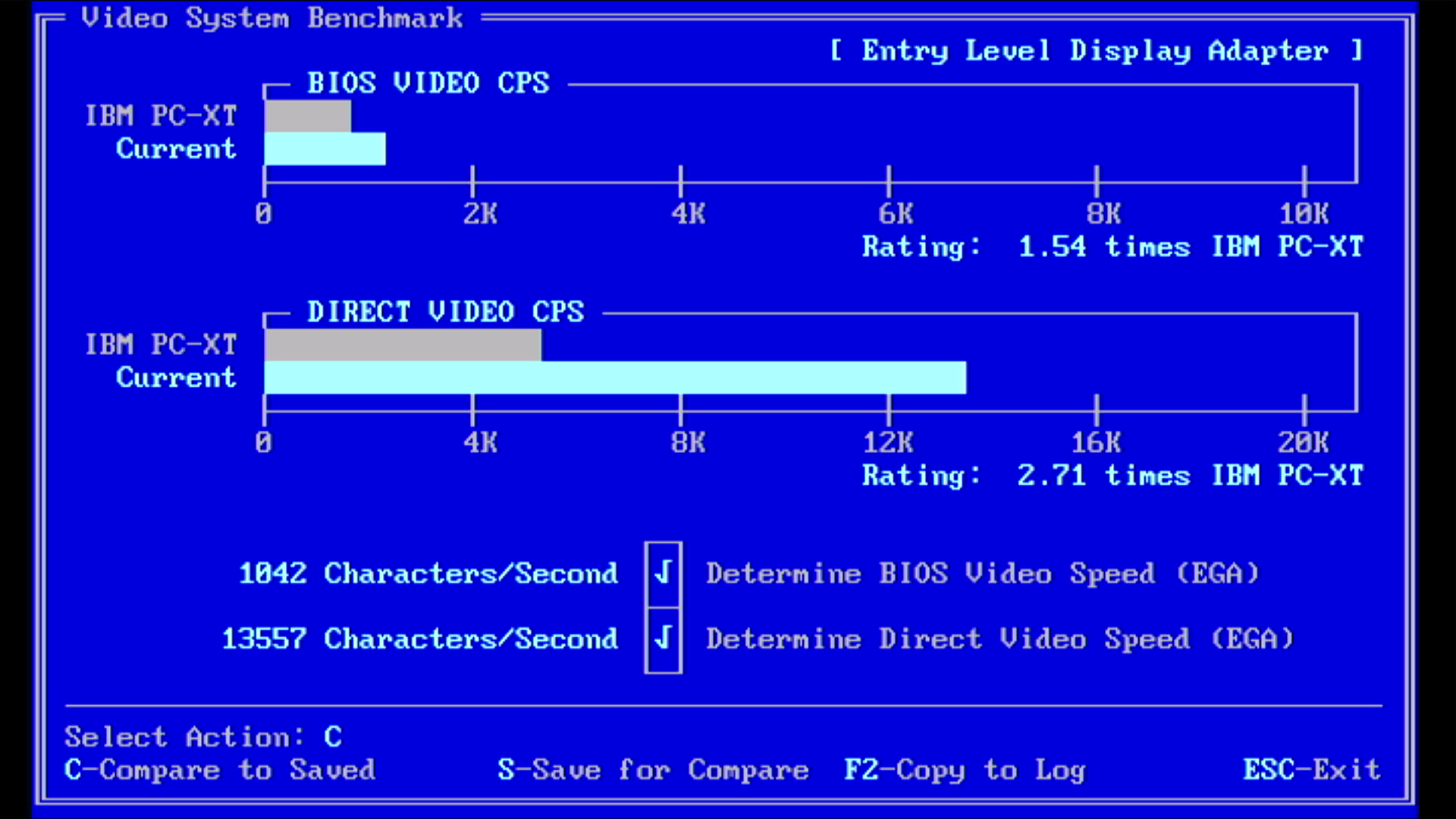
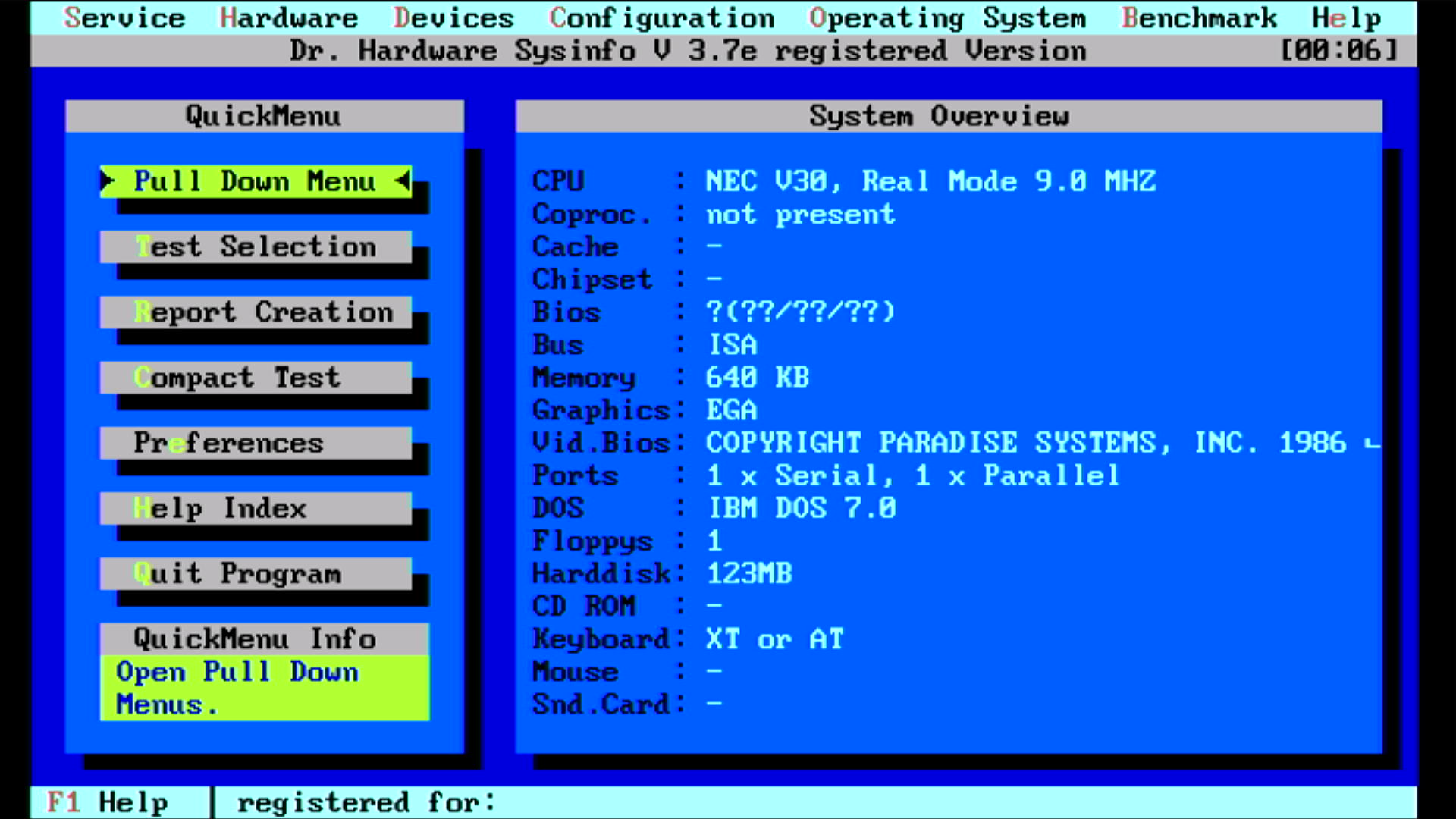
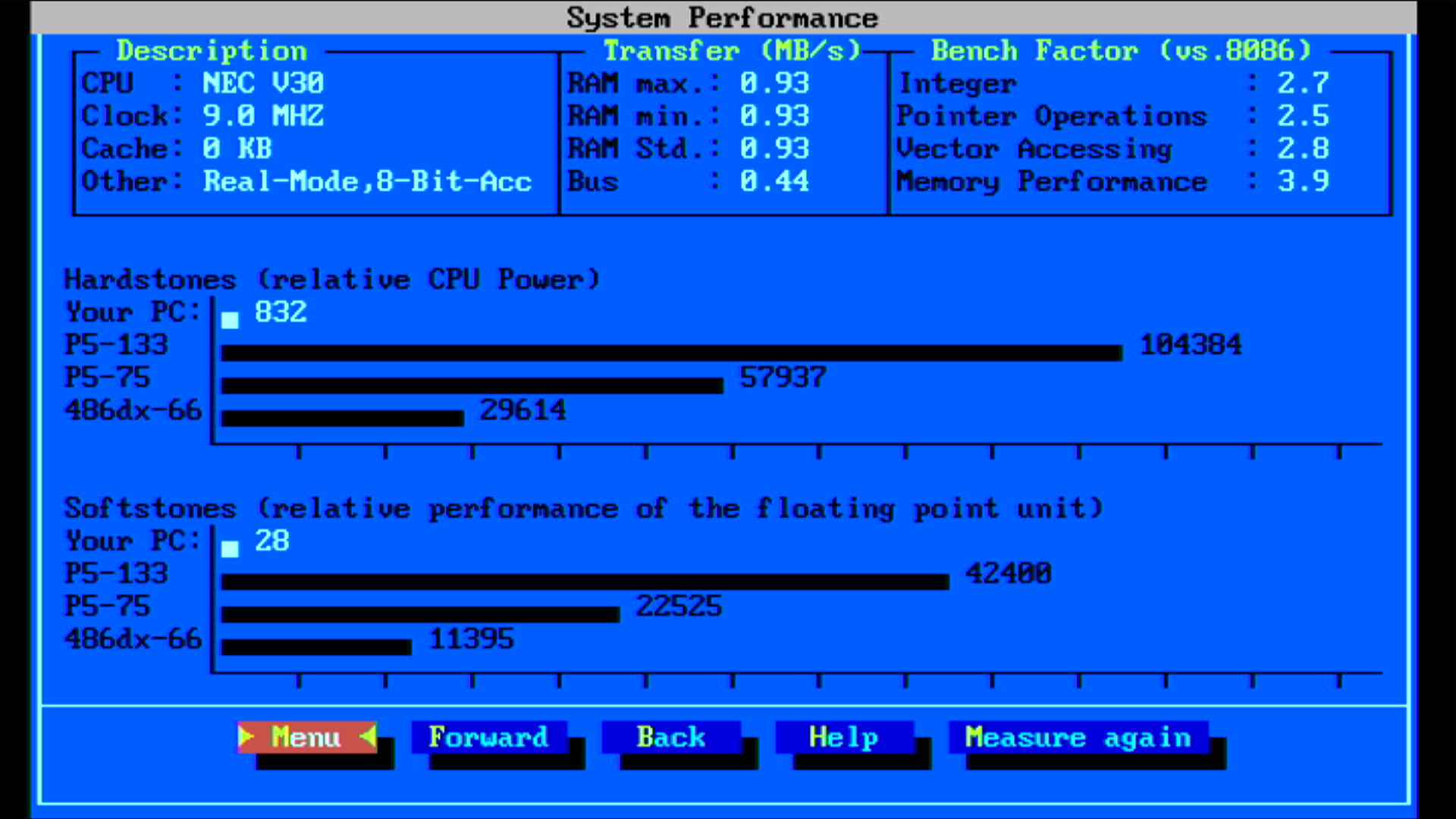
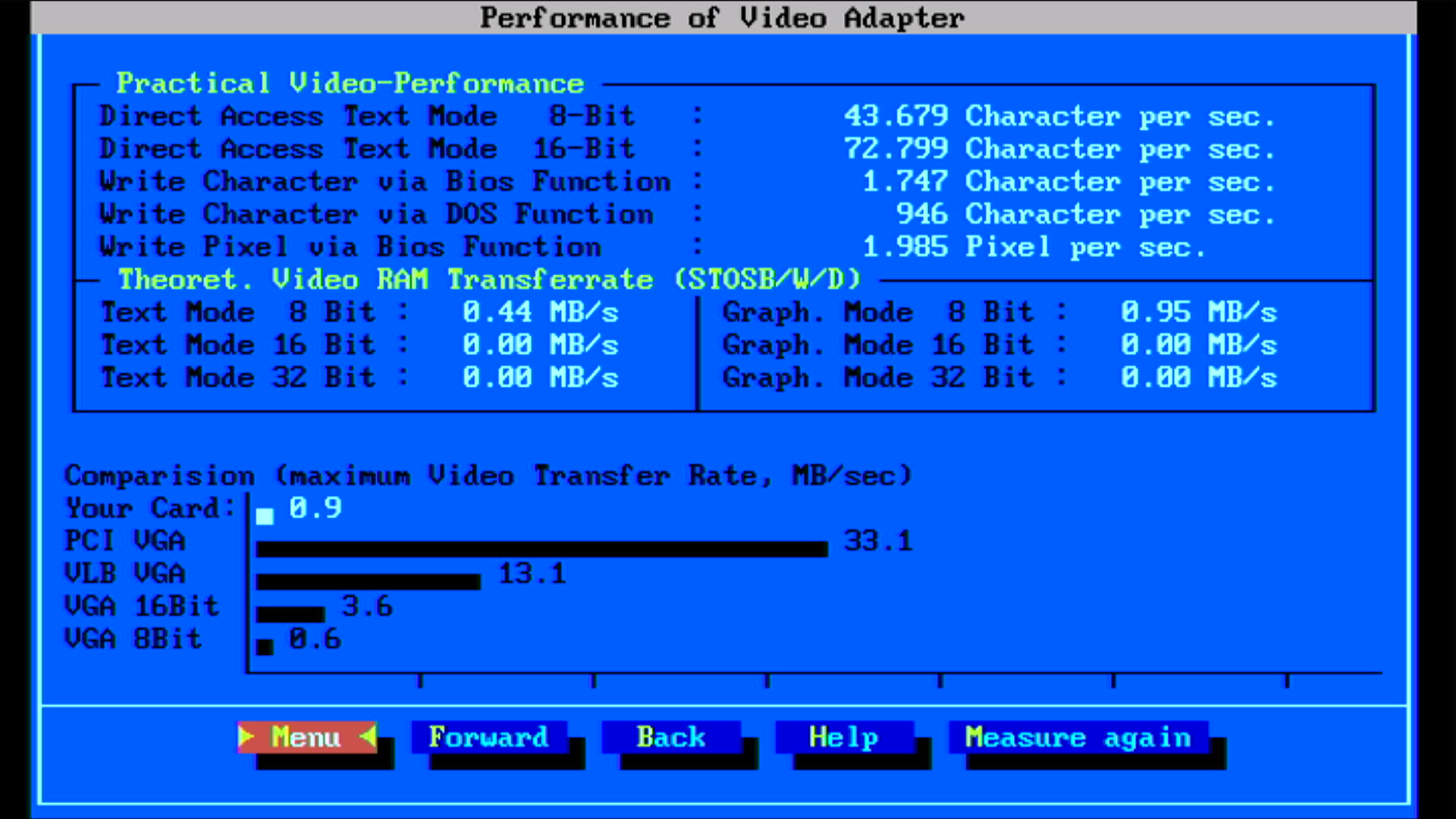
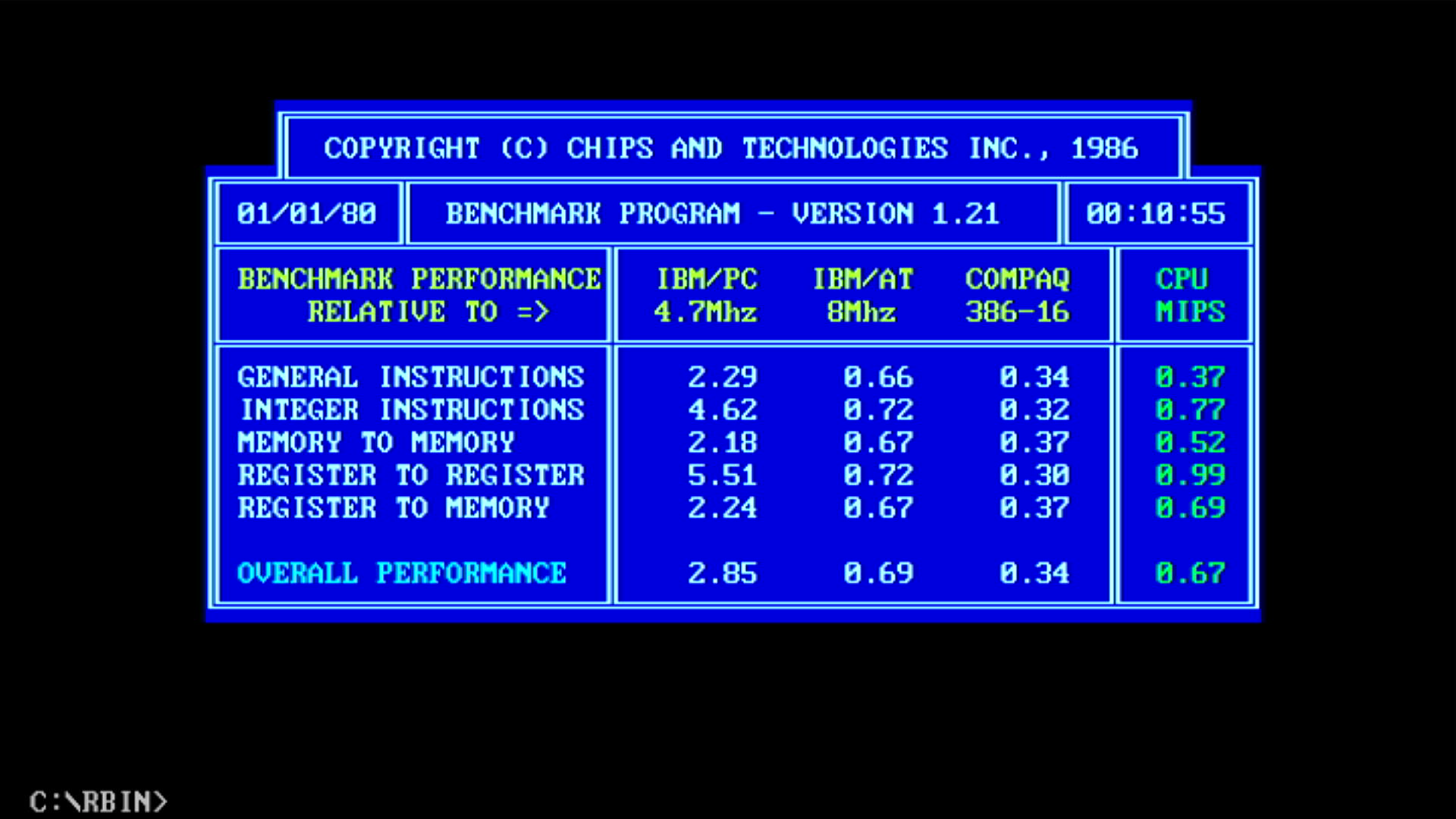
| Intel 8086 @ 8 MHz | NEC V30 @ 9.0 MHz | % Improvement | |
|---|---|---|---|
| Landmark Speed Test 0.99 (MHz) | 4.4 MHz | 5.6 MHz (3.2x) | 27% |
| Landmark Speed Test 6.00 (MHz) | 5.11 MHz | 7.77 MHz | 52% |
| Check-It 3.0 CPU Test (Dhrystones) | 767 | 1090 | 42% |
| Check-It 3.0 FPU Test (Whetstones) | 15.9K | 21.3K | 34% |
| Check-It 3.0 BIOS Video Test (chars/sec) | 826 | 1042 | 26% |
| Check-It 3.0 Direct Video Test (chars/sec) | 10,895 | 13,557 | 24% |
| Dr. Hard 37e Hardstones | 585 | 832 | 42% |
| Dr. Hard 37e Softstones | 19 | 28 | 47% |
| Dr. Hard 37e Video Transfer Rate (MB/s) | 0.5 | 0.9 | 80% |
| Norton SysInfo 5.5 CPU Speed | 2.1 | 3.1 | 48% |
| TopBench 0.38 Total (usec) lower=better | 6636 | 4349 | 35% |
| MIPS v1.21 | ? | 0.67 | ? |
| uSpeed | ? | *Not recorded* | ? |
Temperatures: V30 = 44.2 °C, 8237 = 64.1 °C, 8253 = 57.4 °C, 8259 = 46.8 °C.
RAM = 45.2 °C.
EGA ROM was 46.1 °C,
Paradise chipset = 36.4 °C.
Amstrad gate arrays = cool (max. 36.1 °C, the 400411 chip)
9.33 MHz (actually more like 9.48 MHz)
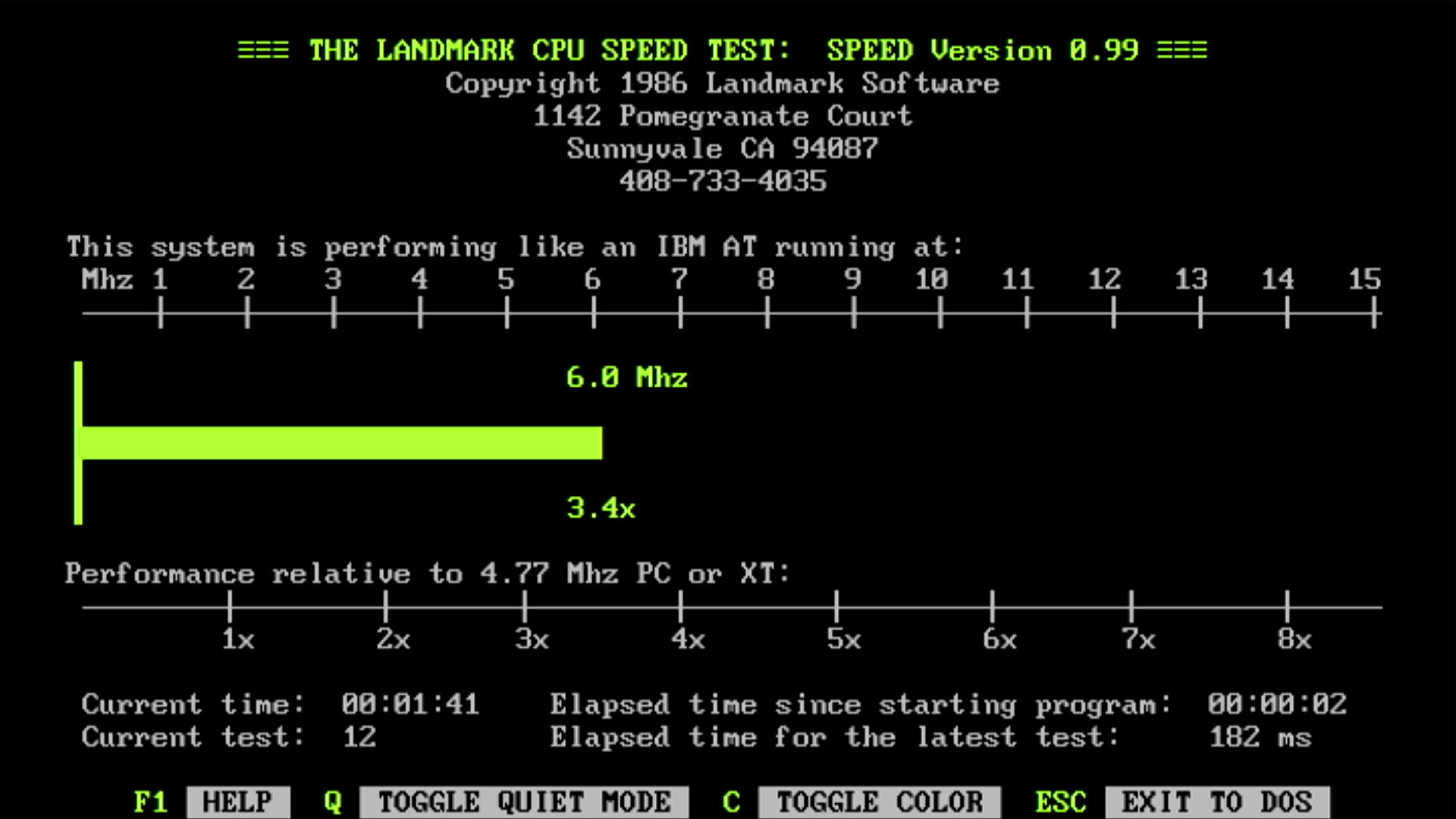
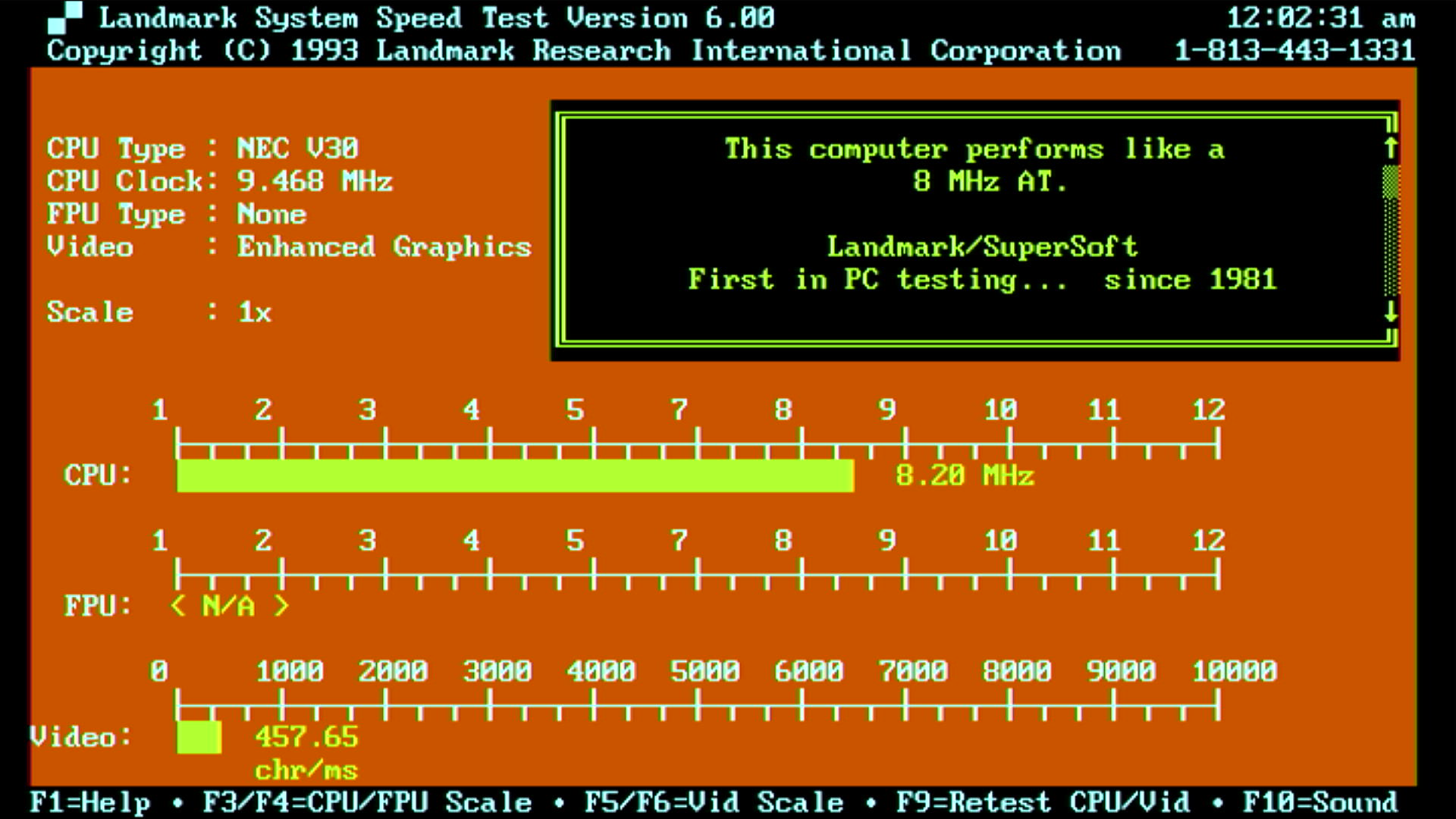
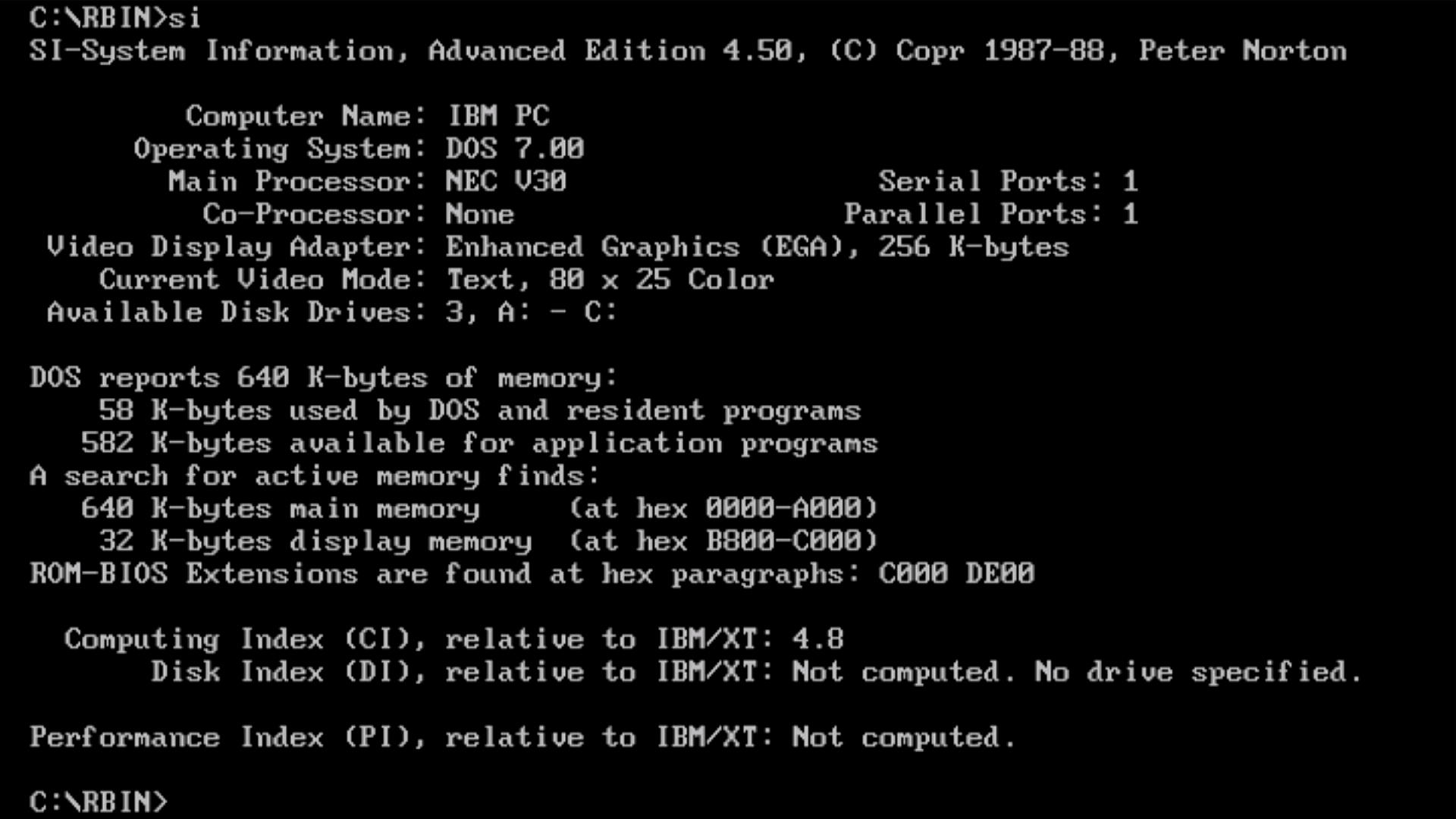
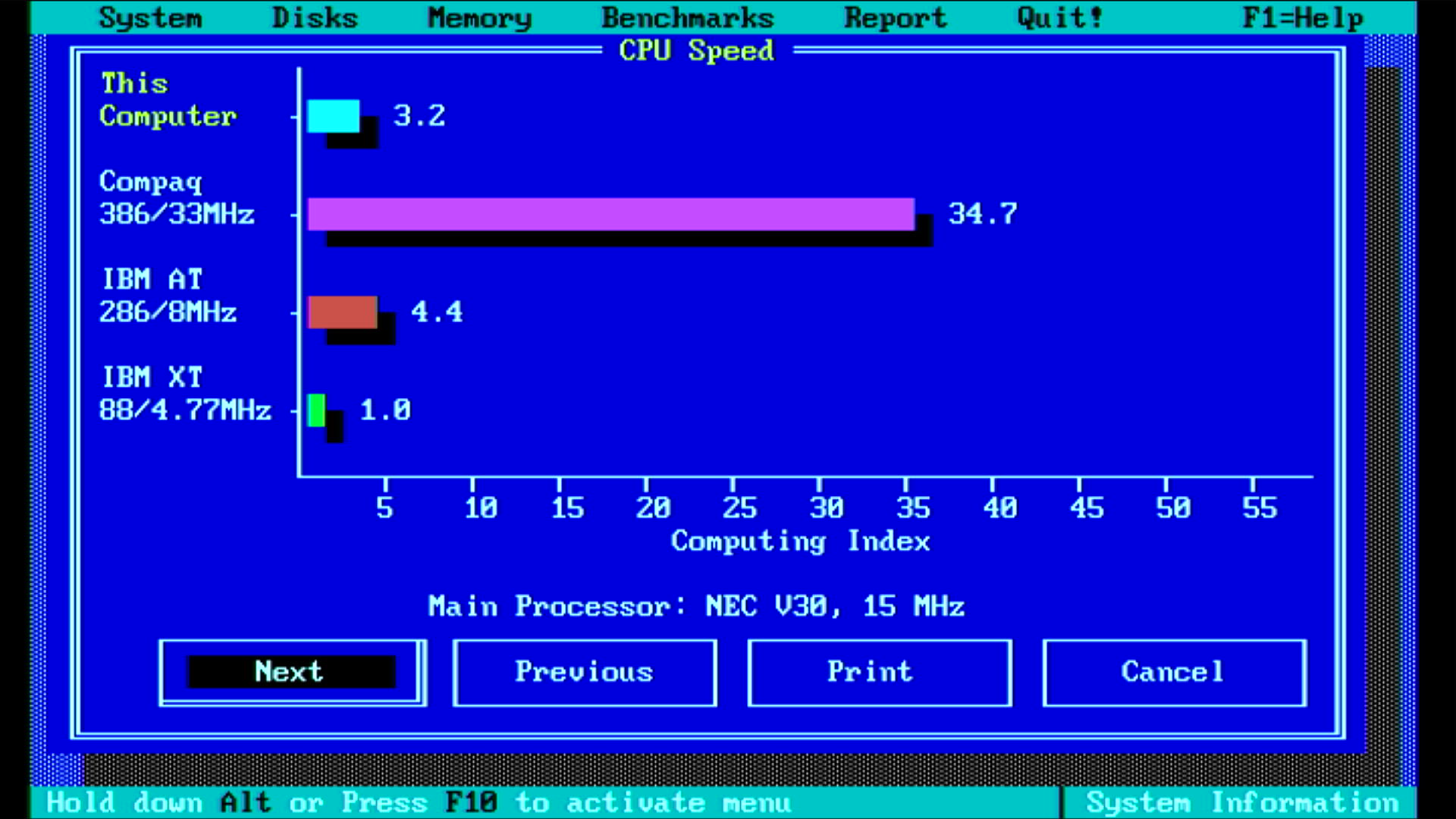
I then switched out the crystal for a 28 MHz one, meaning the V30 is clocking at 9.33 MHz (CLK/3) and the ISA bus at 4.67 MHz:
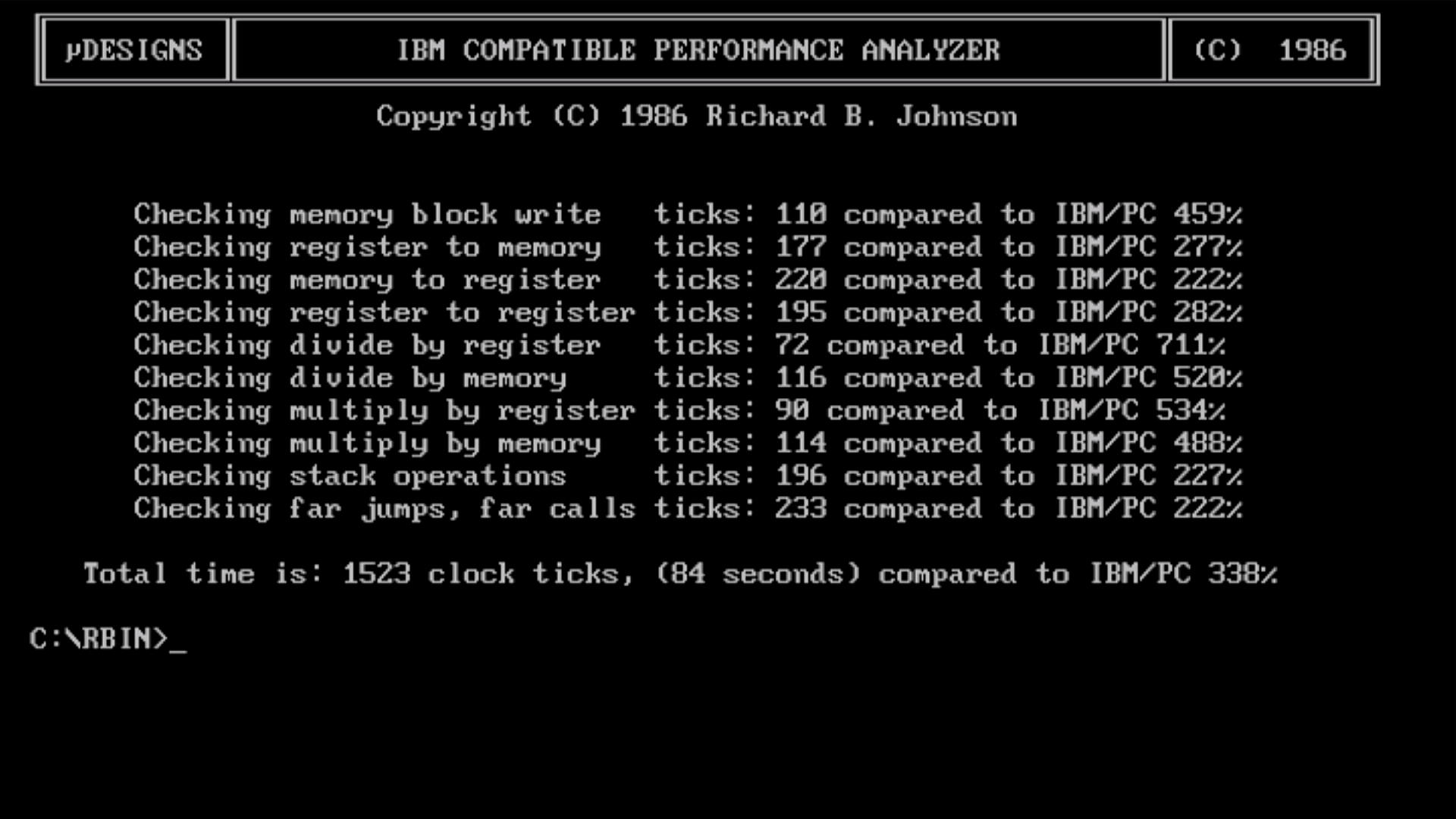
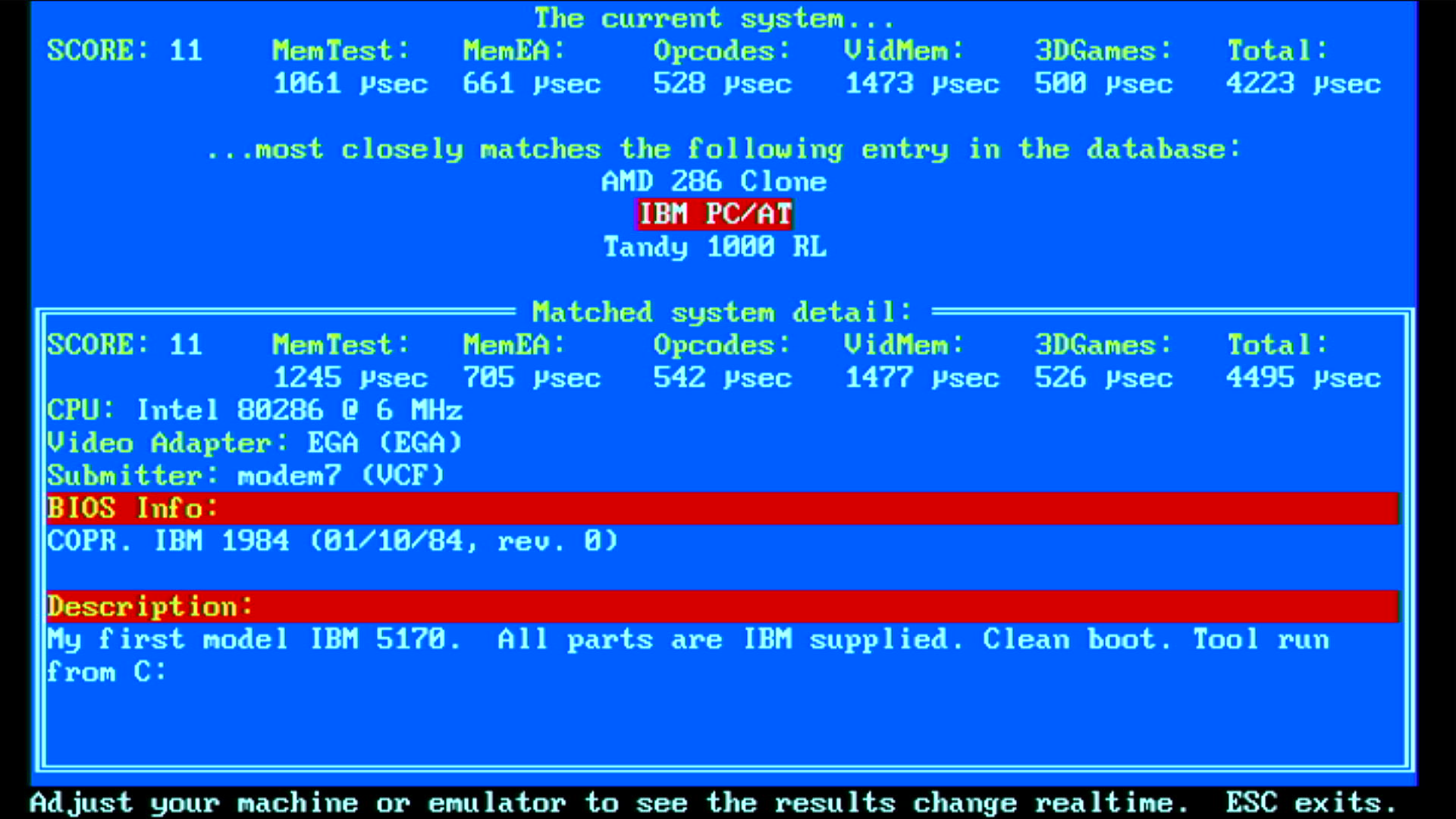
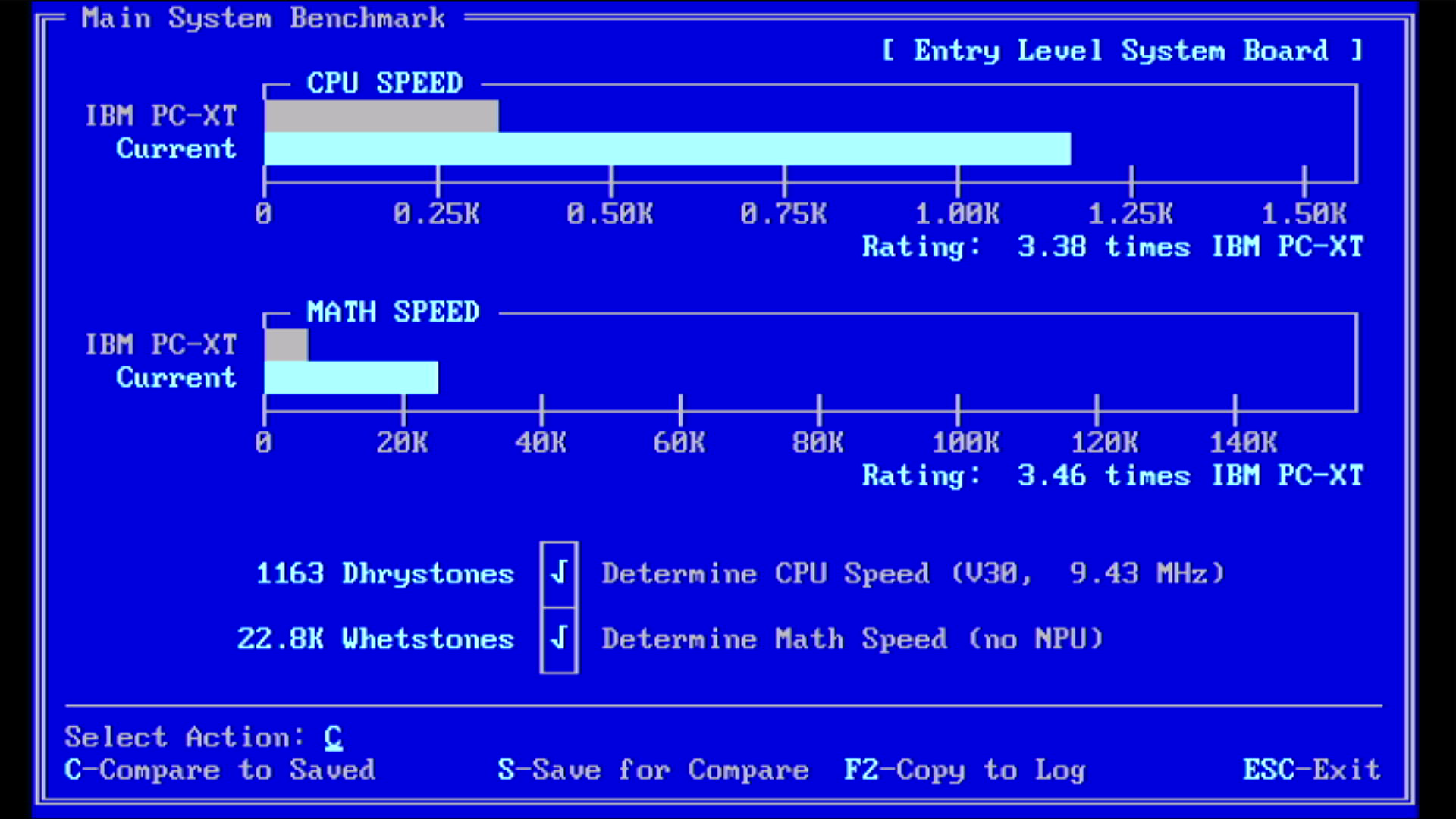
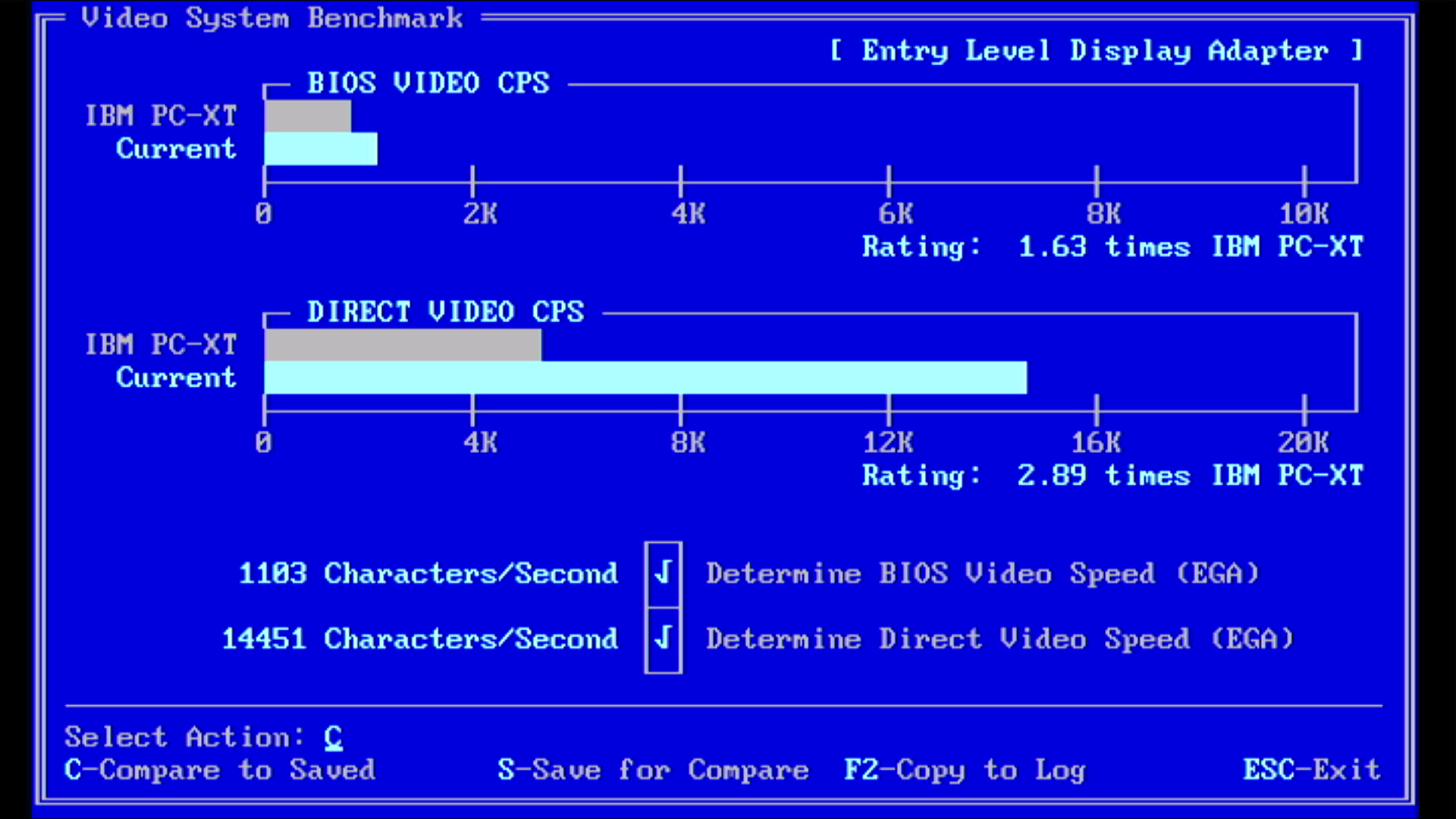
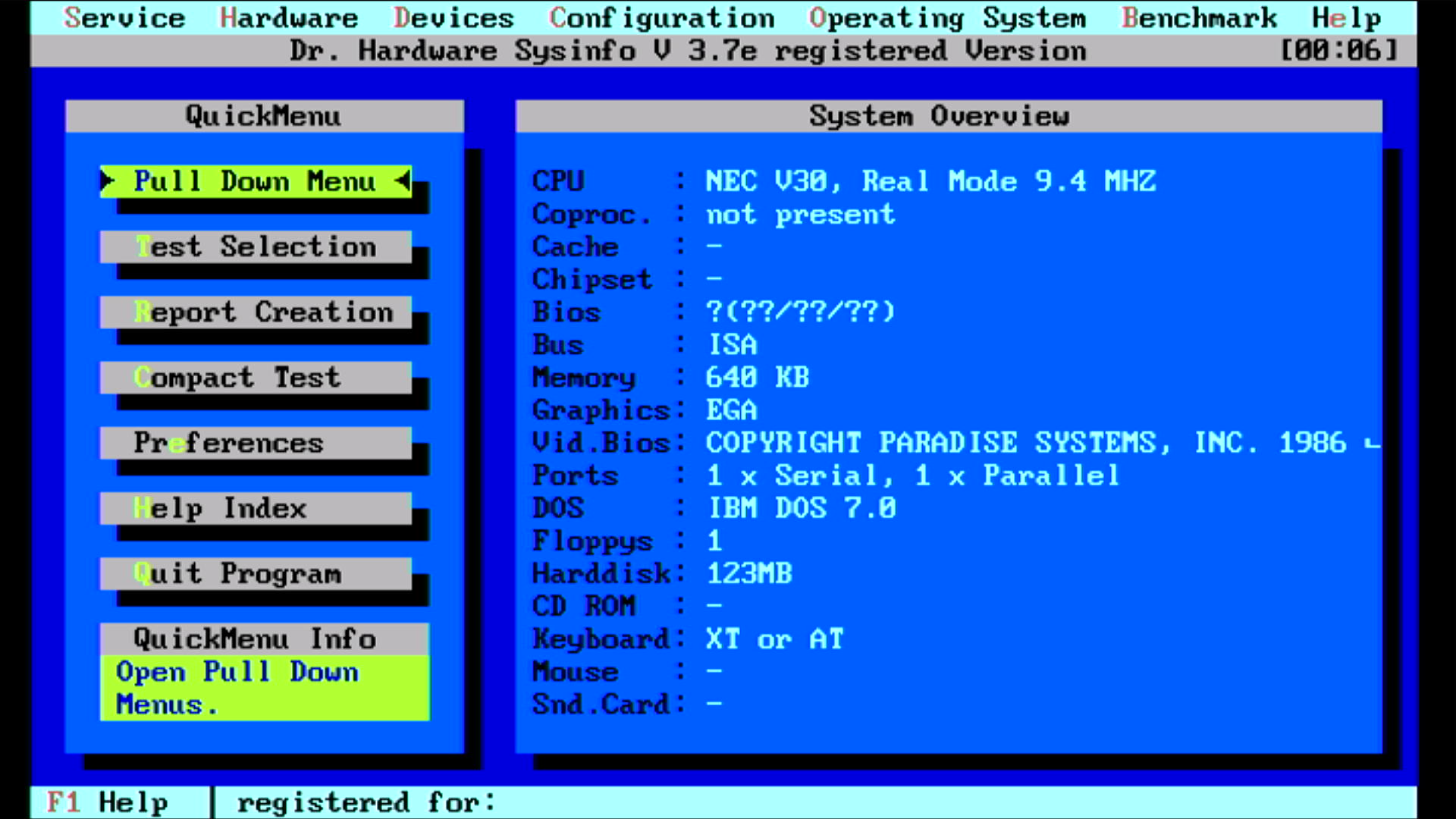
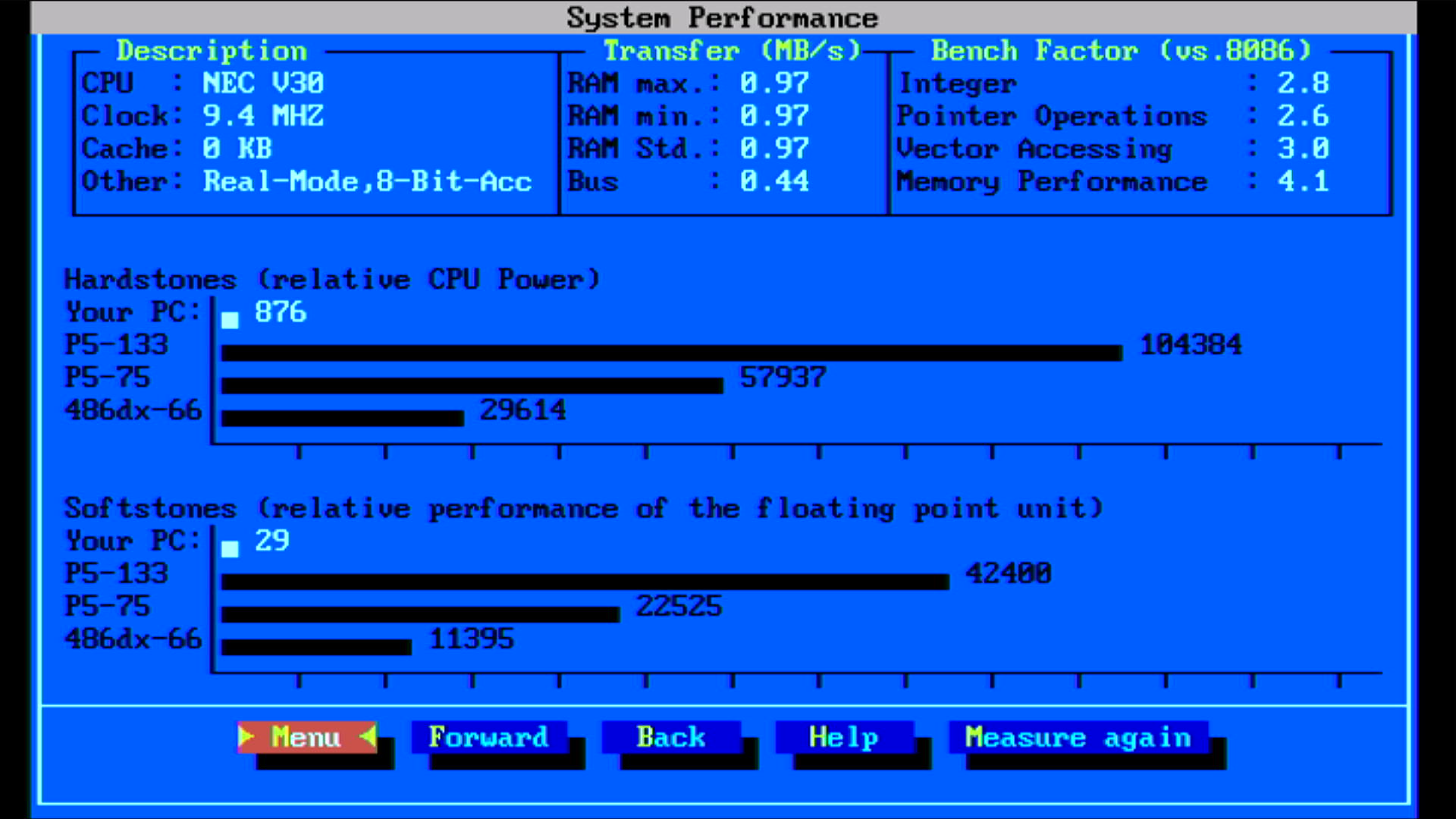

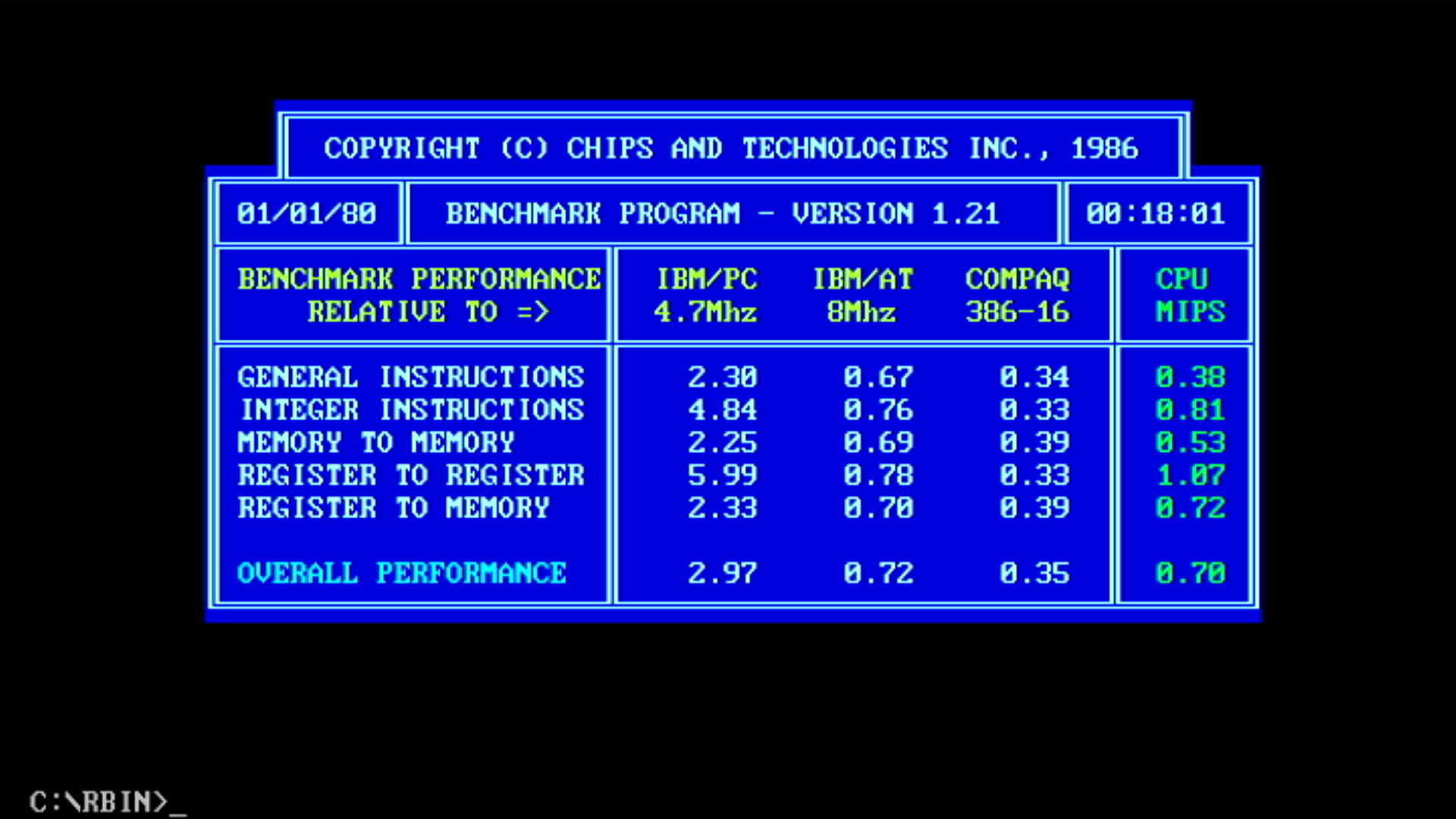
| Intel 8086 @ 8 MHz | NEC V30 @ 9.33 MHz | % Improvement | |
|---|---|---|---|
| Landmark Speed Test 0.99 (MHz) | 4.4 MHz | 6.0 MHz (3.4x) | 36% |
| Landmark Speed Test 6.00 (MHz) | 5.11 MHz | 8.20 MHz | 61% |
| Check-It 3.0 CPU Test (Dhrystones) | 767 | 1163 | 52% |
| Check-It 3.0 FPU Test (Whetstones) | 15.9K | 22.8K | 43% |
| Check-It 3.0 BIOS Video Test (chars/sec) | 826 | 1103 | 34% |
| Check-It 3.0 Direct Video Test (chars/sec) | 10,895 | 14,451 | 33% |
| Dr. Hard 37e Hardstones | 585 | 876 | 50% |
| Dr. Hard 37e Softstones | 19 | 29 | 53% |
| Dr. Hard 37e Video Transfer Rate (MB/s) | 0.5 | 1.0 | 100% |
| Norton SysInfo 5.5 CPU Speed | 2.1 | 3.2 | 52% |
| TopBench 0.38 Total (usec) lower=better | 6636 | 4223 | 36% |
| MIPS v1.21 | ? | 0.70 | ? |
| uSpeed | ? | 338% | ? |
Temperatures: V30 = 45.9 °C, 8237 = 65.0 °C, 8253 = 58.3 °C, 8259 = 47.7 °C.
RAM = 47.3 °C.
EGA ROM = 57.0 °C,
Paradise chipset = 37.3 °C.
Amstrad gate arrays = cool (max. 36.5 °C, the 400411 chip)
10 MHz
Moving to the 30 MHz crystal, so our V30 is clocking 10 MHz (CLK/3) and the ISA bus at 5.0 MHz:
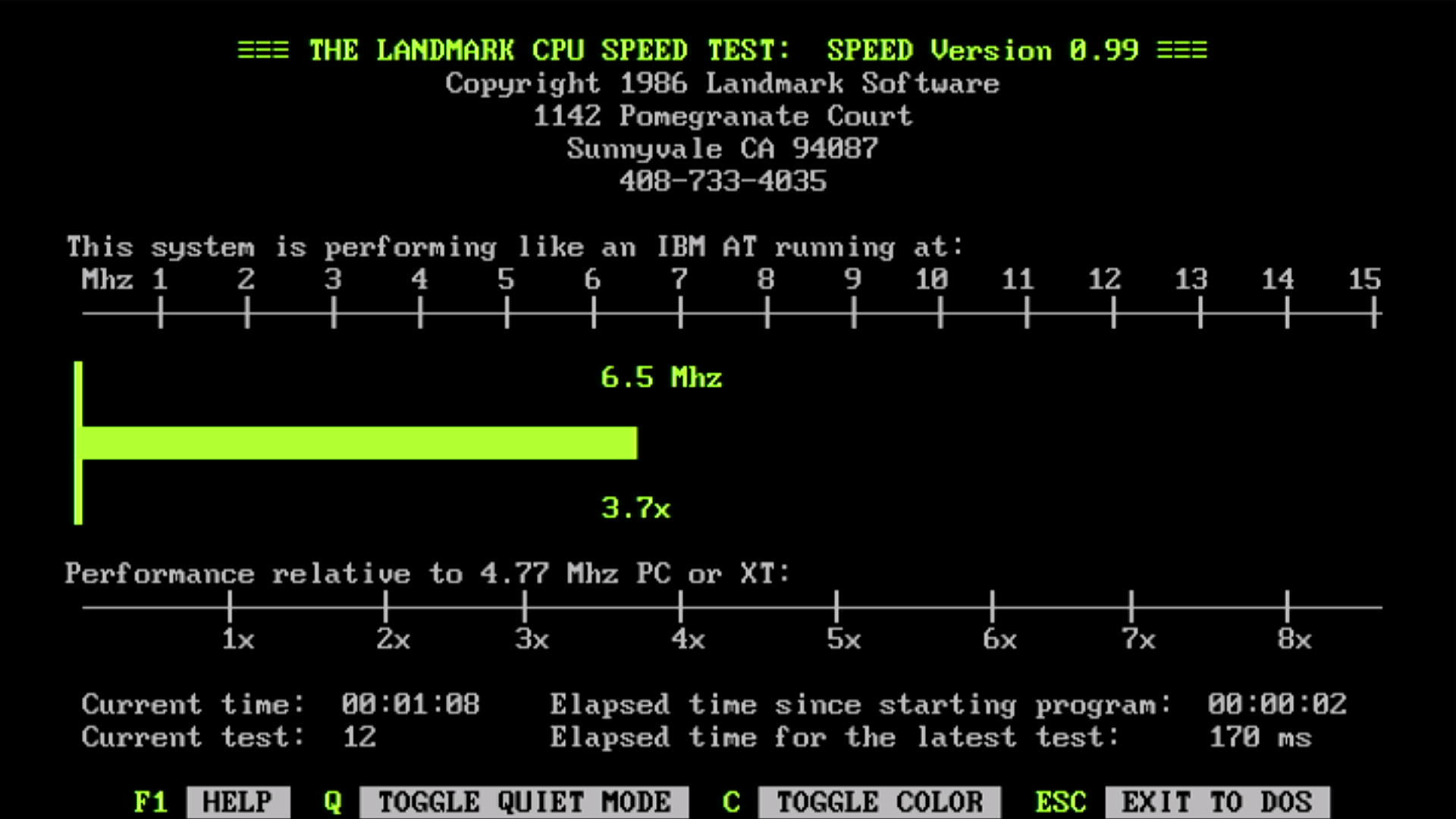
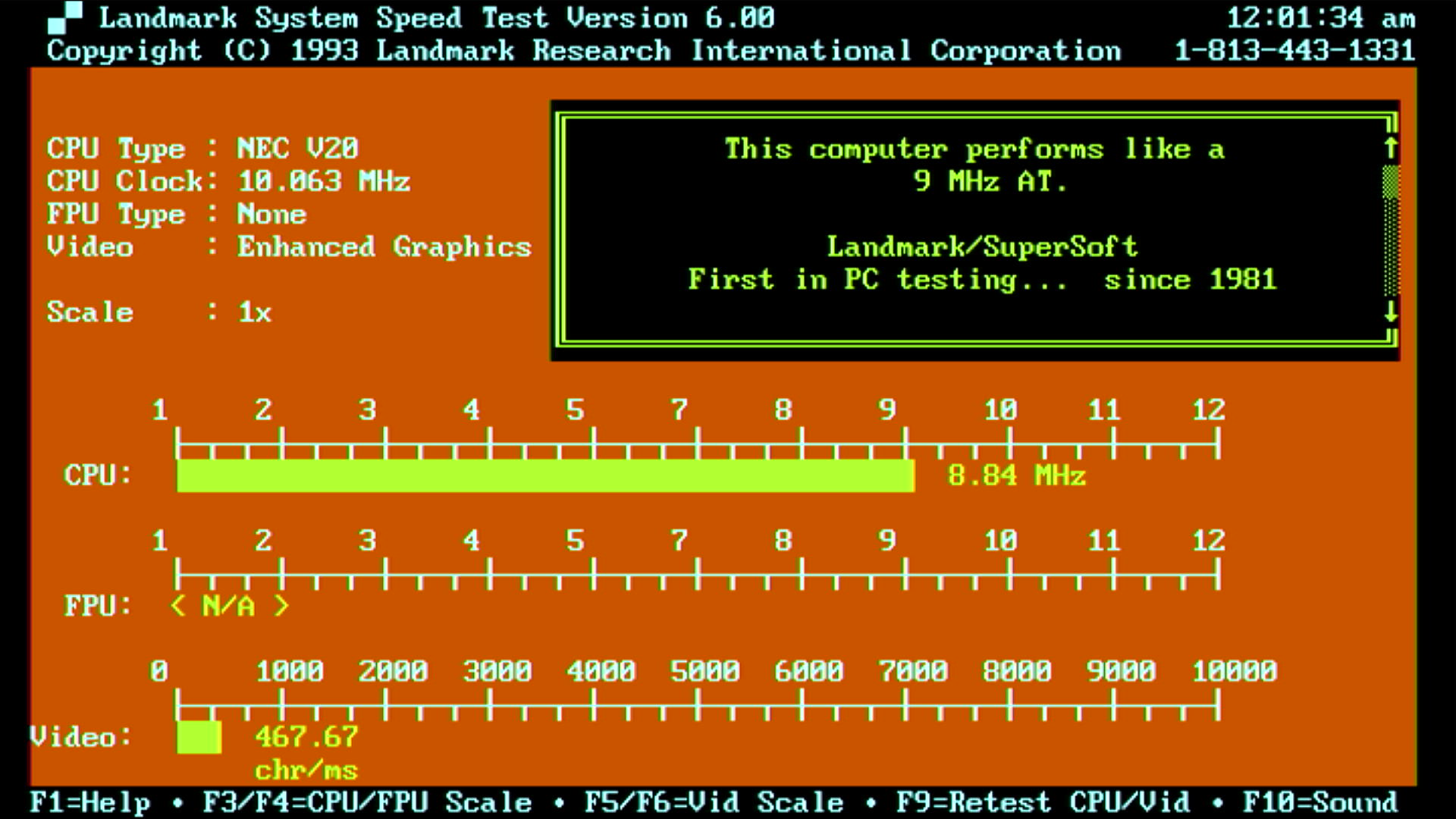
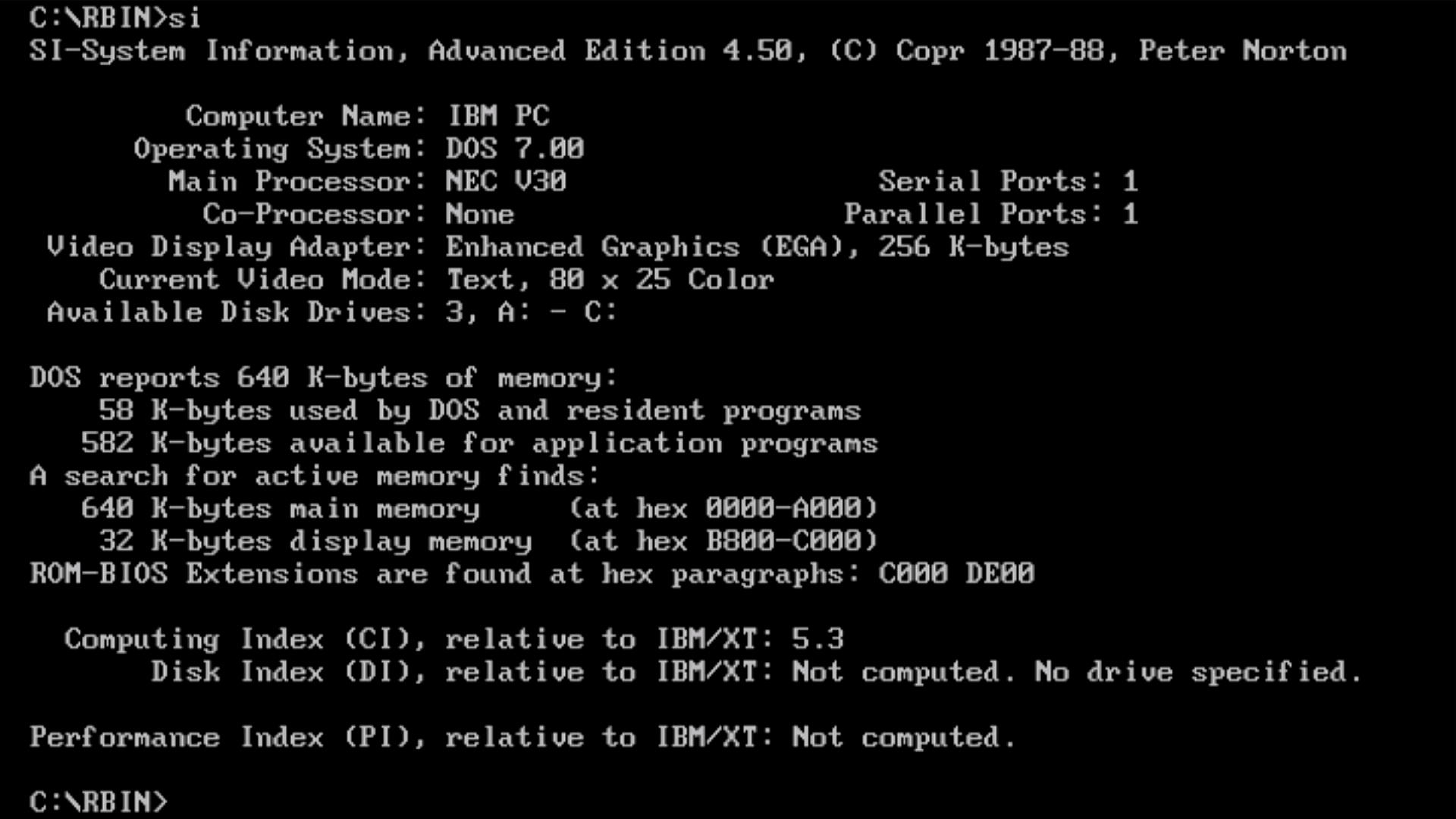
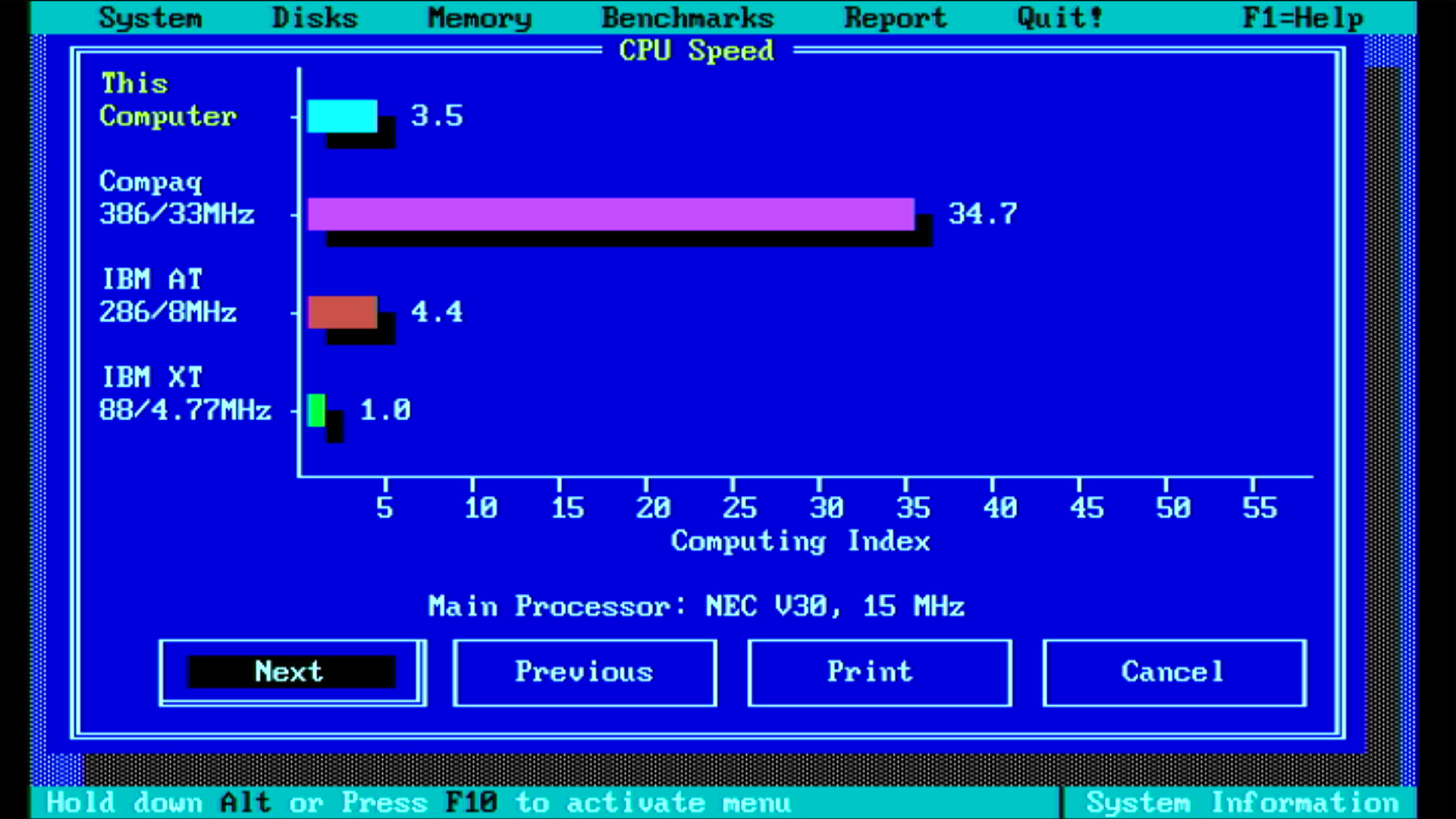
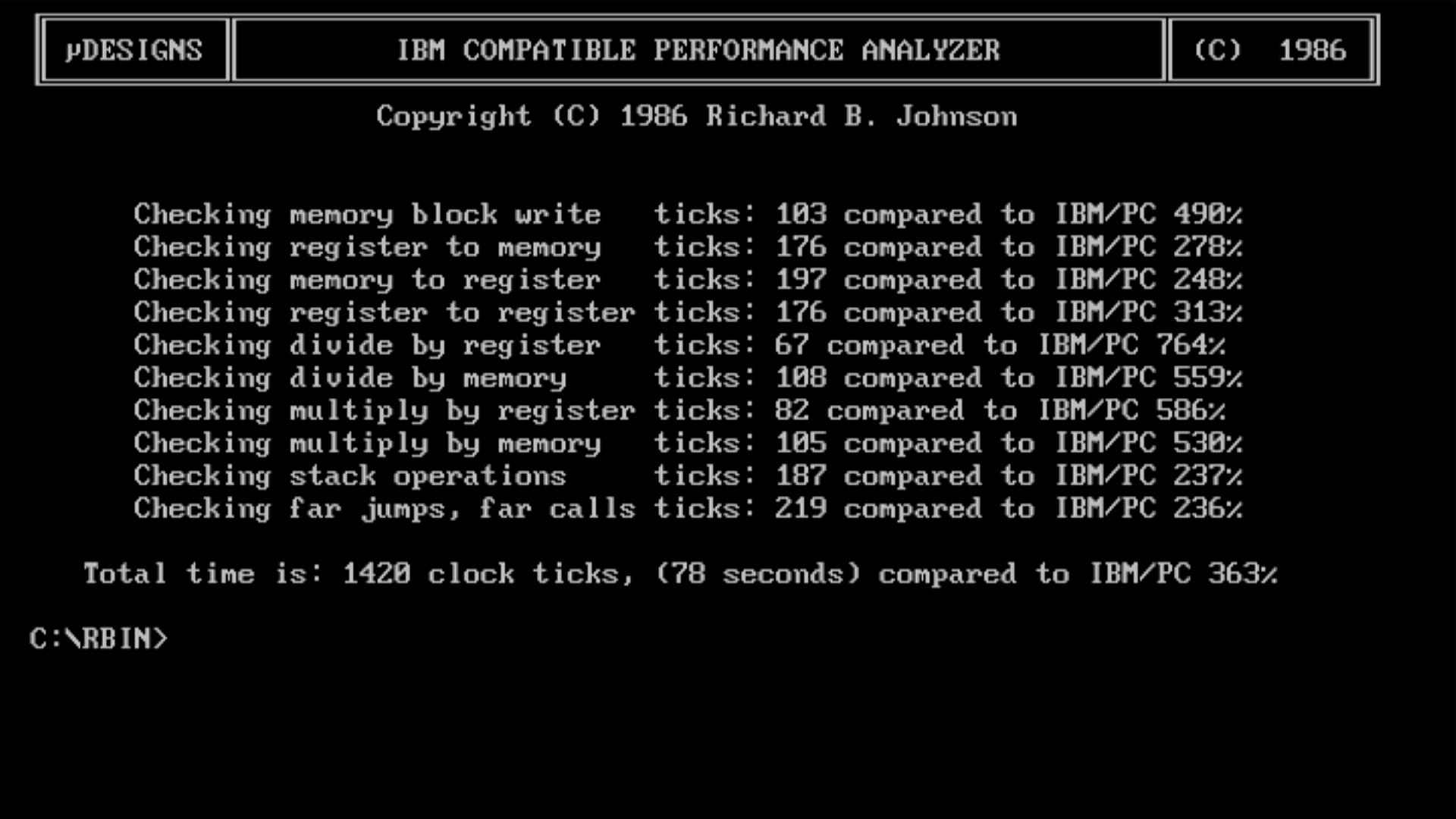
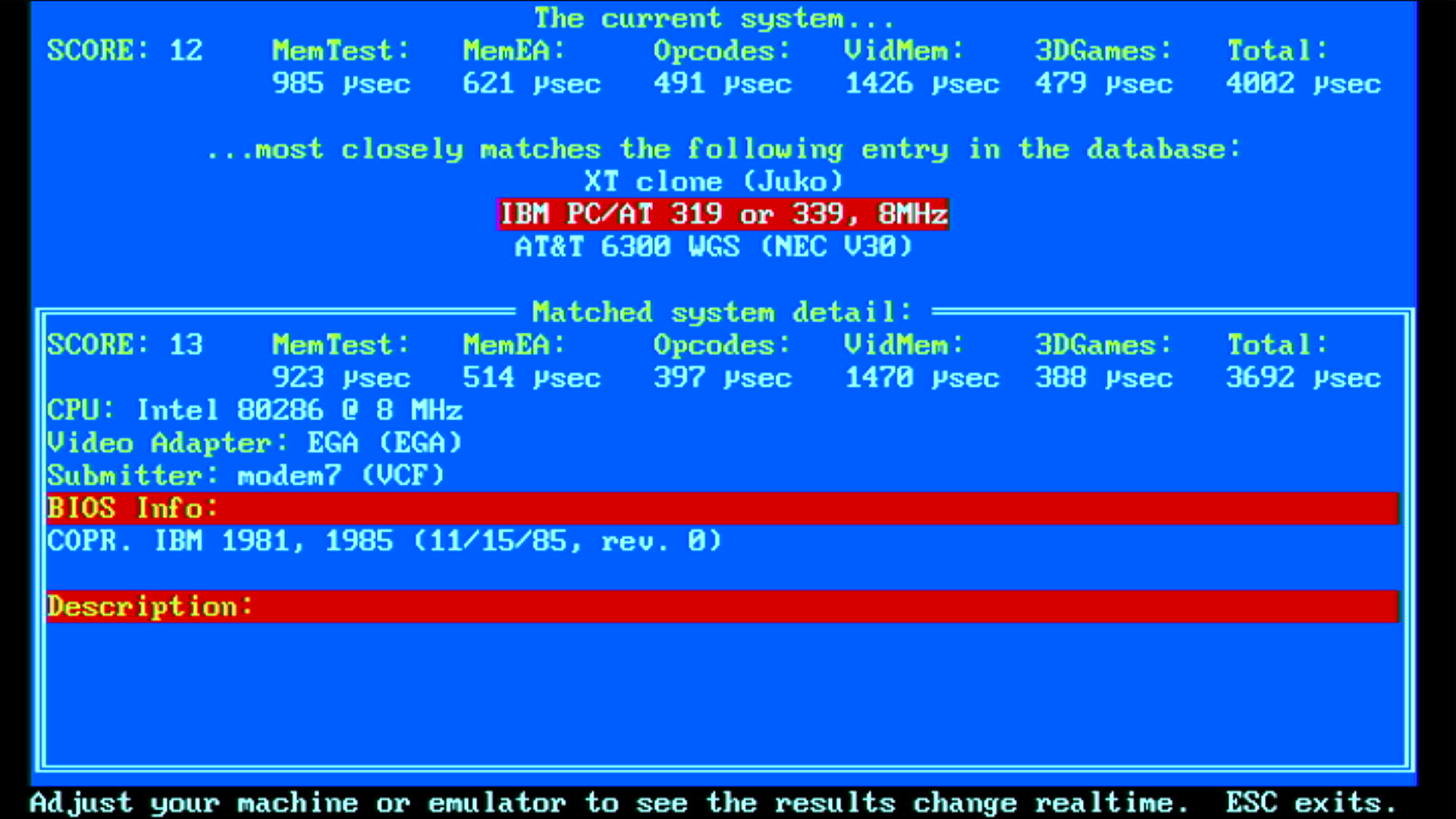
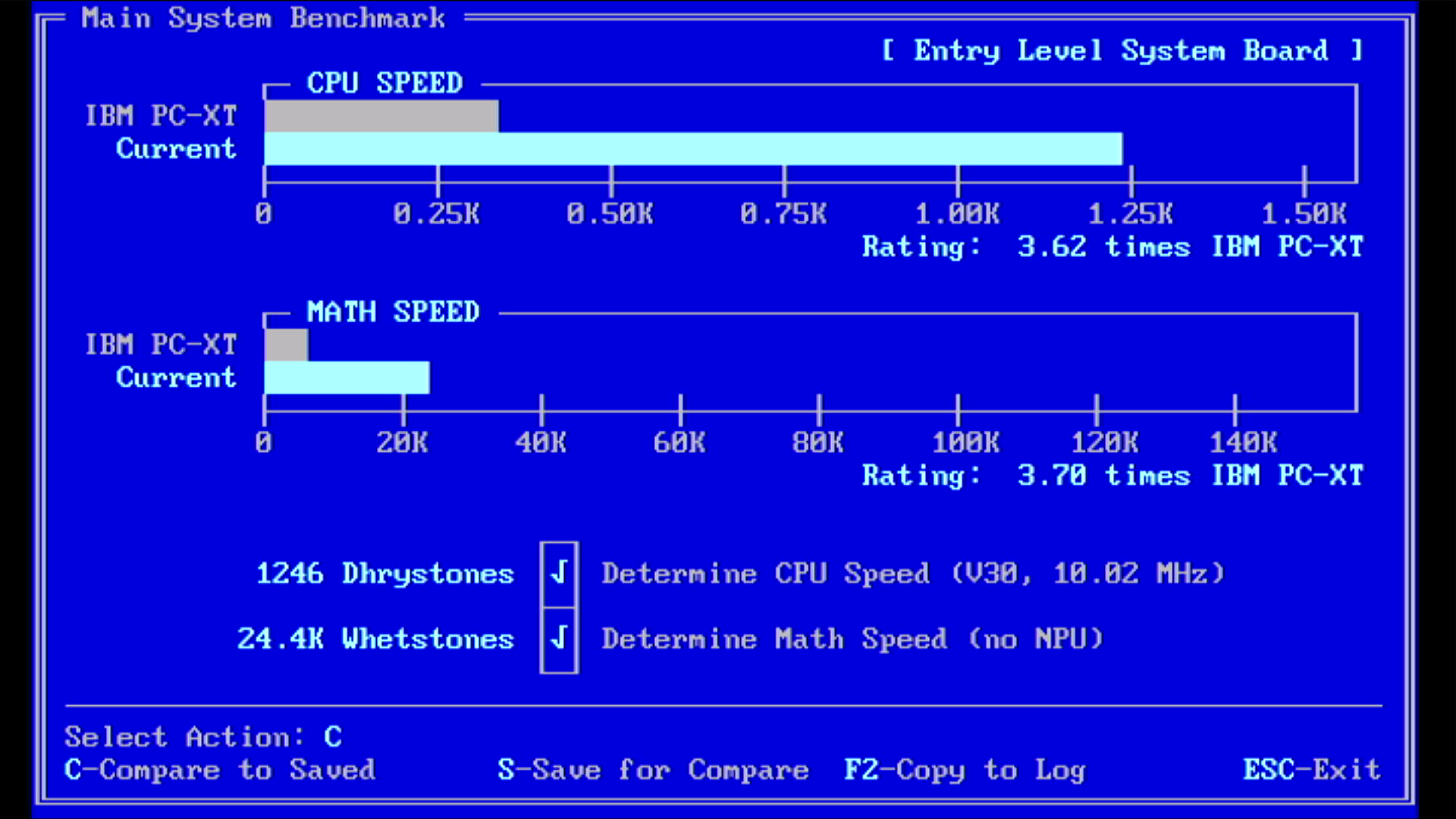
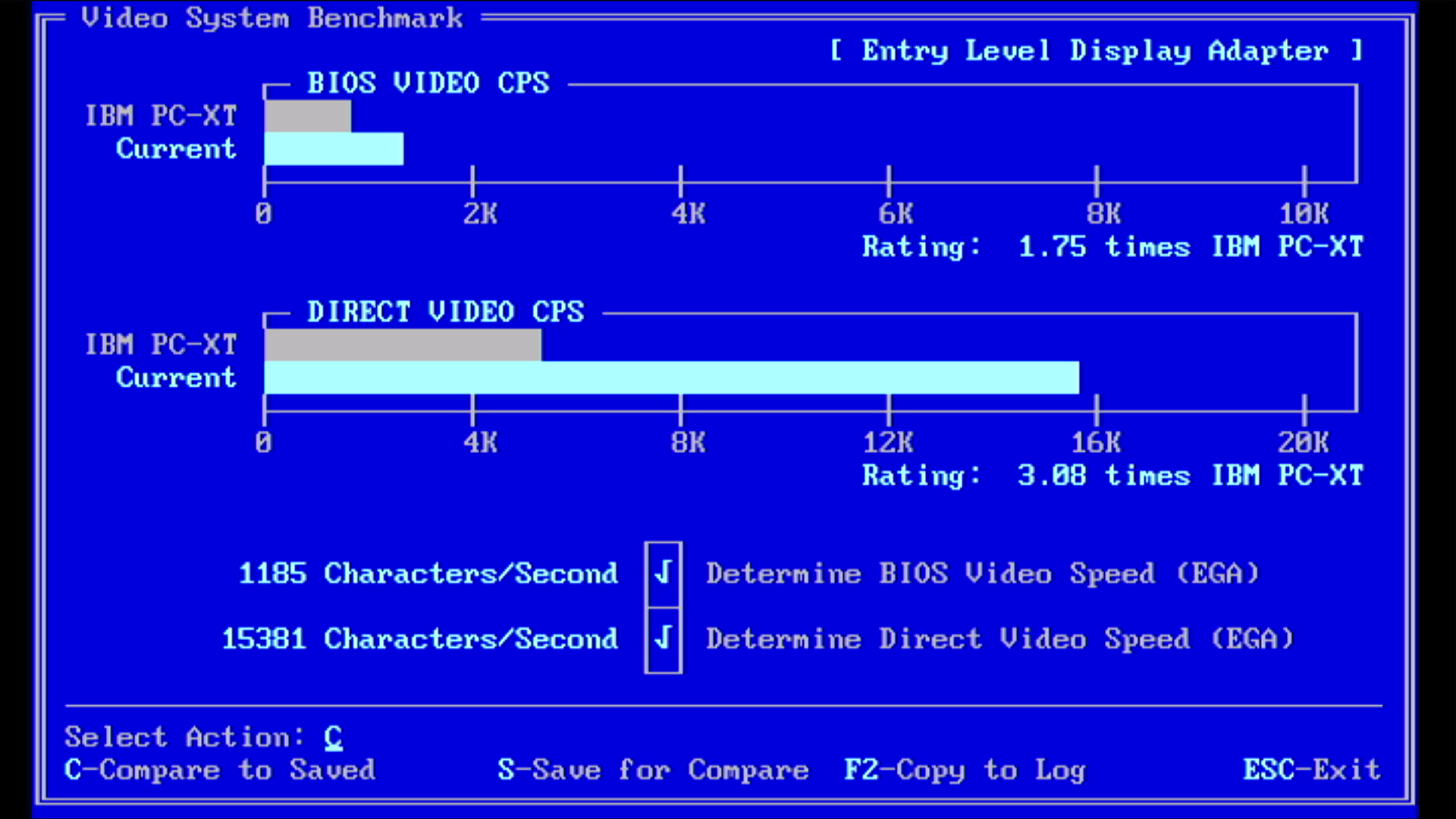
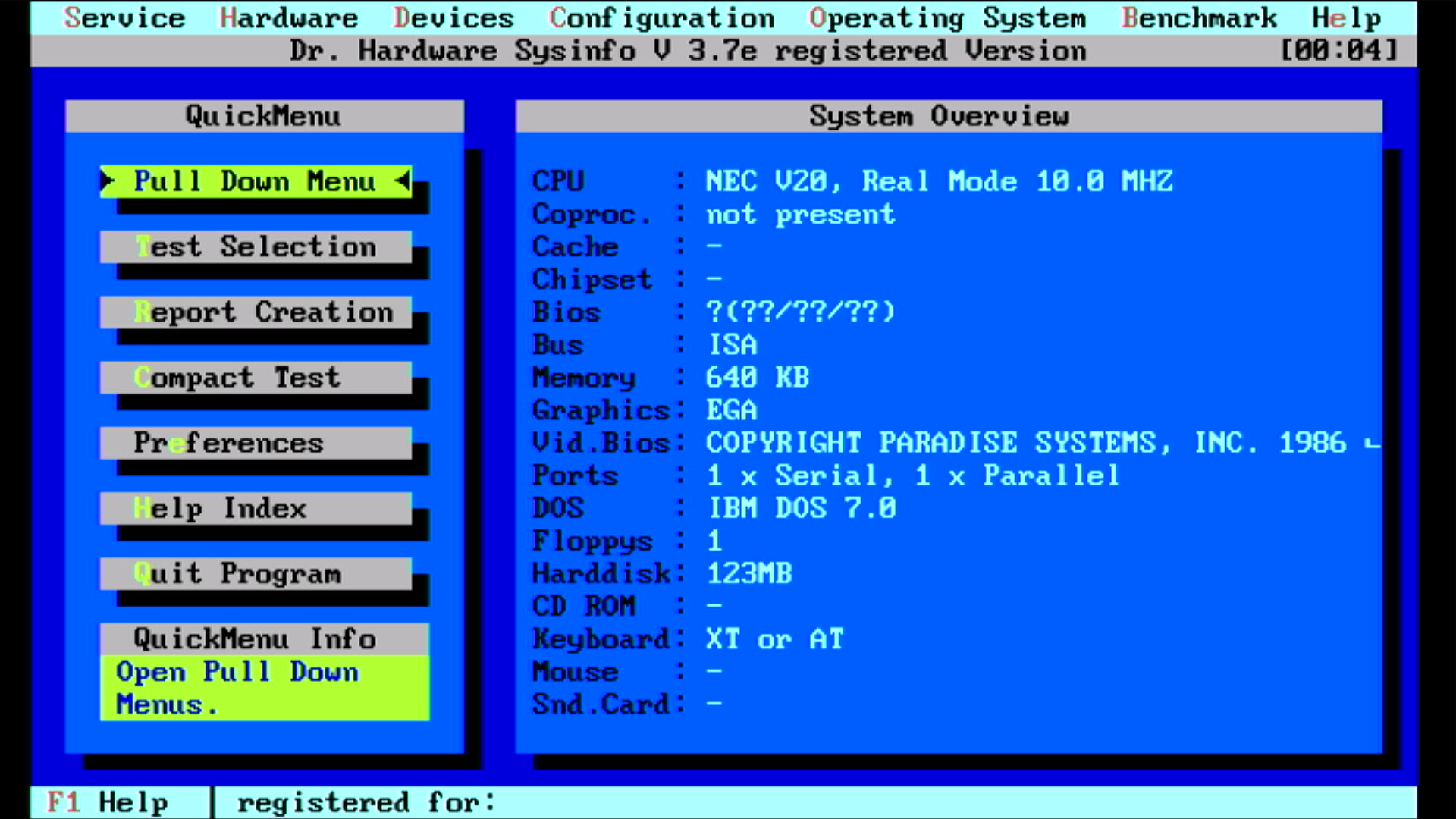
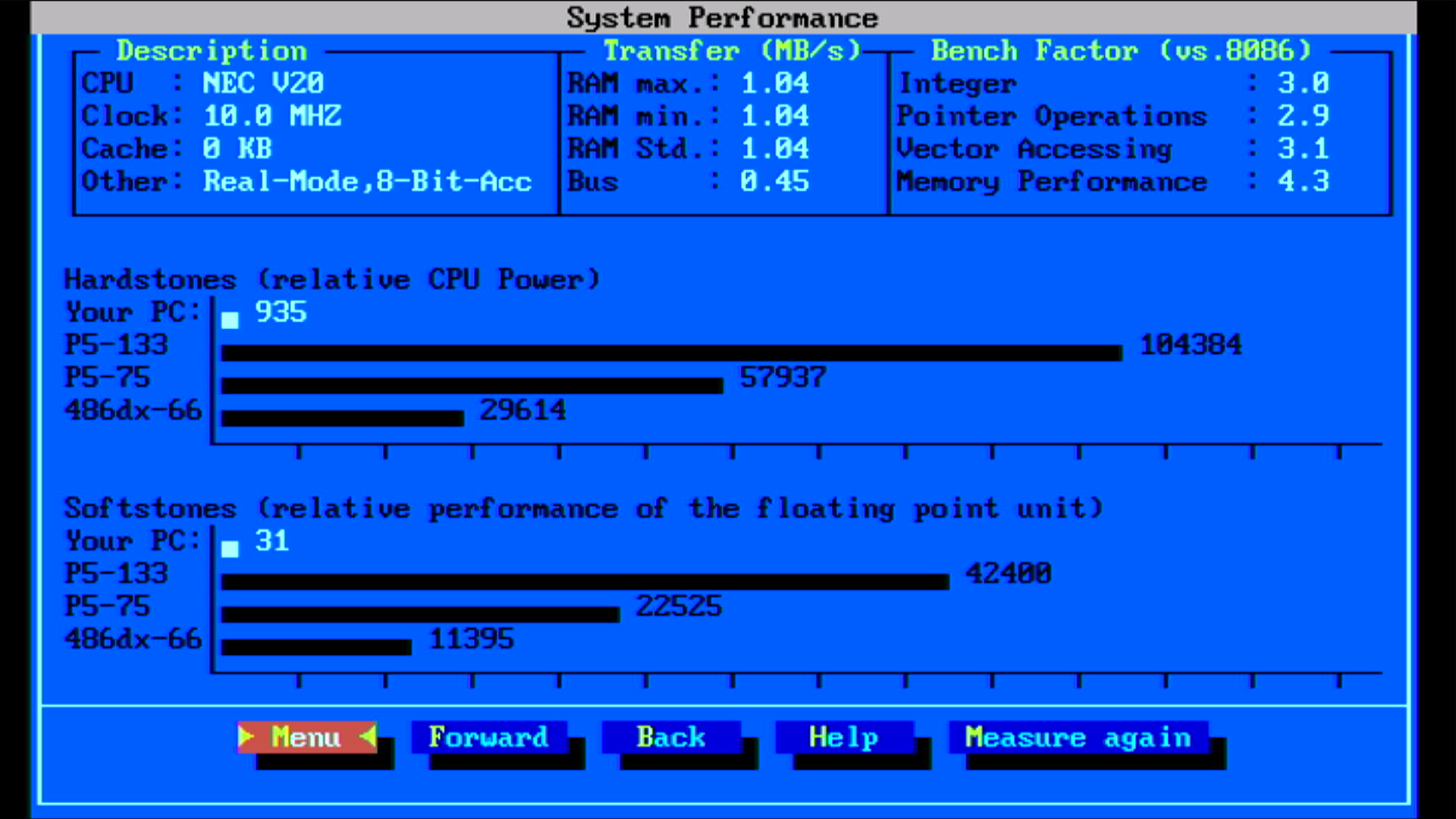
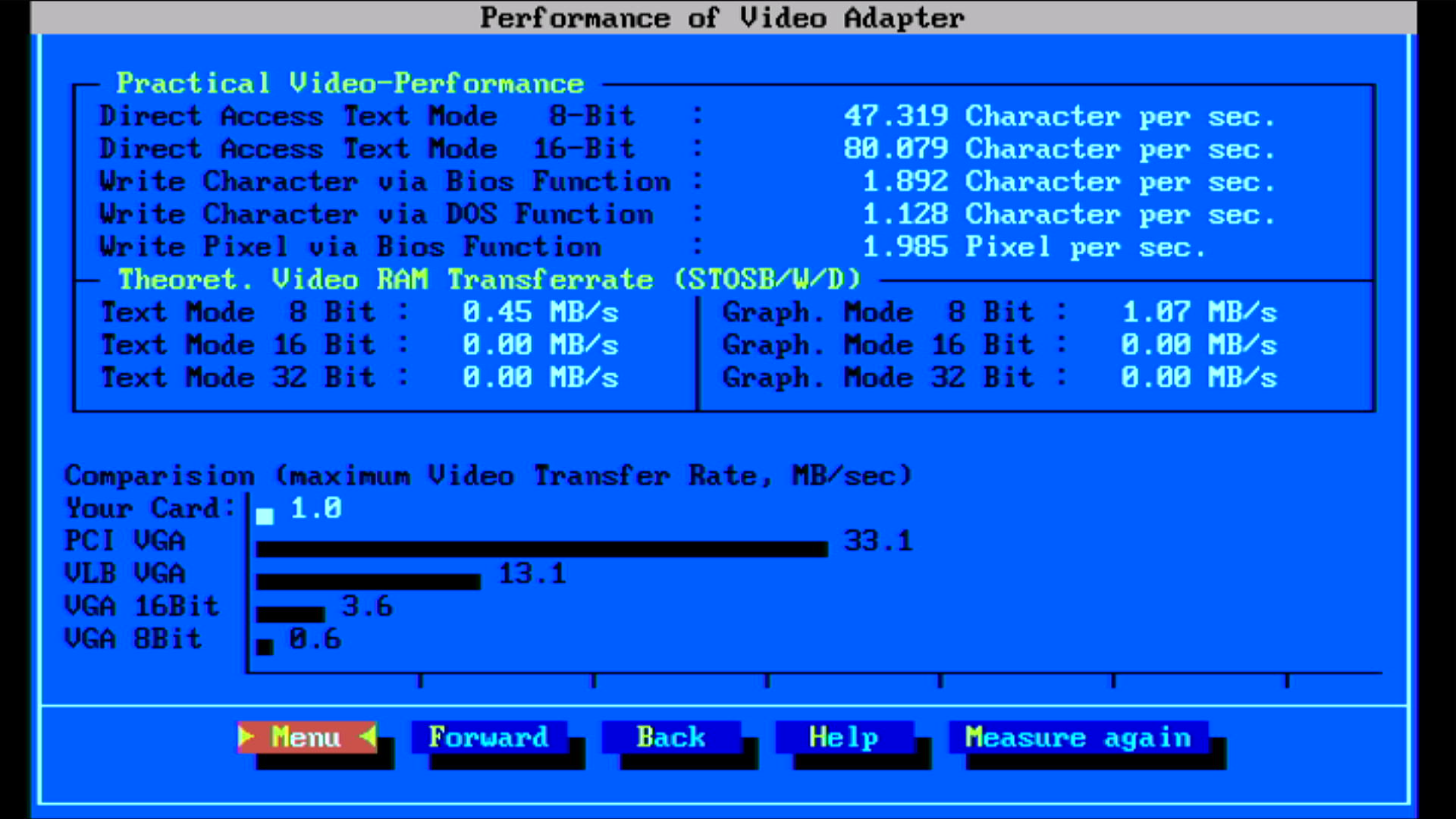
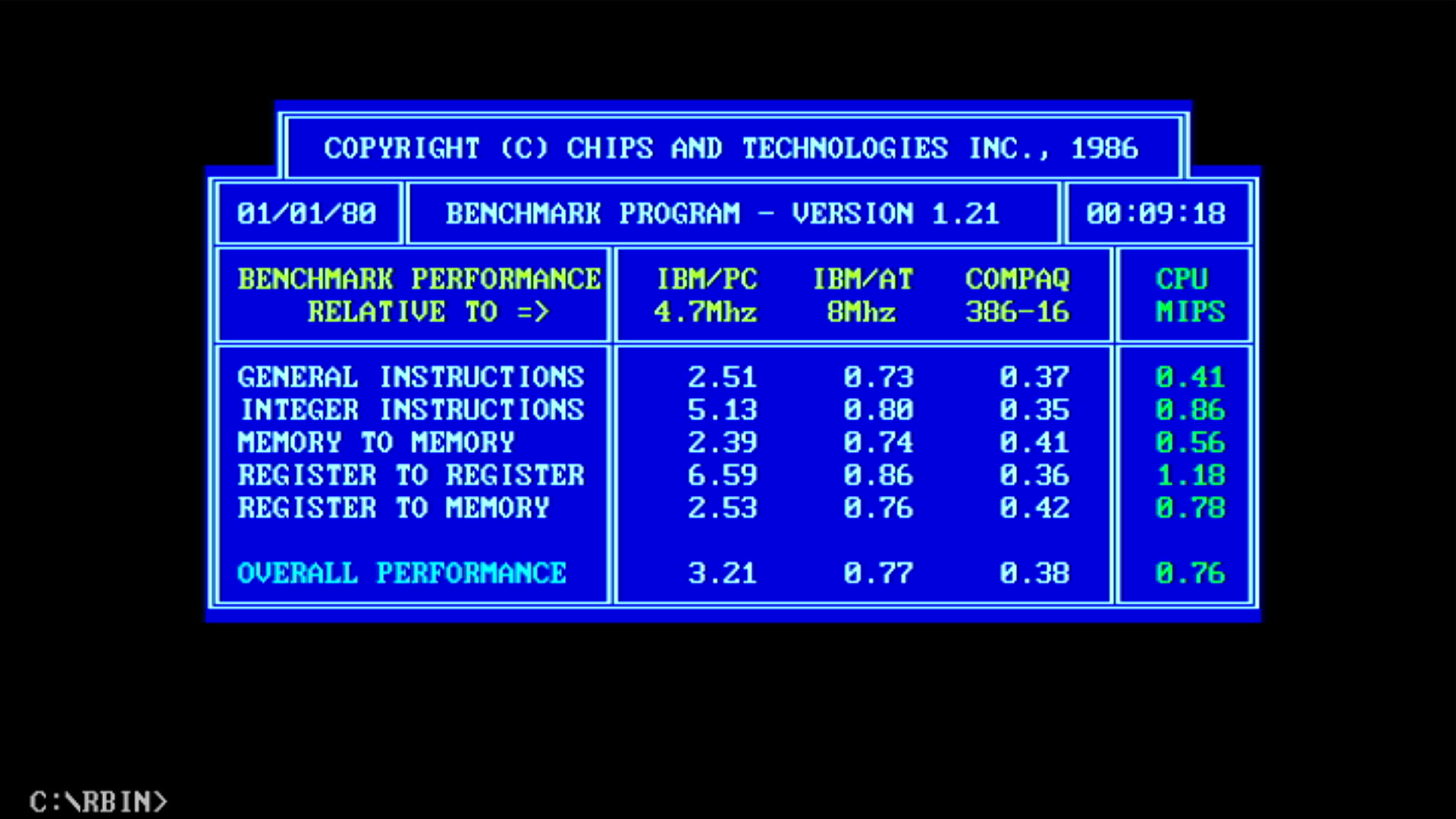
| Intel 8086 @ 8 MHz | NEC V30 @ 10 MHz | % Improvement | |
|---|---|---|---|
| Landmark Speed Test 0.99 (MHz) | 4.4 MHz | 6.5 MHz (3.7x) | 48% |
| Landmark Speed Test 6.00 (MHz) | 5.11 MHz | 8.84 MHz | 73% |
| Check-It 3.0 CPU Test (Dhrystones) | 767 | 1246 | 62% |
| Check-It 3.0 FPU Test (Whetstones) | 15.9K | 24.4K | 53% |
| Check-It 3.0 BIOS Video Test (chars/sec) | 826 | 1185 | 43% |
| Check-It 3.0 Direct Video Test (chars/sec) | 10,895 | 15,381 | 41% |
| Dr. Hard 37e Hardstones | 585 | 935 | 60% |
| Dr. Hard 37e Softstones | 19 | 31 | 63% |
| Dr. Hard 37e Video Transfer Rate (MB/s) | 0.5 | 1.0 | 100% |
| Norton SysInfo 5.5 CPU Speed | 2.1 | 3.5 | 67% |
| TopBench 0.38 Total (usec) lower=better | 6636 | 4002 | 39% |
| MIPS v1.21 | ? | 0.76 | ? |
| uSpeed | ? | 363% | ? |
Temperatures: V30 = 45.9 °C, 8237 = 64.4 °C, 8253 = 57.7 °C, 8259 = 47.0 °C.
RAM = 48.0 °C.
EGA ROM = 56.7 °C,
Paradise chipset = 35.8 °C.
Amstrad gate arrays = cool (max. 36.5 °C, the 400411 chip)
11 MHz
Moving to the 33 MHz crystal, so our V30 is clocking 11 MHz (CLK/3) and the ISA bus at 5.5 MHz:
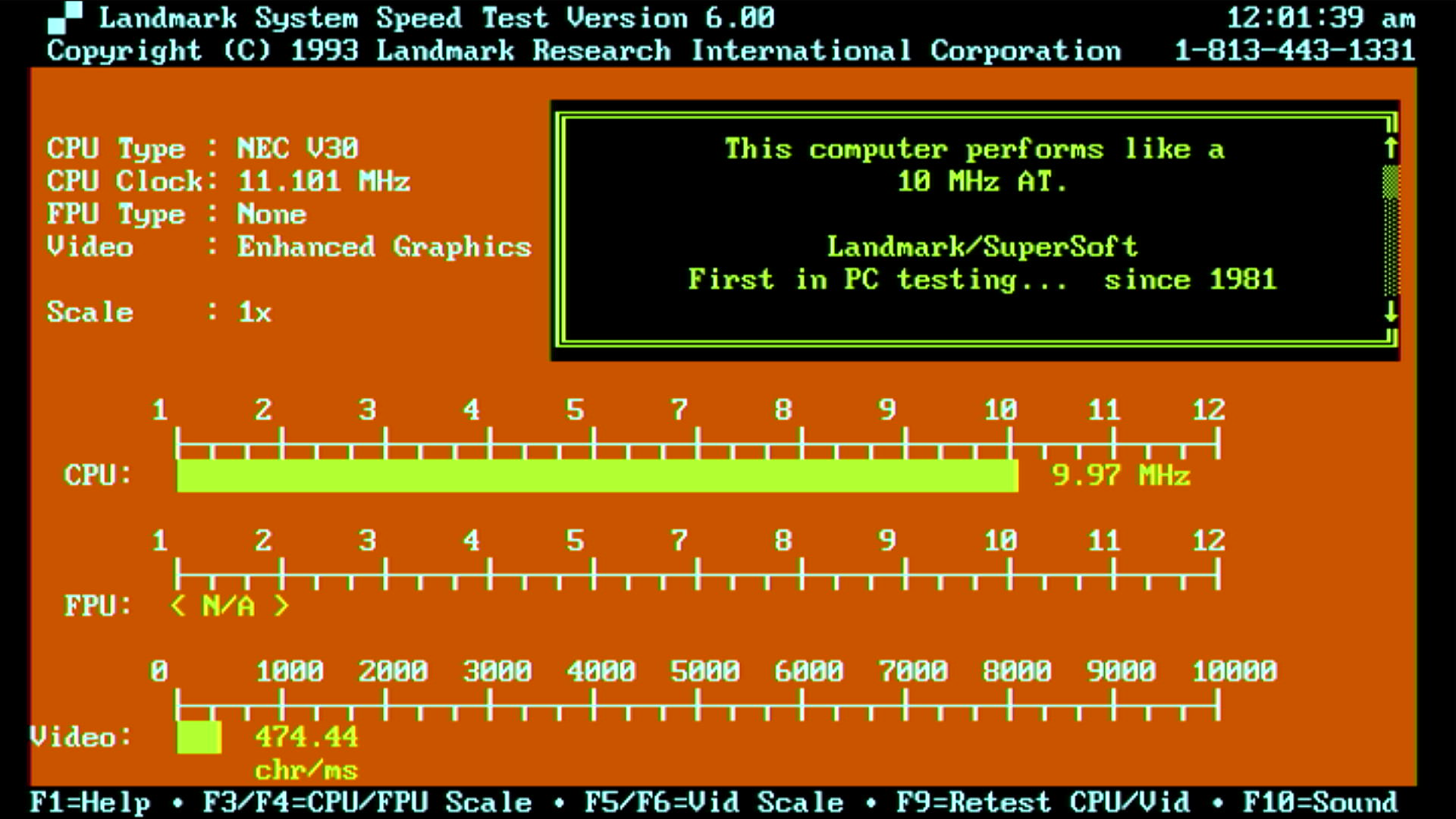
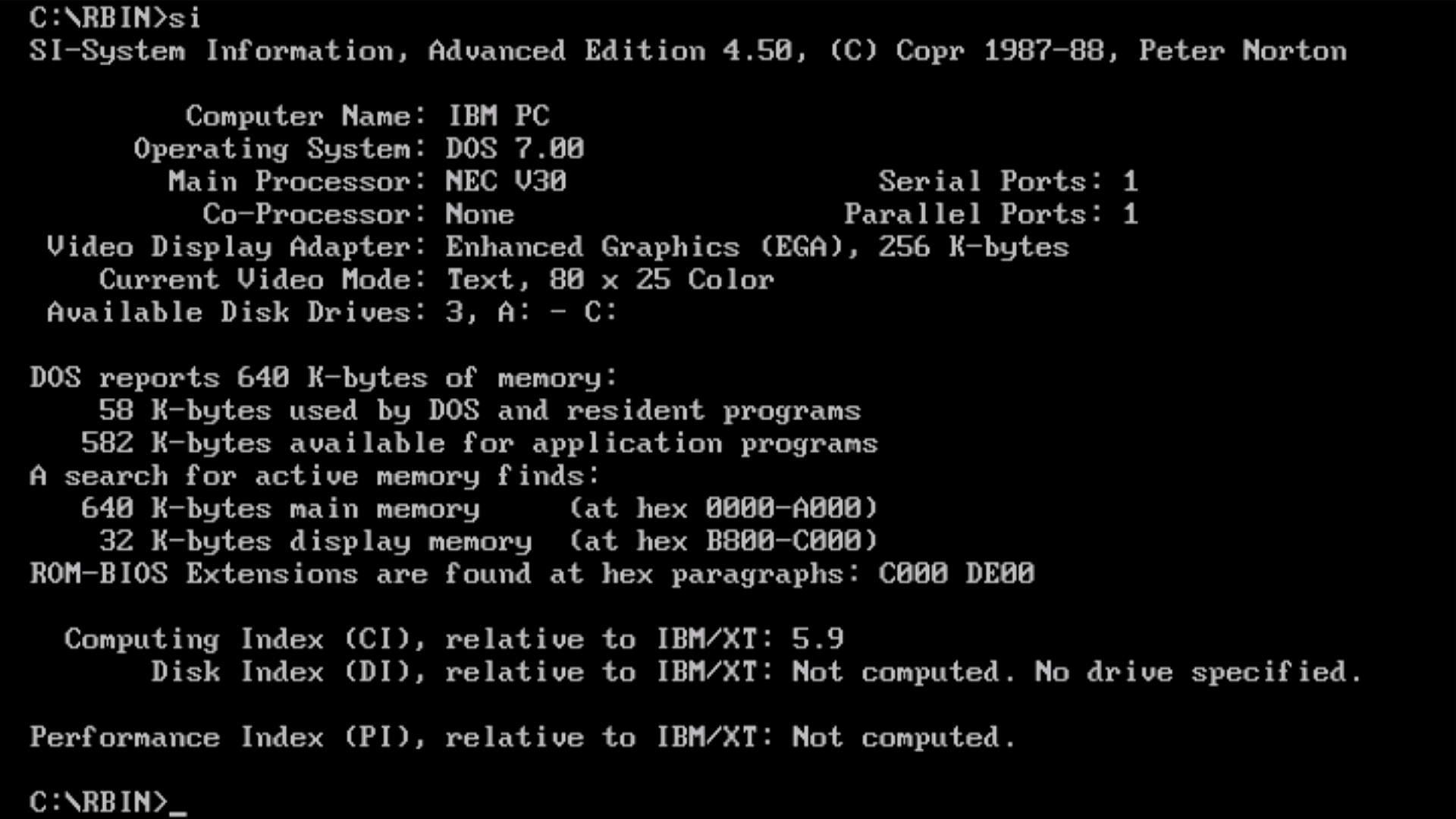
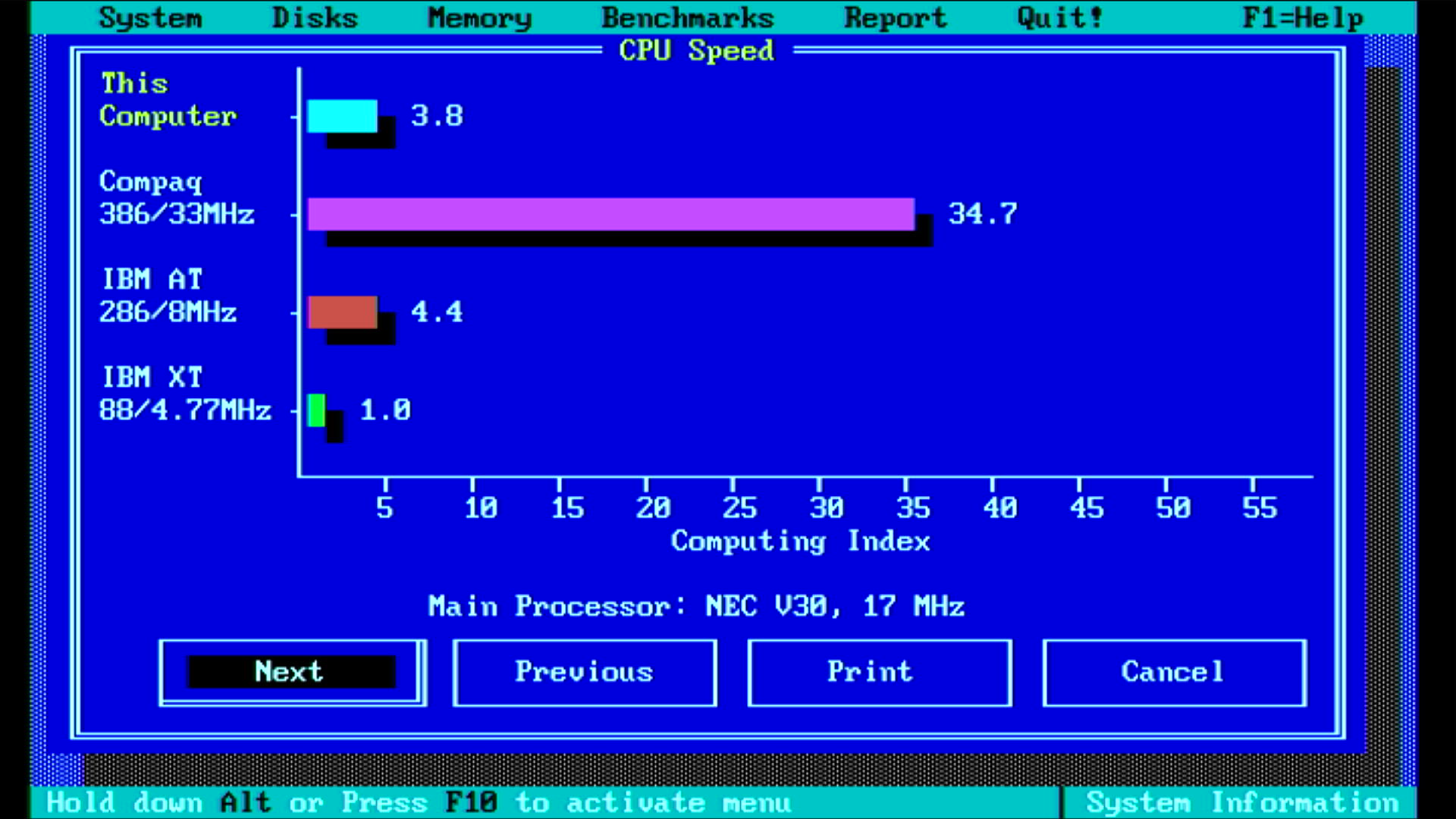
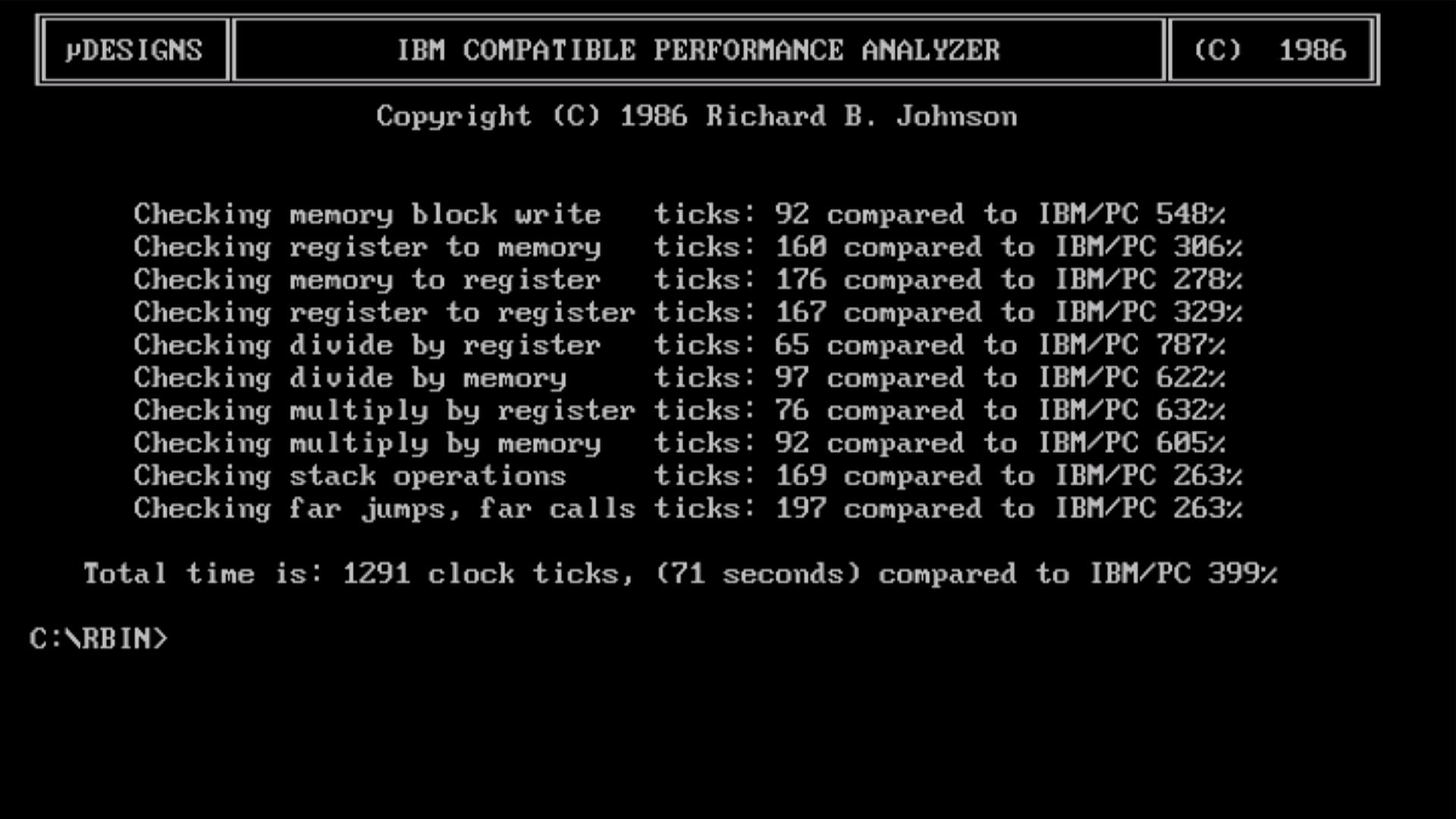
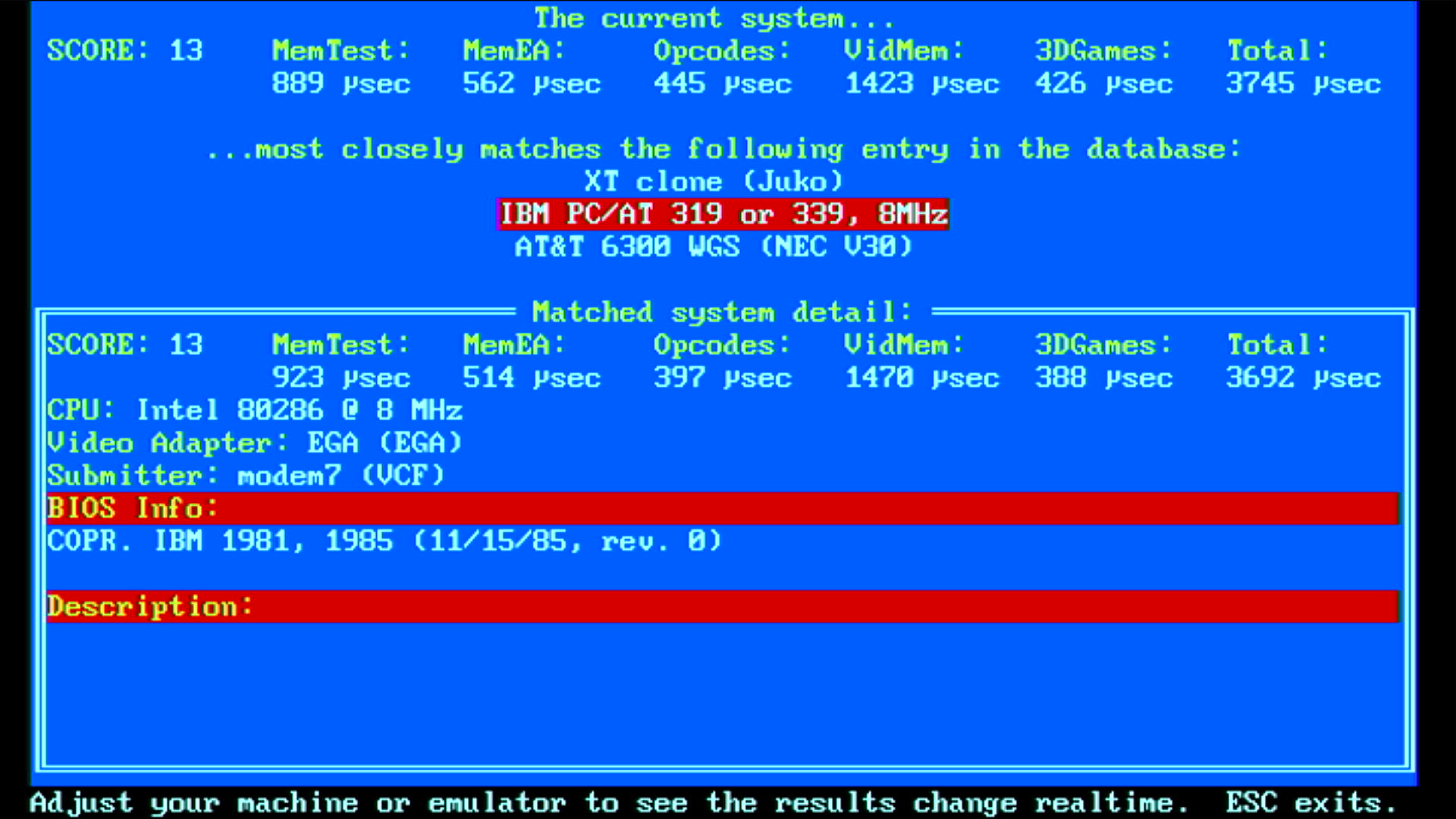
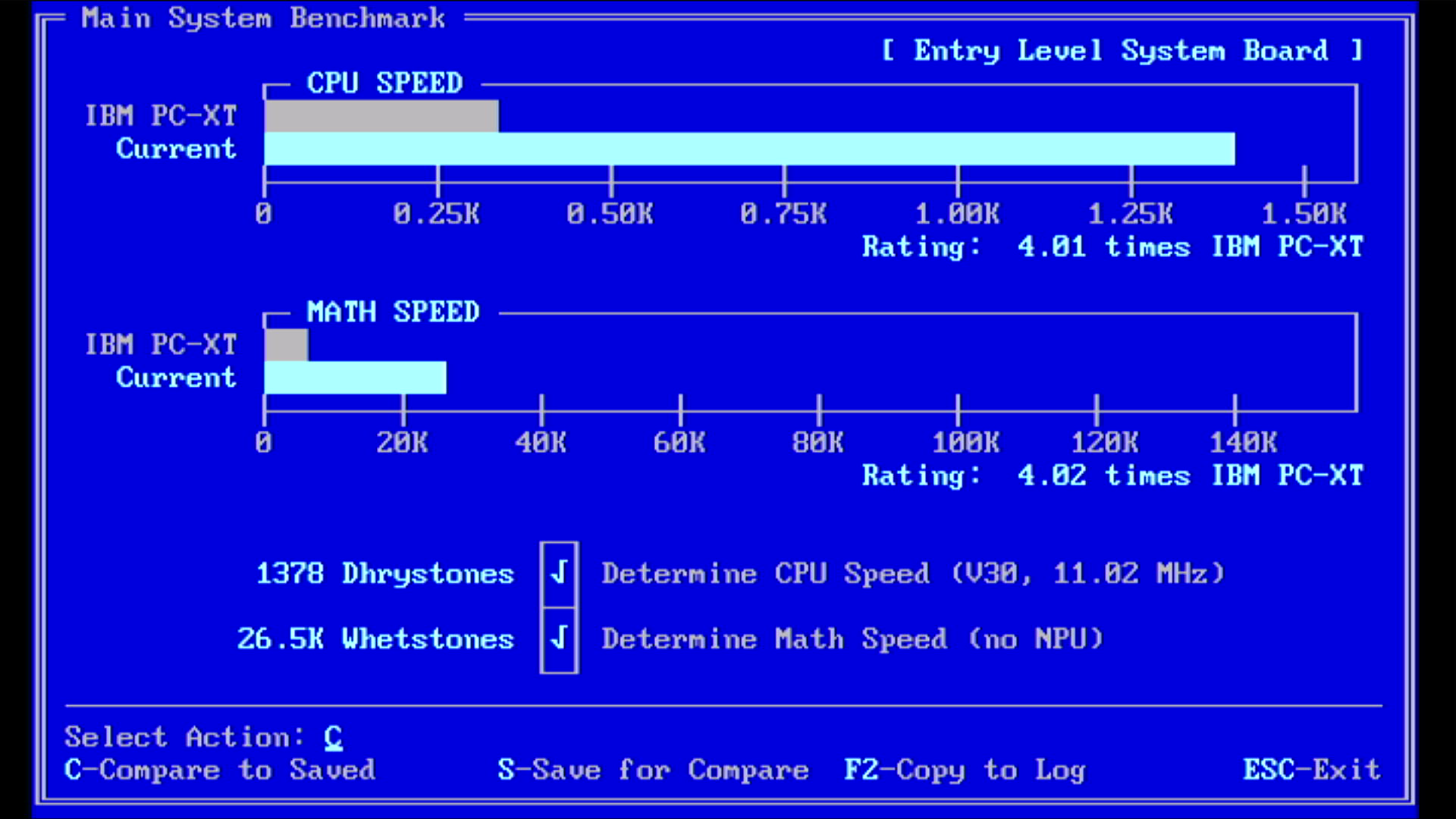
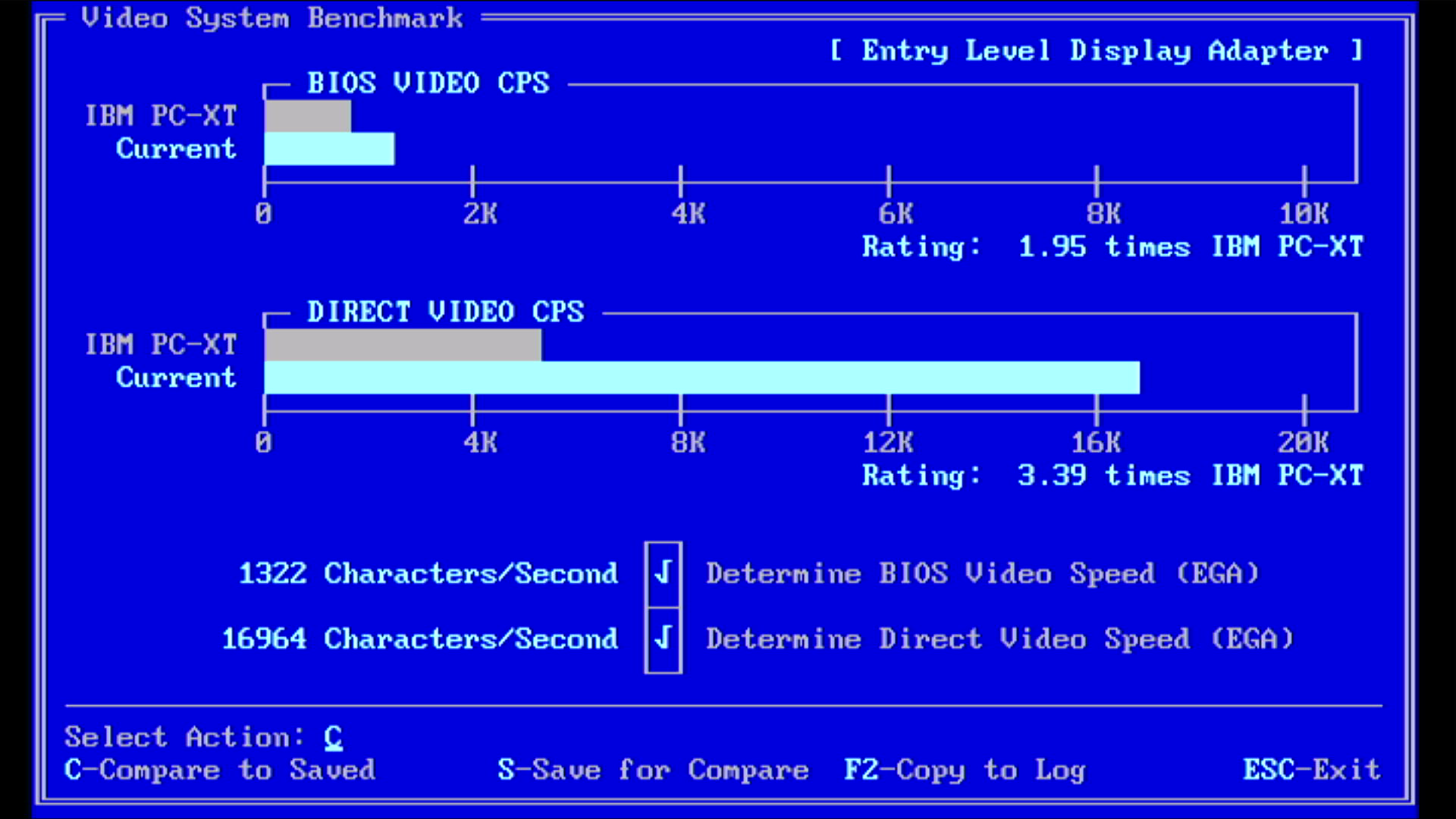
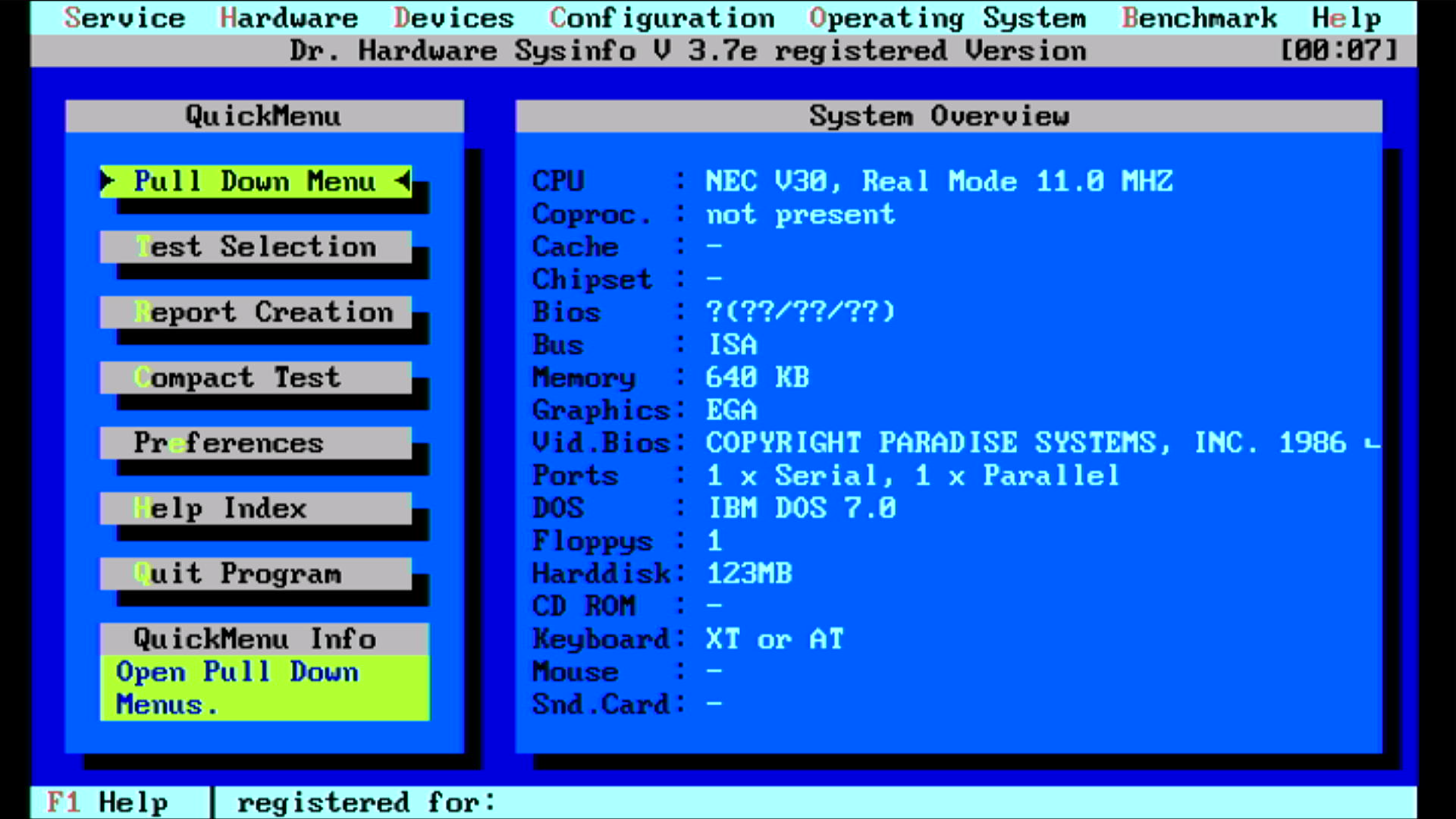
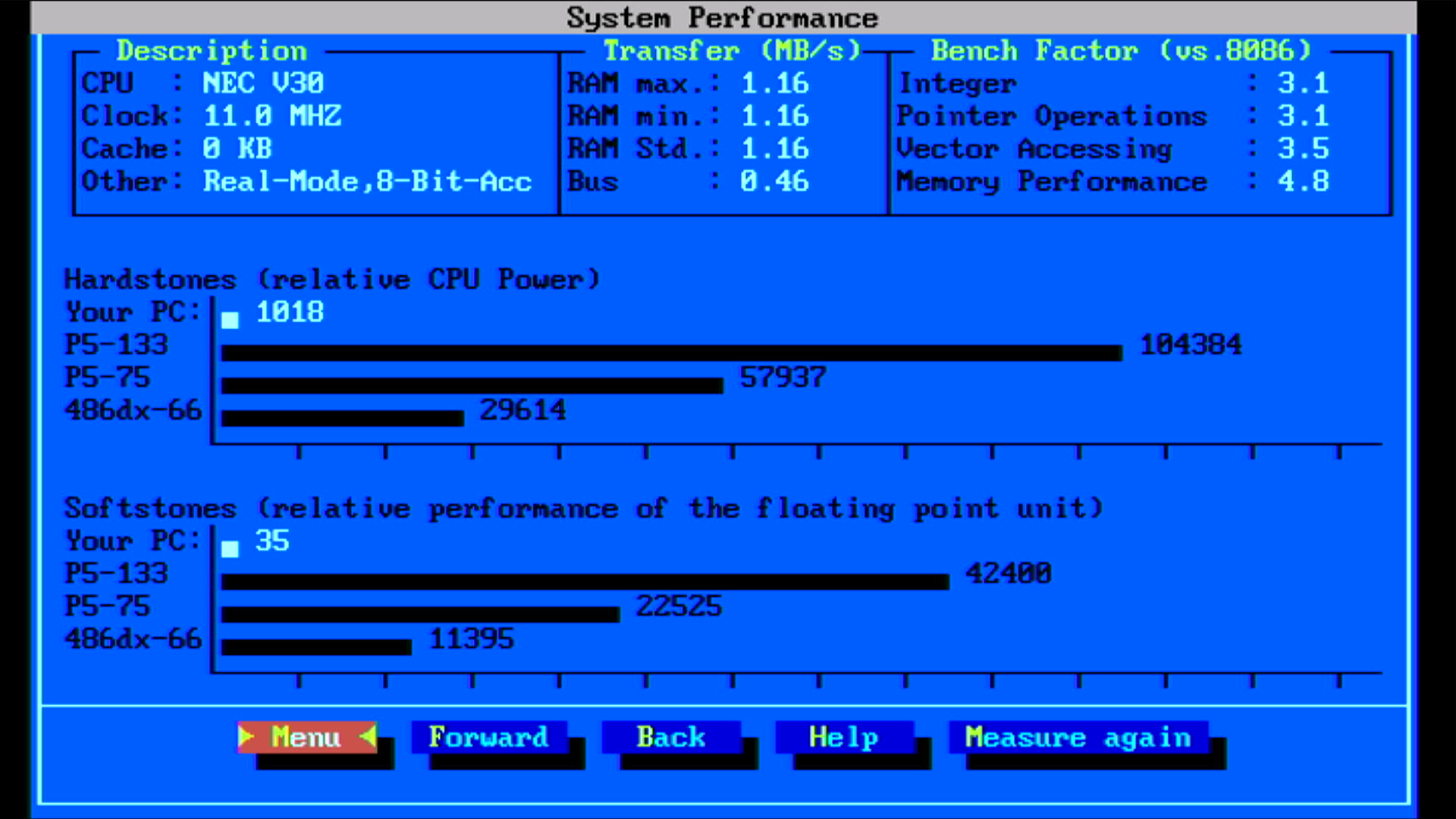
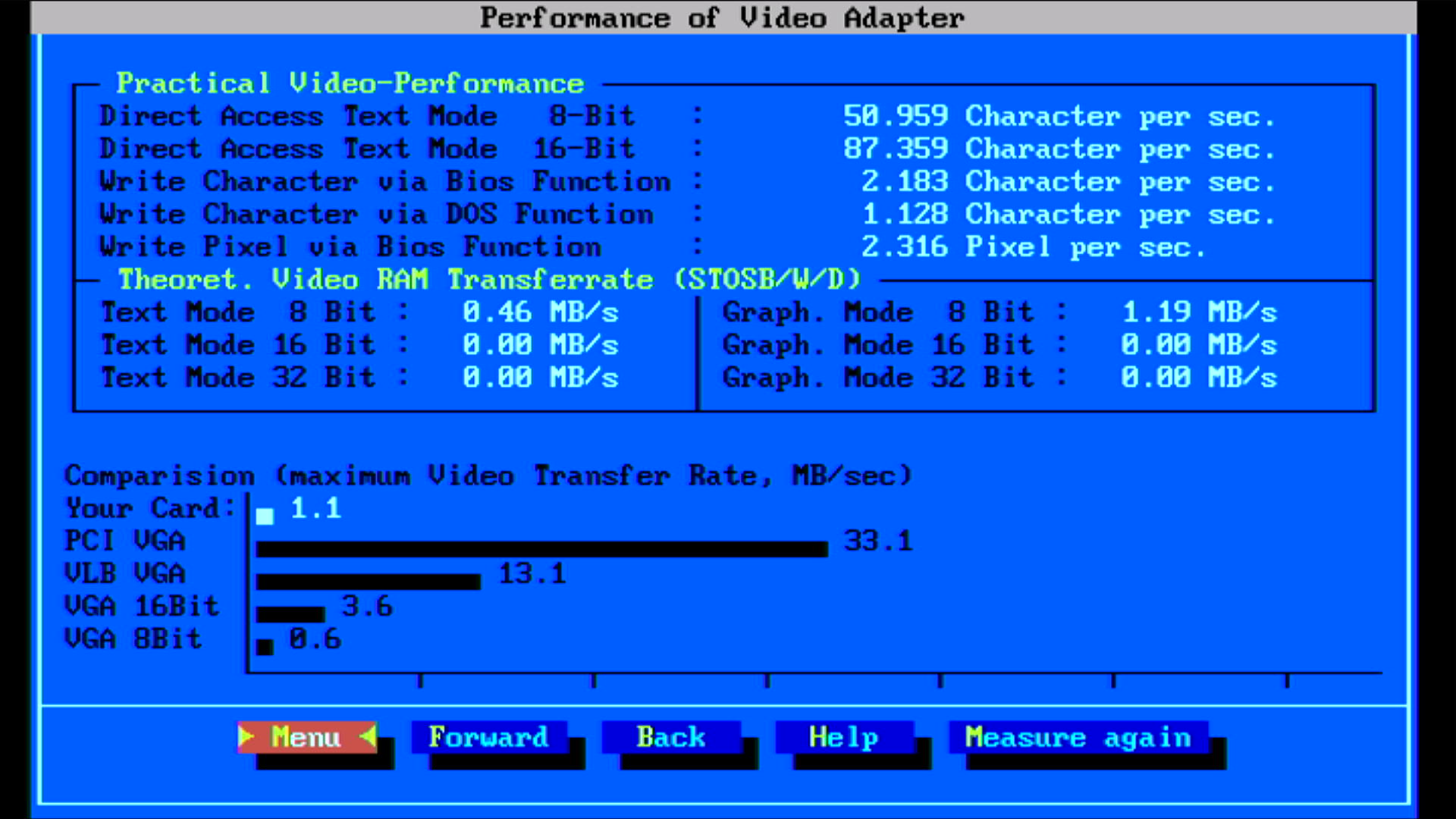
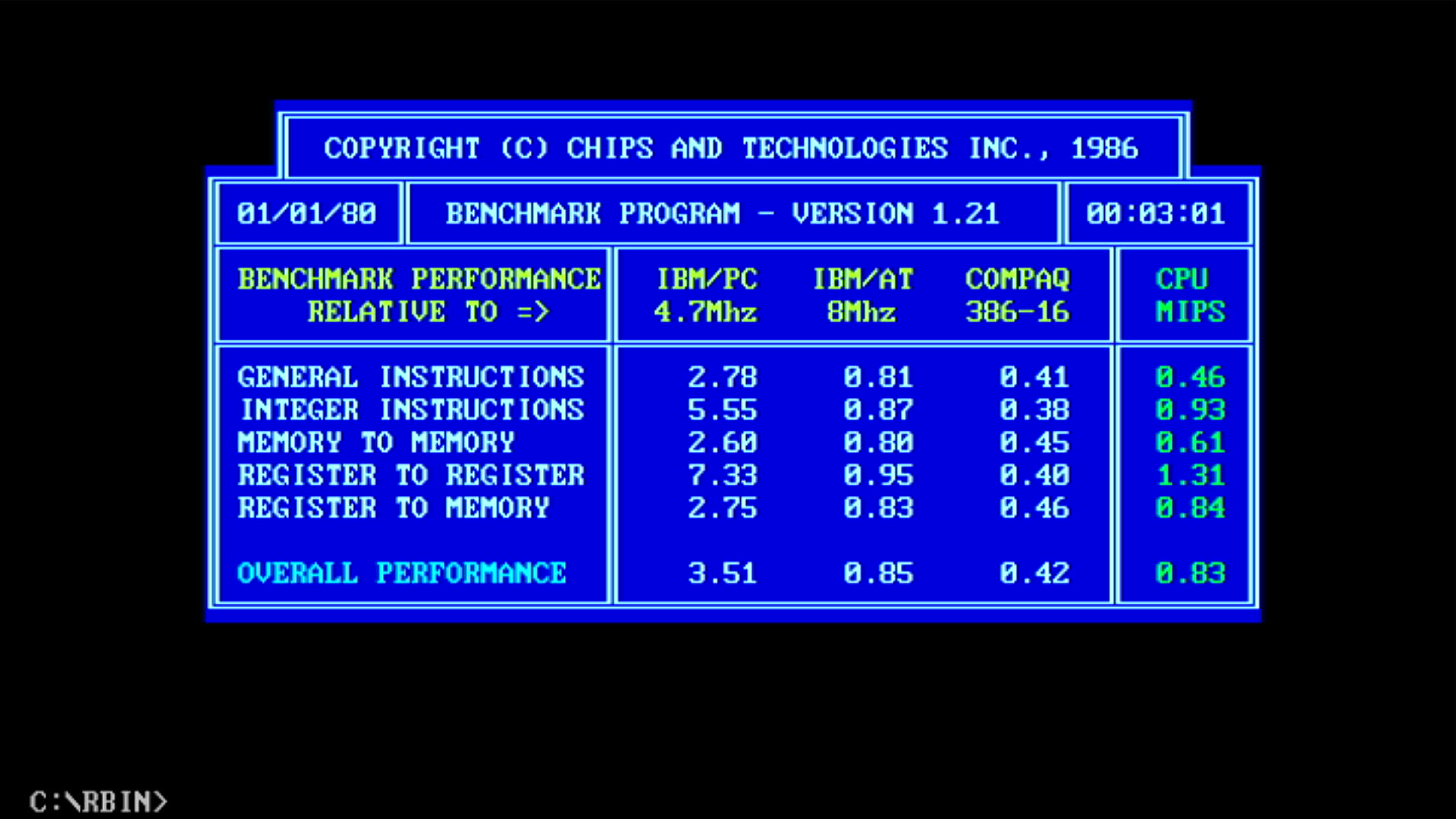
| Intel 8086 @ 8 MHz | NEC V30 @ 11 MHz | % Improvement | |
|---|---|---|---|
| Landmark Speed Test 0.99 (MHz) | 4.4 MHz | 7.2 MHz (4.1x) | 64% |
| Landmark Speed Test 6.00 (MHz) | 5.11 MHz | 9.97 MHz | 95% |
| Check-It 3.0 CPU Test (Dhrystones) | 767 | 1378 | 80% |
| Check-It 3.0 FPU Test (Whetstones) | 15.9K | 26.5K | 67% |
| Check-It 3.0 BIOS Video Test (chars/sec) | 826 | 1322 | 60% |
| Check-It 3.0 Direct Video Test (chars/sec) | 10,895 | 16,964 | 56% |
| Dr. Hard 37e Hardstones | 585 | 1018 | 74% |
| Dr. Hard 37e Softstones | 19 | 35 | 84% |
| Dr. Hard 37e Video Transfer Rate (MB/s) | 0.5 | 1.1 | 120% |
| Norton SysInfo 5.5 CPU Speed | 2.1 | 3.8 | 81% |
| TopBench 0.38 Total (usec) lower=better | 6636 | 3745 | 44% |
| MIPS v1.21 | ? | 0.83 | ? |
| uSpeed | ? | 399% | ? |
Here's where we got our first issue. All was going well until I ran Dr.Hardware - it reported a write error on drive C: and a reboot then resulted in 'Bad or missing command interpreter'. I had previously established the XT-IDE card really doesn't like running on a fast bus (5.5 MHz is hardly fast though, right?) when I revisited the 'Getting a 286 to run like a 386' article this week.
I added some temporary cooling in case heat was the cause - all missing tests then ran fine after that. I don't know if it was just a blip, but I continued by running more tests such as vidspeed and memtest, and they all ran fine, even after removing the cooling.
12 MHz
I tried with a 36 MHz crystal oscillator (CPU at 12 MHz) but I just got garbage on the screen. My guess is it pushed the EGA BIOS too hard/hot.
Conclusion
As I mentioned at the beginning of Part 2, I started this project believing the ECD monitor to be dead. Imagine my joy to find it was 100% working all along (and a little embarrassed I hadn't persevered in my early testing). The fact it worked actually spurred me to write this whole article rather than stopping after Part 1 - without the monitor it was really just half a PC. It's a strange thing, not easy to describe: unlike most nondescript PC clones where the monitor could easily sit next to (or on top of) any PC from any manufacturer, these Amstrads came as a matching bundle - the system unit, screen, keyboard, mouse, and software. It all looked like it belonged together, and indeed, it was designed that way. It's a lovely machine but it is 'of its time'.
I forgive all of you who may have been screaming at your monitor 'just scrap that thing and get a 486!' (thank you for reading this far, btw). For some of us, this is where it all began... an unassuming, neat, modern-looking PC - the first 'serious' computer we used, and yet quite accessible. In school, we were taught to use it for just one purpose in our Computer class - programming. in BBC BASIC (the compiled version for the PC)l. My friends and I quickly worked out how to install some games, became pals with our Computers teacher so we could get more 'screen time' to play them, and all under the guise of 'furthering our education' or 'I want to explore that bug I found in my code'.
So, fast forward to today... the little Amstrad PC1640 can happily be overclocked! The NEC V20 and V30 CPUs were known to overclock well, and these tests support that. I'm not sure if the Intel 8086 could claim to be as flexible. If I get hold of a 10 MHz V30, there may be more headroom to explore this further, but I think the EGA BIOS would need some serious cooling, or replacement.
So how did we do? Well, for an XT I think any working and stable overclock of 38% (in MHz) is pretty good. Looking more to the extremity of 'Get an XT to run like a 286', we're definitely pushing our luck. I don't have the same benchmark results for a slow 286 (~8 MHz), but to compare our fastest 11 MHz Amstrad with a 12 MHz 286 with 1 wait state, the Amstrad reached about 60% of the overall performance of the 286.
Purely from these synthetic benchmark results, we are seeing an average of 73% improvement over the original Amstrad on CPU/FPU operations (without fitting a math coprocessor - there's really no point unless you want to play with Fractint), and 78% improvement in graphics performance over the original. In real-world performance I think you'd be disappointed - let's be real, this will never be a rocket. There are still limitations such as the absurd 5.5 MHz ISA bus (also a 38% overclock on the original) and an EGA BIOS that wants to cook burgers.
Having the Amstrad running the V30 at 10 MHz is the sweet spot in my opinion. In the end, I didn't need to be concerned about those gate arrays - they all remained nice and cool throughout testing. What was hitting the higher temps were the EGA BIOS ROM, and worse, the Intel 8237 (DMA controller).
So how does it run in reality? It definitely feels that bit snappier, with slightly better frame rates in games like Grand Prix Circuit (now closer to 10-12 fps than the 5-6 fps we were getting with the stock Intel) and movement is much smoother in Prince of Persia. Compared to the original 8086, it's a far nicer machine to use. I should mention that all of the mods here can also be done with the PC1512.
I didn't record any videos yet, as the motherboard has been out of its case and disconnected from the speaker, but when I get it all put together again I will upload some recordings.
Possible future mods:
- Install a case fan, as it will probably be a bit more toasty when it's all closed up. My PC1640 is one of the later models that had cooling vents in the top and sides of the System Unit - be aware older ones don't have these if you're planning on doing something similar. There's also the option of sticking some heatsinks on those hotter ICs.
- Install a green HDD activity LED on the front, to the right of the red power LED. If you know how to accurately replicate the etched 'POWER' lettering to make it look original, get in touch. I would probably just want it to read 'HDD'.
- Add a PC speaker-out jack and a suitable small circuit to ensure correct impedance so capturing the PC speaker audio is easier
- Install a safer long-term CMOS battery backup than four AAs in the battery compartment. The system doesn't need it, as the XT-IDE adapter will auto-detect the size of the CF card 'hard disk' each time it boots, but it would be nice to have a date/time that persists.
- Add a built-in power supply to the System Unit so it doesn't need to rely on the Amstrad monitor.
- Add a hard reset button.
As always, I hope you enjoyed reading along, and if you have any feedback or experience upgrading/modding a PC1512 or PC1640, let me know.