The Amstrad PC1640 Project - Part 2
18th August 2026
In Part 1 we took a look at the PC1640 DD with PC-ECD monitor, sold new from June 1987. This one is a good clean example with minimal yellowing and it came to me in its two original boxes, though sadly without user manual, mouse, or disks. Here it is again:
.jpg)
When I first got this machine in 2010, it was in unknown condition. Upon connecting it all up, it appeared to be working just fine (it beeped and did a floppy drive seek) but I got no output from the monitor - none of those typical noises you hear when an old CRT starts up - the degaussing noise, the static on the screen... I added a separate VGA card and connected that to a known working VGA monitor, set the DIP switches to disable the onboard graphics, and fired it up - the machine worked and booted into MS-DOS. This of course was being powered by the ECD monitor that I considered faulty, so at least some of the power supply was working. I boxed it up, thinking I would just try to source a replacement ECD monitor. That journey has been ongoing for 16 years, off and on - when these PCs come up for sale they are rarely just for the monitor, and often don't include a monitor at all. Add to that the issue of buying something as 'condition unknown' and that ECD monitors are a fair bit more rare than the MD or CD ones - I never found a reasonably-priced replacement ECD monitor to buy.
Flash forward to today - I dug it out of its original boxes, got everything connected, and guess what? There was no degaussing noise at power-up, but a good amount of static on the display. Hmmm, I'm no expert on CRTs, but this tells me the high-voltage side of the monitor is running and powering the tube. I increased the brightness and contrast controls on the side of the monitor, and....
.jpg)
Umm, well this is amazing - the monitor actually works! Was I being stupid before and this has been fully operational all this time? Probably.
Let's deal with this faulty floppy issue. After taking the top of the case off, I checked the power and data cables going to both the floppy drives, pulled them out, checked them for damage, and reseated them. I then gave each of the socketed ICs on the motherboard a push, and examined the floppy disk controller IC (the Zilog Z0765A in the top-left corner of the motherboard) for any broken legs or tracks - it looked good. Bear in mind the cables might appear to be ones you can remove but they are soldered into the motherboard.
.jpg)
.jpg)
Good news - perhaps just a slightly loose cable was all it was. These startup warnings and beeps (above right pic) are to be expected - the top cover that holds the NVR backup batteries isn't even connected. It booted with the disk I had left in the drive all these years (not a good idea, by the way):
.jpg)
DR-DOS 3.41 was the version of DOS that came with my very first XT-compatible
Understandably, the disk struggled, but surprisingly it got far enough to get me to the A> prompt.
Benchmarking
Now we had a bootable system, I moved it to my video capture setup, and got to work running the usual system information and synthetic benchmark programs.
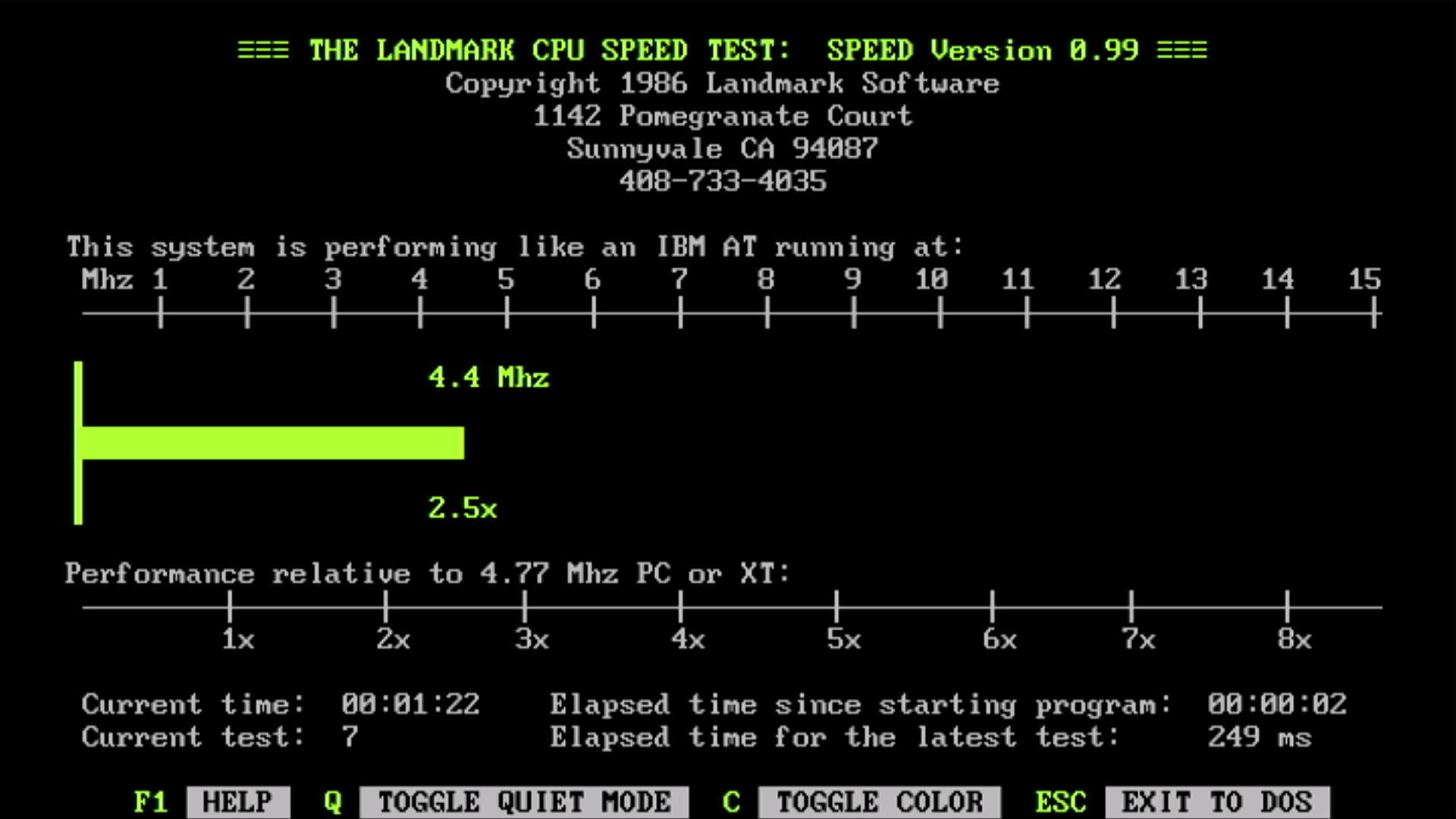
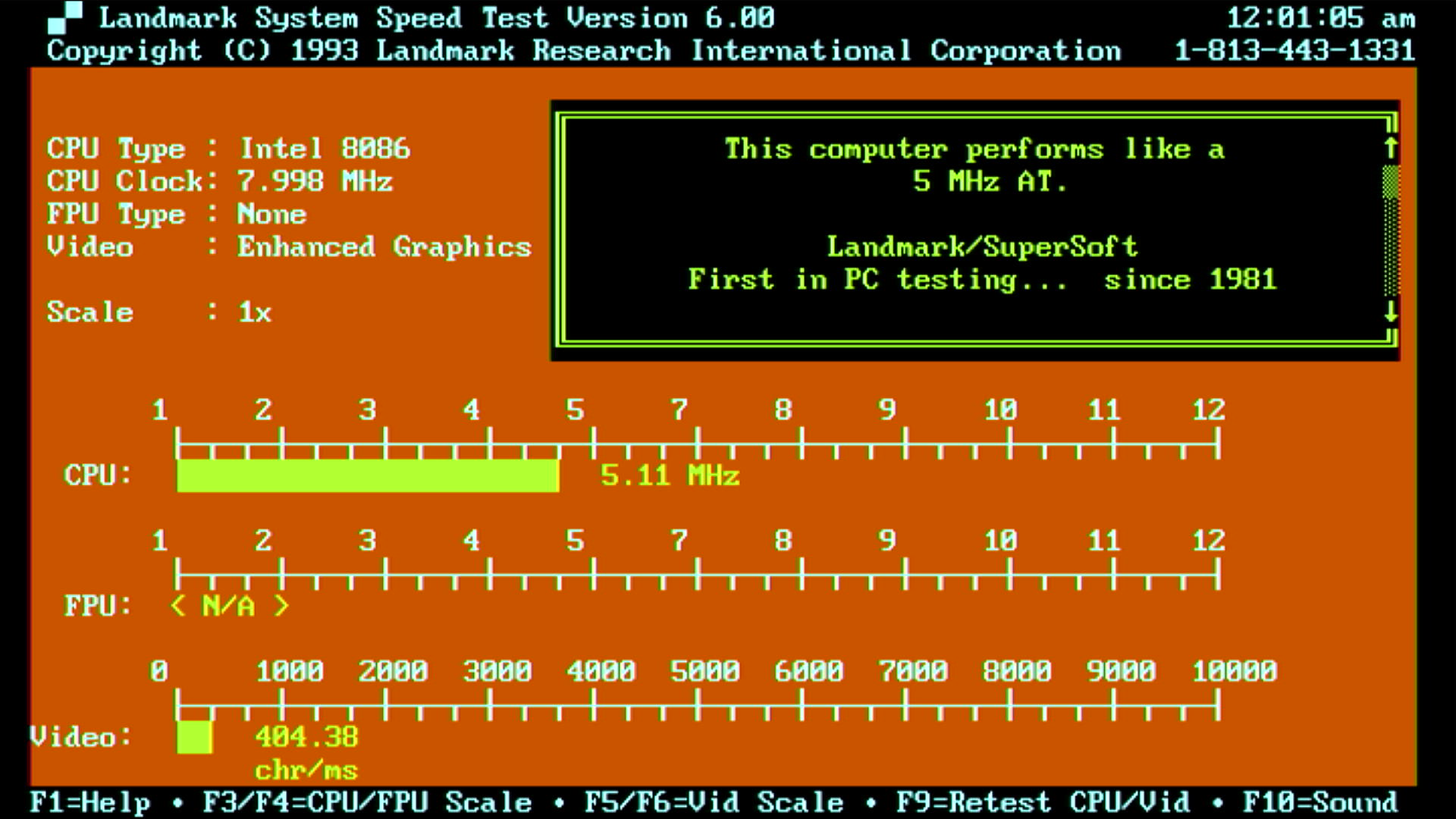
Landmark Speed Test v0.99 (left) and v6.00 (right)
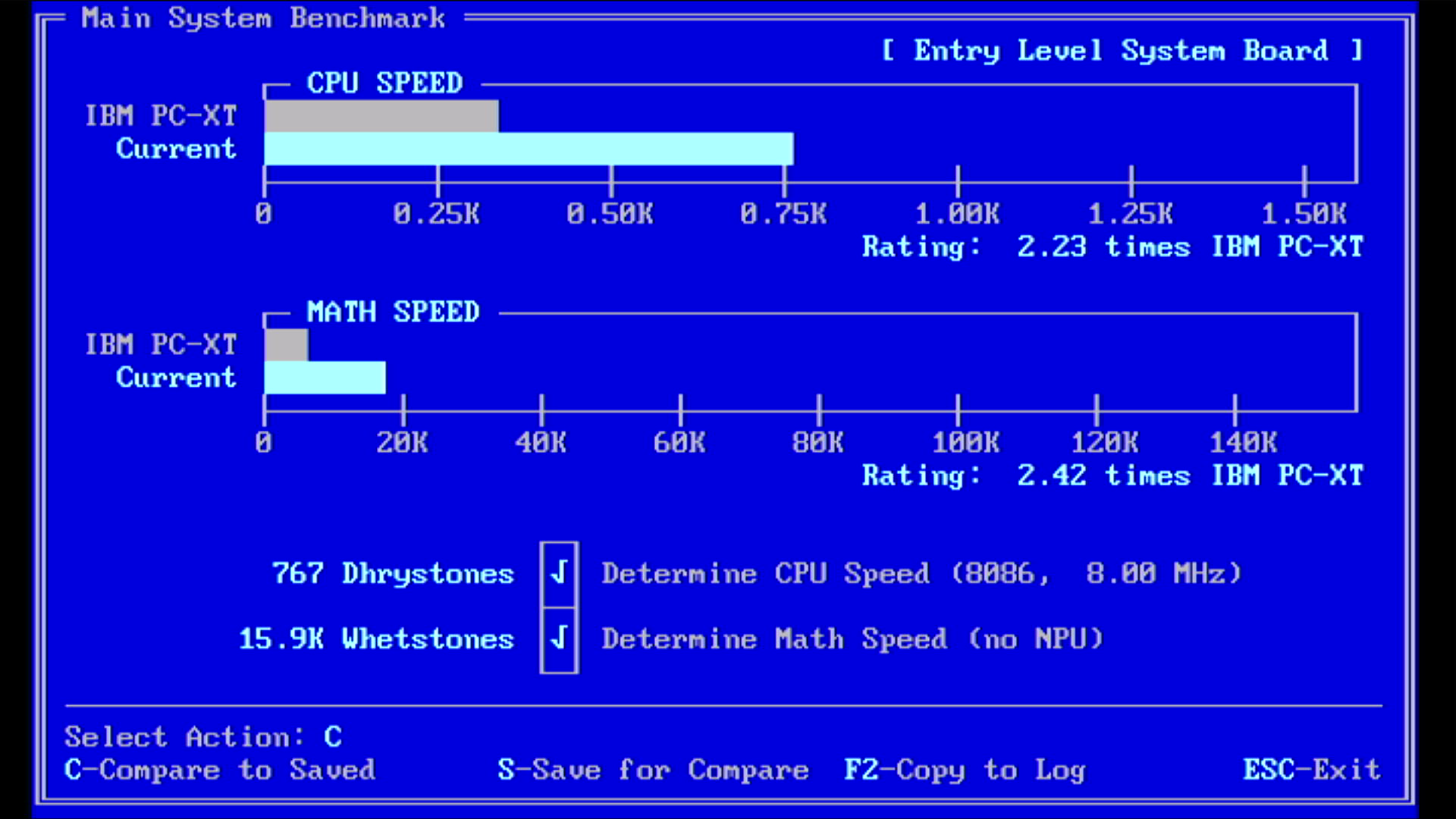
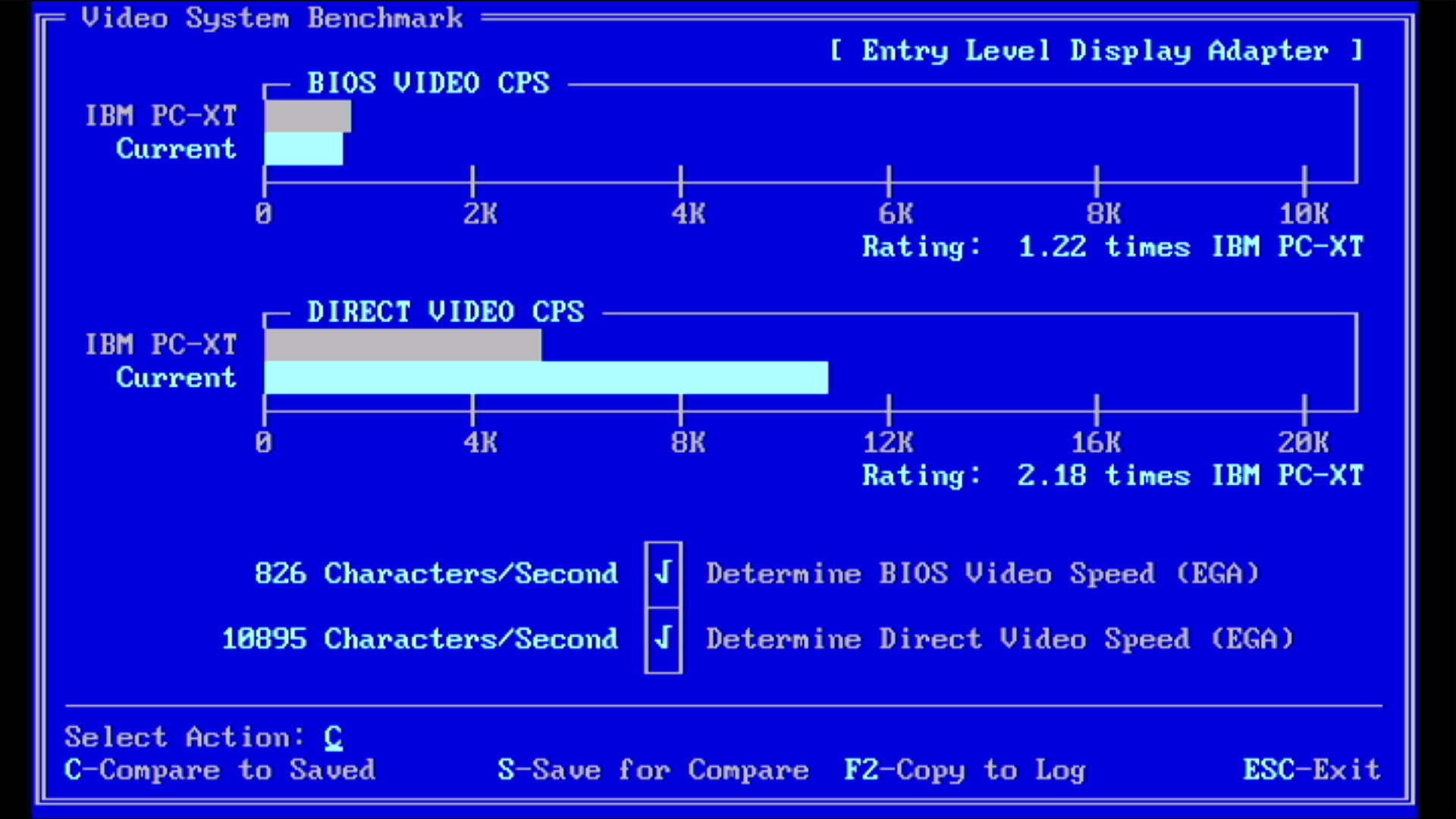
Check-It 3.0 CPU, FPU, and Video
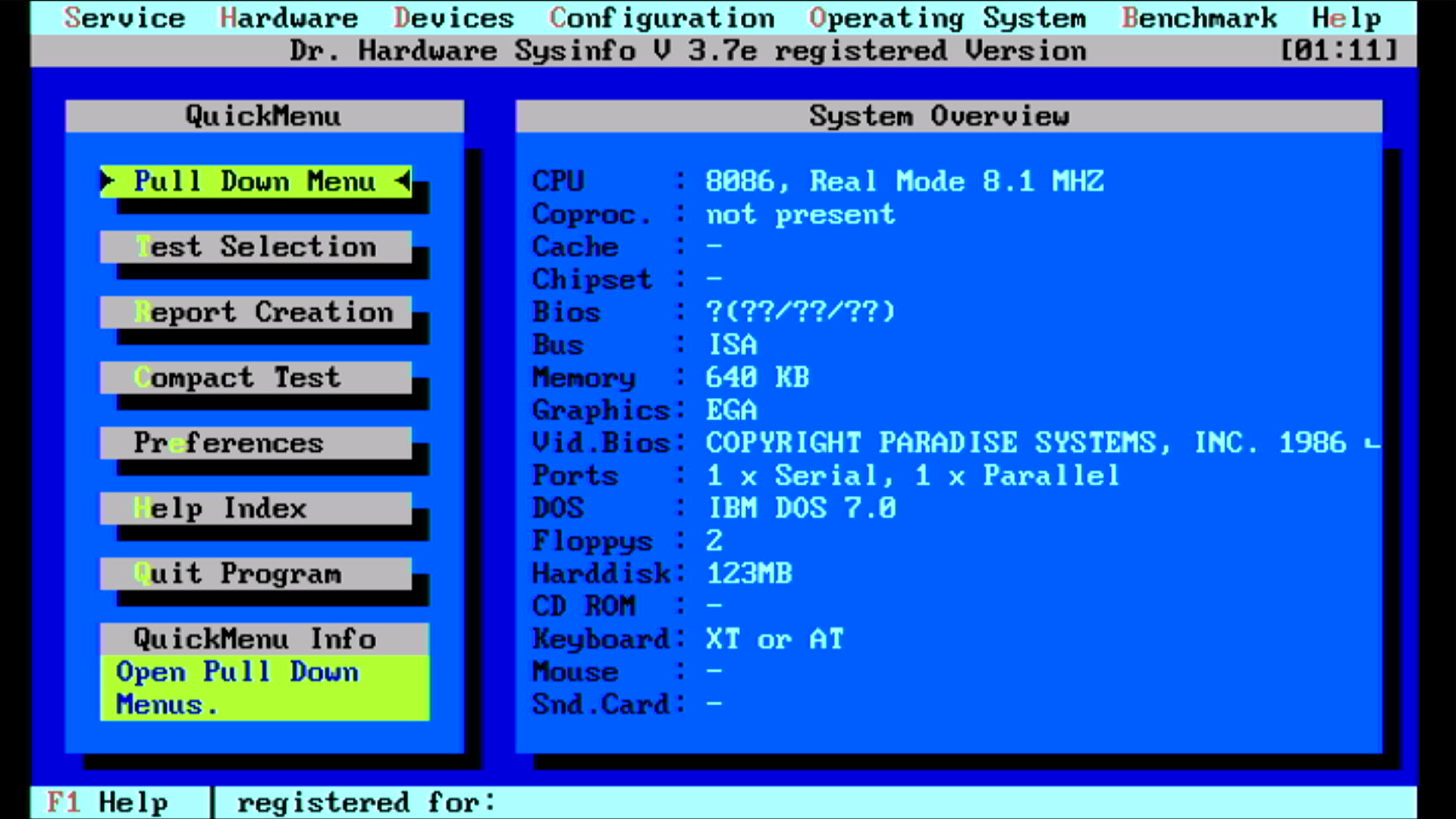
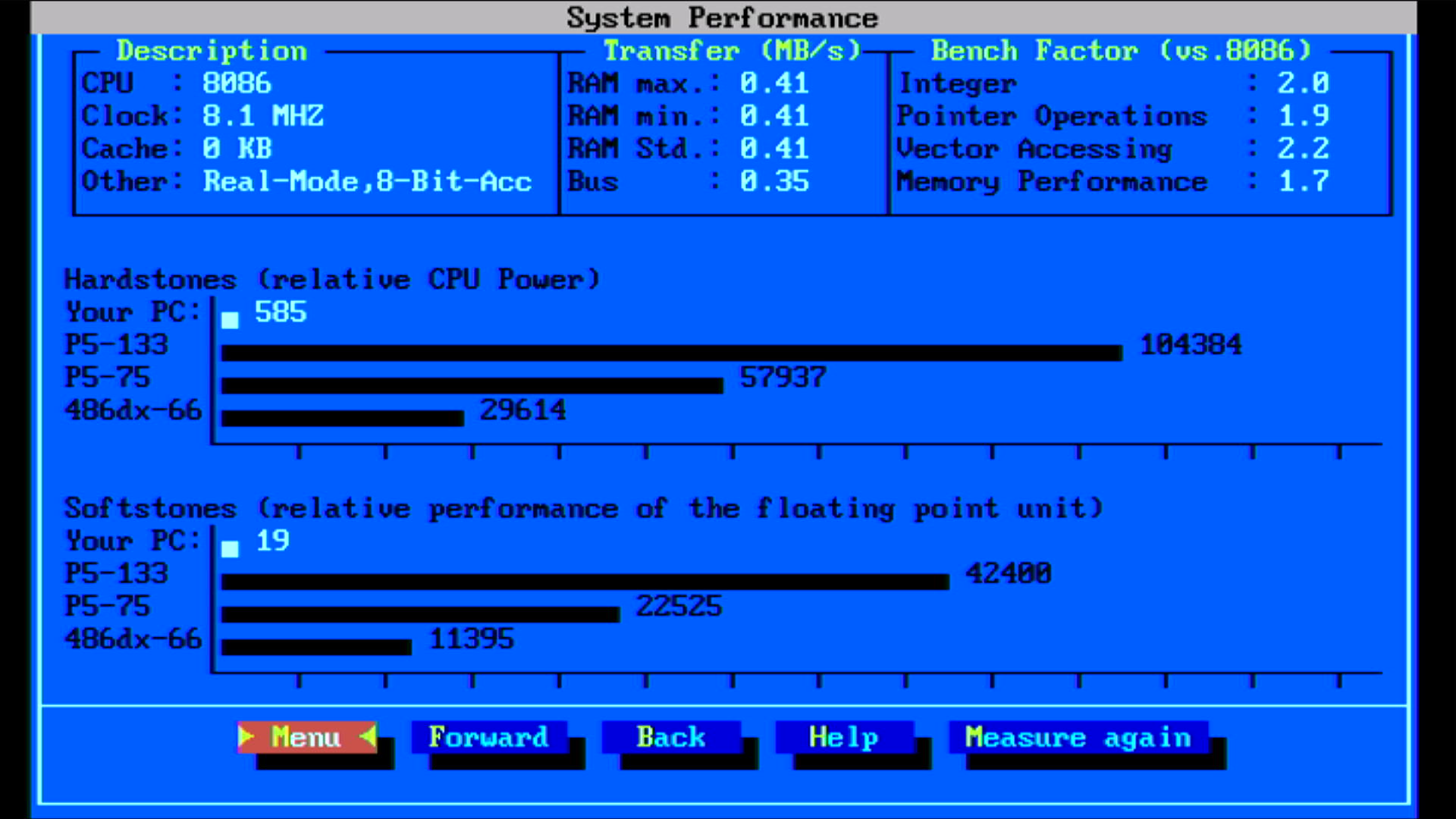
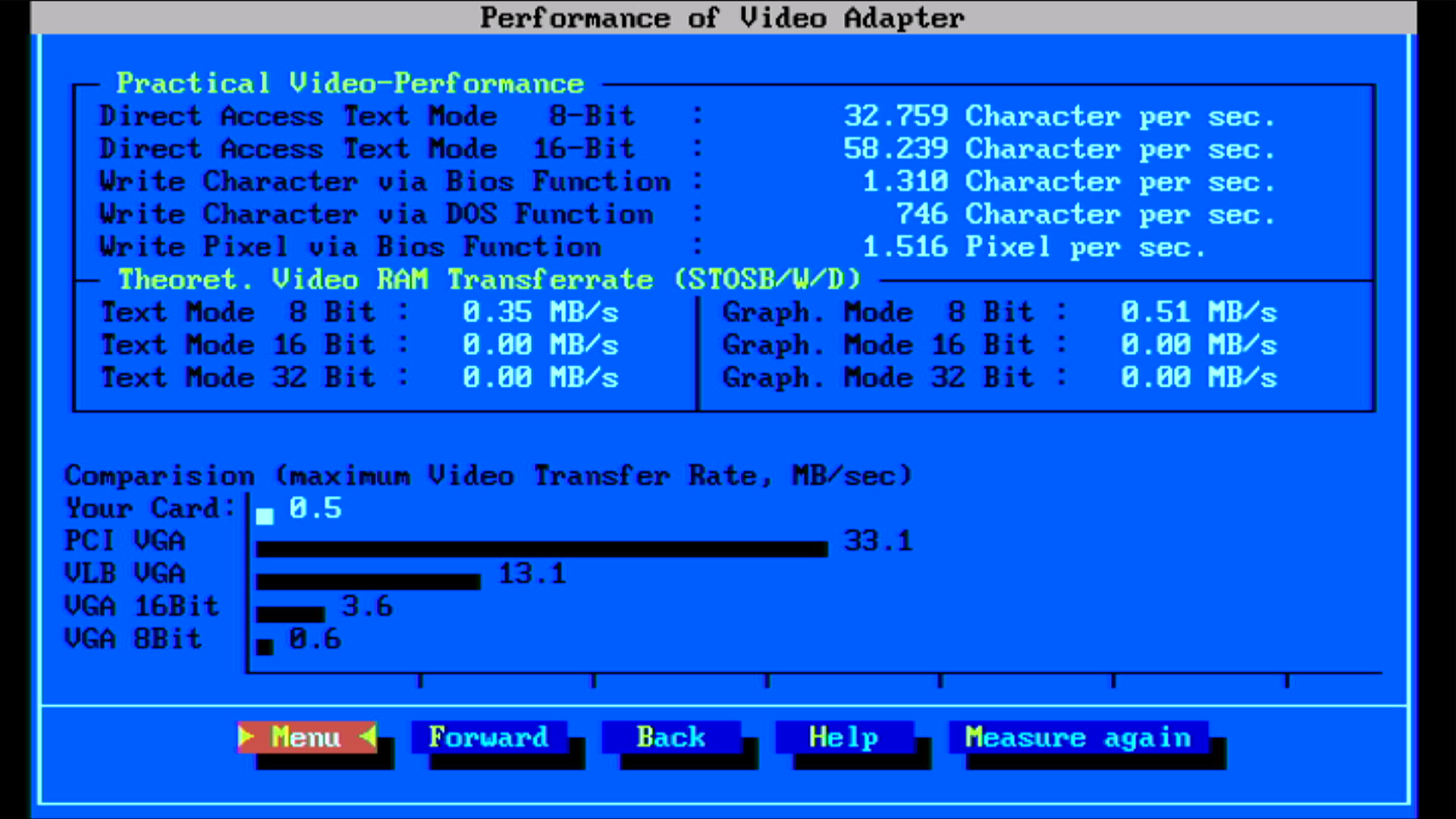
Dr. Hardware
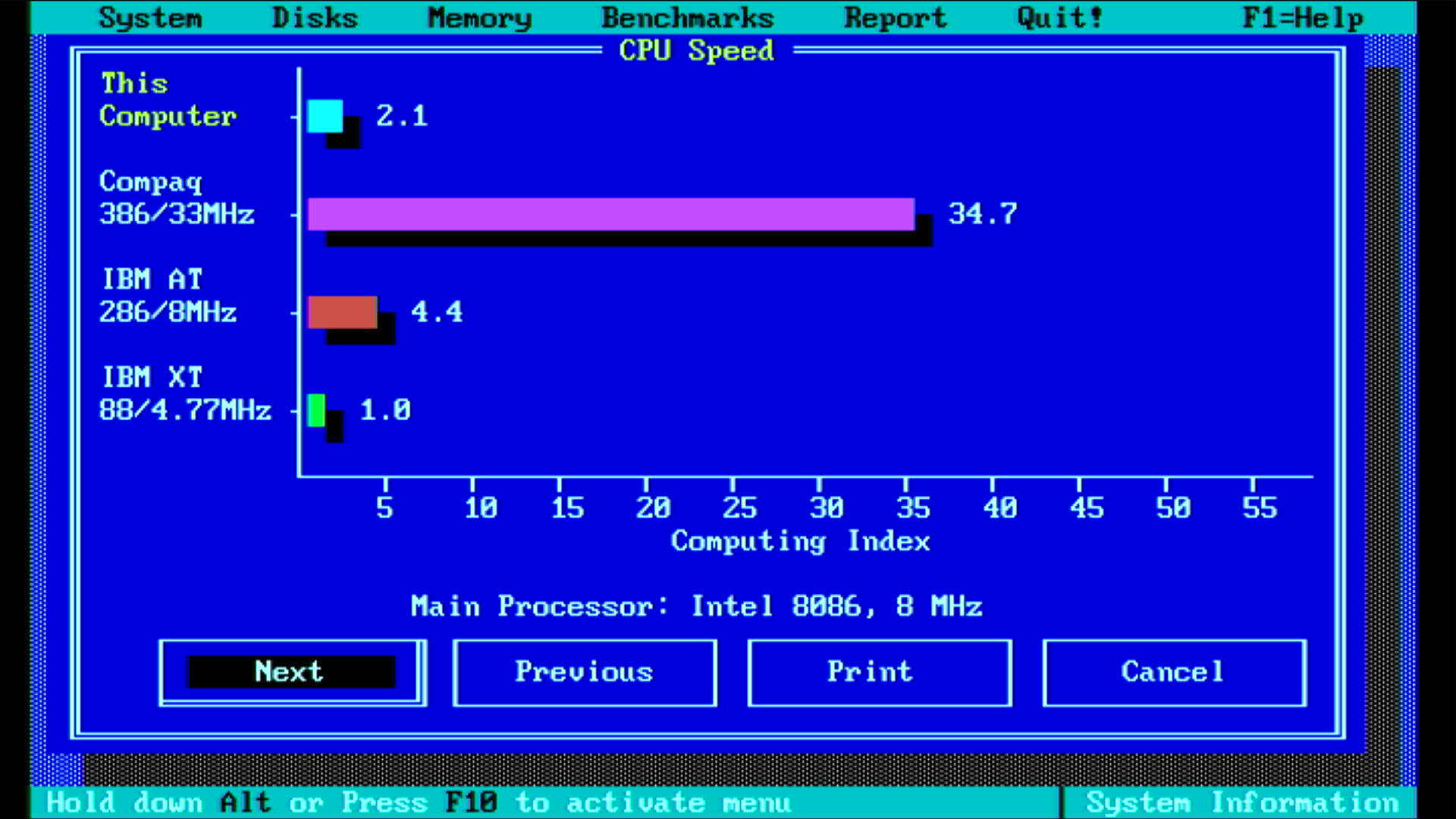
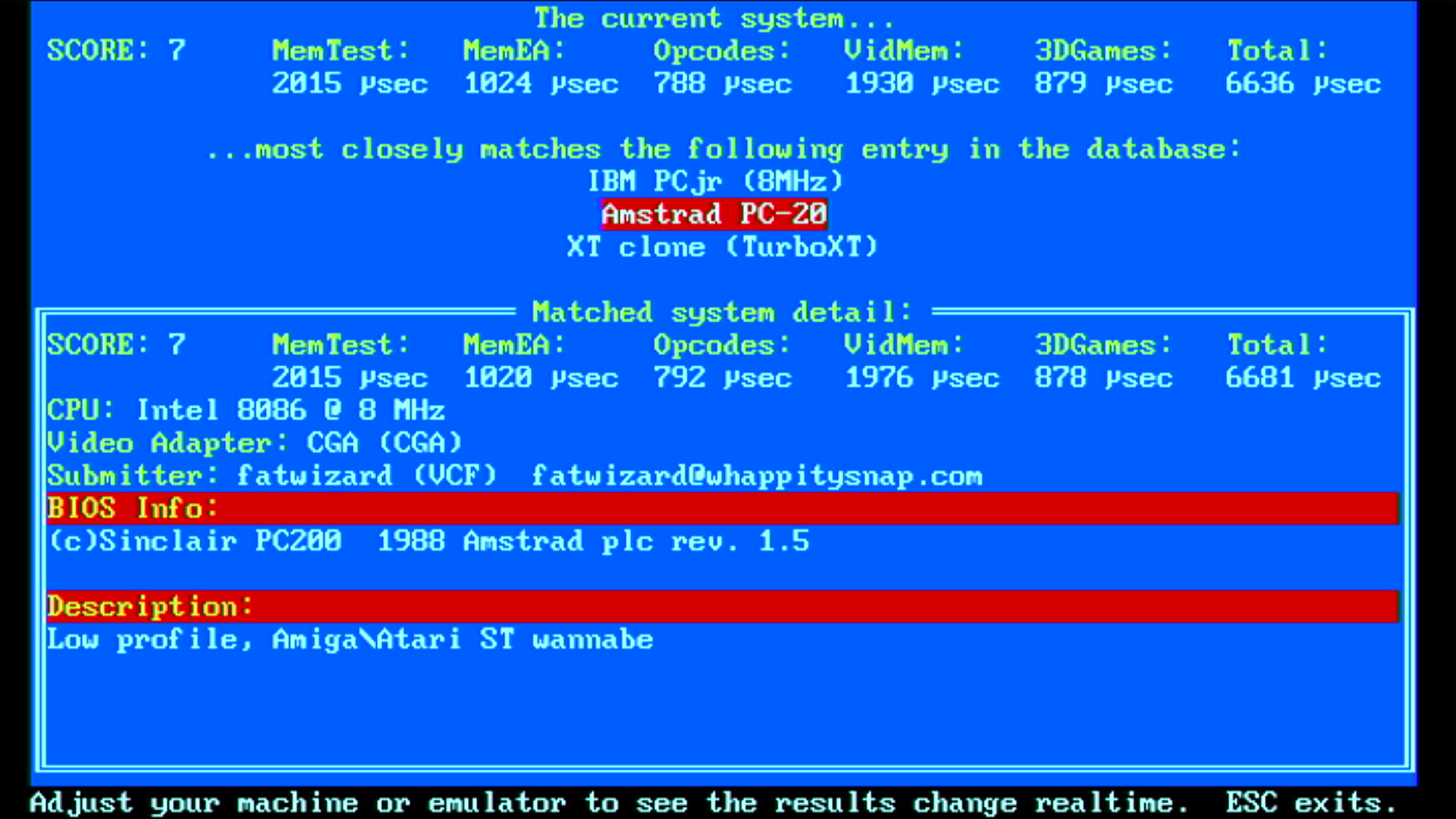
Norton SI 5.5 and TopBench 0.38
I also chose to run a long memory check, which took a little over an hour to do 3 test passes. I'll run GoldMem overnight to be really thorough, but for now this is good news:
.png)
Problems
During some of my early testing I had a number of system hangs and "Memory Parity Error" messages. Some of it might have just been the software trying to interrogate the machine in ways it was never designed for, but eventually the machine just failed to startup (no display, no POST messages). There was definitely a hardware problem here.
In order to continue my progress, I pulled out another PC1640 motherboard that I'd bought a while ago [boy, it's great to have spares!] - this one was apparently never used, and I got it installed. It's a very late model MC0042D motherboard with V3.1 BIOS, manufactured no earlier than week 40 of 1988, so right before when they switched their manufacturing to the series 2 machines (PC2086, PC2286 and PC2386).
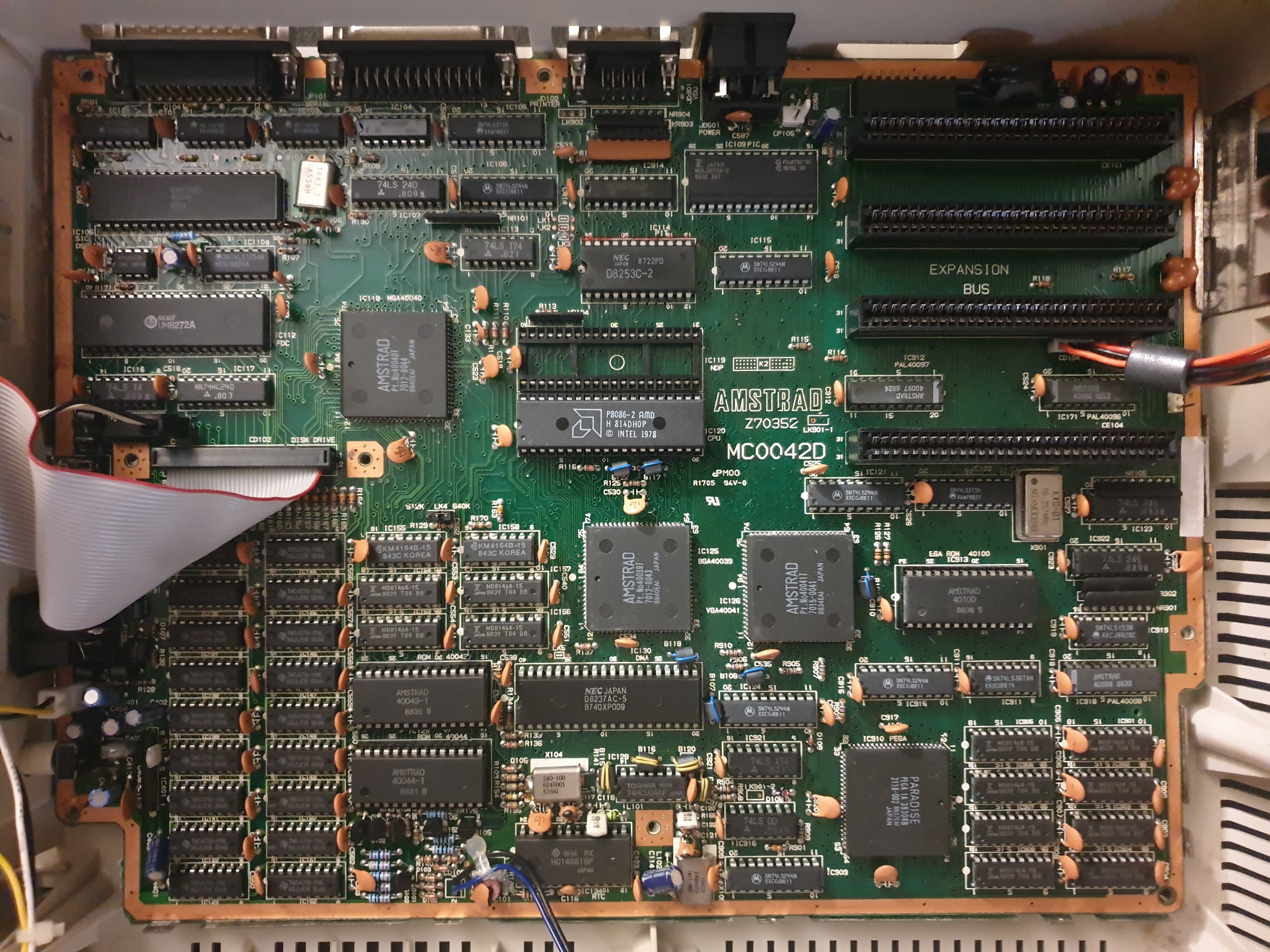
The replacement PC1640 motherboard
It certainly looks brand new. Now we're back up and running, let's continue...
Upgrades
One of the biggest limitations to this XT-compatible is its lack of a hard disk, and since I don't have much software on reliable low-density 5.25" disks this is a must-have. I could buy a PicoMEM, which is almost an all-in-one solution for retro PCs - on a single 8-bit ISA card it provides floppy and hard drive emulation, network card emulation able to connect via Wi-Fi(!), emulation of multiple sound cards, additional memory, and more. It's an amazing bit of kit for sure. Right now I can't justify buying one, and while the PicoMEM's feature list is long, a lot of it is emulated. Feel free to criticise, but where possible I prefer using the real thing - it's authentic, period correct, and personally I find it fun to overcome the challenges of working with old gear! Since I have a spare Gotek and an XT-CF-Lite card for CompactFlash-to-IDE, I will use those. You could argue those aren't period-correct either (and you'd be right), but they're closer to a true interface than being purely software/firmware. A PicoMEM is on my wish list though, perhaps for a future project ;-)
A Gotek Floppy Emulator
This is pretty simple - we just need some adapters. First, the Gotek uses the smaller 4-pin Berg connector and our Amstrad only provides the larger Molex connectors for its drives. Second, the Gotek has the standard 3.5" floppy drive 34-pin dual-row connector and our Amstrad provides the old edge connector used on 5.25" floppy drives. These are the adapters we need:
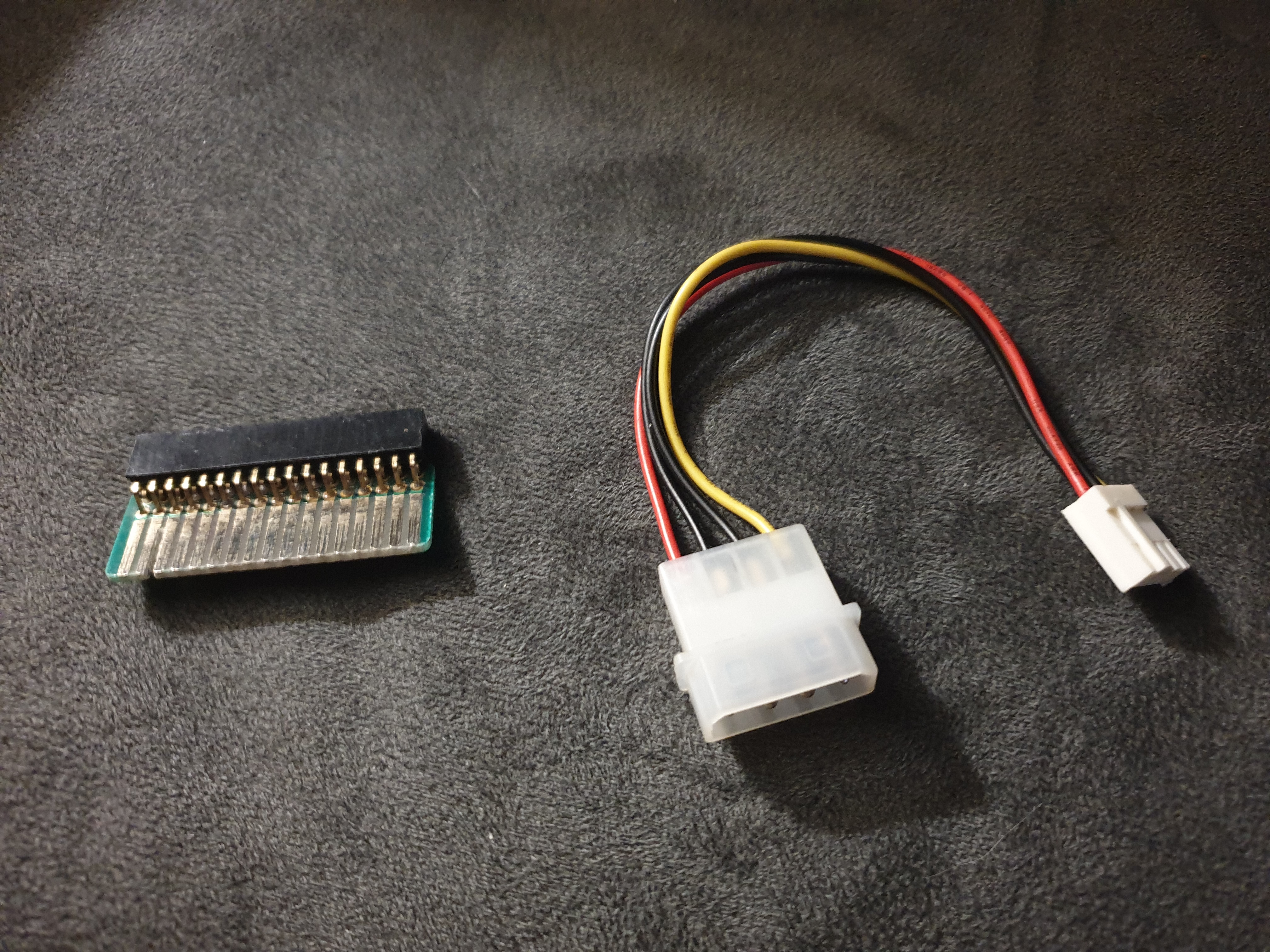
Left: Edge connector to 34-pin dual-row female. Right: 4-pin male Molex to 4-pin female Berg connector
My Gotek matches the grey surround colour on the front of the case pretty well, but I want it to be like the 5.25" drive bezel colour. The PC1512/1640 models were altered slightly during their lifetime. Physically, there was a subtle change to the plastic case, where later models have a lighter grey texture than the original, ventilation holes were added to the top and side of the case, and the Amstrad logo was changed from brown to red [or green if you had one of the HD models] on a grey background, and later on to white on grey like mine:

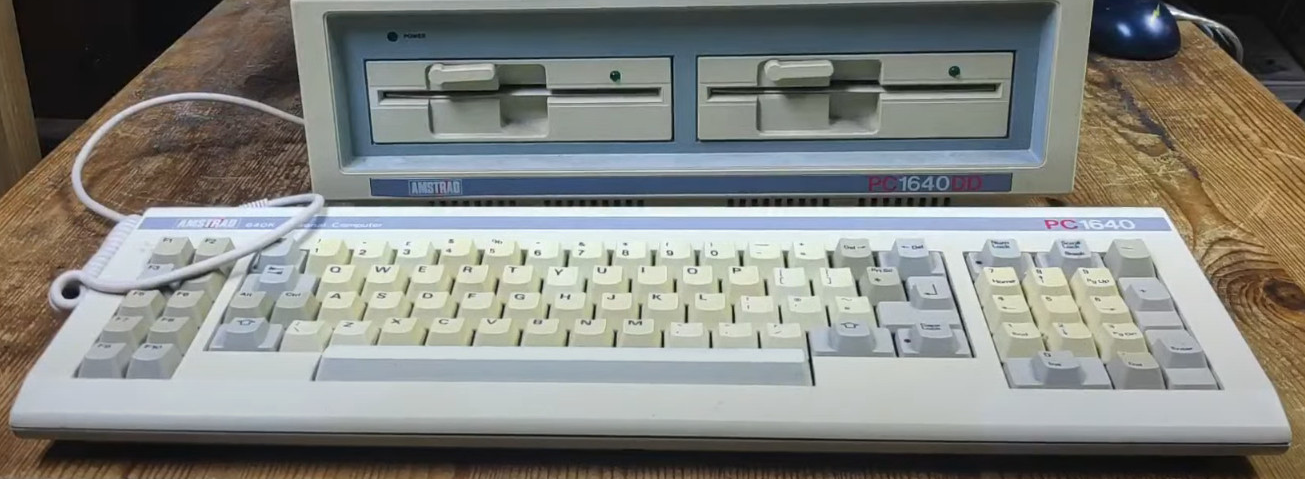
.png)
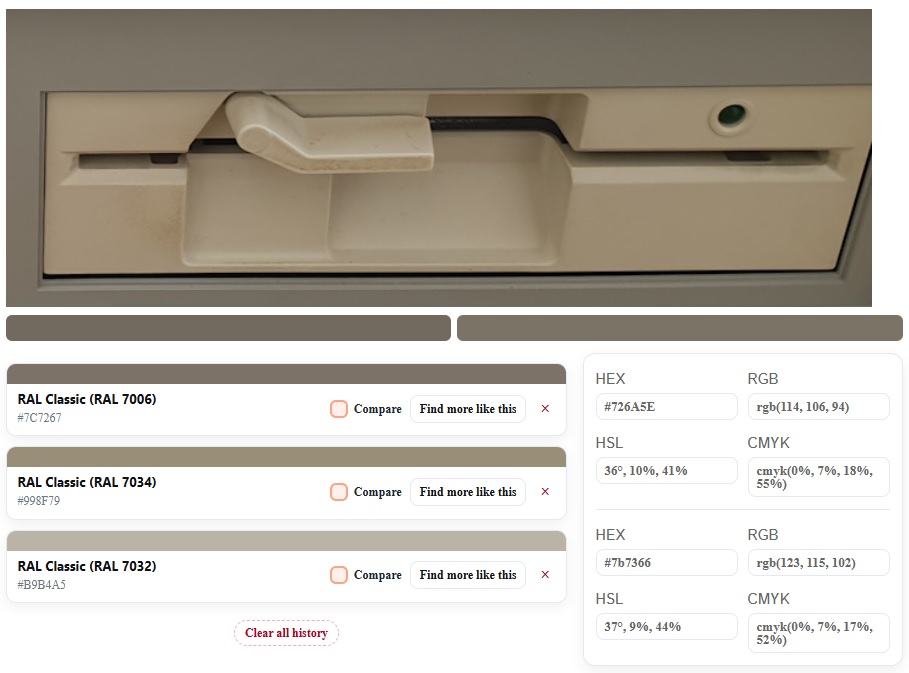
Using a RAL colour picker website, the drive bezels came out as a close match to the commonly-believed IBM original colour of "Pebble Grey" (RAL 7032):
I also noticed I don't have an available 5.25" caddy for a 3.5" drive, so I've got one on order. It's black so there will be some spray painting to do when it arrives, as well as on the Gotek front bezel.
Incidentally, the Gotek works fine as a drive B: - you can have it work as drive A: but would need some jumpers changed. With the XT-CF-Lite, you can always boot from B: (the Gotek floppy) by pressing 'B' when the menu appears. This is something the PC1640 never allowed you to do natively - only drive A: was bootable. Sidenote: the reason for having two floppy drives was that drive A: was supposed to be used for your 'application disk' or 'program disk', and drive B: would be used for your 'data disk' where your documents, spreadsheets, etc. would be saved. Note that with the Gotek, when you boot from B: this becomes the A: drive when it's booted, and your A: drive (the 5.25" 360 KB drive) becomes B:. Also notable is that when accessing the B: drive, the motor for A: spins as well - this is because the motor control line on the cable is tied to both drives (they're not independent).
It almost goes without saying, but despite my operating system of choice (IBM PC-DOS 7.00) happily supporting high-density floppy drives, the embedded floppy disk controller on the Amstrad motherboard does not. So all your floppy disk images must be low density (typically 360 KB or 720 KB).
Installing a Compact Flash card
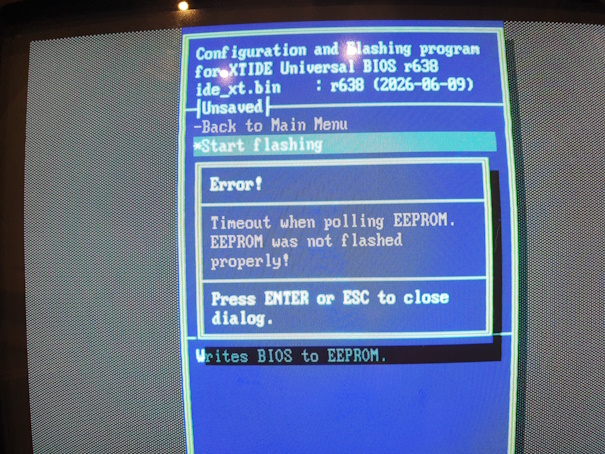 For the hard disk, I had some challenges. I have an XT-CF-Lite v4.1 card by Sergey Malinov. I had previously configured this and it was working in another machine, but in the Amstrad the menu didn't appear. I downloaded the latest version of XTIDE Universal BIOS, flashed the EEPROM, but still nothing. I tried at least four different I/O addresses and two different EEPROM chips, all with the same outcome. I tried a much earlier version of XTIDE, but that was the same. I also never managed to get the XTIDECFG utility to successfully flash the EEPROM in-situ - it would always throw an error such as "Timeout when polling EEPROM" so I moved to always flashing externally using an EEPROM burner. I checked and re-checked that the I/O address range I was programming it for would not conflict with anything in the system.
After many frustrating hours, the configuration that worked for this Amstrad PC1640 can be downloaded here. It includes the ide_xt.bin file I used and the XTIDECFG.EXE utility, which I used to configure the card to a bus type of "2x8-bit", base address of 300h, control block address of 328h, and enable interrupt = no. The I/O address was set to DE00h with the 2nd bank of DIP switches on the XT-IDE card set accordingly (10100000). It then successfully showed the menu when installed:
Amstrad PC1640 Startup sequence with XT-CF-Lite - you can't hear the beeps as I couldn't capture the PC speaker on this video
Per John Elliott's homepage, an excellent resource for this machine, the dots that appear during the startup sequence indicate each major hardware self test segment that has completed successfully, in this order:
- ROS checksum test.
- Direct Memory Access (8237) Controller test.
- Programmable Interval timer (8253) test.
- Programmable Peripheral Interface (8255) test.
- Real Time Clock (HD146818) test.
- Asynchronous Communications Element (8250) test.
- Parallel Printer Port test.
- Mouse X and Y count register test.
- System RAM test.
- Programmable Interrupt Controller (8259) test.
- Disk test.
- Keyboard Interface test.
Incidentally, I used a 128 MB CompactFlash card from Lexar plugged into the XT-IDE. I had pre-formatted this with IBM PC-DOS 2000 as a single partition. The card isn't fast, and upon the first 'dir' command it does take a few seconds to finish the operation. Subsequent DOS commands run much quicker, but if this initial delay concerns you I would recommend you configure your CF card to have a much smaller boot partition (something like 8 MB) and have a second partition / logical drive formatted ready to hold all your apps and games.
Adding a Sound Card
I have a nice 8-bit Ad Lib-compatible sound card in the form of the Orchid Sound Producer, which would go great in a system like this, but I think it's in need of capacitor replacement - it was incredibly noisy. Instead I pulled out an Amstrad-branded OPL2 card that came from an Amstrad PC2286 many years ago:
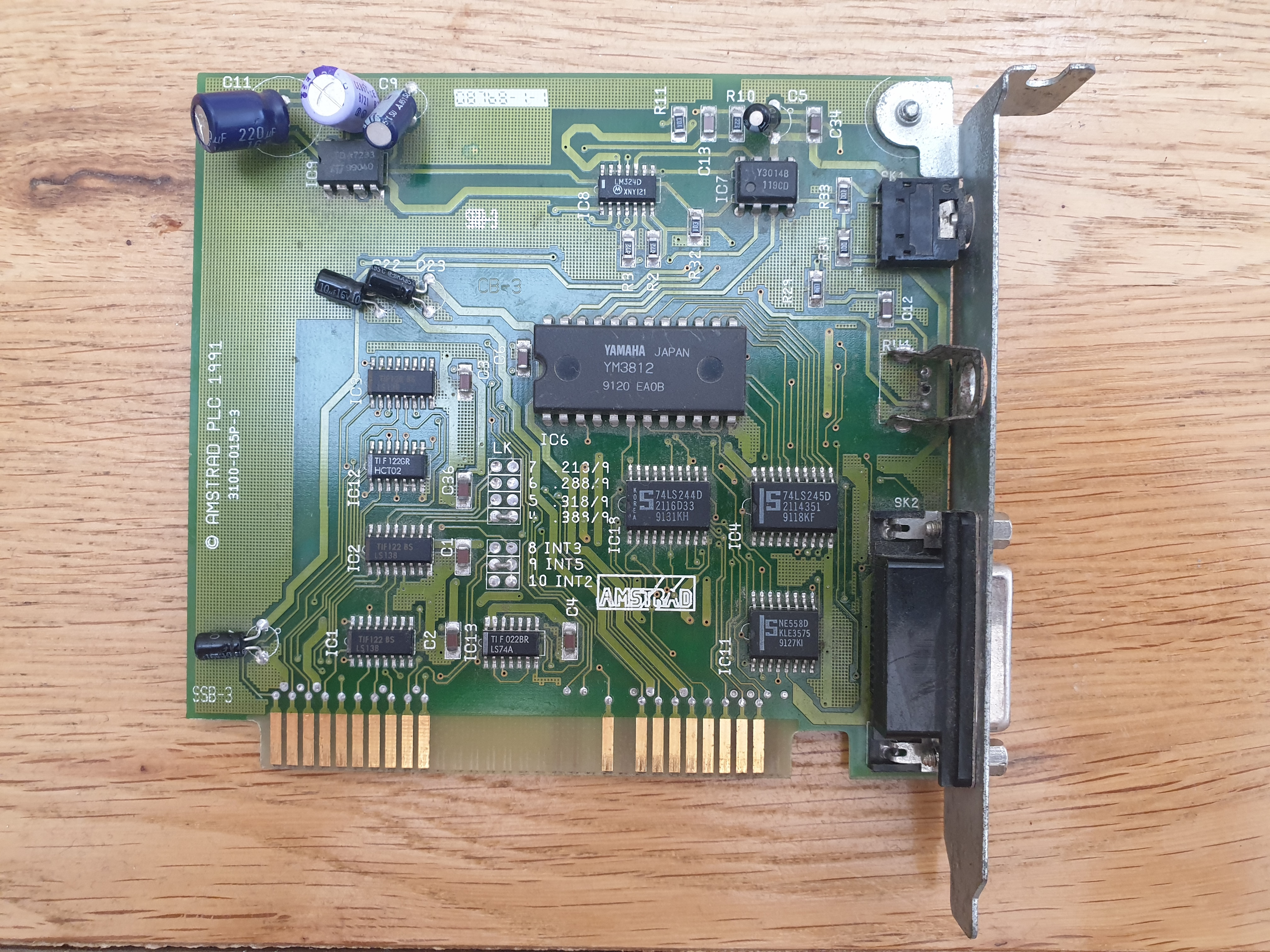
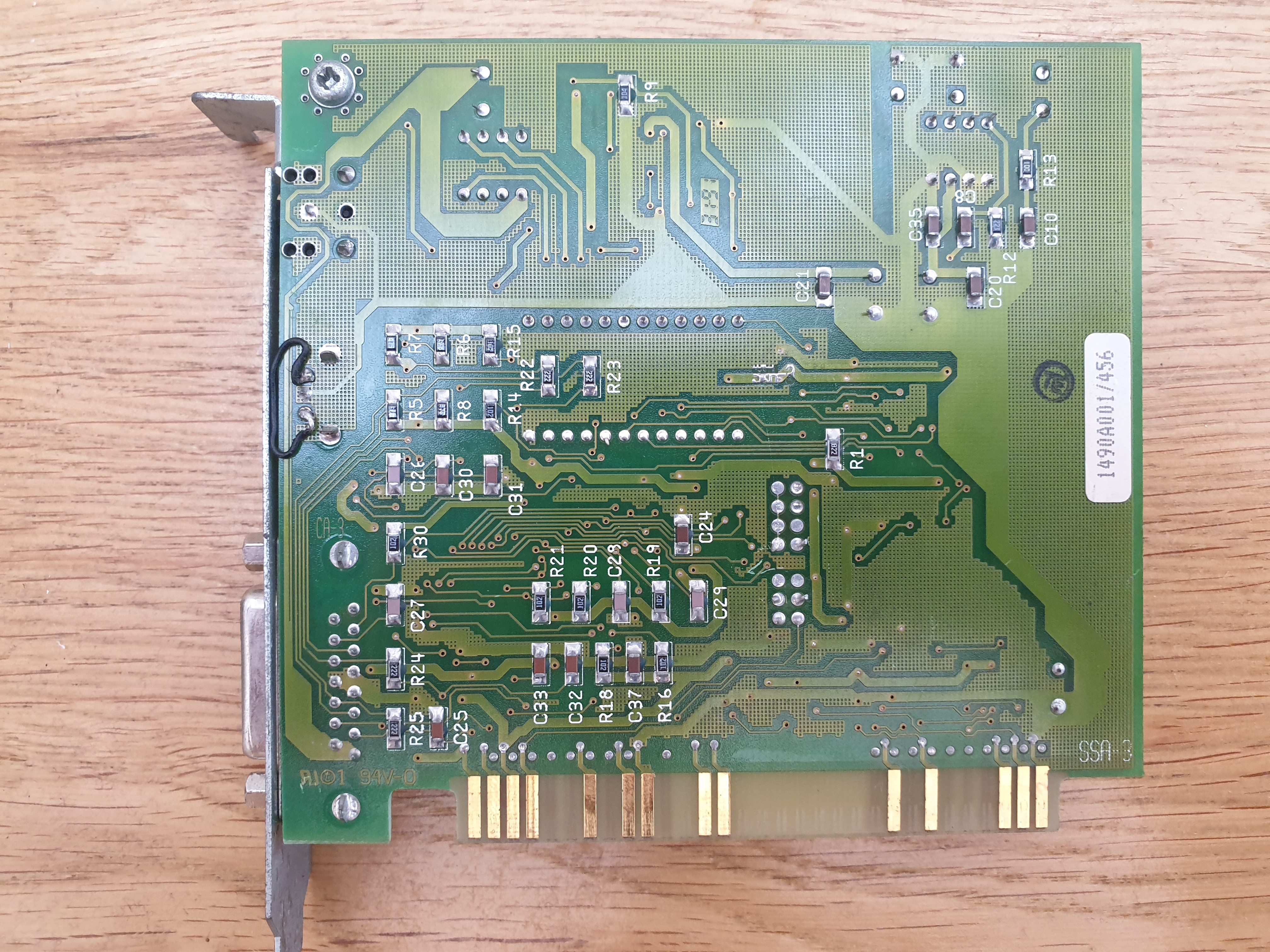
Amstrad Ad Lib clone with its Yamaha YMF3812
This card still works well, produces relatively clean audio, and since there are no drivers needed, it's simple plug & play for a system like this.
Game On!
The 128 MB CompactFlash card I'm using already boots to IBM PC-DOS 2000. It's the most memory-efficient of all versions, providing 582 KB of available memory for programs. If I were to run MS-DOS 6.22 on this, the best I could achieve would be 578 KB - every kilobyte counts, especially if you don't have any high memory.
I copied a bunch of games onto it that would be suitable for a turbo XT. There are many that run really well on the original machine, but first let's take a look at some of my favourites that needed some extra horsepower:
Grand Prix Circuit
I love this Accolade game from 1988 on slightly faster machines. How does it run on the PC1640? Well, not great. The graphics look as lovely as ever, but I calculated about 5-6 frames per second, and it didn't get better when there were fewer cars being redrawn on the screen. It's borderline unplayable.
On the stock 8 MHz Intel 8086, we got about 5-6 frames per second.
Prince of Persia
Always a bit sluggish on an XT, but such an amazing game - I would lose hours playing this one. It's hard to believe I used to run it on a turbo XT in Hercules mono and green screen monitor! The Ad Lib audio here would cut out periodically (caused by the very slow 4 MHz ISA bus perhaps?) and the sound effects come out of the PC speaker, so you won't hear any in the recording.
Prince of Persia gameplay (EGA, Ad Lib)
Civilization
Yes, this classic turn-based strategy game is entirely playable on an XT! A lot of the delays are just disk access - since there's no real fast movement of pixels, it's a great game to play on this type of machine. On this PC1640 the audio during the introduction ran ahead of the game graphics and cuts out completely while disk accesses are taking place, which I've seen on other titles, but aside from that it ran really well. The EGA graphics are very well done, given the 16-colour limitations.
Civilization gameplay running in EGA and Ad Lib sound
Commander Keen: Invasion of the Vorticons
The first in the series, and very playable on this PC. There's no Ad Lib option, sadly, so you won't hear any audio in this recording.
Commander Keen gameplay running in EGA
PGA Tour Golf
Another very playable game on the PC1640. Again, no Ad Lib option and the animated flyby of the current hole is a little slow, but you can skip it. Screen redraws after each shot aren't bad, and the actual gameplay skips along at a good pace.
PGA Tour Golf gameplay running in EGA
And some personal recommendations of others that run perfectly fine on the standard Amstrad:
Spacewar
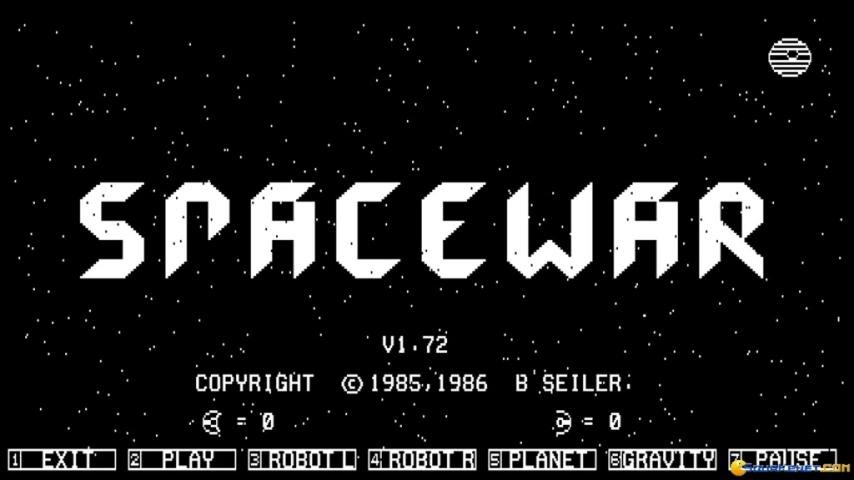
Spacewar, by B. Seiler, an absolute classic 'sort-of' asteroids clone with a twist. Play against a friend or the computer, add a planet, then add gravity to the planet, and you have this game. Trade shields for power so you can protect yourself, or use hyperspace to get out of trouble fast.
Secret Agent
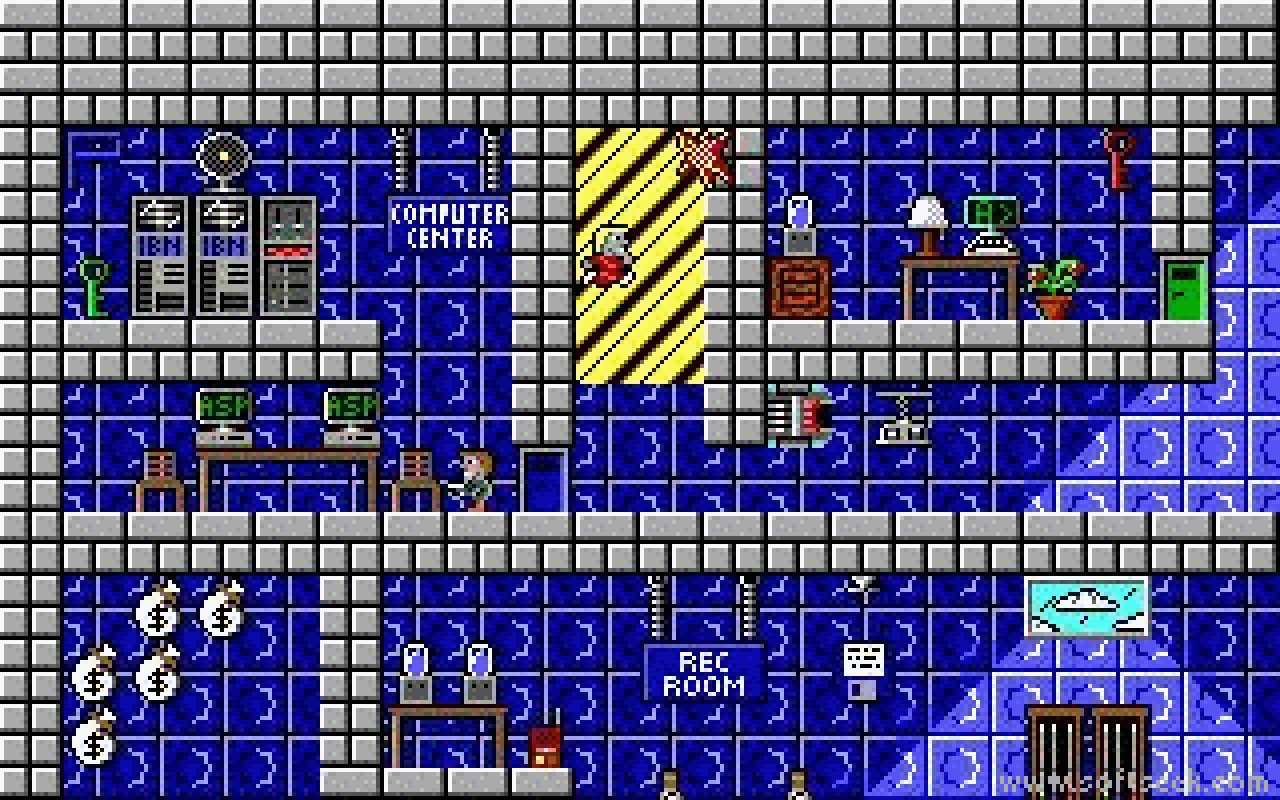
Another from Apogee, Secret Agent is an excellent platformer! Find and destroy the radar dish on each of the 15 levels, get key cards to open doors and dynamite to get out of the exit.
King's Quest III
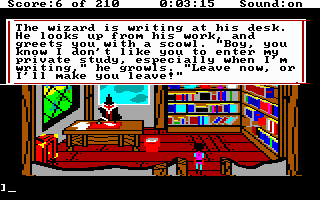
Beautiful EGA colours from Sierra's 1987 adventure. To be honest, all Sierra's AGI games run well on a turbo XT machine.
Pool of Radiance
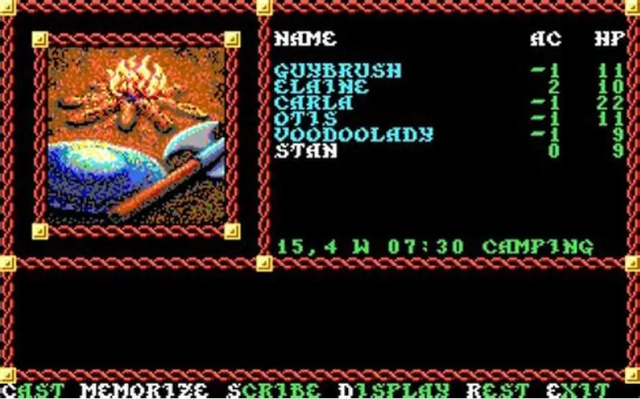
SSI's classic 'gold box' RPGs just got better and better. This is one of their earlier ones, but is still very good.
Police Quest
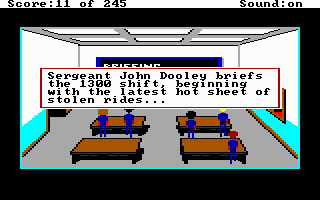
One of my favourite early Sierra titles! Police Quest has you following procedure while on the hunt for a major criminal.
Sim City
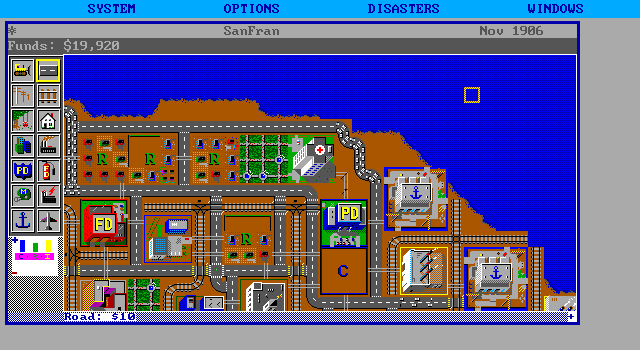
The original game from Maxis. Another classic that shouldn't be passed over, with gorgeous graphics on EGA and hours of fun and frustration!
More to come in Part 3, where we break out the oscilloscope and see what else we can do to speed up this XT!