The Amstrad PC1640 Project - Part 1
17th August 2026
Introduction
This popular old XT clone has been in my collection since around 2010, and it holds a special place in my heart. Not this particular machine, but the brand and model. Growing up in the UK in the 1980s, Amstrad's first series of XT-compatible PCs were soon everywhere; in our schools (two pupils to each computer), in our homes, and in small businesses. They were functional and most importantly, they were affordable.
.jpg) | .jpg) 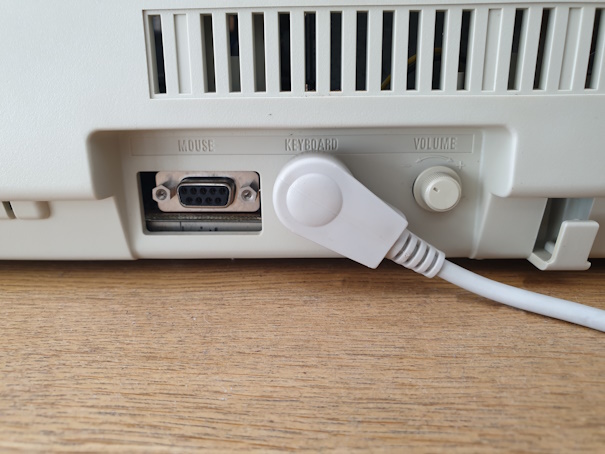 .jpg) |
It is widely regarded that in the UK and to an extent across Western Europe, the PC1512 and PC1640 changed the face of the PC clone industry when they launched in 1986. The budget-oriented consumer now had access to a 100% PC-compatible computer for a fraction of the price of the major brands like IBM and Compaq.
While the machine was indeed 100% IBM-compatible, there were some interesting hardware design choices made with these computers, and it's part of this week's project to explore those. Here's a summary of the most obvious:
1) Unlike every other PC you've likely come across, the system unit has no power supply. Instead, it is fed power from the monitor. This one power supply provides all the necessary DC voltage rails needed for the system unit as well as AC and DC power for the monitor itself.
2) Much of the core motherboard ICs and associated glue logic exist in custom ASICs.
3) The system includes almost everything a customer would have needed right out of the box. It came with a monitor, mouse and software - you couldn't buy it without these. The motherboard had embedded serial, parallel and joystick ports, a floppy disk controller, and video circuitry. The keyboard even had a joystick port on the rear (compatible with Atari and other 8-bit home computer joysticks). A lot of this was commonplace amongst the higher-priced PC compatibles, with Olivetti, Epson, Tandy, and many others also incorporating features on the motherboard to free up the number of available expansion slots, and to cut manufacturing costs. There was no hard disk controller included on the motherboard. Again, this was a cost-cutting decision as Amstrad believed they would be selling many more of the 'SD' (single disk) and 'DD' (double disk) units than 'HD' (hard disk) ones - this turned out to not be so, with more customers buying the top-of-the-range model! Customers who opted for an HD model would get a hard card (also called a file card - an RLL Miniscribe hard disk and controller all on a single expansion board) with either 20, 30, or 40 MB capacity.
I didn't get my first PC until 1990, so these Amstrads were my first experience of an IBM-compatible, along with my brother's Olivetti M24. Some of us knew what to expect of the brand. Amstrad had been a household name for several years, achieving moderate success in the home computer market with the CPC464/664/6128, and also in consumer audio with cheap hi-fi setups. Their home computers were very well-built and included everything you needed to get started [including a monitor], but arrived too late to make a serious dent in a market awash with Sinclair ZX Spectrums and Commodore 64s (and to an extent the Acorn BBC and Atari 8-bits). Amstrad's consumer audio products were known to be cheap and cheerful - more Matsui, Saisho or Alba than Kenwood, Pioneer or Sony-Technics.
The prices said it all: For as low as £375 at launch in 1986 you could own your own PC with a monitor! If you wanted the top-of-the-range model with EGA graphics and 40 MB hard disk in 1987 it would cost you £1,099. Still incredibly cheap. Amstrad were originally targeting a sales price of £399 plus VAT (which in 1986 was 15%), so under £460 all-in, before they had even worked out the design. They managed to stick to that price at launch, and sure enough the machines flew off the shelves.
The Flypast
The one in my collection was sold as a PC1640 DD with ECD monitor, arriving in mid-1987 and retailed for £805 + VAT. Let's take a look at what you got for this:
- Intel 8086 running at 8 MHz
- 640 KB of RAM
- 12.5" fixed frequency colour monitor
- Standard EGA colour graphics (640 x 350 in 16 colours)
- Dual 5.25" 360 KB floppy disk drives
- 83-key keyboard
- a 2-button mouse
- 25-pin RS232 serial port, 25-pin parallel port, 9-pin mouse port, joystick port, realtime clock
- Volume control knob for PC speaker
- Four free 8-bit ISA expansion slots (three with access on the side of the machine, one internal for a hard card)
- MS-DOS 3.2, GEM graphical operating system, drivers and utilities on four floppy disks
- A thick user manual that explains everything you would need to get started
The CPU
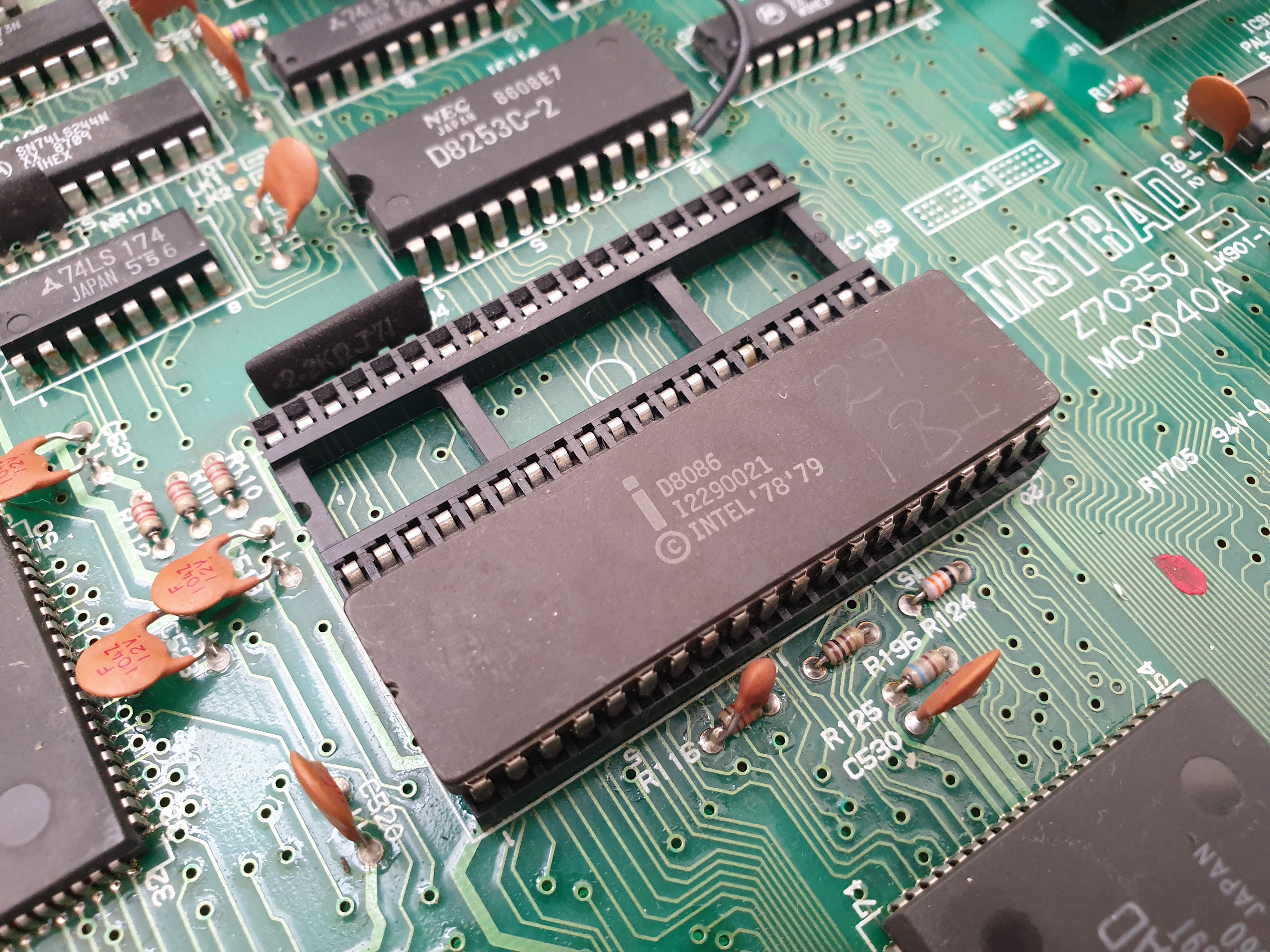 The PC1512 and PC1640 both used the 16-bit Intel 8086 microprocessor. This was a little unusual in itself, as the original IBM PC and PC/XT used the Intel 8088, which had an internal 16-bit data path but communicated externally using an 8-bit data path. The 8088 and 8086 were otherwise almost identical, with similar real-world performance. It ran at 8 MHz, which was very typical of the mid-1980s for a 'Turbo XT'.
Some owners of these systems upgraded their CPU to the more efficient NEC V30 (we'll do that in part 3), which was a pin-compatible drop-in upgrade, offering potentially anywhere from 10% to 30% performance improvement in CPU operations, depending on what you used the system for.
Intel later released the 8086 in faster versions, with 10, 12 and 16 MHz on offer. Unfortunately, the Amstrad architecture makes using these faster CPUs very difficult, if not impossible, as we'll learn a little later.
The Motherboard
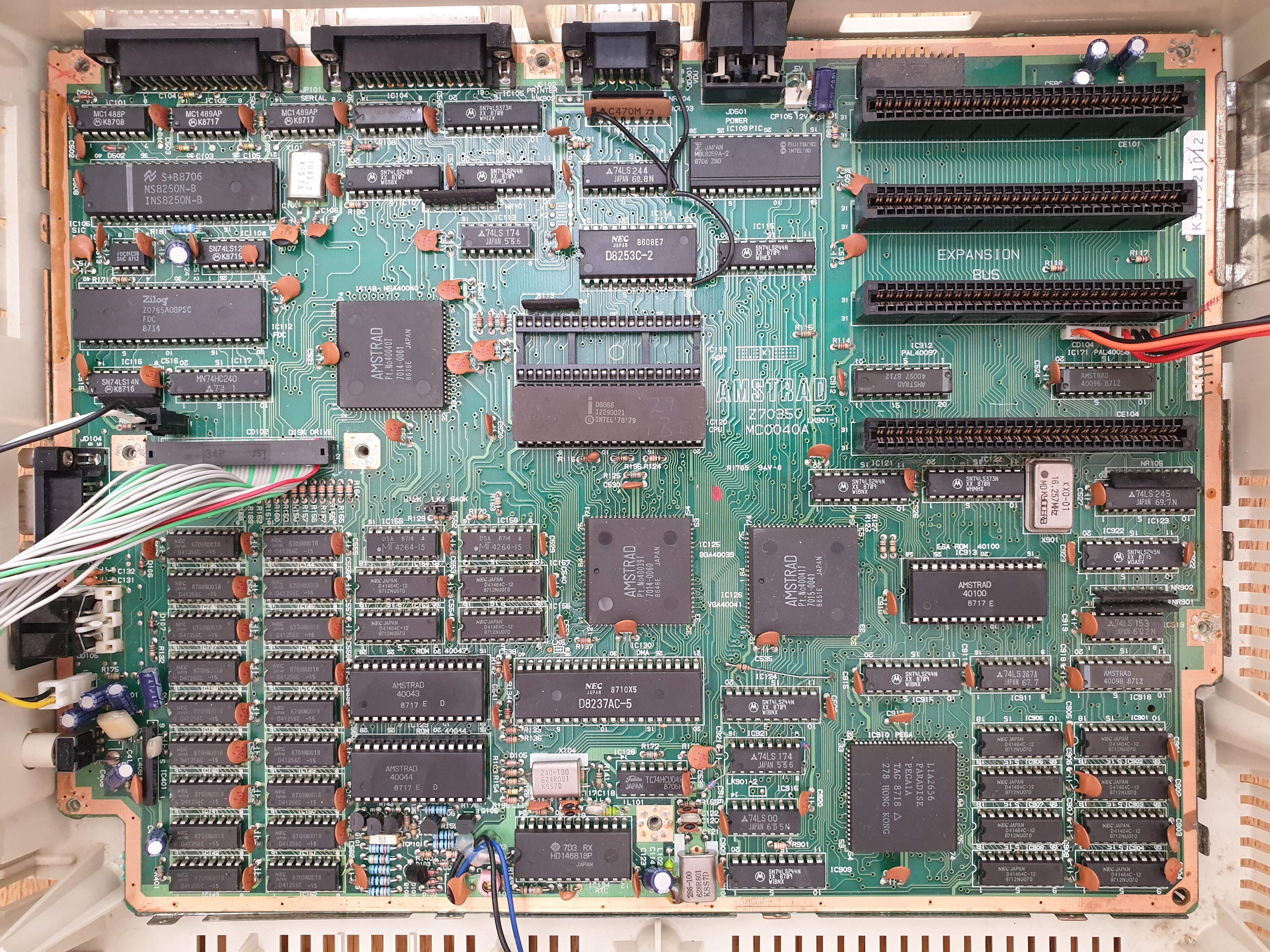 The PC1640 had only minor revisions throughout its life, with part #MC0040x being the first ones, and #MC0042x appearing in mid-1988, shortly before they moved production to their successor, the PC2x86 series. All these motherboards were functionally very similar in terms of components - improvements with the MC0042x mostly comprised rerouting a number of traces to reduce crosstalk and electrostatic interference.
The standout difference between most XT-compatible motherboards and the Amstrad PCs is Amstrad's use of three large gate arrays (ASICs) in place of the off-the-shelf ICs found on most XT-compatibles. These were:
- Part #40039T - Bus gate array (handles CPU-to-ISA bus interfacing and address decoding, wait state generation, and control signal timing)
- Part #40040T - Memory gate array (replaces glue logic, multiplexing, and address decoding for the 640 KB of memory)
- Part #40041T - Custom support/glue logic gate array (used for peripheral interfacing and address decoding)
and were all developed by Toshiba for Amstrad's new 'AERO'-codenamed PC. Some spelled it AIRO, which apparently stood for "Amstrad's IBM Rip-Off".
The motherboard did get some of the more standard Intel support ICs you will find on the original IBM machines:
- Intel 8237 (DMA controller)
- Intel 8253 (Programmable Interval Timer - PIT)
- Intel 8259 (Programmable Interrupt Controller - PIC)
Onboard Graphics
The PC1640 featured an embedded Paradise PEGA1A for video generation, regardless of which model variant or monitor type you purchased. This was called the 'IGA' (Internal Graphics Adapter) by Amstrad, and was effectively an auto-switching EGA card with 256 KB of video memory, able to display its native 640 x 350 in 16 colours from a palette of 64. The PEGA1A was also fully register- and BIOS-compatible with the earlier MDA, Hercules, CGA, and Plantronics standards.
.jpg)
The Paradise PEGA1A graphics chipset, and just above, its 256 KB of video memory
A set of 10 DIP switches at the rear of the system unit were used to configure the monitor type connected to the PC and the initial video mode it would start up in. This allowed the same motherboard and graphics chipset to be used across all model variants with only the different monitor options limiting the machine's video capabilities (CGA monochrome, CGA colour, or EGA colour).
Unlike the earlier PC1512 which was forced to use the IGA, the PC1640's DIP switches allowed for the disabling of the IGA to cater for another graphics card to be installed in one of the four expansion slots. The intention here wasn't really for owners to be able to upgrade to VGA, since the PC1640 needs one of the compatible monitors for power, and there was never a VGA monitor option made available. My understanding is that it was a cursory response to numerous complaints that the PC1512 lacked upgradeability. Yes, you can install an SVGA card but you would need an SVGA monitor and still power the system unit from the old Amstrad monitor at the same time - let's face it, nobody would be doing that.
Display
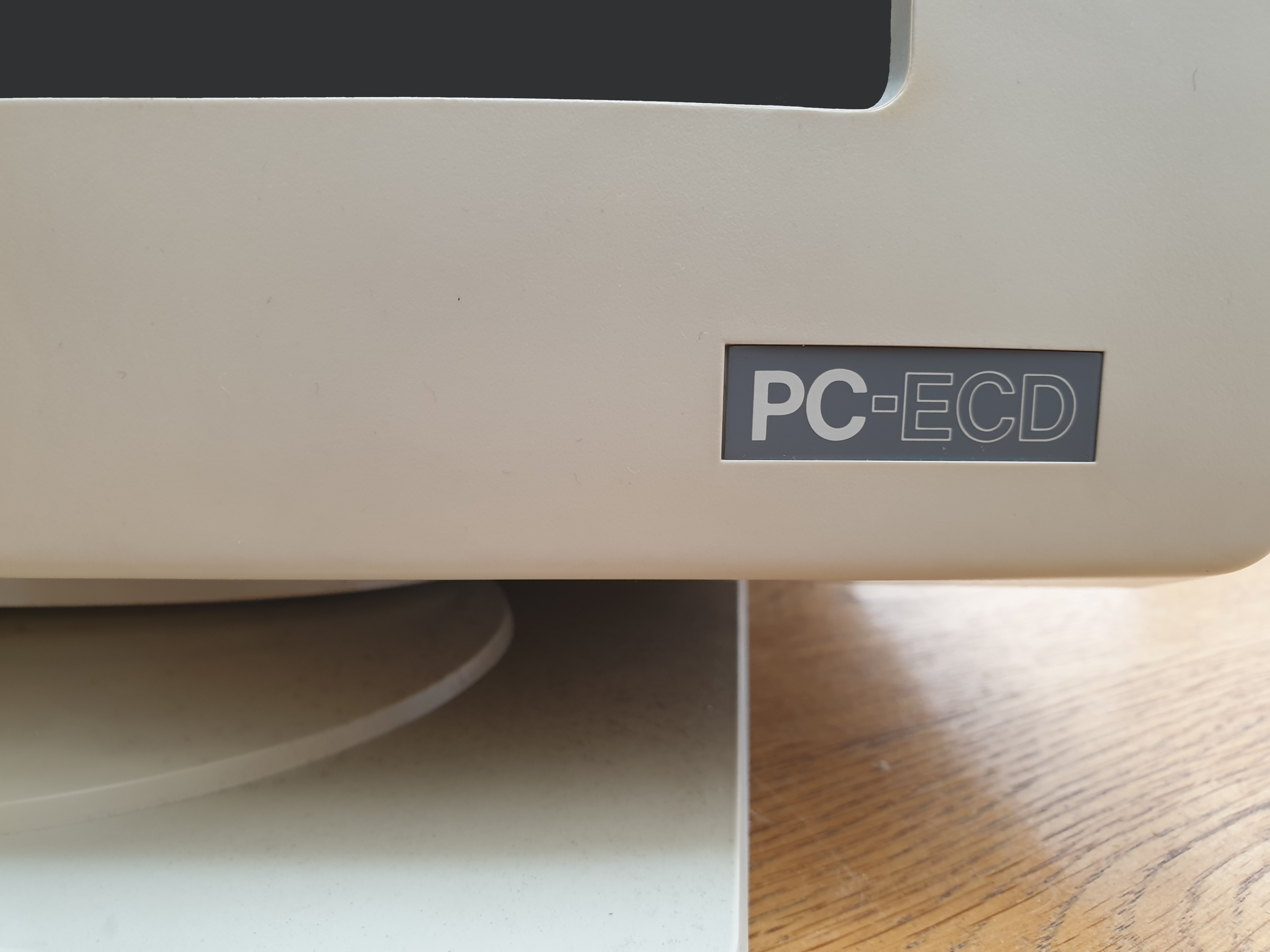
The monitor that I have here is the top-of-the range PC-ECD (Enhanced Colour Display), which is the EGA colour one. It's display area measures approximately 12.5" diagonal, and is able to operate in one of two fixed frequencies: 21.8 kHz horizontal for the high-resolution EGA mode of 640 x 350, and at 15.85 kHz for low-resolution EGA mode (640 x 200) as well as CGA/Plantronics modes of 640 x 200 and 320 x 200. Its vertical frequency is 60 Hz at all resolutions.
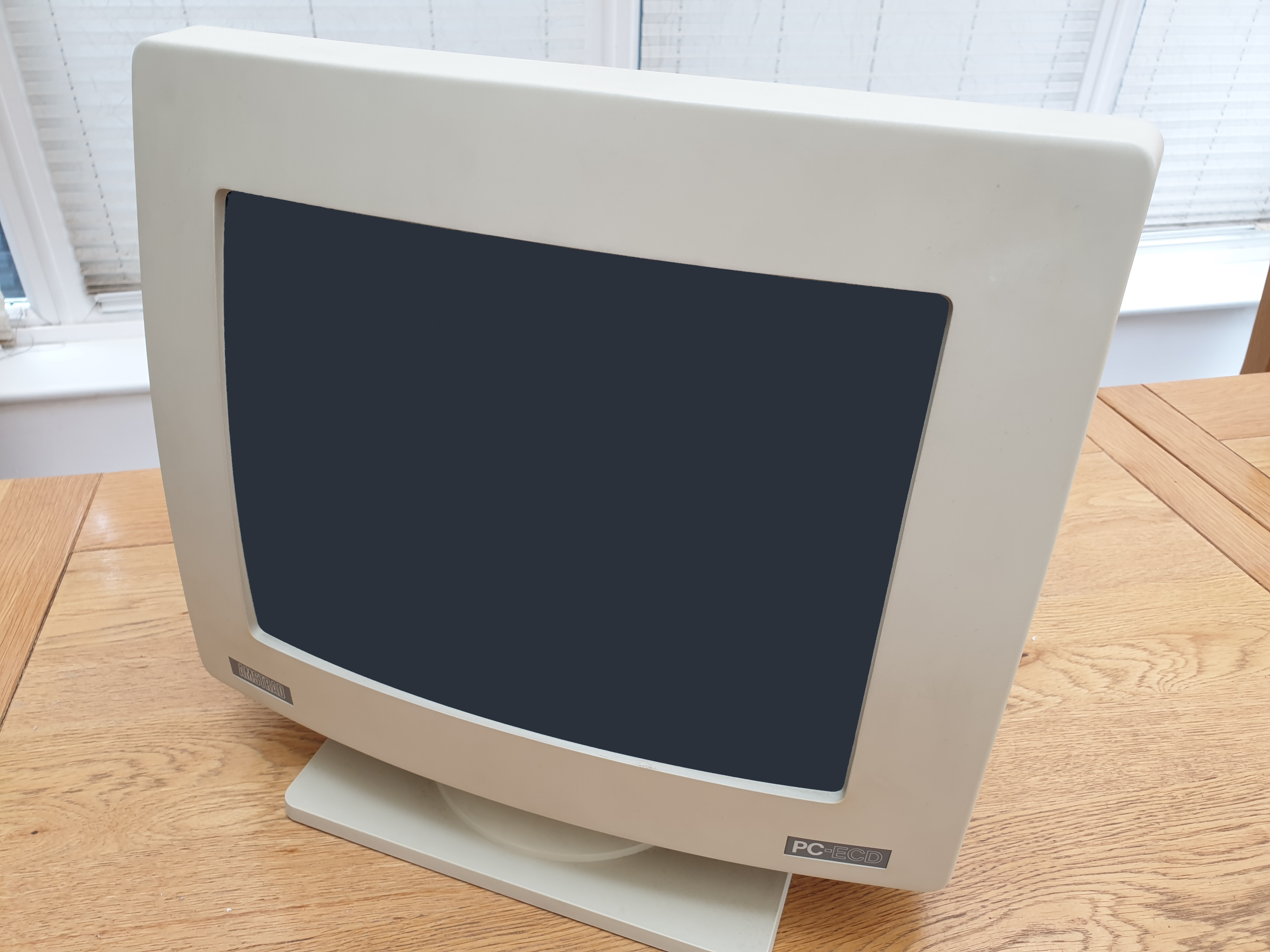
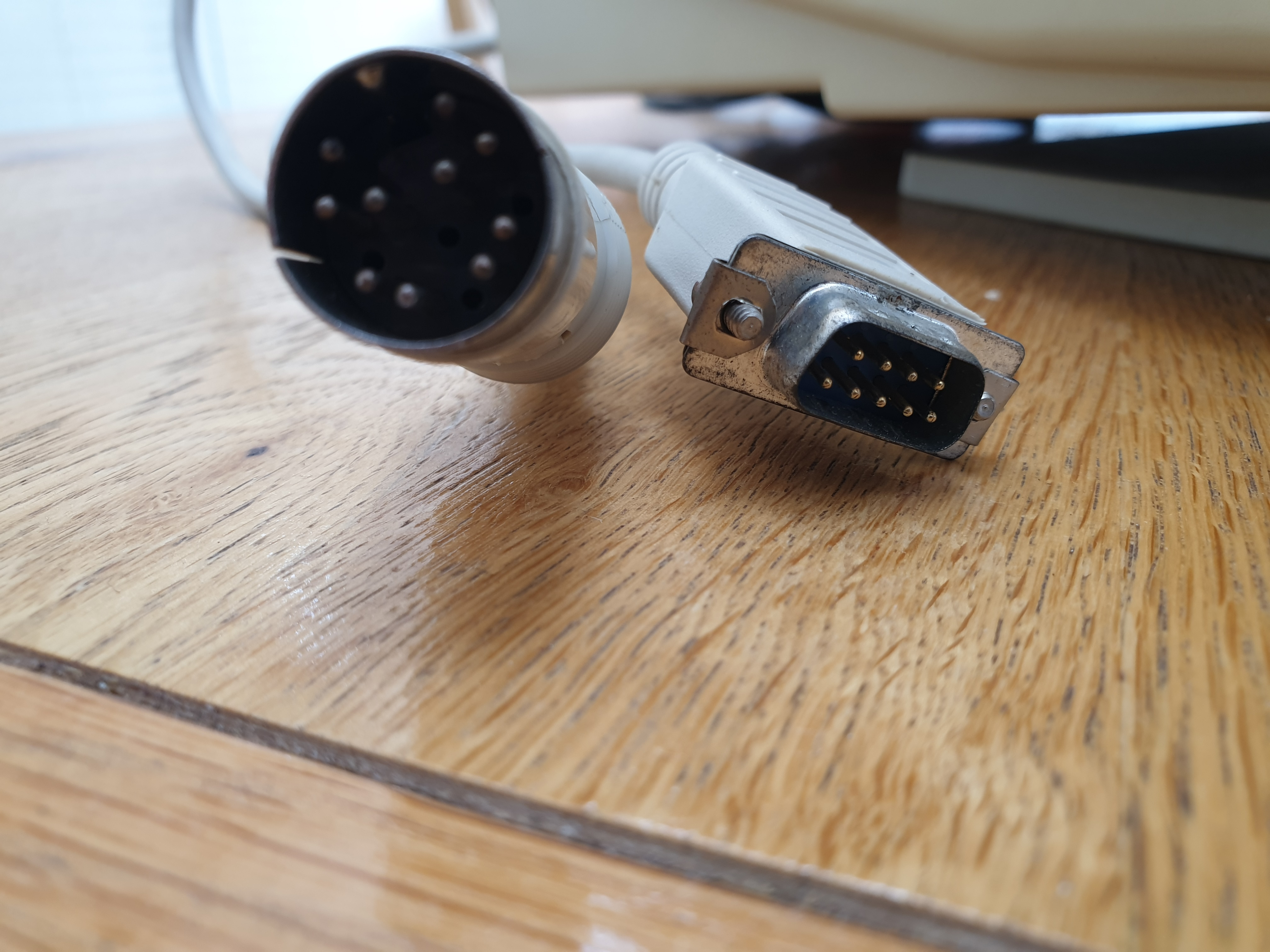
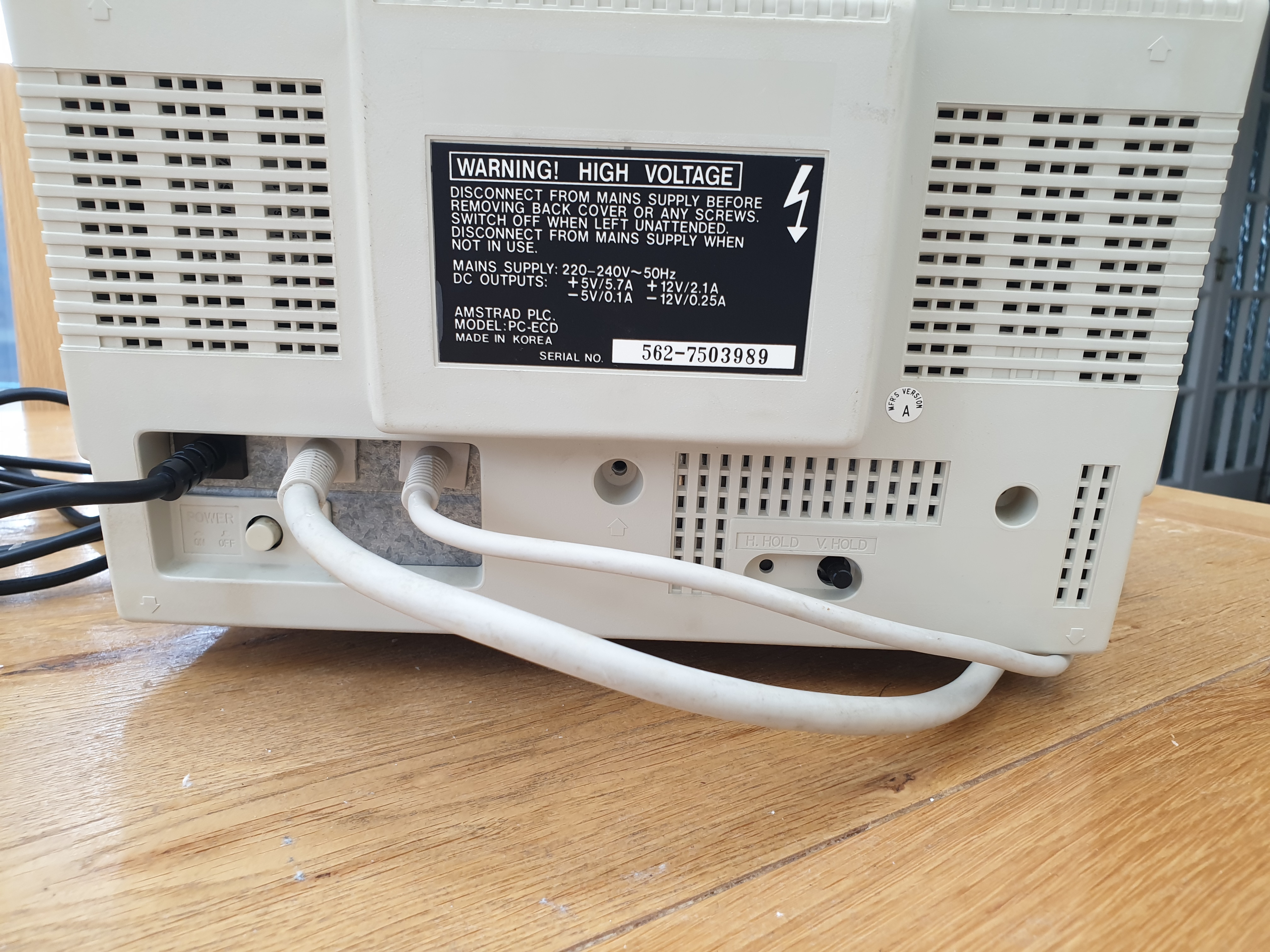
Bottom-middle: the large 14-pin DIN that powers the system unit, and next to it, the 9-pin digital TTL video that connects to the IGA - both connect to ports at the rear of the system unit
The ECD monitor cannot display Hercules monochrome at its native 720 x 348 resolution - despite the fact the IGA supports this mode it was designed solely for use with the PC-MD monitor (also a fixed frequency monitor that supported monochrome CGA and Hercules), and will result in a scrambled picture on the ECD with the potential to damage the monitor due to the higher horizontal sync frequency Hercules runs at. The PC-MD monitor produced a clear, sharp monochrome image designed for these high-resolution text modes that Hercules was most popular for.
Memory
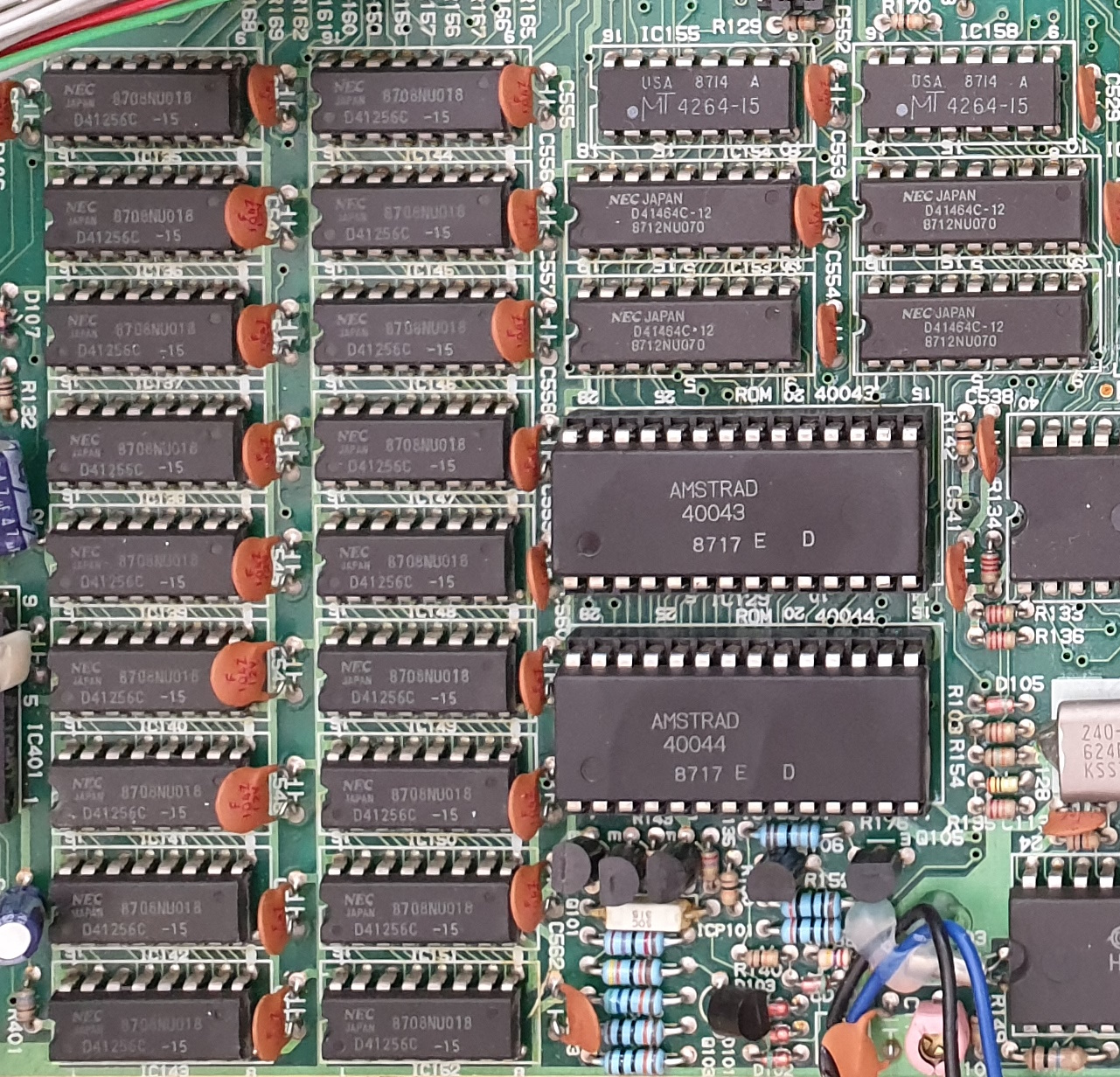 The PC1640 came with 640 KB of RAM, a slight increase on the earlier PC1512's 512 KB. The RAM was configured as two banks of 41256 150ns DRAMs with parity checking. This is mapped in a single contiguous address space from 00000h
to 9FFFFh.
The PC1640 came with 640 KB of RAM, a slight increase on the earlier PC1512's 512 KB. The RAM was configured as two banks of 41256 150ns DRAMs with parity checking. This is mapped in a single contiguous address space from 00000h
to 9FFFFh.
In addition to this main memory, a further 128 KB of memory in 41464 120ns DRAMs is reserved for use by the graphics circuitry for 'video regeneration buffers'. This is mapped in memory just above the 640 KB area (addresses A0000h to BFFFFh).
There were also 50 bytes of low-power static RAM (called Non-Volatile RAM, or NVR) on the motherboard for the storage of the system's hardware configuration, such as drives installed and screen modes. This was embedded into the realtime clock chip (a Hitachi HD14681 at the bottom of the motherboard).
Disk Drives
The PC1640 DD came with two 5.25" floppy disk drives. Being an XT-compatible these are low-density double-sided drives, able to use disks up to 360 KB in capacity. The drives themselves don't have any indications as to their original manufacturer, with the main circuit board being an Amstrad-branded part number:
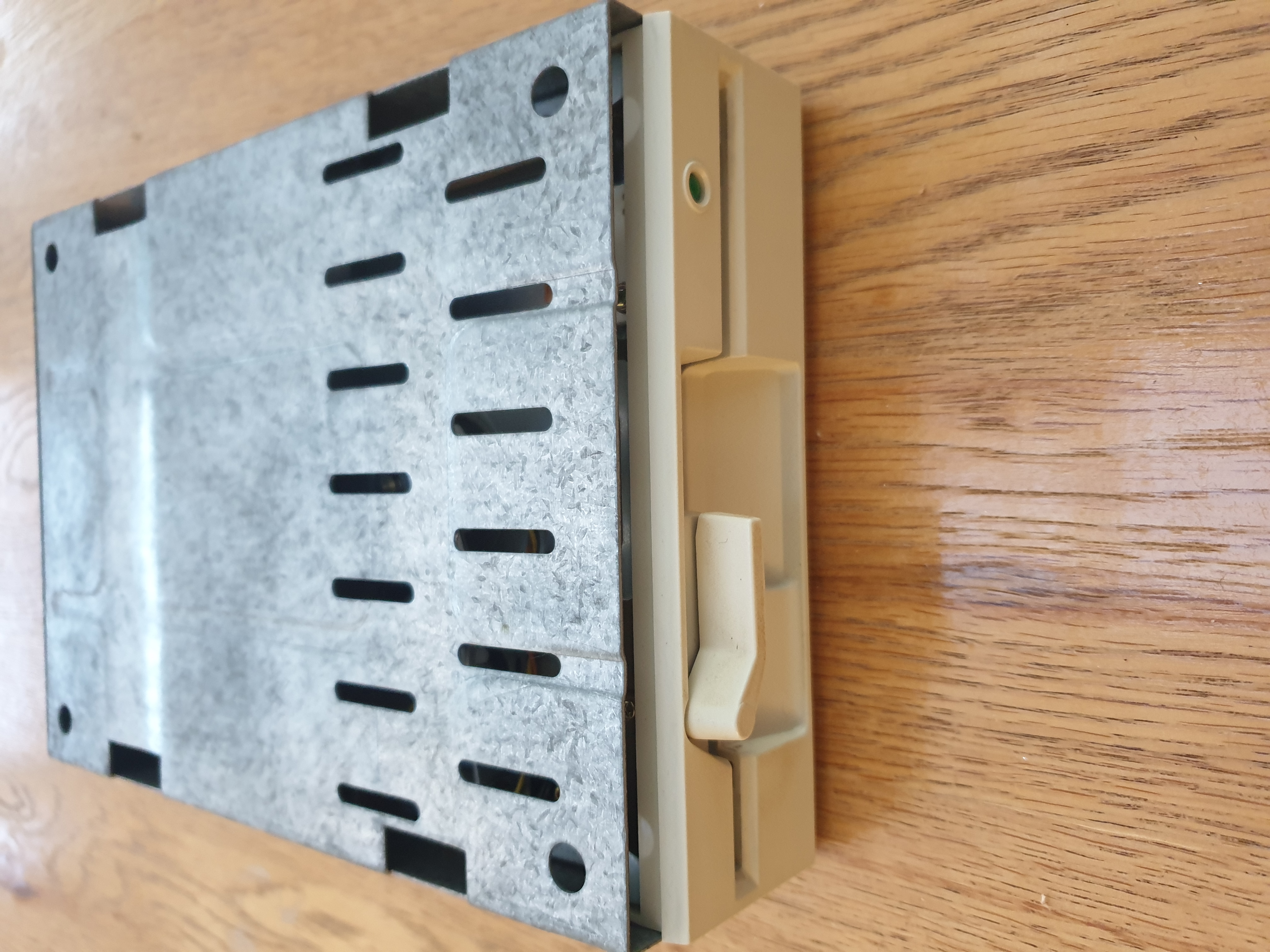
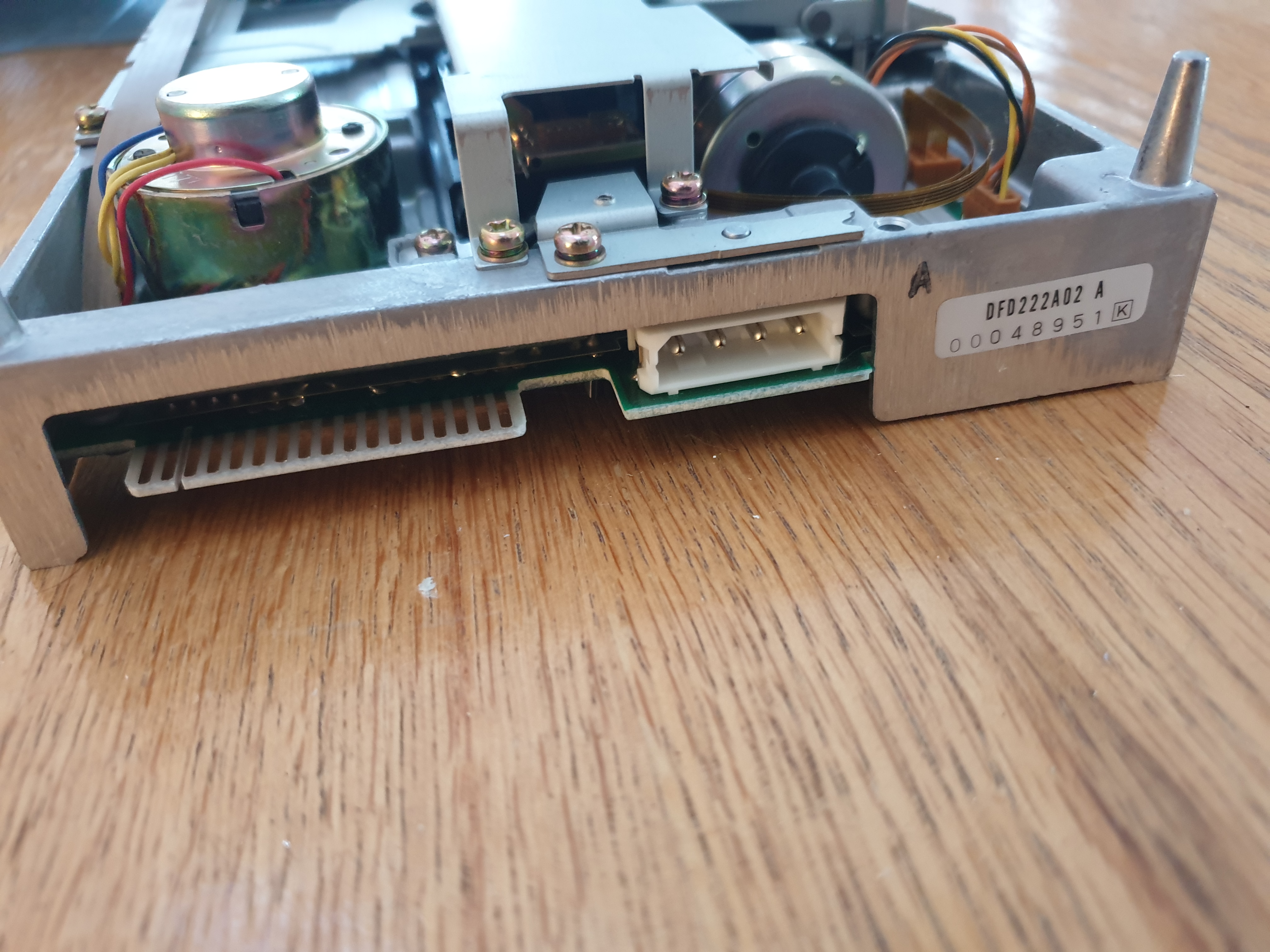
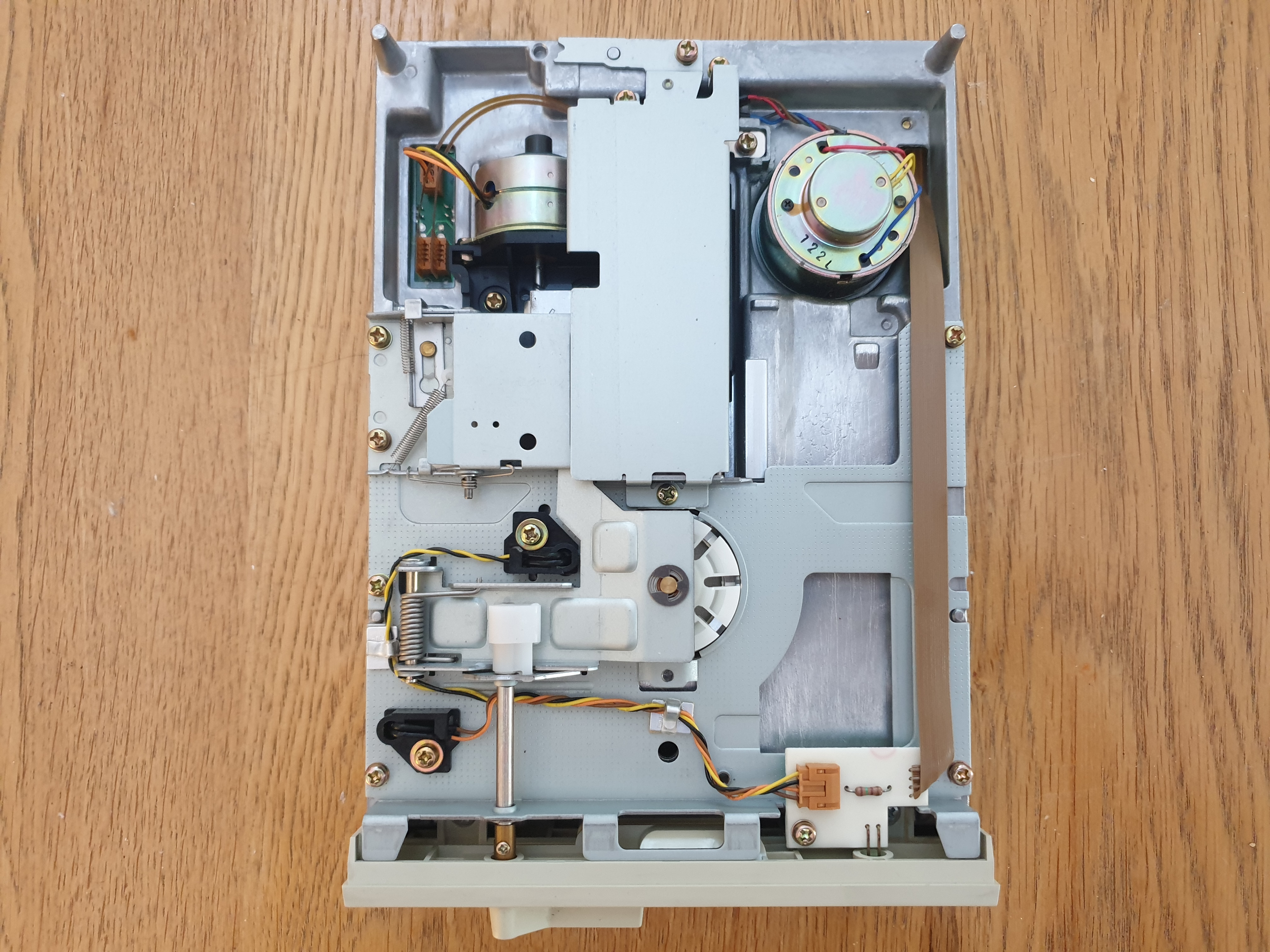
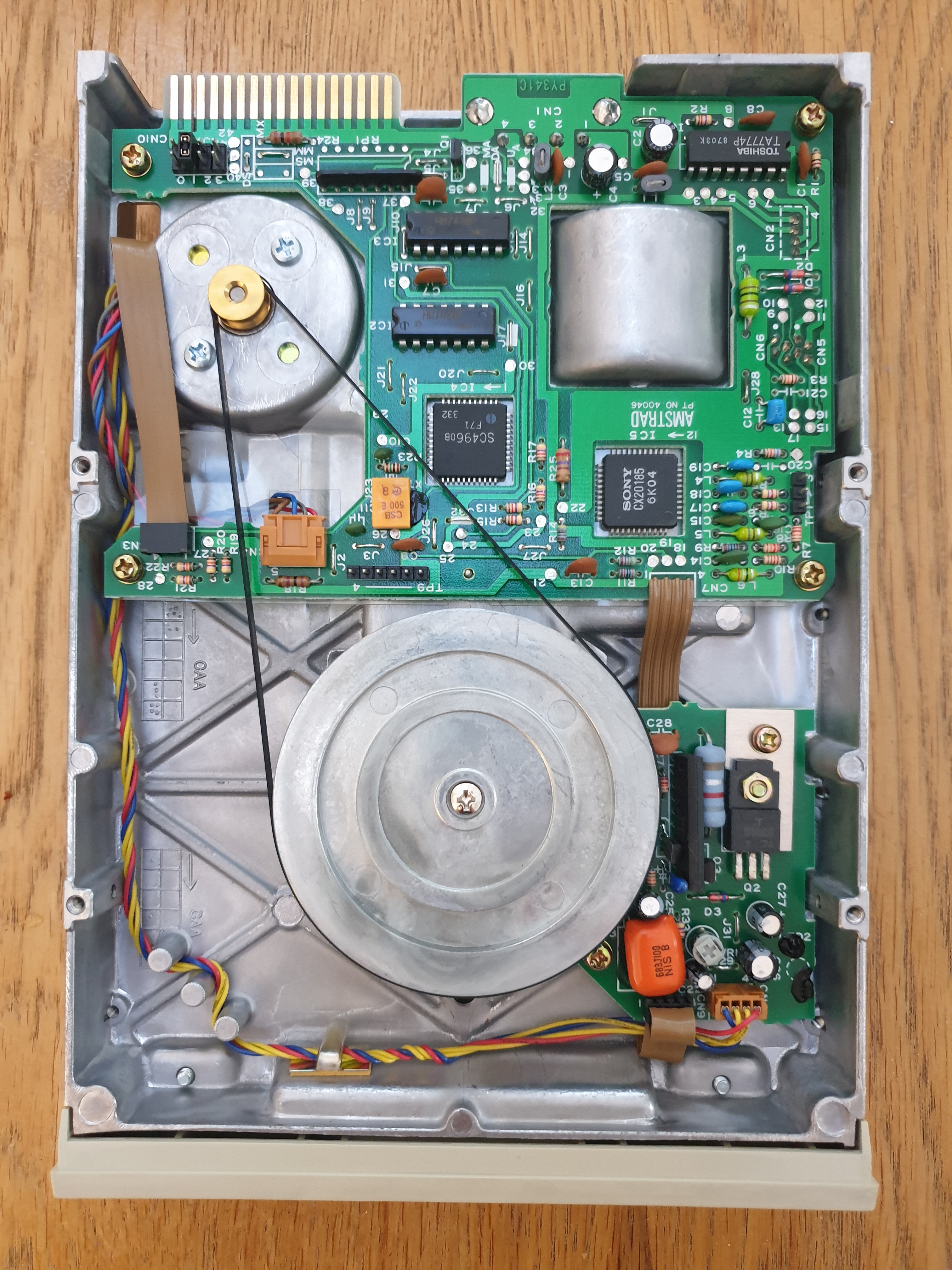
Don't be fooled by the Sony IC - they didn't make this drive, as Sony never produced 5.25" disk drives.
This is drive B: with the Drive Select jumper set to DS1. Drive A: has this set to DS0.
Keyboard / Mouse
The PC1640's keyboard roughly followed the IBM PC/XT layout with 85 keys in total and its function keys oriented down the left-hand side. There were numerous localised versions of the keyboard that followed a similar layout and the same number of keys - just the scan codes and keycaps differed.
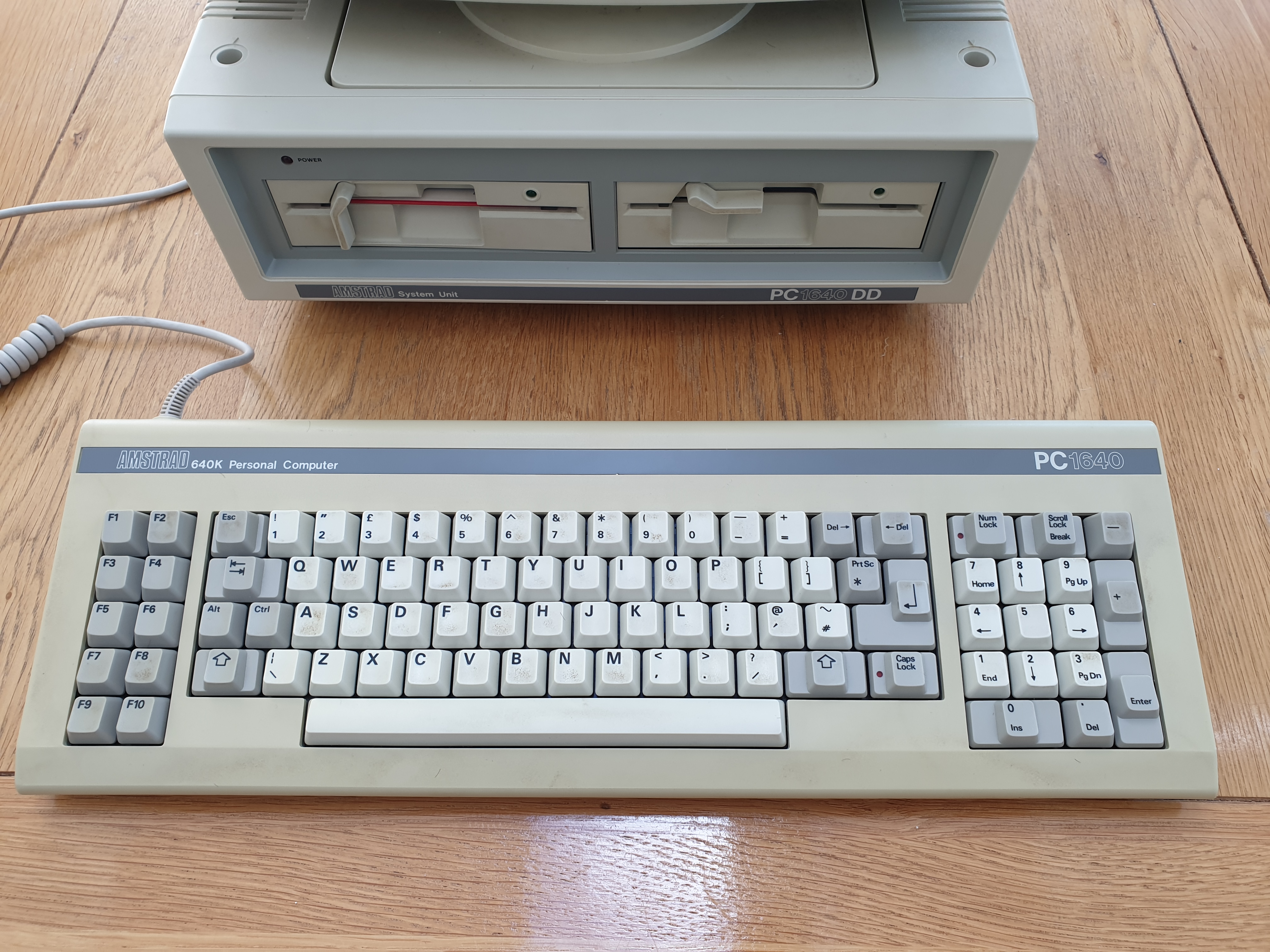
PC1640 keyboard for the UK market - it needs a good clean!
Since I am so used to a 102-key AT keyboard, in using this I continue to mis-key. The gap between the keys seems larger, especially reaching for the Enter key. The keys have a nice, if soft, response, meaning if I produce a weak press it will usually take the keypress but leave me doubting if it had. The strange design of the major keys, such as Enter, Shift, Tab, Backspace, Delete, etc., where their footprint is larger than the key-top is frustrating - if they'd only made the entire keycap the same height... otherwise, no complaints. I personally love these old XT keyboards with the function keys down the side. Remember when application software like WordPerfect would be bundled with useful cardboard keyboard templates for both XT and AT keyboards, and in some cases, coloured stickers you could put onto the keys themselves?
Its interface with the motherboard was non-standard. While the connector appears to be a standard 6-pin DIN, the signalling system used by the Amstrad XT motherboards is completely different (and incompatible) with other PCs and clones. This means that an Amstrad XT keyboard won't work on a non-Amstrad XT, nor will a "standard" IBM-compatible XT keyboard work with an Amstrad XT. You can, however, use this keyboard on the later Amstrad PC2086 and PC3086 with a suitable adapter, as the protocol used is the same - only the connector differs on those later models.
My unit here did not come with the Amstrad mouse. Like the keyboard, the interface is non-standard, despite connecting to the system unit via a 9-pin DSUB. The buttons on an Amstrad mouse behave like keys (they send keystroke commands) - if you've installed Windows and are having problems getting it to work, it's possible you are running the generic DOS KEYB.COM program which wasn't written to handle them. You need to use the custom KEYB.COM from the original Amstrad discs (you might also need to use SETVER to fool it into working as if it's DOS 3.2). You could of course connect a standard serial mouse to the 25-pin RS232 port of the Amstrad with a 9-to-25-pin adapter.
On the rear of the keyboard was a 9-pin joystick port, compatible with Atari, Commodore, and other 8-bit home computers of the time. This was very rare (if not 100% unique) for a PC, whose more common joystick interface was a 15-pin analogue interface, not a 9-pin digital one. The vast majority of PCs did not come with a joystick interface until much later - you had to purchase a 'game card' to be installed in a free expansion slot.
That's it for the walkthrough. In Part 2 we'll power it up and run some benchmarks and games. My plan is for this to be a three-part article where I will also delve into upgrades.