Let's Explore: Borland Paradox 4.0 - Part 3
21st May 2026
In Part 2, we explored the core concepts, structure and terminology of Paradox 4.0 for DOS. In this Part 3, we'll go through some of the querying features to pull data out as we want it.
Paradox doesn't support data retrieval or manipulation via SQL. Instead, Borland provided a thing called "Query By Example" (QBE). This was innovative, allowing non-technical users to be able to retrieve data using a simple interface of selecting data based on the fields in a table (or multiple tables). The 'Ask' menu is the primary means of getting to a subset of data in your database. After choosing the table to query, a 'Query Form' opens with the field names listed in each column:
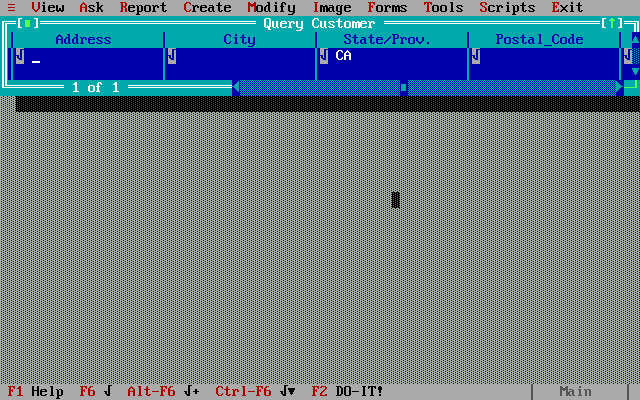
You choose which fields you want to eventually show in the 'Answer' (the resultset) by moving to a column and hitting F6, which puts a check mark in that column. Alt-F6 tells Paradox to show that column's data and include duplicates, and Ctrl-F6 will show that column's data and sort by it.
You can also optionally enter data into a column, which acts as the equivalent of a 'WHERE' clause in SQL, filtering the results where only that value is found in that column. Pressing F2 to 'DO-IT!' then opens an 'Answer' window with the results:
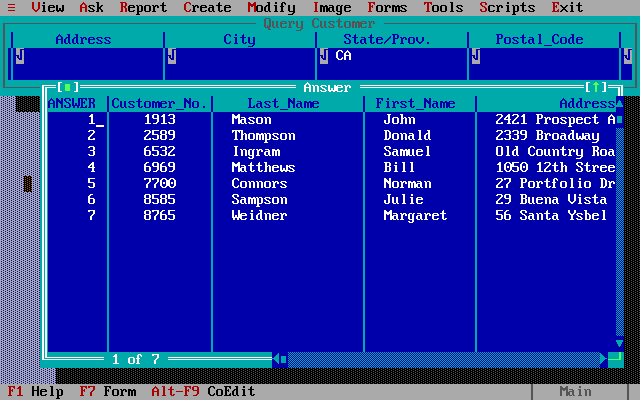
A very simple query, returning all rows in the Customer table
where State/Prov. is equal to 'CA'
These results are stored in a temporary table called answer. This gets overwritten each time you run a new query. If you want to save the results of a query into a separate table, you can do so via the Tools -> Rename menu option to name it as something else. Bear in mind this literally copies the subset of data into a brand new table - there is no concept of a 'view' as you would think of it in modern-day database parlance - that new table is as static as the base table(s) you derived the data from.
You can also use a whole host of operators in the 'Ask' columns, such as arithmetic (+, -, *, /), range (<, >, etc), pattern matching, special operators like 'not', 'like', 'blank', etc., summary operators such as sum, average, count, and much more.
You can also open multiple 'Query Forms' into the workspace at the same time, and all these are active at the same time, meaning that together they make up the current query statement. For example, here is a single query statement involving the Customer, Invoice and Orders tables combined (I opened all three via the 'Ask' menu):
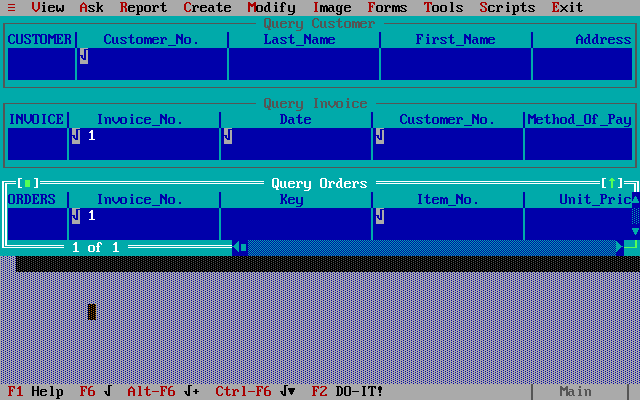
This example would join the Customer and Invoice tables on Customer_No., and Invoice to Orders tables on Invoice_No., where the Invoice_No. = 1. It's equivalent to this SQL statement:
SELECT Customer.Customer_No., Invoice.Invoice_No., Invoice.Date, Invoice.Customer_No., Orders.Invoice_No., Orders.Item_No. FROM Customer INNER JOIN Invoice ON Customer.Customer_No. = Invoice.Customer_No. INNER JOIN Orders ON Invoice.Invoice_No. = Orders.Invoice_No. WHERE Orders.Invoice_No. = 1;Forms
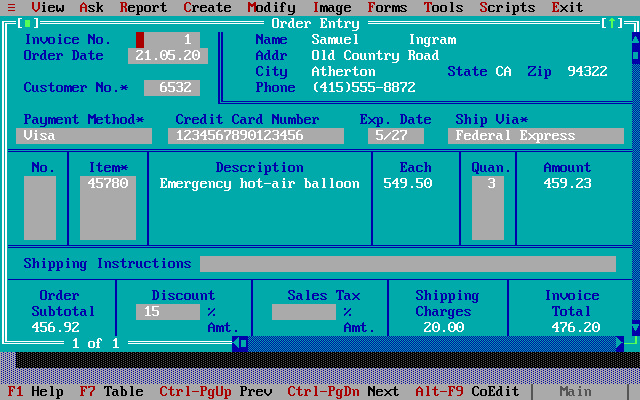
Almost as far back as database applications go, there have been two main mechanisms of putting data manually into a database table - 'table' view and 'form' view. Table view is closer to a spreadsheet, allowing you to input values 'cell' by 'cell', or in the case of a database table, one row at a time while you can see all the pre-existing rows around it, as you put values into each column. Form view provides a single screen that shows just one record at a time. The advantage of forms is that you can format them - the position of each field, the name of it, whether it's freeform text or perhaps has restrictions on what can be entered, is to be validated for referential integrity, is a checkbox, and so on. Once a form has been filled with data you can then commit that record into the database. Form view also allows you to move between existing records with the cursor keys, just like moving up and down in table view to highlight a different record.
Paradox 4.0 is no exception in its support for 'Form view' - its form designer is decent:
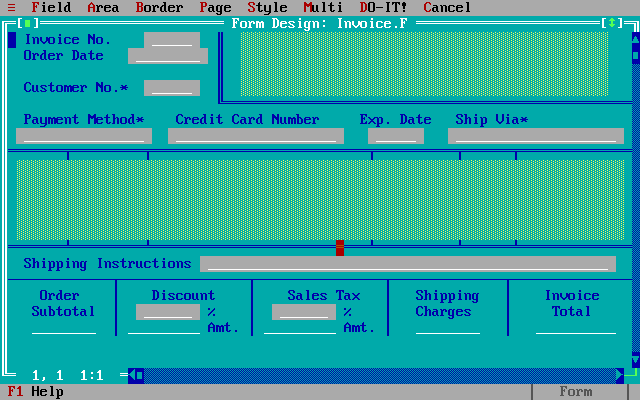
When viewing a table's data using the View menu, you can switch between 'Table' and 'Form' mode by pressing F7. Here's how the above Invoice form looks when it's running:
Graphs
The charting capabilities in Paradox 4.0 appear to be very comprehensive with 10 chart types and a myriad of ways to format the output to get what you want:
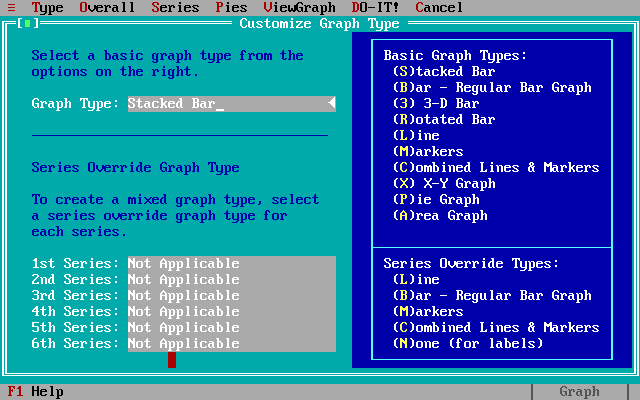
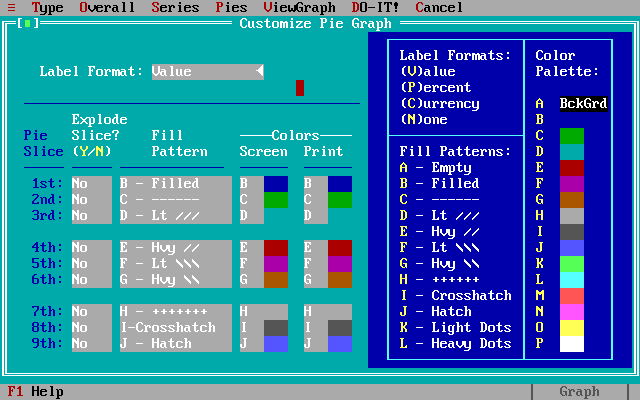
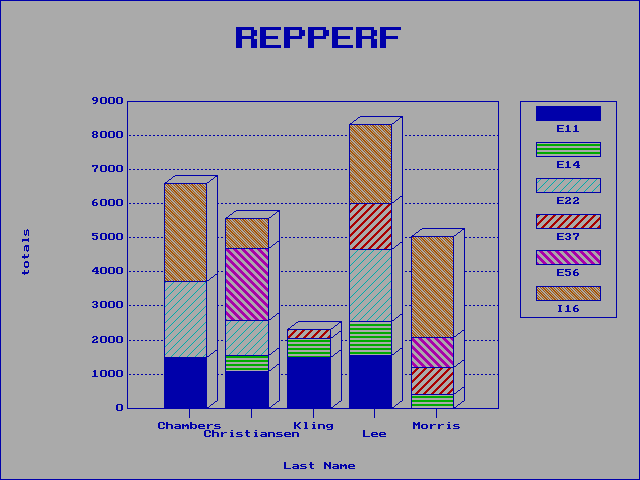
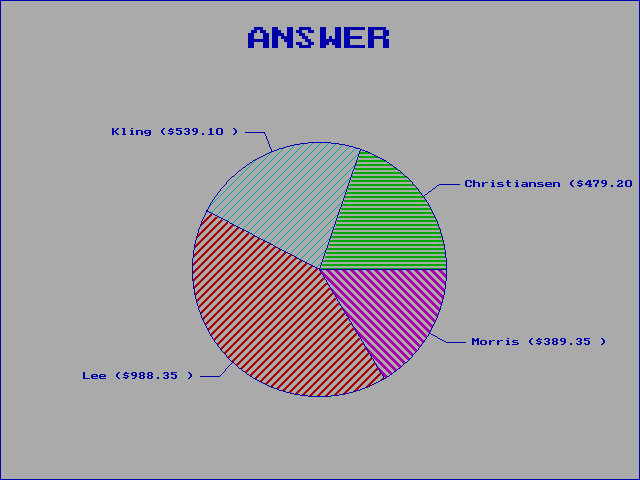
I didn't play around much with these due to a lack of representative data. Simple graphs can be created in seconds just by selecting a numeric field when viewing a table or in an answer, and going to Image -> Graph -> ViewGraph -> Screen.
Printing
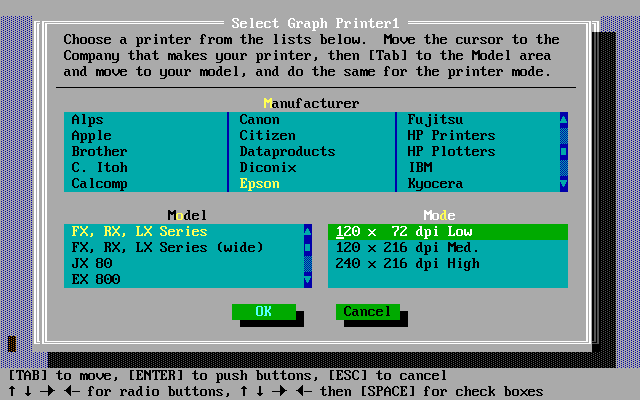
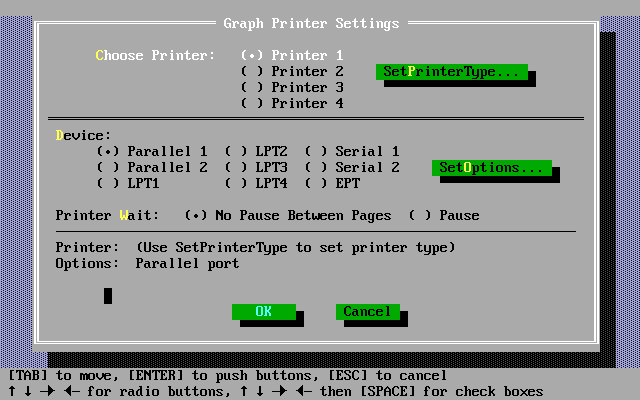
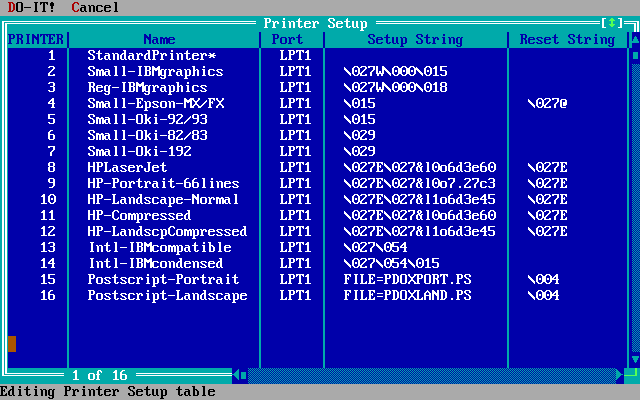
Paradox 4.0 can output to almost any printer, as you customise your own printer setup. Out of the box, you can choose from 27 printer manufacturers and lots of models:
A Custom Application
Borland Paradox 4.0 comes bundled with Application Workshop, accessible under the System -> Utilities menu. This is the tool used to create your own database application. In version 3.5, this was called Paradox Personal Programmer.
It was common in the 80s and 90s for database applications to have their own custom look & feel - a database might be used by end users without anyone knowing they were actually running Borland Paradox. The whole thing was its own 'application', with forms and reports created to show the various data entry and viewing modes users required. It is for this reason that things like the Borland Paradox Runtime exist - to allow custom databases to be shipped with just the core engine but no Paradox 'admin' front-end as you're seeing in this article. It's similar in its premise to the Visual C++ Redistributable you might need to install to get some abstract program running in modern Windows. Microsoft created a similar thing for Access - the Microsoft Access Runtime was a very lightweight component that was needed to 'run' an Access database if you didn't have a full Access (or Office) licence. These runtimes also acted as a decent means of software/IP protection, as you couldn't alter the database structure at all - you could only view/edit the data.
Developing a database application using the Application Workshop and PAL is typically done using the built-in editor within Application Workshop, though any word processor / text editor can be used. Programs have the .SC file extension, meaning 'script', as running a PAL program is the same as running a script (macro) recorded in PAL. From the Paradox main menu, use Scripts -> Play and choose the .SC file
Here is Paradox 4.0 Application Workshop running:
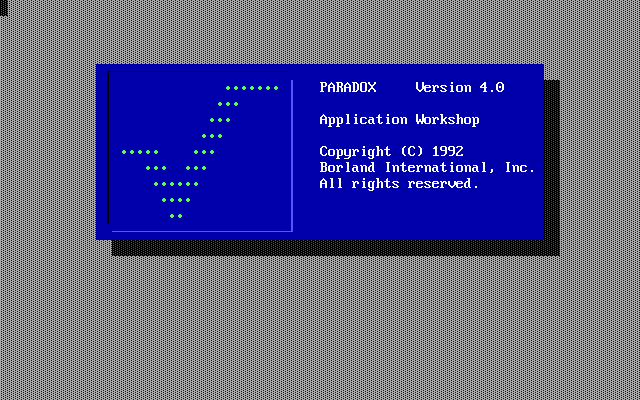
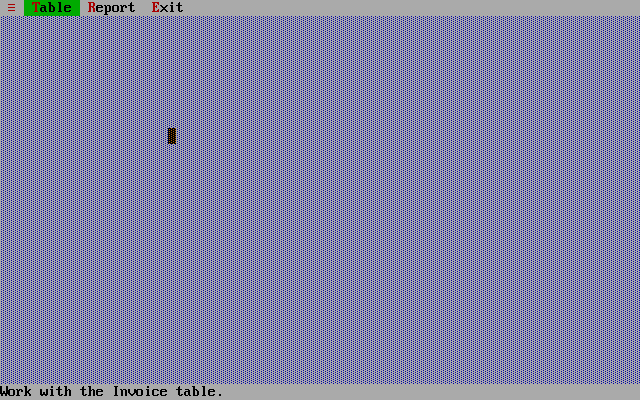
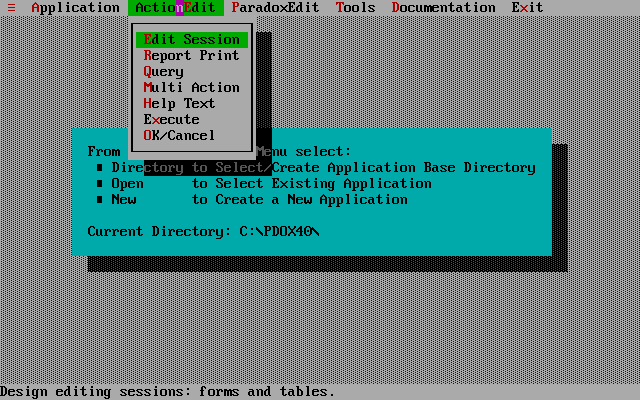
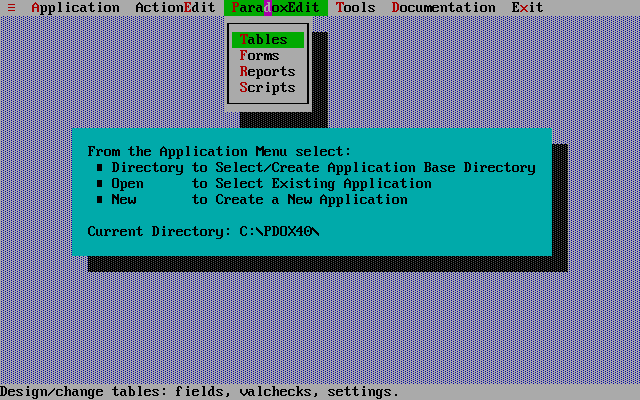
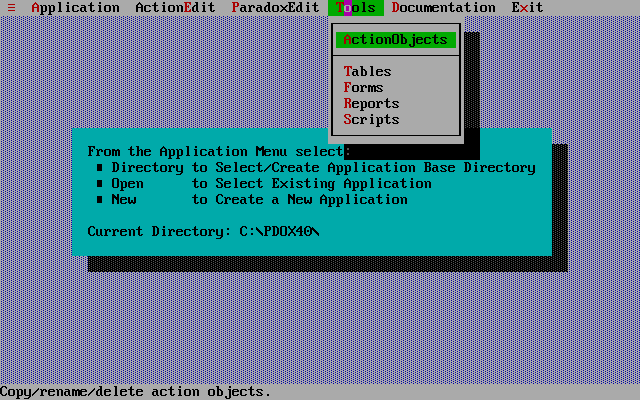
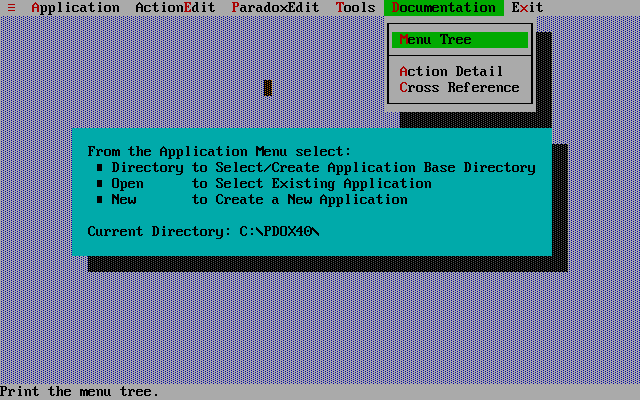
The scope of using Application Workshop is way beyond the purpose of this article, but here's an example of a Paradox database 'application' written in Application Workshop and PAL:
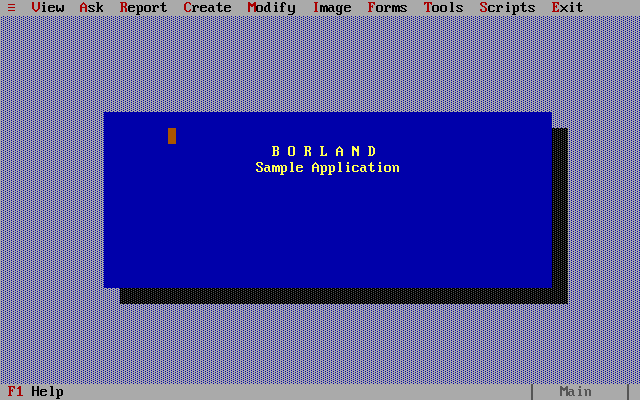
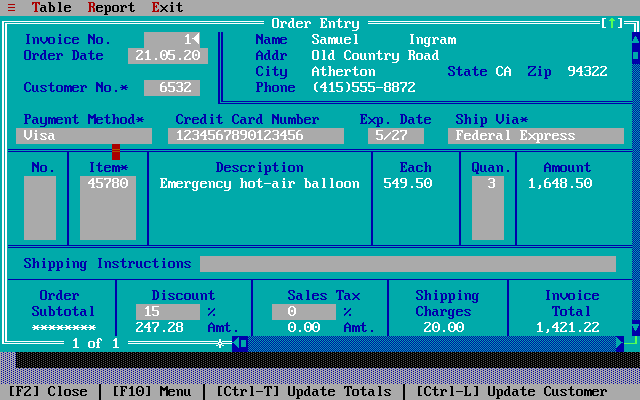
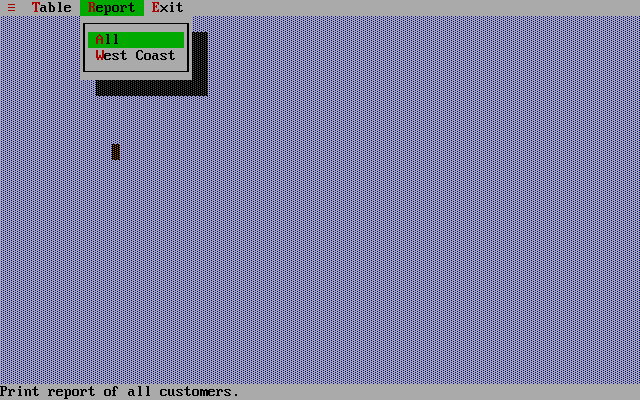
Note how both the top and bottom menus are completely changeable to restrict access
to just what you want end users to see. The splash screen is a nice touch, too! (click to enlarge the images)
Running Paradox 4 in Windows
Paradox 4 will happily run in Windows 3.0 or 3.1. It is important to mention, however, that you should never attempt to run it from within a DOS shell inside Windows. Doing so may overwrite parts of Windows that's still running in memory and hang your machine. Instead, run the .PIF file that's provided with Paradox 4.0. If you've installed the application to a different subdirectory than PDOX40, edit the .PIF file and specify the actual directory of the program.
Also note that if running Paradox in Windows 3.0, mouse navigation won't work unless you're running in full-screen mode (ALT-ENTER in Windows). In Windows 3.1 the mouse will work fine either full-screen or windowed.
Manipulating Paradox Database Files Today
If you have an old Paradox (version 3.5 or later) or dBase (III+, 4, 5, 7) database that you need to access on a modern Windows PC, there are free utilities out there that support reading/writing, executing SQL, manipulating the structure, and converting or exporting to other formats.
One such utility I used is called PdxEditor by Niels Knabe of Copenhagen, Denmark. It runs on 32-bit and 64-bit Windows XP, Vista, 7, 8, 10, and 11. PdxEditor does also require BDE version 5 to be installed on the same Windows PC - Niels provides installers for that also on his website. Within a few minutes of grabbing the PdxEditor v5.12 installer and the BDE I was reading these Paradox 4.0 tables and querying them via SQL. You can also import and export data from delimited text files or CDS-formatted files. I used PdxEditor to add lots of new records to the tables in the Paradox example database I've been referring to in this article, and checked them again in my true Paradox 4.0 DOS installation - it worked just fine. At the time of writing this article, PdxEditor is very much an active project with the latest release, 5.12.0.782, coming out just a few days ago.
There's also an active GitHub project called paradoxReader by teverett which can read .DB files and convert them into .CSV files. This operates on the command line, or has Java libraries you can put into your own code.
Conclusion
Having spent 48 hours or so with Paradox 4.0, I come away with mixed feelings, but most of them are good. Firstly, it's definitely got some chops when it comes to being a full-fledged database management system. It supports multi-table forms (forms that contain fields from multiple tables), complex queries including inner/outer/self joins, has a comprehensive programming language, supports indexes to improve data retrieval performance, and has decent-ish locking for data integrity. I love the fact you can use PAL and the Application Workshop to effectively create a standalone application with its own menus and options.
A key missing feature is views. Yes, you could design a report that outputs what effectively would be the resultset from a view, and each time you run the report you would be getting a refreshed 'view', but reports can't be used in other queries as a source of data.
Another missing piece for me is the ability to tweak performance, e.g. run an explain plan and apply index hints or other methods to coerce the way the DB engine executes, though this is way beyond the scope of a product like Paradox.
I've had a career in IT so I personally enjoy the power and flexibility of writing SQL to interrogate complex databases. 'Dumbing down' to QBE didn't really work for me, but for many back in the early 90s I'm certain it was hugely popular and helped bridge that techie gap in the workplace. Offering an advanced mode with a SQL-92 compatible editor would be the icing on the cake but with Paradox 4.0 you really have to 'live in its shoes' - it wasn't designed for the database developer or admin, it was designed for office staff. Sadly, this means if you understand modern professional databases you need to learn a new language of sorts. For example when Paradox refers to 'image' it's talking about the screen and your user experience. Ask means query. Answer means resultset. There's more jargon I've not got into, like KeepSet, PickForm and QuerySpeed. It's not a huge hurdle, you'll just need those manuals to hand - I have two of them open next to me right now.
These days it's obvious we are spoiled with high-resolution pixel-perfect displays. As with many DOS applications, going back to an 80 x 25 text display can require some erm... adjustment. While the windowing and dropdown menus offer so much more than what came before, there's just not that much room on the screen when you have four or five windows open, so its utility is hampered somewhat. I eventually ran Paradox in 132 columns by 43 rows, and that was what worked best for me. 50 rows squashes the text vertically too much for my older eyes ;-) While you can move and size windows using keyboard shortcuts and commands, I do recommend using a mouse.
I didn't like the fact that Paradox doesn't have the concept of a main database file - it's probably a small point, but here you have an entire directory of seemingly disconnected files. It just seems messy.
On the reports and graphs side, I didn't really delve too much into them. The reports I ran looked pretty OK - they're all in text mode, though. The graphs are similar to what you'd get from something like Lotus 1-2-3 around the same time, with rather blocky graphics but I was impressed with the flexibility and number of graph types. Oh, and the printer support is exceptional.
Some good points: its export features appear to be very robust, and it ran quickly for me on a machine of 486DX era, with only marginal delays when cancelling out of some screens (I assume because it was rolling back any changes I'd made to the data). PAL is a whole world I have yet to explore.
The manuals are a must-have. They are comprehensive, well illustrated, and provide good examples.
Since this is the first of these 'Let's Explore' series, I may come back with an even more positive view of Paradox 4.0 once I've revisited the likes of dBase III+ or Oracle with its horrible command line interface. Borland always shone when it came to their user interfaces, and Paradox 4.0 is as friendly as they come.

I hope you enjoyed this article, and if you've had experience with Borland Paradox, let me know via the Contact Us link below!