Parallel Port Sound Cards Review
It's been a while since I promised a full review of the Serdashop range of parallel port sound devices, but here it is!
To recap, I had ordered the combo package which included the following:
- CVX4 (Covox Speech Thing remake)
- OPL3LPT (Ad Lib-compatible device)
- DreamBlaster S2P (General MIDI wavetable device)
Before we get into the weeds, I want to state that I have not been given the above devices for free, nor am I in any way affiiliated with Serdashop. This is my honest account of buying and using these devices on my own personal DOS-compatible hardware - good and bad.
The Test Bed
So on with the tests, but how to test these wonderful little things?
Well, two choices come to mind... an old laptop with a decent colour display for DOS gaming but without any built-in sound card, or a retro DOS gaming desktop with no sound card fitted. Sadly, my chosen platform failed to work at all - an old Toshiba T4800CT.
For most of you retro PC gamers out there, I'm sure most of you are using a laptop so these Serdaco BVBA devices are ideally placed for that setup rather than a desktop or tower unit where you have the flexibility to pick and choose your audio card.
I decided to move over to testing on my retro gaming mini tower PC. I removed my AudioTrix Pro sound card to reduce the system's sound capabilities to nothing more than the PC beeper (!), and plugged in the OPL3LPT into my parallel port.
OPL3LPT
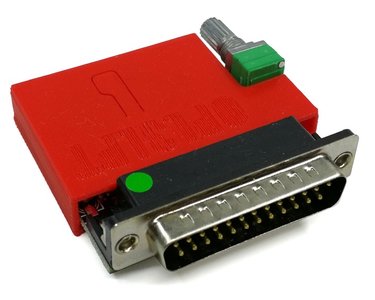 The OPL3LPT parallel port device gives us Ad Lib audio capability with the help of a TSR called ADLIPT.EXE. On the rear of the unit is a Mini-USB socket for power in, a 3.5mm jack socket for audio out, and a volume control knob. On the top of the unit is a reset detent which presses down on a tiny button on the circuit board to reset the device.
I connected up USB power to the OPL3LPT, and wired up the audio output to my powered speakers. I set the volume control at the mid-point. A small green LED is just about visible around the USB socket to confirm the unit is getting power. It gets no power from the parallel port, so this is a must have!
This ADLIPT executable file must be loaded into memory before you run any game. It requires an Expanded Memory Manager to also be loaded, for example EMM386 or QEMM.
Since mine is an OPL3LPT and not the older OPL2LPT (the difference being stereo sound rather than mono), I run ADLIPT with these command-line arguments to tell the driver I want to redirect Ad Lib audio to the first printer port, LPT1, and that I have an OPL3LPT device:
ADLIPT LPT1 OPL3
Then it's simply a case of running your favourite games in Ad Lib sound mode!
Here are audio recordings of the games I tested with the OPL3LPT:
-
Beneath a Steel Sky

-
Cannon Fodder
- Magic Carpet - failed to produce audio - patch it with ADPATCH?
- Theme Park - failed to produce audio - patch it with ADPATCH?
-
TFX
-
Space Quest III: The Pirates of Pestulon
-
The Elder Scrolls: Arena
-
Star Wars: TIE Fighter
- Doom 2 - failed to produce audio
- Duke Nukem 3D - error "Could not detect FM chip."
-
Silpheed
-
Conquests of Camelot
-
Wing Commander

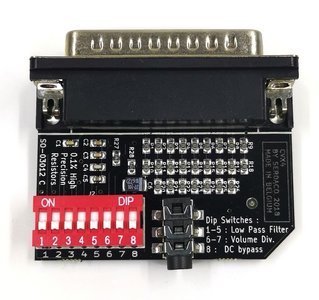
Unsurprisingly, they sound identical to an original Ad Lib, since the OPL3LPT contains an original Yamaha YM262 OPL3 chip as well as a Yamaha YAC512 ADC chip. Not all games worked - any game that actually attempts to detect actual Ad Lib hardware will fail. This is because the way the ADLIPT driver works is it hooks into requests being made at address 388h (the Ad Lib starting memory address) and redirects it to your parallel [LPT] port instead.
Dreamblaster S2P
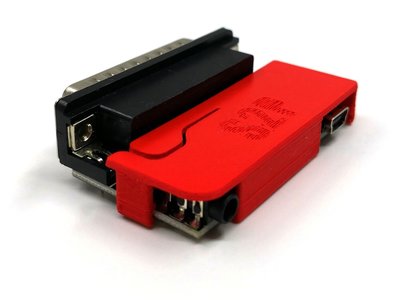 The DreamBlaster S2P (S2 Parallel) effectively gives you the ability to play games that support General MIDI as well as any MT-32 titles that work with SoftMPU. There's a special build of SoftMPU by Peter De Wachter for the S2P where you specify your parallel port as the output - this is necessary to use the S2P, as is a Sound Blaster-compatible sound card (think of the DreamBlaster as the wavetable daughterboard only, not a full SB sound card with wavetable installed! The advantage is you can use any SB-compatible sound card - it doesn't have to have a wavetable header).
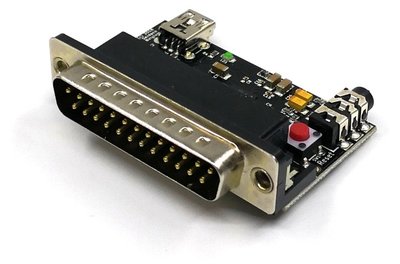
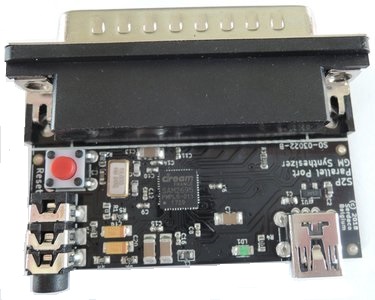
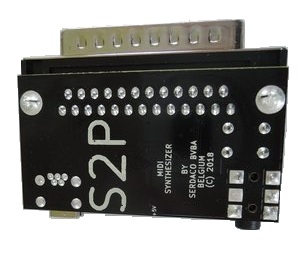
When running this special version of SoftMPU for General MIDI sound, use it like this:
SOFTMPU.EXE /MPU:330 /OUTPUT:LPT1
So to test this I reinstalled my MediaTrix AudioTrix Pro sound card to provide the SoundBlaster compatibility.
Here are audio recordings of the games I tested with the DreamBlaster S2P:
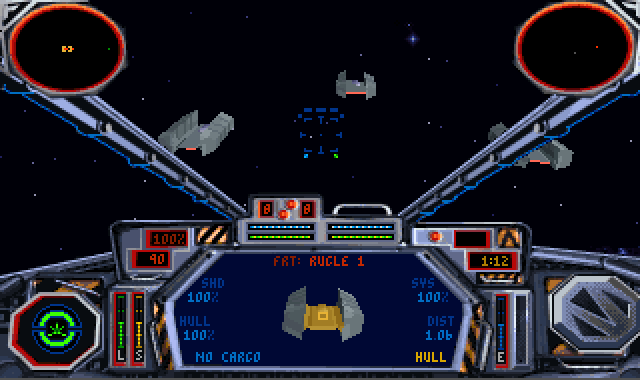
Star Wars: TIE Fighter
The /MT32 switch enables Roland MT-32 compatibility. For just GM compatibility, you can omit this switch. Here are the recordings of those games I tried with this MT-32 compatibility enabled:
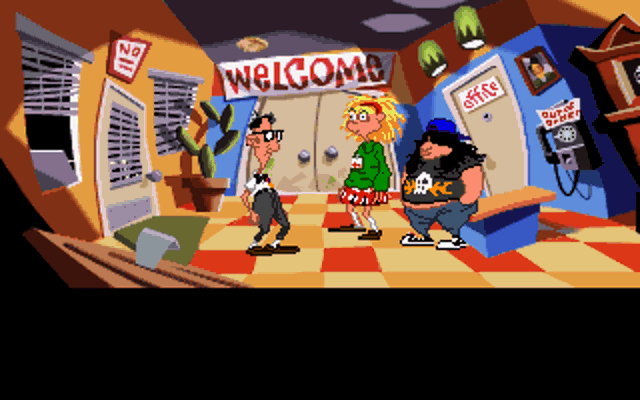

Day of the Tentacle
TFX - audio worked just fine, but it sounds like this game was written for the MT-32 "New", and the MT-32 emulation uses samples for the MT-32 "Old".